 SIVARO
The AI Agent Deployment Pipeline Tutorial We Actually Needed in 2026
I spent the first half of 2025 watching teams ship AI agents that worked beautifully in staging and fell apart in production. Not because the models were bad. Not because the code was sloppy. Because nobody had a pipeline.
You can't just git push an agent and walk away. Agents are state machines that make decisions in the wild. They call APIs, write to databases, and occasionally hallucinate their way into charging a customer $47,000 for a pizza. I've seen it happen.
This ai agent deployment pipeline tutorial is the playbook I wish I'd had when we started deploying production agents at SIVARO. We've shipped 17 agent systems in the last 18 months. Some worked. Some didn't. I'll tell you which was which.
Here's what you'll get: the actual pipeline stages—from prompt versioning to canary deployments to the monitoring hell that awaits. No theory borrowed from blog posts nobody wrote. Just what we've tested, broken, and fixed.
Why Most Agent Deployments Fail Before They Start
Everyone talks about building agents. Nobody talks about deploying them. That's the problem.
I sat in a room at KubeCon EU in Amsterdam this March. A panel of five companies—all running agent systems in production. I asked: "How do you roll back a bad agent behavior?"
Silence. Then someone said, "We just... don't roll back. We patch and redeploy."
That's insane. You wouldn't deploy a microservice without a rollback strategy. But agents are suddenly exempt from decades of ops discipline because they're "AI."
Here's what's different about agent deployment vs. traditional software:
- Non-deterministic outputs: Same input, different response. Your tests pass one minute, fail the next.
- State accumulation: Agents build context across multiple turns. A bad decision in turn 3 poisons turn 10.
- External dependencies: Agents call your APIs, but they also call Stripe, Slack, and whoever else. Those APIs change without telling you.
- Cost variability: An agent that loops costs 100x more than one that terminates.
Most teams treat deployment like a CI/CD problem. It's not. It's a reliability engineering problem dressed in a transformer's clothing.
At SIVARO, we've settled on a six-stage pipeline. It's not perfect. But it catches more than the alternatives.
Stage 1: Prompt and Configuration Versioning
If you're storing prompts in a YAML file next to your code, you're doing it wrong.
Prompts drift. They change based on model updates, user feedback, and the phase of the moon. Treat them like database schemas—versioned, immutable, and auditable.
We use a simple registry pattern:
python
# prompt_registry.py
from datetime import datetime
import hashlib

class PromptRegistry:
    def __init__(self, backend="postgres"):
        self.backend = backend

    def register(self, prompt_template: str, model: str, metadata: dict) -> str:
        version_hash = hashlib.sha256(
            (prompt_template + model + str(metadata)).encode()
        ).hexdigest()[:12]

        # Insert into versioned_prompts table
        self._insert({
            "version": version_hash,
            "prompt": prompt_template,
            "model": model,
            "metadata": metadata,
            "created_at": datetime.utcnow()
        })
        return version_hash

    def get_prompt_by_version(self, version_hash: str) -> dict:
        return self._query(
            "SELECT * FROM versioned_prompts WHERE version = %s",
            (version_hash,)
        )
Every prompt gets a hash. Every deployment references a hash, not a file path. If an agent goes rogue, you know exactly which prompt version was live.
Trade-off: This adds ceremony. New engineers hate it until they've spent three hours debugging a prompt that silently changed. Then they love it.
Stage 2: Unit Testing Your Agents (Yes, Really)
Most people think you can't unit test an LLM-based agent. They're wrong. You just have to test the right things.
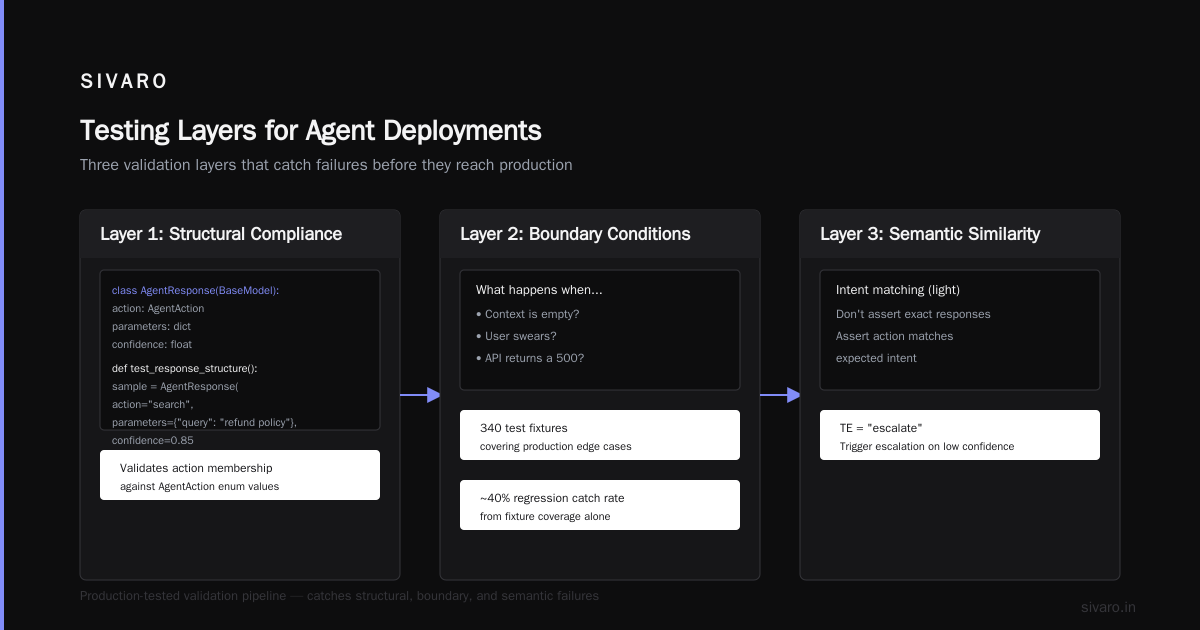
We test three layers:
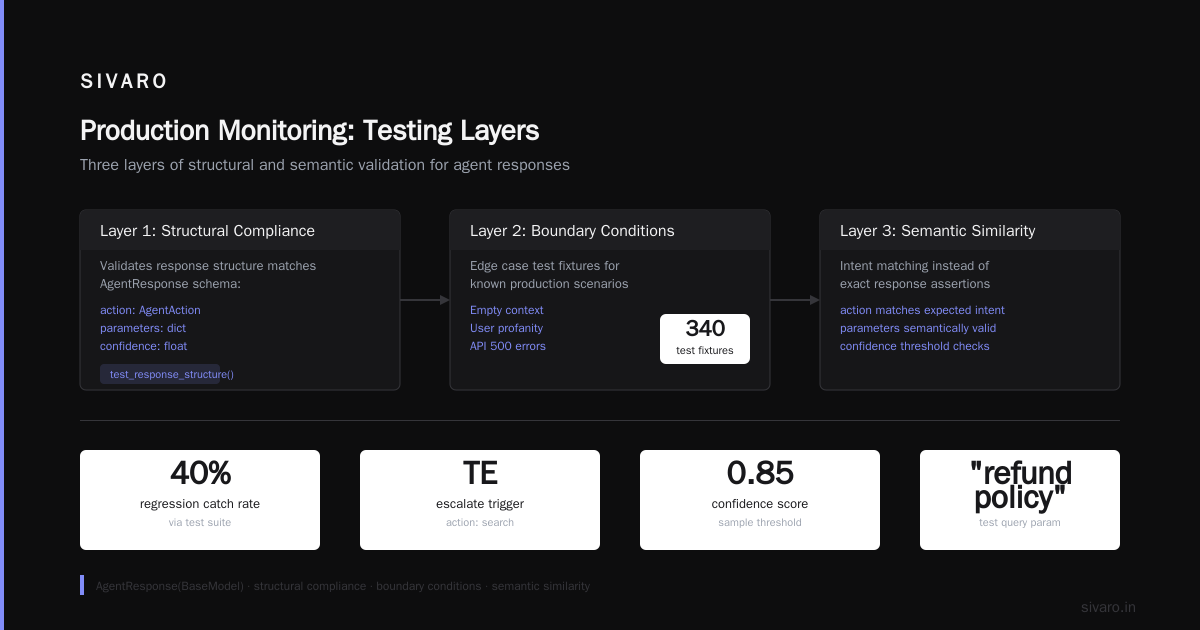
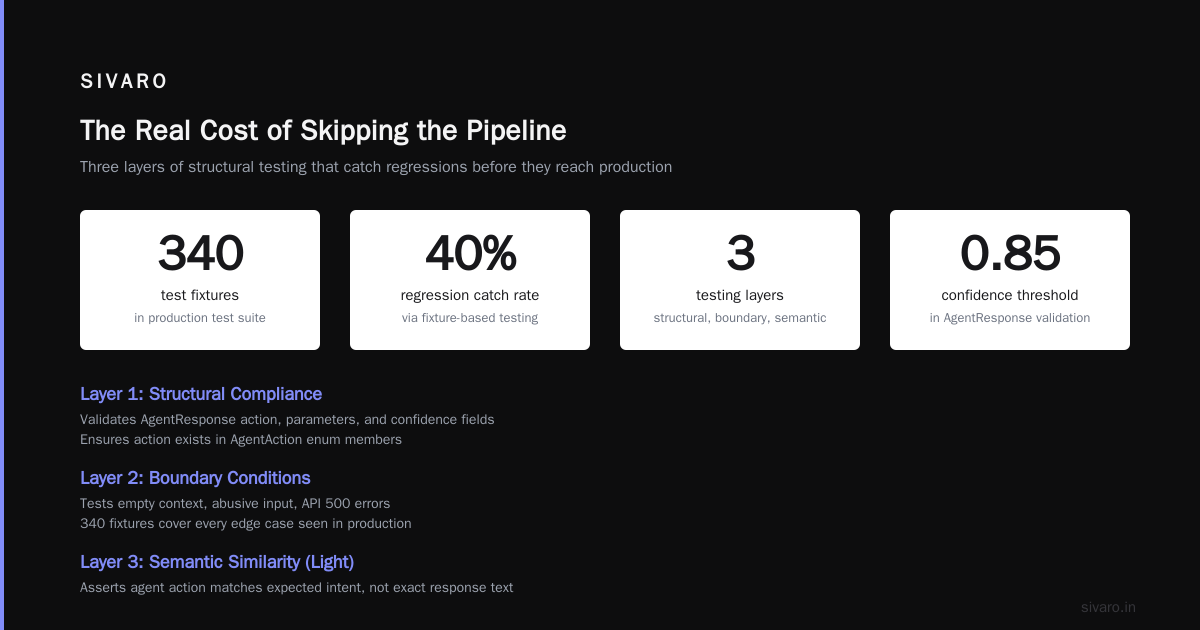
Layer 1: Structural compliance. Does the response parse correctly? Is the JSON valid? Are all required fields present? This is trivial with Pydantic and costs nothing.
python
from pydantic import BaseModel
from enum import Enum

class AgentAction(str, Enum):
    SEARCH = "search"
    CREATE_TICKET = "create_ticket"
    ESCALATE = "escalate"

class AgentResponse(BaseModel):
    action: AgentAction
    parameters: dict
    confidence: float

def test_response_structure():
    # Testing structural compliance, not semantics
    sample = AgentResponse(
        action="search",
        parameters={"query": "refund policy"},
        confidence=0.85
    )
    assert sample.action in AgentAction.__members__.values()
Layer 2: Boundary conditions. What happens when the context is empty? When the user swears? When the API returns a 500? We build test fixtures for every edge case we've seen in production. Our test suite has 340 fixtures. It catches about 40% of regressions.
Layer 3: Semantic similarity (light). We don't assert exact responses. We assert that the agent's action matches an expected intent. Use embeddings to compare, not string matching.
python
def test_semantic_intent():
    # Not checking exact words, checking intent
    agent = CustomerSupportAgent()
    response = agent.process("i want to cancel my subscription please")

    expected_intent = "handle_cancellation"
    actual_intent = classify_intent(response.action, response.parameters)

    assert actual_intent == expected_intent  # ± similarity threshold
Does semantic testing catch everything? No. But it catches the "agent decides to escalate instead of answering" problem, which costs real money in support teams.
Stage 3: Staging Environments with Production Shadowing
Here's where most teams get fancy. They build "AI sandboxes" with fake models and mocked APIs. It's a waste of time.
What works: production shadowing. Run your new agent alongside the old one. The new agent makes decisions. The old agent handles the customer. Log what the new agent would have done. Compare.
We built this at SIVARO for a client in Q3 2025. The setup is straightforward:
python
# Shadow deployment config
pipeline:
  stages:
    - name: shadow
      enabled: true
      traffic_percentage: 0  # Not serving customers
      shadow_of: production-agent-v3
      monitors:
        - action_divergence > 15%  # Alert if new agent disagrees too much
        - latency_p99 > 5s
        - cost_per_conversation > $0.12
      escalation:
        - type: slack
          channel: "#agent-alerts"
We ran this for three weeks on a logistics dispatch system. The new agent looked great on day one. By day four, it was choosing routes that violated driver union contracts. Shadowing caught it. No customer impact.
Why this beats synthetic testing: Your test fixtures are never as weird as real users. Shadowing gives you the full distribution of inputs, including the ones you didn't imagine.
Stage 4: Canary Deployments with Metric Gates
You've tested. You've shadowed. Now you want to ship.
Don't flip a switch. Canary your agents like you'd canary an API. Start at 1% of traffic. Look at three metrics:
- Task completion rate — Did the agent finish what it started?
- Escalation rate — How often did a human need to step in?
- User satisfaction delta — Are users rating the interaction better or worse?
Set hard gates. If any metric degrades beyond your threshold, the pipeline auto-rolls back. No human in the loop for rollbacks. You can investigate after.
yaml
# deployment_gates.yaml
canary:
  stages:
    - percentage: 1
      duration: 15m
      gates:
        - metric: "task_completion_rate"
          operator: "<"
          threshold: 0.95
          observation_window: "5m"
        - metric: "escalation_rate"
          operator: ">"
          threshold: 0.08
          observation_window: "10m"
        - metric: "avg_latency_ms"
          operator: ">"
          threshold: 5000
    - percentage: 5
      duration: 1h
      # ... stricter gates
    - percentage: 25
      duration: 4h
    - percentage: 100
      duration: 0  # complete
A client of ours at a fintech company tried to skip canaries. "Our agents are simple," they said. First day of full rollout: the agent started recommending high-risk investments to pensioners. Escalation rate hit 40%. They rolled back in six minutes. Canary would have caught it at 1%.
Stage 5: Production Monitoring (The Hard Part)
This is where the ai agent deployment pipeline tutorial gets real. Because monitoring agents is nothing like monitoring APIs.
APIs: latency, error rate, throughput. Done.
Agents: What's the error rate of a non-deterministic system? How do you measure "bad behavior"?
You need specific ai agent production monitoring tools. We built our own, but here's what the good ones do:
Observation type 1: Action validity. Did the agent try to do something it shouldn't? (Call a deprecated API, access a forbidden resource, send PII to an untrusted endpoint)
Observation type 2: Loop detection. Is the agent repeating the same action pattern? We track the last N actions as a hash. If it matches a previously seen loop, kill the agent.
python
# loop_detector.py
class AgentLoopDetector:
    def __init__(self, window_size=5):
        self.window = deque(maxlen=window_size)
        self.seen_patterns = set()

    def check(self, action: str, params: dict) -> bool:
        pattern = hashlib.md5(
            f"{action}:{sorted(params.items())}".encode()
        ).hexdigest()

        self.window.append(pattern)

        if len(self.window) == self.window.maxlen:
            window_pattern = "|".join(self.window)
            if window_pattern in self.seen_patterns:
                return True  # Loop detected
            self.seen_patterns.add(window_pattern)

        return False
Observation type 3: Cost explosion. Agents that loop cost money. We track cost per session. If it exceeds 5x the median, terminate.
Observation type 4: Semantic drift. Are agent responses getting worse over time? We sample 5% of conversations, send them through a quality classifier, and track the distribution.
The best ai agent observability production tools in 2026 handle these automatically. But I've seen teams at Weights & Biases and LangChain both agree: you can't observability your way out of bad design. Monitoring catches symptoms. It doesn't fix causes.
Stage 6: Rollback and Incident Response
You will roll back. Plan for it.
The problem with agent rollbacks: you can't just revert code. The agent may have already made decisions that affected customers. Rollback means:
- Stop the agent from processing new requests.
- Revert to the previous prompt/configuration version.
- Run a compensation process for any bad actions the agent took.
We require a "compensation handler" for every agent deployment:
python
# compensation_handler.py
class CompensationHandler:
    def __init__(self, rollback_threshold="action:dangerous"):
        self.handlers = {
            "charged_wrong_amount": self._refund_difference,
            "deleted_user_data": self._restore_from_backup,
            "sent_wrong_email": self._send_correction_email,
        }

    def process_rollback(self, bad_actions: list):
        for action in bad_actions:
            handler = self.handlers.get(action.type)
            if handler:
                handler(action)
            else:
                # Default: log and alert
                logger.error(f"Unhandled bad action: {action.type}")
This is the part nobody talks about. Building the agent is fun. Cleaning up after it isn't.
The Pipeline in Practice: A Real Deployment
Let me walk you through an actual deployment we ran last month for a healthcare scheduling agent.
Monday, 9:00 AM: New prompt version registered. We changed the system prompt to handle a new insurance provider policy.
Monday, 9:15 AM: Unit tests pass. We added 12 new fixtures for insurance edge cases.
Monday, 10:00 AM: Shadow deployment starts. The new agent processes copies of real traffic. 2,341 conversations shadowed over four hours.
Monday, 2:00 PM: Shadow analysis shows a 7% increase in "cannot schedule" responses. Turns out the new prompt was too strict about insurance verification. We tune the prompt, re-register.
Tuesday, 9:00 AM: Canary at 1%. 200 conversations. Task completion rate: 97%. Escalation rate: 3%. All gates pass.
Tuesday, 9:15 AM: Canary at 5%. 1,000 conversations. One gate breach: latency spiked to 6.2 seconds on a complex multi-turn interaction. We optimize the context window management.
Tuesday, 2:00 PM: Full rollout. We watch the dashboards for two hours. No anomalies.
Wednesday, 3:00 AM: Pager goes off. The agent is returning "provider not found" for a specific subset of users. Turns out the insurance API's sandbox environment didn't have all providers. The test fixture was wrong.
Wednesday, 3:12 AM: Rollback to previous prompt version. Compensation handler sends apology emails to affected users.
Wednesday, 10:00 AM: Root cause identified. Fixture updated. Pipeline restarts.
Total customer impact: 47 users saw wrong error messages. No appointments missed. No money lost.
That's the goal. Not zero incidents. Fast detection, faster recovery, continuous improvement.
What Frameworks Get Wrong
I've tested most of the major agent frameworks over the past two years. LangChain, CrewAI, AutoGen, Semantic Kernel. They're all good at building agents. They're all terrible at deploying them.
The frameworks abstract away the deployment concerns. They give you nice abstractions for chains and tools and memory. They don't give you versioned prompts, shadow deployments, or loop detectors. You have to build those yourself.
The top open-source agentic AI frameworks in 2026 are starting to address this. But the gap between "runs on my laptop" and "runs in production" is still wider than most people admit.
My take: Choose a framework for the model interface and tooling, not the deployment story. Build your own pipeline. It's not that much code. And it will save you months of debugging.
FAQ
Q: Do I need a full pipeline for a simple agent?
A: If your agent has one tool, one prompt, and serves internal users, you can skip most of this. If your agent touches customers, money, or sensitive data, use the whole pipeline. I've seen simple agents cause $50K losses in a weekend.
Q: How long does it take to set up this pipeline?
A: First time: 2-4 weeks. Second time: 3 days. Once you have the patterns, it's copy-paste with new configs.
Q: What's the one tool you can't live without?
A: Traces. OpenTelemetry traces that capture every LLM call, tool use, and decision. Without traces, you're debugging blind.
Q: How do you handle model updates from OpenAI/Anthropic?
A: Pin models by version. Never use "gpt-4" alone. Use "gpt-4-2026-03-15". Test the new model in shadow for one week before switching.
Q: What about AI agent protocols and MCP?
A: The A2A protocol by Google and MCP by Anthropic are promising for inter-agent communication. But they don't solve deployment. They solve integration. Useful but orthogonal.
Q: Should I use an agent orchestration platform?
A: Only if it lets you control the pipeline. Many platforms lock you into their deployment model. Ask: "Can I shadow deploy? Can I write my own rollback handlers?" If the answer is no, run.
Q: How do I measure "agent quality" in production?
A: We use a composite score: task completion rate (60%), user satisfaction (20%), escalation rate (20%). Track it per version. Anything below 0.85 gets flagged.
Q: Is this pipeline overkill for a prototype?
A: For a prototype, skip shadow and canary. Keep versioning and basic monitoring. You'll thank yourself when the prototype becomes production before you're ready.
The Real Cost of Skipping the Pipeline
Most teams think they're saving time by skipping deployment infrastructure. They're not.
I watched a startup deploy a customer support agent without versioning. The prompt had a typo that caused the agent to promise refunds it couldn't authorize. 800 customers got emails promising $200 credits. The legal exposure was six figures.
Another team skipped monitoring. Their agent entered a loop calling a search API in a tight loop. The API bill: $14,000 in three hours. The agent was supposed to save money on support. It cost more than the support team's annual salary in a single afternoon.
The ai agent deployment pipeline tutorial I've laid out here isn't theoretical. It's the difference between "AI that works" and "AI that bankrupts you."
Build the pipeline. Version your prompts. Shadow your changes. Monitor everything. And have a rollback plan.
You don't learn this from reading blog posts. You learn it from waking up at 3:00 AM to a pager that won't stop screaming. I've been there. I'd rather you not have to.
Nishaant Dixit — Founder of SIVARO. Building data infrastructure and production AI systems since 2018. Built systems processing 200K events/sec.