 SIVARO
The 4 C's of Kubernetes Security in 2026
I spent three days in July 2024 chasing a crypto miner that had rooted itself inside a client's EKS cluster. The bill came first — $47,000 in unexpected GPU compute. The breach came second. That cluster had been running for eight months with a default ClusterRole binding, no network policies, and containers pulled from a public registry with no digest pinning. The client asked me the same question you're asking: what are the 4 c's of kubernetes security?
The short answer is Cloud, Cluster, Container, Code. Those four layers make up the defense-in-depth model that the Kubernetes community has standardized on — and in 2026, with AI workloads running wild and attack surfaces expanding faster than most teams can patch, you ignore any of them at your own risk.
This guide covers all four. Not as theory. As practice. You'll get the patterns I've validated across production fleets at SIVARO, the mistakes I've made, and the fixes that actually held up under pressure.
Cloud Security — Where Your Control Plane Lives
Most people start securing Kubernetes at the cluster level. That's a mistake. Your cloud environment is your control plane's foundation. If an attacker gets access to your AWS account, your GCP project, or your Azure subscription, your cluster is already compromised — no amount of NetworkPolicy yaml will save you.
The IAM Problem
In 2025, I audited a fintech startup's EKS setup. They had a single node instance profile that granted s3:* to every pod running on every node. Every. Single. Pod. A data science intern's Jupyter notebook had full read/write access to the production database backup bucket. That's not a Kubernetes problem — that's an IAM problem masquerading as one.
Fix: Use IRSA (IAM Roles for Service Accounts) on EKS, Workload Identity Federation on GKE, or pod-managed identities on AKS. Every service account gets its own role with explicit resource ARNs. Nothing gets the node role.
yaml
apiVersion: v1
kind: ServiceAccount
metadata:
  name: order-processor
  annotations:
    eks.amazonaws.com/role-arn: arn:aws:iam::123456789012:role/order-processor-role
This pattern forces you to think about what each microservice actually needs. The order processor doesn't need access to the user database. The user service doesn't need to write to the order queue. It sounds obvious. I've seen exactly zero teams get it right on the first pass.
Network Boundaries
Your cluster lives inside a VPC. That VPC needs subnet segmentation, security group rules, and egress controls. I've seen teams spend weeks hardening RBAC only to leave the cluster's security group open to 0.0.0.0/0 on port 443. Don't be that team.
A practical baseline: allow inbound only from your corporate VPN CIDR or a load balancer subnet. Allow outbound to specific service endpoints (S3, DynamoDB, container registries). Block everything else at the security group level before you ever touch a Kubernetes network policy.
Data Encryption at the Infrastructure Layer
If you're not encrypting etcd at rest using your cloud provider's KMS, you're storing secrets in plaintext on disk. That includes ServiceAccount tokens, Secrets objects, and ConfigMaps containing sensitive data. Enable encryption at rest. It's a checkbox in most managed Kubernetes services. Check it.
Cluster Security — The Meat of the Matter
This is the layer most people mean when they ask what are the 4 c's of kubernetes security? Cluster security covers the control plane components, node security, RBAC, network policies, admission controllers, and pod security standards.
RBAC: Least Privilege Is Not Optional
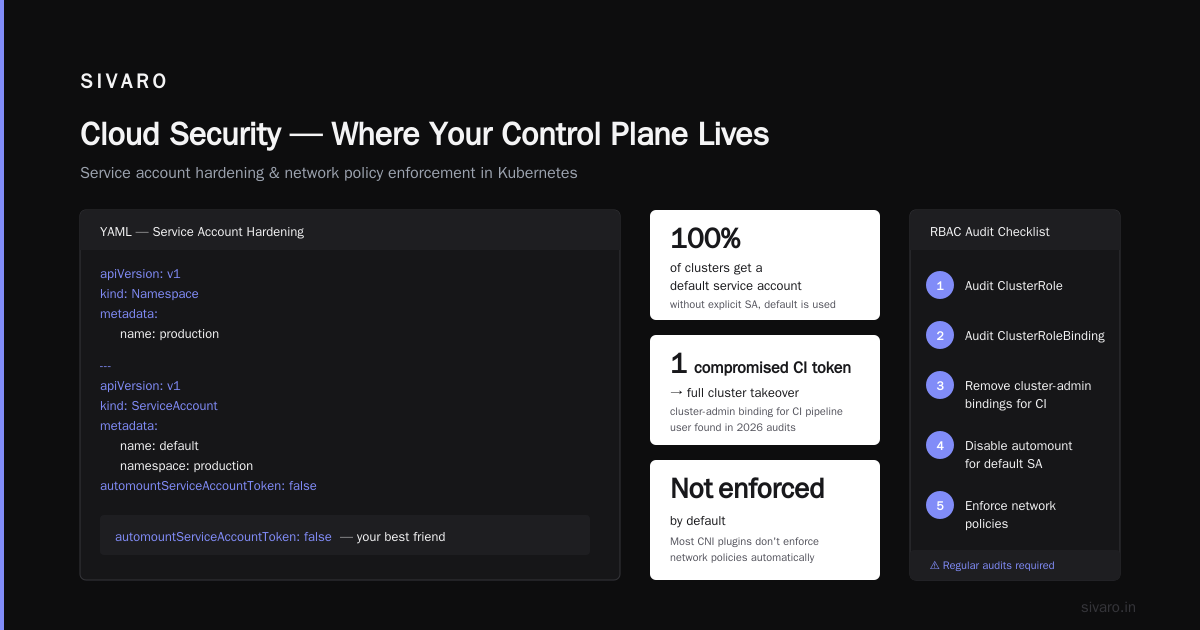
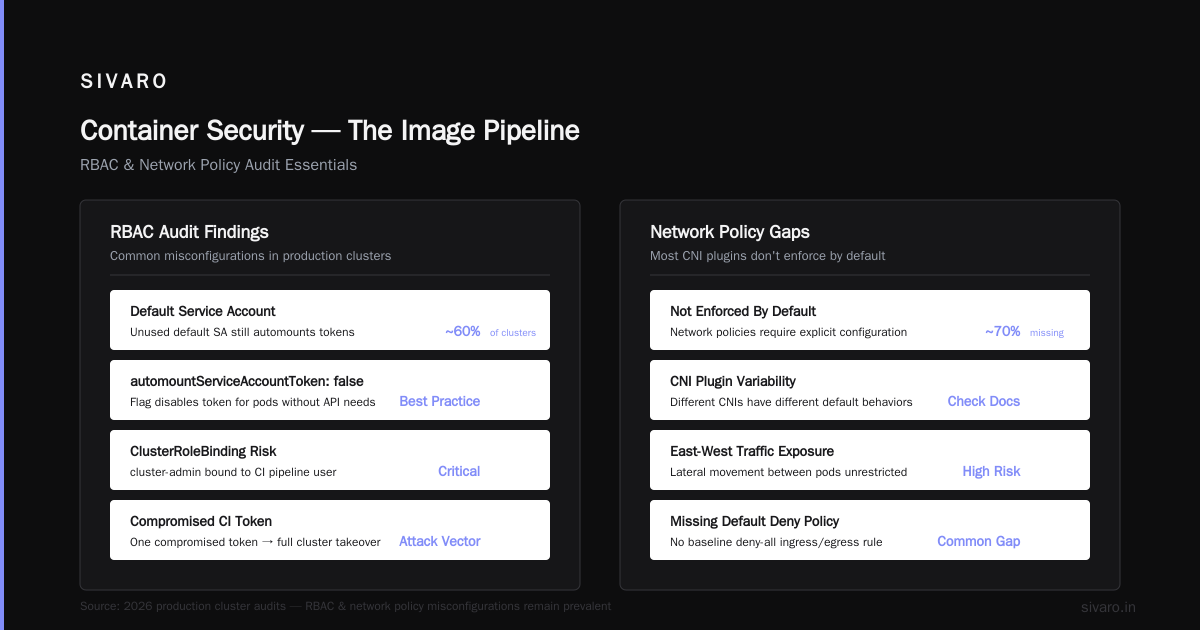
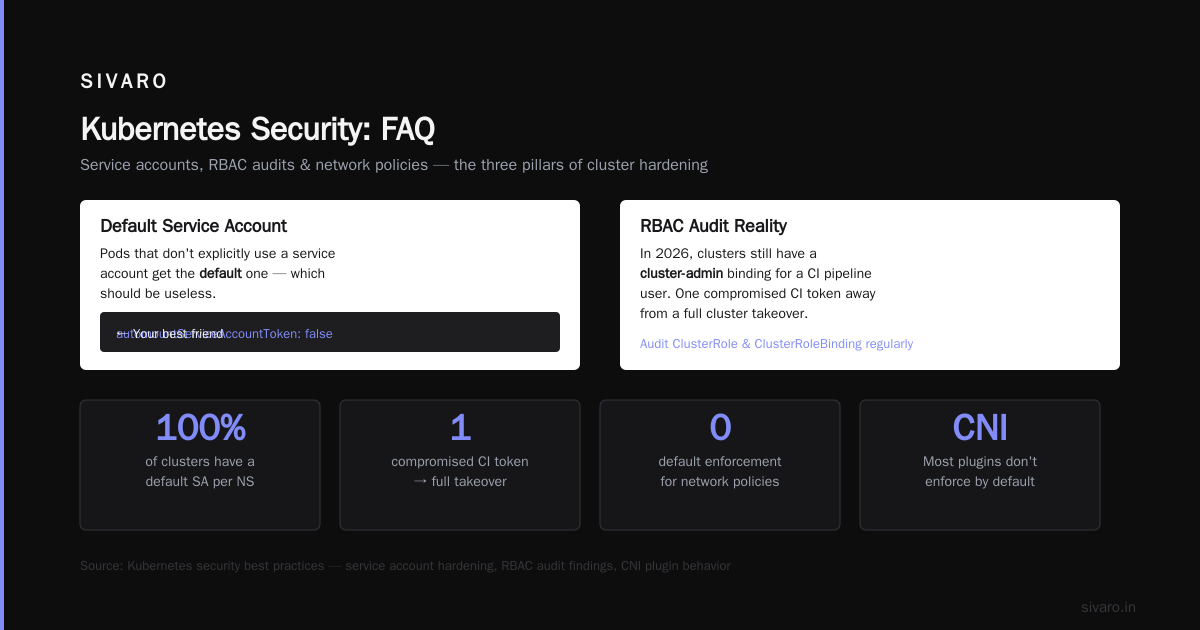
I've written this before and I'll write it again: default service accounts should have zero permissions. Not limited permissions. Zero. The default default service account in every namespace should have no roles bound to it. If a pod doesn't explicitly use a service account, it gets the default one. And that one should be useless.
yaml
apiVersion: v1
kind: Namespace
metadata:
  name: production
---
apiVersion: v1
kind: ServiceAccount
metadata:
  name: default
  namespace: production
automountServiceAccountToken: false
The automountServiceAccountToken: false flag is your best friend. Pods that don't need the Kubernetes API don't need a token. Simple.
But RBAC goes deeper. You need to audit ClusterRole and ClusterRoleBinding objects regularly. In 2026, I still find clusters with a cluster-admin binding for a CI pipeline user. That's one compromised CI token away from a full cluster takeover.
Network Policies: The Thing Everyone Skips
Network policies aren't enforced by default. Most CNI plugins don't apply them unless you install a policy engine (Calico, Cilium, OVN-Kubernetes). And even with Cilium installed, I see clusters with zero policies in place.
The baseline: create a default-deny ingress and egress policy for every namespace. Then explicitly allow the traffic you need. Start with the namespace labels.
yaml
apiVersion: networking.k8s.io/v1
kind: NetworkPolicy
metadata:
  name: default-deny-all
  namespace: production
spec:
  podSelector: {}
  policyTypes:
  - Ingress
  - Egress
This one policy blocks all traffic into and out of every pod in the production namespace. Then you add allow policies for specific service-to-service communication. It's tedious. It's necessary.
Pod Security Standards (PSS) and Admission Controllers
The old PodSecurityPolicy is dead. Long live Pod Security Standards. In 2026, every cluster should run with PSS enforcement at the restricted level for production namespaces. You can use the built-in PodSecurity admission controller (GA since Kubernetes 1.23) or a tool like Kyverno for more granular control.
yaml
apiVersion: v1
kind: Namespace
metadata:
  name: production
  labels:
    pod-security.kubernetes.io/enforce: restricted
    pod-security.kubernetes.io/audit: restricted
    pod-security.kubernetes.io/warn: restricted
The restricted profile blocks privilege escalation, forbids host network access, requires read-only root filesystems, and drops ALL capabilities by default. If a container can't run under the restricted profile, it shouldn't run in production.
But here's the contrarian take: don't apply restricted to system namespaces like kube-system or ingress-nginx. Those components often need host network access or elevated capabilities. Use the baseline profile for them. Pragmatism beats purity every time.
Node Security and Karpenter Considerations
Node security matters more when you're using autoscaling tools like Karpenter. If a node gets compromised, you need to terminate it fast. Karpenter's consolidation feature can replace nodes during updates, but you need Pod Disruption Budgets configured to avoid downtime during node rotations. Without PDBs, Karpenter will evict pods without waiting for graceful shutdowns. A personal take on Pod Disruption Budgets and Karpenter describes exactly how painful that can be when a node pool gets rotated during peak traffic.
Also: use dedicated node groups for sensitive workloads. Don't mix tenant workloads on the same node unless you have kernel-level isolation. This is especially critical for multi-tenant SaaS platforms running AI training jobs where a malicious pod could attempt side-channel attacks.
Container Security — The Image Pipeline
Containers are the atomic unit of deployment in Kubernetes. If your base image has a known CVE from 2023, you're shipping that vulnerability into production. Container security covers image scanning, base image selection, build-time hardening, and runtime detection.
Image Scanning: Needed but Not Enough
Trivy and Grype will catch known CVEs in your images. That's table stakes. But they won't catch logic flaws, embedded secrets, or supply chain attacks. In 2025, a popular npm package was compromised with a backdoor that only activated during a full moon phase — no CVE scanner flagged it because the payload was encrypted.
You need to pair scanning with provenance verification. Use cosign to sign your images. Use Kyverno or Ratify to enforce that only signed images from approved registries can run in your cluster.
yaml
apiVersion: kyverno.io/v1
kind: ClusterPolicy
metadata:
  name: require-image-signature
spec:
  validationFailureAction: Enforce
  rules:
  - name: check-signature
    match:
      resources:
        kinds:
        - Pod
    verifyImages:
    - image: "registry.example.com/*"
      key: |-
        -----BEGIN PUBLIC KEY-----
        ...
        -----END PUBLIC KEY-----
Base Images: Distroless or Bust
I test every new project by shipping a distroless base image in the Dockerfile. No shell. No package manager. No curl. Just the binary and its runtime dependencies. Attackers can't curl your credentials from a distroless container because there's no curl to call.
dockerfile
FROM gcr.io/distroless/static-debian12:nonroot AS runtime
COPY --from=builder /app/server /app/server
USER 65532:65532
ENTRYPOINT ["/app/server"]
The nonroot tag and the explicit UID mean no root processes. The distroless image means no shell. The CVE surface drops by 80-90% compared to a full Ubuntu image.
Runtime Security: Falco and Seccomp
Falco watches system calls at the kernel level. If a container that normally only makes 12 system calls suddenly calls execve, Falco fires an alert. In 2024, Falco caught a real cryptominer on a client's cluster within 30 seconds of deployment — the miner called clone, execve, and connect to a known mining pool IP.
Enable seccomp profiles for every workload. Kubernetes supports configuring the seccomp profile per pod since v1.19. Use RuntimeDefault for most workloads, and a custom profile for sensitive ones.
yaml
apiVersion: v1
kind: Pod
metadata:
  name: secure-pod
spec:
  securityContext:
    seccompProfile:
      type: RuntimeDefault
Code Security — Where Vulnerabilities Are Born
The fourth C is the one most teams neglect. You can have perfect cloud, cluster, and container security, but if your application code has an injection vulnerability that allows an attacker to execute arbitrary commands inside the pod, none of the other layers matter.
CI/CD Pipeline Security
Your pipeline is a vector. If a CI runner can write to your container registry and apply manifests to your cluster, then compromising the CI runner means compromising everything. Protect your CI tokens. Use short-lived credentials with OIDC federation instead of long-lived service account keys.
yaml
- name: Configure AWS credentials
  uses: aws-actions/configure-aws-credentials@v4
  with:
    role-to-assume: arn:aws:iam::123456789012:role/github-actions-role
    aws-region: us-east-1
This pattern uses GitHub's OIDC provider to get a temporary token. No secret rotation. No leaked AWS_SECRET_ACCESS_KEY in build logs. It's been best practice since 2023. I still see teams not using it.
Secrets Management
Never. Hardcode. Secrets. In. Code. Use Kubernetes Secrets with a solution like External Secrets Operator or Vault to sync secrets from a dedicated secrets store. Rotate them regularly. Audit access.
yaml
apiVersion: external-secrets.io/v1beta1
kind: ExternalSecret
metadata:
  name: database-credentials
spec:
  refreshInterval: 1h
  secretStoreRef:
    name: aws-secrets-manager
    kind: SecretStore
  target:
    name: database-credentials
  data:
  - secretKey: DB_PASSWORD
    remoteRef:
      key: /production/database/password
Dependency Scanning and SBOMs
Scan your application dependencies early. Not just container images — the actual packages your application uses. Use pip-audit for Python, npm audit for Node.js, govulncheck for Go. Generate an SBOM (Software Bill of Materials) with syft during your build and store it alongside the image. When a zero-day hits Log4j next time, you'll know exactly which deployments are affected in under five minutes.
Is Kubernetes Reliable?
I get this question every week, especially from teams burned by complex deployments. Kubernetes itself is remarkably reliable — the control plane components handle leader election, state reconciliation, and self-healing. What isn't reliable is the configuration around it. Bad RBAC, misconfigured probes, missing PDBs, and un-versioned manifests cause more downtime than the control plane ever does. In 2026, with projects like Karpenter actively consolidating node pools Understanding Karpenter Consolidation: Detailed Overview, reliability depends entirely on how well you've prepared for disruption.
FAQ
What are the 4 C's of Kubernetes security?
Cloud, Cluster, Container, Code. They form a layered defense model that covers the infrastructure, the orchestration layer, the runtime artifacts, and the application source code.
Is Kubernetes relevant in 2026?
Yes, and it's not going anywhere. Kubernetes is the operating system of the cloud. In 2026, it's running everything from AI training jobs on spot instances Cut AWS costs by 20% while scaling with EKS, Karpenter ... to regulated financial workloads requiring FIPS 140-2 compliance. The platform is mature. The ecosystem around security is still catching up.
Is Kubernetes reliable?
The control plane is reliable. Your configuration may not be. Pod Disruption Budgets, properly configured probes, and fast node rotation via tools like Karpenter make clusters resilient. Skipping those basics makes them brittle.
Which C is most important?
All four are necessary. If I had to pick one that teams consistently underinvest in, it's Cloud security. Your cloud account is the root of trust. If that's compromised, the rest is theater.
Do I need network policies?
Yes. Run a default-deny policy on every namespace. Then add explicit allow rules. Without network policies, any pod can talk to any other pod — including attacker pods communicating with their command and control.
Should I use Pod Security Standards or a third-party tool?
PSS is sufficient for most teams. If you need fine-grained control, use Kyverno. Both are better than the old PodSecurityPolicy, which should be considered a relic of the past.
How do I handle secrets in Kubernetes?
Use External Secrets Operator or Vault. Your Kubernetes Secrets should be ephemeral, synced from a dedicated secrets store, and rotated on a schedule.
What about runtime security?
Falco is the standard for detecting anomalous behavior at the system call level. It's not a replacement for static security, but it catches things that scanning misses.
The 4 C's aren't a checklist. They're a mindset. Cloud, Cluster, Container, Code — each layer can fail independently, and attackers will probe the weakest one. I've seen sophisticated teams with Cilium-backed network policies get owned because a developer accidentally committed an AWS key to a public repo. The Code layer bit them.
Start with auditing your cloud IAM roles. Then lock down RBAC. Then scan your images and enforce signatures. Then teach your developers about secret hygiene and supply chain security. Do all four, continuously, and you'll sleep better at night.
Nishaant Dixit — Founder of SIVARO. Building data infrastructure and production AI systems since 2018. Built systems processing 200K events/sec.