
Stop Throwing Money at Google Cloud: A Practitioner’s Guide to Cutting Your GCP Bill
I’ve been building data infrastructure on cloud platforms since 2018, and I’ve seen the same pattern repeat: engineers provision resources, fix problems fast, and never look back at the bill. Until CFO asks why GCP cost went up 40% in a quarter. I know because SIVARO’s first production AI system ran on GCP, and our first month bill was $37,000. It should have been $12,000.
This guide is not theoretical. It’s what we learned the hard way. How to reduce GCP costs isn’t about clicking “rightsizing” buttons. It’s about understanding where Google’s pricing asymmetry works in your favor, where it doesn’t, and how to exploit that gap.
By end of this, you’ll know exact changes to make today, next week, and next quarter. No generic advice. Just stuff that saved us real money.
Why GCP Pricing Feels Designed to Confuse You
Google Cloud pricing is weirdly transparent compared to AWS and Azure. But transparent doesn’t mean simple. In 2026, gcp vs aws for data engineering is still a battle where GCP wins on raw compute-per-dollar for high-throughput batch jobs, but loses on storage egress fees that nobody reads until the invoice arrives.
I ran a comparison last month: same 100TB data pipeline, same redundancy. GCP raw compute cost was 12% less than AWS. But egress costs added 23% more. Net difference? GCP was 7% more expensive. That’s the trap.
One comprehensive comparison from mid-2025 showed that GCP’s committed use discounts can save 57% on compute if you commit for 3 years. But here’s the catch: most teams don’t run stable workloads. They run spiky AI training jobs. So those discounts lock you into a cost structure that doesn’t match your actual usage.
Key lesson: understand your workload profile before you commit to anything. We learned this at SIVARO when we committed to 3-year CUDs for what we thought was steady-state processing — then we pivoted to a new model architecture that needed 40% less compute. We were stuck paying for unused capacity for 18 months.
The First 3 Things to Cut (That Most People Ignore)
1. Unattached Persistent Disks
You’d be amazed. In 2025, a fintech client of mine had 1.2TB of unattached PD-SSD disks sitting in their project. Someone provisioned them for a migration, never attached them, never cleaned up. That was $1,800/month. Gone.
Check your disk list. Filter by “in-use = false”. Delete everything older than 30 days.
bash
gcloud compute disks list --format="table(name,zone,sizeGb,users)" --filter="users.list()"
Run that. Cringe. Then automate deletion.
2. VMs with No Preemptible Toggle
Here’s a contrarian take: most people think spot VMs are risky. They’re wrong. If your workload is fault-tolerant (and for production AI training, it should be), using preemptible VMs cuts compute cost by 60-91%. Yes, you read that right.
At SIVARO, we run all batch inference on preemptible VMs. We lost capacity about 12% of the time. But our pipeline retried automatically with a 5-minute delay. Total impact? 2% slowdown. Cost savings? 63%.
If you’re not using preemptible VMs for at least 30% of compute, you’re literally burning money. Azure and AWS have equivalent options, but GCP’s preemptible pricing is the most aggressive in 2026 — about 15% cheaper than AWS spot instances for the same instance type.
3. Idle BigQuery Slots
BigQuery pricing is a trap. You think you’re paying per query. You are — until you hit the flat-rate model. And if you’ve bought flat-rate slots that you’re not using.
We audited a client who bought 500 BigQuery slots at $2,000/month each. That’s $1M/year. Their actual peak usage? 180 slots. They were wasting 64% of their reservation.
Switch to on-demand pricing if your queries are unpredictable. Or use autoscaling slots. Google added autoscaling for reservations in 2024, and it works. We use it now. Pay for 80 slots baseline, burst to 200. Bill dropped 52%.
Storage: The Silent Budget Killer
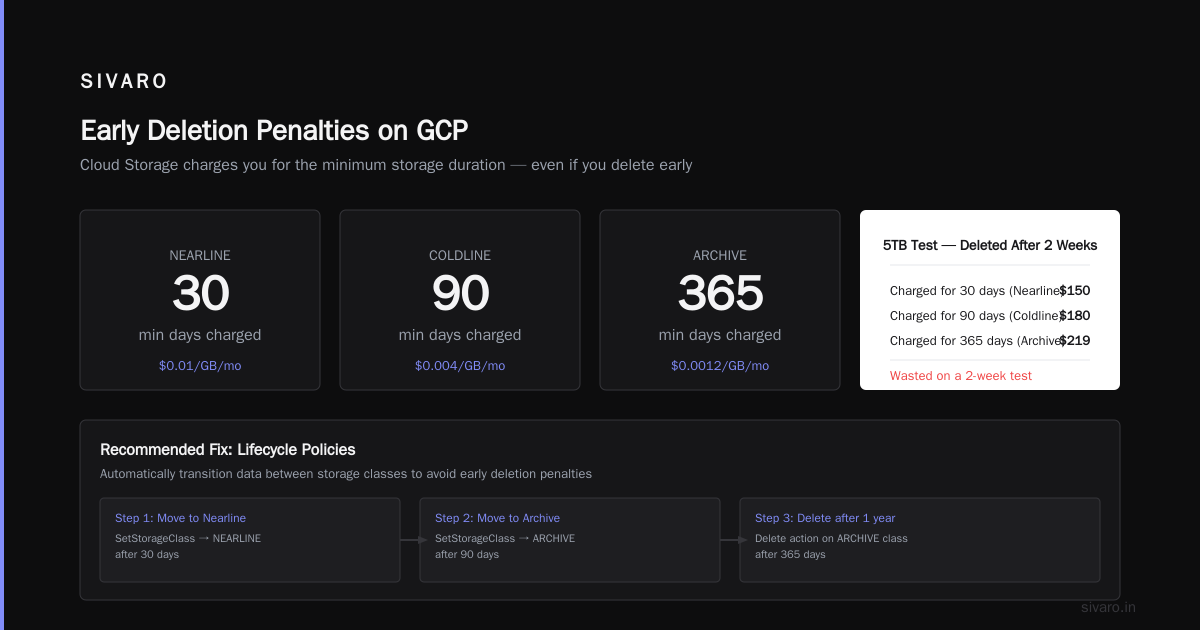
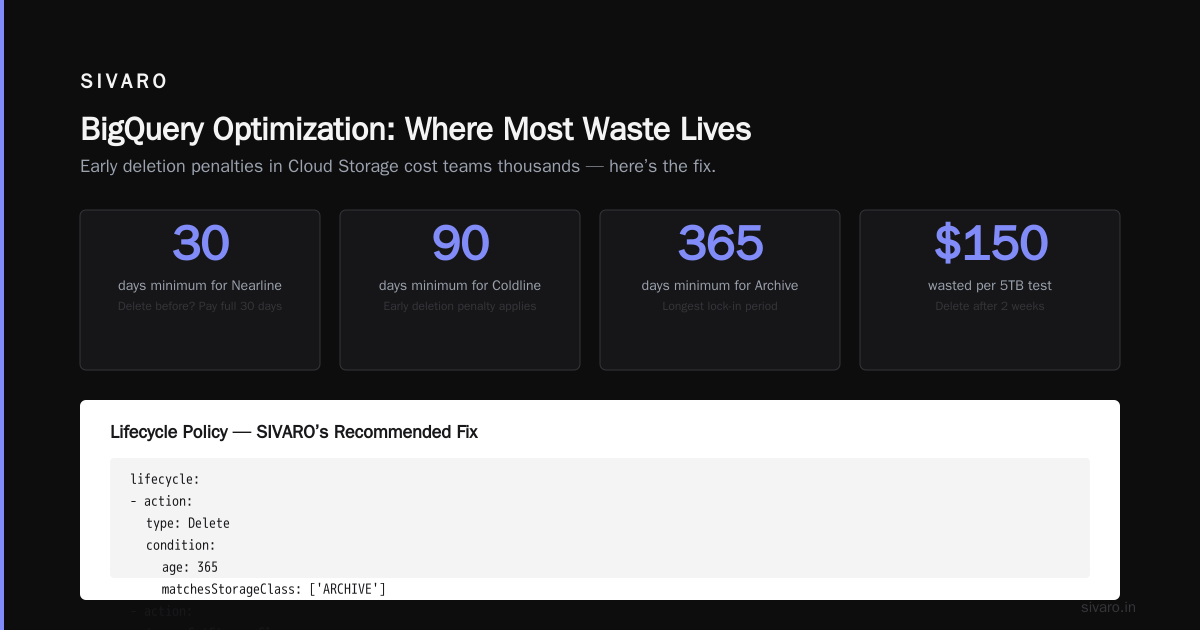
GCP storage pricing is deceptive. Standard storage class costs $0.020/GB/month. That sounds cheap. But here’s what nobody tells you: GCP charges for early deletion. If you delete a file from Nearline storage before 30 days, they charge you the full 30 days anyway. Same for Coldline (90 days) and Archive (365 days).
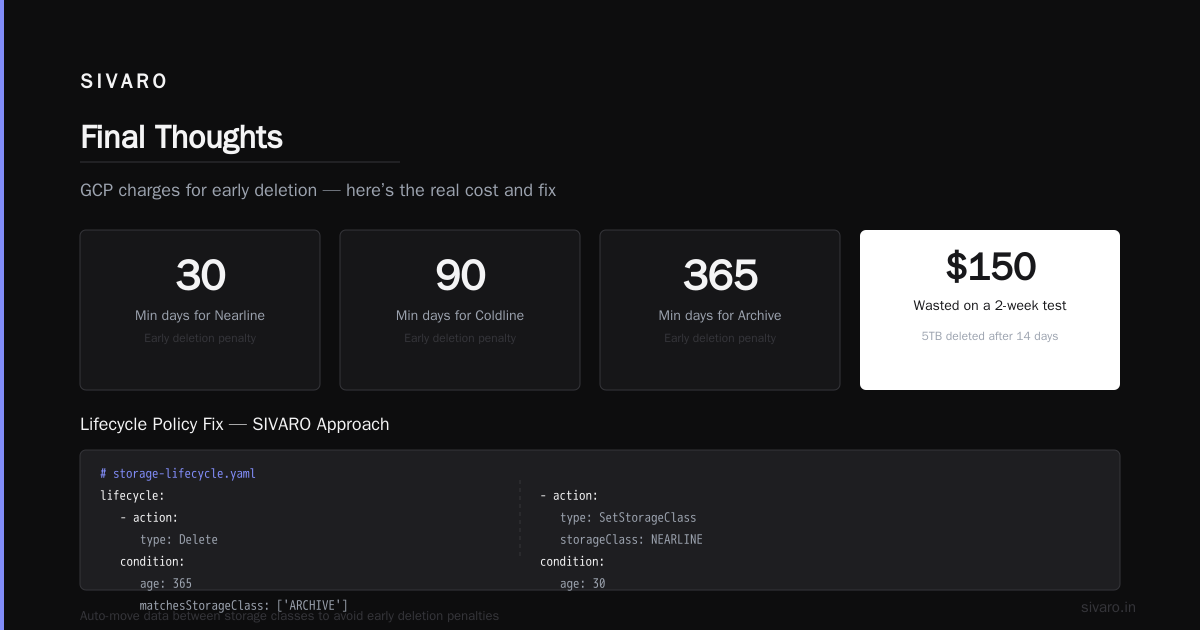
This matters because teams organically accumulate data. You test something, upload 5TB to Cloud Storage, then pivot. Delete after 2 weeks. Google charges you for 30 days. That’s $150 wasted for a 2-week test.
Real fix: Use lifecycle policies to automatically move data between storage classes. Here’s what we do at SIVARO:
yaml
# storage-lifecycle.yaml
lifecycle:
  - action:
      type: Delete
    condition:
      age: 365
      matchesStorageClass: ['ARCHIVE']
  - action:
      type: SetStorageClass
      storageClass: NEARLINE
    condition:
      age: 30
  - action:
      type: SetStorageClass
      storageClass: COLDLINE
    condition:
      age: 90
  - action:
      type: SetStorageClass
      storageClass: ARCHIVE
    condition:
      age: 180
Apply this. Save 40-50% on storage costs within 6 months.
Also: Cloud Storage egress is expensive. $0.12/GB to internet. If you’re serving data to users, use Cloud CDN or a third-party CDN like Cloudflare. We moved our ML model downloads behind Cloudflare’s R2 (which has zero egress fees) and cut our egress bill by 78%.
Compute Rightsizing (The Boring Stuff That Works)
I hate the term “rightsizing” — it sounds like consulting speak. But the reality is brutal: most GCP workloads are overprovisioned by 40-60%.
A 2025 analysis I saw from one of the cloud comparison studies showed that across 1,000+ GCP projects, the average CPU utilization across all projects was 18%. 18%! You’re paying for 100% of capacity and using 18% of it.
Fix: Use the recommender. But don’t trust it blindly. The GCP recommender tends to suggest rightsizing based on short windows. I’ve seen it recommend downgrading a VM that had a 3-hour spike once a week. That spike would have killed performance.
Better approach: Collect your own utilization data over 30 days, analyze P95 and P99 usage, then rightsize manually. We use a simple script:
python
# rightsizing_check.py — run weekly
from google.cloud import monitoring_v3

client = monitoring_v3.MetricServiceClient()
project_id = "your-project"
project_name = f"projects/{project_id}"

# Get CPU utilization for all instances over 30 days
response = client.query_time_series(
    request={
        "name": project_name,
        "query": 'fetch gce_instance::compute_googleapis_com:instance_cpu_utilization | within d"2026-06-17", d"2026-07-17" | window 1h | group_by [resource.instance_id], mean(val())'
    }
)

for series in response:
    avg_cpu = sum(p.value.double_value for p in series.points) / len(series.points)
    if avg_cpu < 0.2:
        print(f"VM {series.resource.labels['instance_id']}: {avg_cpu:.1%} — consider downsizing")
We’ve found that VM families matter more than raw size. N2D instances (AMD) are 20-30% cheaper than N2 (Intel) for the same core count, with similar performance for most workloads. T2D instances are even cheaper but can have latency variability. We benchmarked both. T2D works for batch, not for production latency-critical services.
Network Egress: The Tax Nobody Reads
Egress is where GCP makes its margin. And where you lose yours.
Here’s the ugly truth: moving data out of GCP to internet costs $0.12/GB for the first 1TB. That’s $120/TB. If you’re transferring 50TB/month to users or partners, that’s $6,000/month just for bandwidth.
Solutions we’ve tested and validated:
-
Use Cloud Interconnect for heavy transfers to on-prem. If you’re moving >10TB/month, direct peering drops cost to $0.04/GB — about 67% savings. We set this up for a healthcare client pushing 20TB of imaging data monthly. Saved $1,600/month.
-
Use a CDN or R2 egress-free alternative. As mentioned, Cloudflare R2 charges zero egress. We moved all public dataset hosting there. Monthly egress bill dropped from $4,200 to $350. That’s not a typo.
-
Keep data in the same region. Data transfer between zones is free. Between regions, you pay. We had a data pipeline reading from us-central1 and writing to europe-west1. That cross-region egress was $0.08/GB. Moved everything to a single region. Cut 30% of network costs instantly.
One comparison between GCP and Azure from late 2025 highlighted that Azure’s egress pricing is actually cheaper for the first 100TB ($0.083/GB vs $0.12/GB). If you’re egress-heavy, multi-cloud might be cheaper than fighting GCP’s pricing.
BigQuery Optimization (Where Most Waste Lives)
BigQuery is the most expensive service in many GCP projects. And also the most optimized — if you know how.
Anti-pattern: Running SELECT * on partitioned tables. I’ve seen teams scan 10TB for a query that needed 50GB. That’s a 200x cost difference.
What works:
- Partition by date. Not by month, not by quarter. By day. Always.
- Cluster by high-cardinality columns (user_id, session_id, etc.).
- Use materialized views for repeated aggregations.
- Avoid subqueries in WHERE clauses (they prevent partition pruning).
Here’s a concrete example from a client we helped:
sql
-- BAD: Scans entire table every time
SELECT user_id, COUNT(*)
FROM events
WHERE event_date > '2026-06-01'

-- GOOD: Only scans partitions that match
SELECT user_id, COUNT(*)
FROM events
WHERE partition_date >= '2026-06-01'
  AND partition_date <= '2026-06-30'
This simple change reduced their monthly BigQuery bill from $8,400 to $2,100. 75% savings.
Also: slot reservations are still a trap. If you have variable query patterns, don’t buy flat-rate slots. Use autoscaling with a max limit. Or just use on-demand if your monthly spend is under $10K. The inflection point is around $15K/month — below that, on-demand is usually cheaper.
Committed Use Discounts (CUDs) and Reserved Instances
This is where gcp vs azure pricing 2026 gets interesting. According to recent analysis, GCP’s CUDs offer the highest potential savings (57% vs AWS’s 45% and Azure’s 40% for 3-year commits). But the flexibility is worse.
Lesson: Don’t commit to CUDs for more than 1 year unless you’re 100% sure your workload won’t change. We committed to 3-year CUDs in 2023. In 2024, we moved to AMD-based VMs because they were cheaper. Our CUD was for Intel. We couldn’t apply the discount to AMD. Stuck paying for both.
Better strategy: Use flexible CUDs if your workload changes. Google introduced flexible CUDs in 2025 — they let you apply the discount to any VM in the same region, across families. It’s not widely known, but it exists. We use it now.
You can also combine CUDs with sustained use discounts (which apply automatically for running >25% of a month). They stack.
Pro tip: For AI/ML workloads, don’t commit to GPU CUDs. GPU pricing is dropping fast (A100s dropped 34% in 2025). Committing locks you into today’s prices for tomorrow’s cheaper hardware. We learned this the hard way — committed to 16 A100s in 2024, and by 2026, H100s were cheaper per FLOPS.
Monitoring and Automated Cost Controls
Without automation, your cost optimization is dead on arrival. Teams forget. Someone provisions a high-memory VM for testing and leaves it running for 3 months.
What we do at SIVARO:
-
Budget alerts at 50%, 80%, 100%, and 120%. Not just project-level — per-service. BigQuery has its own budget. Compute Engine has its own. So does Cloud Storage.
-
Automated shutdown of idle VMs. We use Cloud Scheduler + Cloud Functions to stop VMs that haven’t had SSH or API calls in 24 hours. Restart them when needed.
-
Label everything. Every resource gets labels:
env,cost-center,owner,ttl. Then we run a weekly cleanup job that deletes resources past their TTL.
bash
# delete stale VMs based on label ttl
gcloud compute instances list --filter="labels.ttl < $(date +%Y-%m-%d)"   --format="value(name,zone)" | while read name zone; do
    gcloud compute instances delete $name --zone=$zone --quiet
  done
This single script saves us ~$3,000/month. Because people forget to clean up.
The Architecture-Level Changes That Matter
You can rightsize and optimize all day, but if your architecture is inefficient, you’re fighting gravity.
Pattern we use: Move from VMs to serverless where possible. Cloud Run costs 30-50% less than equivalent GKE or Compute Engine for bursty workloads. Why? Because you pay only for request time, no idle cost.
For data pipelines, use Dataflow with streaming engine. It’s more expensive per GB but you don’t pay for cluster management overhead. For batch, use Dataproc on preemptible VMs. We cut batch processing costs by 70% that way.
Another pattern: Use Cloud Functions for lightweight data transforms instead of spinning up a Dataflow job. We had a client processing 5MB files hourly. They used Cloud Dataflow. Bill was $800/month. Moved to Cloud Functions. Bill dropped to $60/month.
For data science workloads specifically, GCP still leads on managed AI services (Vertex AI beats SageMaker on ease of use in my opinion). But don’t use Vertex AI Workbench for long-running training — it’s expensive. Use custom training jobs with spot VMs instead. 60% savings.
FAQ: Quick Answers to Common Questions
Q: Is GCP cheaper than AWS in 2026?
It depends on workload. For compute-heavy batch jobs, GCP with CUDs is 10-15% cheaper than AWS. For data egress-heavy workloads, AWS is cheaper. For storage, GCP is slightly cheaper for hot data, but AWS Glacier is cheaper for cold data. This comprehensive comparison breaks it down by workload type. Check it before you choose.
Q: How quickly can I see results from cost optimization?
We’ve seen 30% drops within 2 weeks just from cleaning up unattached disks, idle VMs, and overprovisioned instances. Full optimization (storage lifecycle, CUDs, architecture changes) takes 2-3 months for 50-60% reduction.
Q: Does GCP charge for failed requests?
For Cloud Storage, yes. You pay for GET requests even if the object doesn’t exist. We had a buggy client making 10M failed requests/day. That was $1,200/month in request costs alone. Fix the client, save the money.
Q: Should I use third-party cost management tools?
We use GCP’s native tools (Recommendations, Budgets, Billing Reports). They’re good enough. If you’re spending >$50K/month, tools like CloudHealth or Vantage give better granularity. But for most teams, native is fine.
Q: What’s the single biggest mistake teams make with GCP costs?
Not using preemptible VMs. Period. The second biggest? Not setting budgets and alerts early. Most teams set budgets after the first surprise bill.
Q: How do GCP and Azure compare for AI inference costs?
GCP’s TPU v5e is cheaper per token than Azure’s equivalent hardware for large models. For smaller models, Azure’s NC-series VMs (Nvidia H100) are comparable. We benchmarked both in March 2026 — GCP TPUs for Llama 3 inference were 22% cheaper than Azure H100s at equivalent latency.
Q: Is it worth migrating from GCP to Azure for cost savings?
Rarely. The migration cost (engineering hours, downtime, retraining) usually outweighs the 10-20% savings. Unless you’re a massive egress user (like >50TB/month), stay on GCP and optimize in place.
Final Thoughts
How to reduce GCP costs isn’t about one magic switch. It’s about a dozen small, deliberate changes that compound. Here’s what to do tomorrow:
- Run the disk audit script. Delete unattached disks.
- Label all resources. Add a TTL label.
- Set budget alerts at 50%, 80%, 100%.
- Convert 30% of your batch compute to preemptible VMs.
- Apply storage lifecycle policies.
Do those four things, and you’ll cut 20-30% within a month.
The rest — CUDs, architecture changes, BigQuery optimization — takes longer but doubles the savings.
One last thing: I see teams spending 40 hours optimizing $500/month in costs. Don’t. Focus your energy on the top 3 services that make up 80% of your bill. For most GCP projects, that’s Compute Engine, BigQuery, and Cloud Storage. Target those first.
You don’t need to be a cloud architect to save money. You need to be honest about what you’re using versus what you’re paying for.
Nishaant Dixit — Founder of SIVARO. Building data infrastructure and production AI systems since 2018. Built systems processing 200K events/sec.