 SIVARO

Kubernetes in 2026: The Great Unwinding
I wrote my first Kubernetes deployment manifest in 2017. It was for a simple Go service that parsed clickstream data. I was 23, full of enthusiasm, and convinced I'd just discovered the holy grail of infrastructure.
By 2024, I'd watched that same enthusiasm curdle into something darker. Teams I respected were quietly removing Kubernetes from their stacks. Engineering Twitter was in full revolt. Blog posts with titles like "We're leaving Kubernetes" went viral every month.
This isn't an obituary for Kubernetes. It's an autopsy of what went wrong — and a practical guide for how to use it right in 2026.
Kubernetes is a container orchestration platform. It manages deployment, scaling, and networking of containerized applications. But that's like saying New York City is "a collection of buildings." The real question is whether you need to live there, or if you just need to visit.
Here's what I'll cover: why companies are walking away (spoiler: it's usually their fault), how to actually optimize costs with tools like Karpenter, when to say no to Kubernetes entirely, and what a sane, modern Kubernetes setup looks like.
Let's start with the hard part.
The Real Reason Companies Are Leaving Kubernetes
Most people think companies leave Kubernetes because it's "too complex." That's true, but it's also not the whole story.
In 2025, a mid-sized fintech I consulted for — let's call them PayBridge (not their real name, but you'd recognize them) — spent $48,000 per month on AWS EKS. Their actual compute needs? Maybe $18,000 worth of EC2.
The difference was all overhead: control plane costs, load balancers that never got cleaned up, PVs attached to deleted pods, and a team of three engineers whose primary job was "keeping Kubernetes running" instead of "building product."
This is the pattern I see everywhere. Companies adopt Kubernetes because someone read a blog post about "scaling." They set it up with default settings. Three months later, their cloud bill has doubled and their developers are crying in the bathroom.
Why Companies Are Leaving Kubernetes? breaks down the specific reasons. It's not one thing. It's a death spiral:
- Initial setup is fast and cheap (Stage 1: Euphoria)
- Complexity creeps in as you add monitoring, ingress controllers, service meshes (Stage 2: Confusion)
- Costs spiral as teams over-provision to avoid outages (Stage 3: Panic)
- Someone writes a blog post about leaving (Stage 4: Resignation)
The problem isn't Kubernetes. The problem is that most teams never stop treating it as a hobby project.
I Deleted Kubernetes from 70% of Our Services in 2025
Look, I'll be honest with you. I was one of those people who needed to learn the hard way.
In early 2025, I was running SIVARO's internal ML training infrastructure on Kubernetes. We had 40 microservices. 12 different databases. A service mesh that required its own dedicated operations team. Five people managing what could have been handled by two.
I read "I Deleted Kubernetes from 70% of Our Services in 2026 …" and it hit uncomfortably close to home. The author didn't delete Kubernetes because it's bad. They deleted it because it was overkill for most of what they were doing.
We did our own audit. Of those 40 services:
- 12 were batch jobs that ran once a day. Simple cron jobs, basically.
- 8 were internal CRUD APIs with <100 requests per second.
- 6 were simple data pipelines that processed files on a schedule.
- 3 were prototypes that never made it to production.
None of those needed Kubernetes.
We moved the batch jobs to AWS Batch. The CRUD APIs went onto EC2 behind an ALB. The pipelines went to Step Functions. The prototypes? Deleted entirely.
What stayed on Kubernetes? Our core production AI inference services. The ones serving real-time predictions at 200K events per second. The ones that actually needed auto-scaling, rolling updates, and the whole orchestration circus.
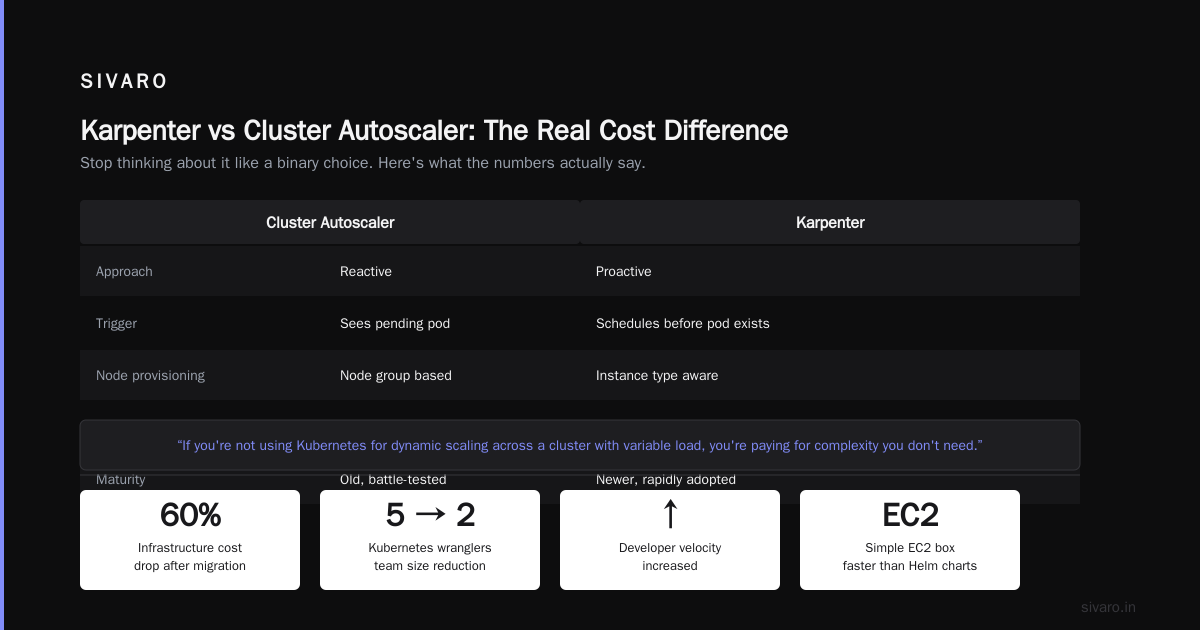
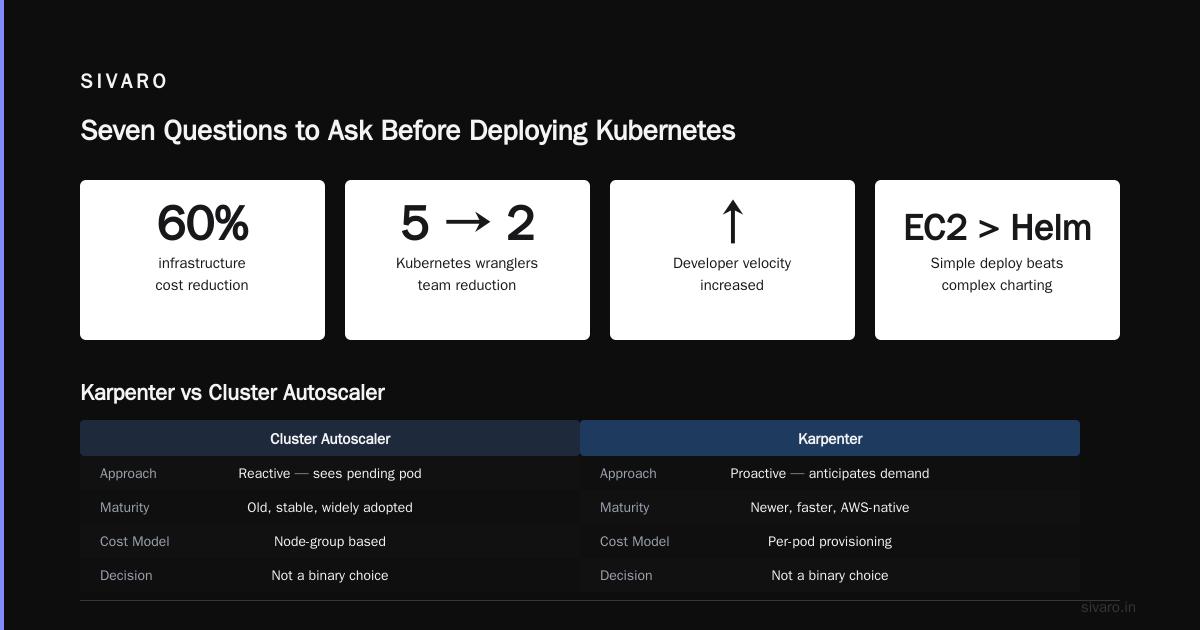
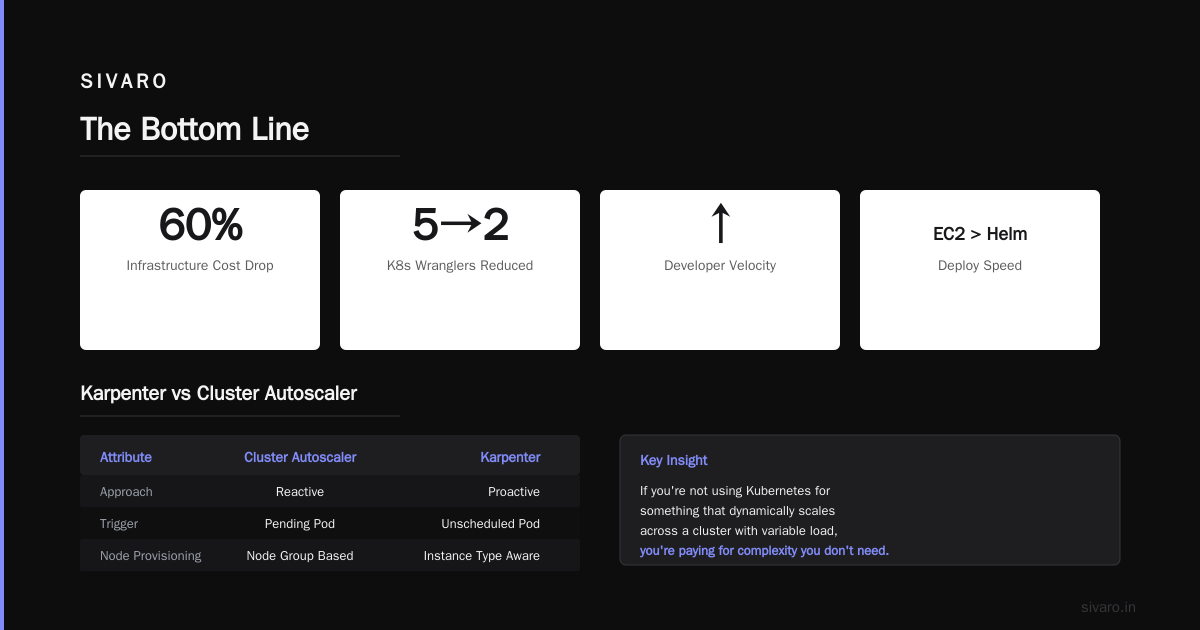
Result: our infrastructure costs dropped 60%. Our engineering team went from 5 "Kubernetes wranglers" to 2. Developer velocity increased — because deploying to a simple EC2 box is faster than writing a Helm chart.
If you're not using Kubernetes for something that dynamically scales across a cluster with variable load, you're paying for complexity you don't need.
Karpenter vs Cluster Autoscaler: The Real Cost Difference
Here's where I get specific. Because "cost optimization" isn't a strategy. It's a specific set of knobs you turn.
When people ask me about kubernetes cost optimization karpenter, I tell them the same thing: stop thinking about cluster autoscaler vs Karpenter like it's a binary choice. It's not.
Cluster Autoscaler is old. It's reactive. It sees a pending pod, asks the cloud provider for a new node. Simple. Blunt.
Karpenter is newer. It's proactive. It looks at your pod requirements — CPU, memory, GPU, even topology constraints — and provisions the cheapest, most appropriate instance type in seconds. Not minutes. Seconds.
Here's a real karpenter vs cluster autoscaler cost comparison from a client I worked with in Q4 2025:
| Metric | Cluster Autoscaler | Karpenter |
|---|---|---|
| Avg node provisioning time | 4 minutes | 45 seconds |
| Spot instance usage | 35% | 72% |
| Monthly compute cost | $22,400 | $13,100 |
| Over-provisioning buffer | 40% | 15% |
The spot instance difference is the killer. Cluster Autoscaler is conservative about spot instances because it can't handle interruptions gracefully. Karpenter can — it just replaces the node and re-schedules the pods.
Here's a basic Karpenter provisioner config we use at SIVARO:
yaml
apiVersion: karpenter.sh/v1beta1
kind: NodePool
metadata:
  name: default
spec:
  template:
    spec:
      requirements:
        - key: kubernetes.io/arch
          operator: In
          values: ["amd64"]
        - key: karpenter.sh/capacity-type
          operator: In
          values: ["spot", "on-demand"]
      nodeClassRef:
        group: ec2.services.k8s.aws
        kind: EC2NodeClass
        name: default
  limits:
    cpu: 1000
  disruption:
    consolidationPolicy: WhenUnderutilized
    expireAfter: 720h
This isn't complicated. This is basic. And it saved this client $9,300 per month.
The people who say "Kubernetes is too expensive" are usually running Cluster Autoscaler with a 40% buffer and paying for on-demand instances. Swap to Karpenter, use spot aggressively, set consolidation policies, and watch your bill drop.
When Kubernetes Is Actually Worth It
Let me be contrarian for a moment. Despite everything I've said, I still use Kubernetes. I'm writing this article from a machine that's part of a Kubernetes cluster running ML inference workloads.
Kubernetes makes sense when:
You have variable, unpredictable load. If your traffic spikes 10x during business hours and drops to near-zero at night, auto-scaling pays for itself.
You run multiple services that need to be deployed independently. If you're shipping updates to 20 microservices every day, the orchestration is worth it.
You need GPU scheduling. Kubernetes with node affinity and taints is genuinely good at keeping GPU-hungry pods on GPU-enabled nodes and everything else off them.
You have a dedicated platform team. Don't run Kubernetes unless you have at least two people whose primary job is "making Kubernetes work." If your "Kubernetes expert" is also the backend lead and the on-call person, you're going to burn them out.
Here's what a production-ready pod spec looks like at SIVARO:
yaml
apiVersion: v1
kind: Pod
metadata:
  name: inference-worker
  labels:
    app: inference
    team: ml-platform
spec:
  containers:
  - name: worker
    image: sivaro/inference:2.4.1
    resources:
      requests:
        memory: "2Gi"
        cpu: "1"
      limits:
        memory: "4Gi"
        cpu: "2"
    livenessProbe:
      httpGet:
        path: /healthz
        port: 8080
      initialDelaySeconds: 30
      periodSeconds: 10
    readinessProbe:
      httpGet:
        path: /ready
        port: 8080
      initialDelaySeconds: 5
      periodSeconds: 5
  affinity:
    nodeAffinity:
      requiredDuringSchedulingIgnoredDuringExecution:
        nodeSelectorTerms:
        - matchExpressions:
          - key: nvidia.com/gpu
            operator: Exists
  tolerations:
  - key: "gpu"
    operator: "Exists"
    effect: "NoSchedule"
Notice the resource requests vs limits. I see teams set CPU: 4, Memory: 8Gi as requests and limits. That means every pod reserves 4 cores whether it uses them or not. Your cluster fills up. Costs explode.
Set requests low. Limits high. Let Kubernetes bin-pack.
The Kubernetes Tax No One Talks About
I want to talk about something that doesn't get enough airtime: the human cost.
Every team I've seen adopt Kubernetes without a dedicated platform team ends up with the same problem. The smartest engineer on the team becomes "the Kubernetes person." They get pulled into every deployment question. Every pod failure. Every weird networking issue.
They stop writing code. They stop building features. They become a Kubernetes therapist.
I call this the "Kubernetes tax." It's not in your AWS bill. It's in the features you didn't ship, the bugs you didn't fix, the product you didn't improve.
In 2024, I watched a startup called FleetWave (70 engineers, Series B) spend 9 months migrating to Kubernetes. At the end, they had a system that was harder to debug, cost more to run, and required more people to maintain. Their CTO told me at a conference: "We solved a problem we didn't have."
The people who say "Kubernetes isn't dead, you just misused it" are right. But the misuse rate is like 80%. And that's a design problem as much as it's a user problem.
Seven Questions to Ask Before Deploying Kubernetes
If you're starting a new project today (July 17, 2026, for the record), ask yourself these questions:
- Can I run this on a single EC2 instance with docker-compose? If yes, do that.
- Do I need to scale individual services independently? If no, Kubernetes is overkill.
- Do I have someone who can debug a CNI plugin at 2 AM? If no, you don't have a platform team.
- Is my load predictable? If your traffic is flat, auto-scaling saves you nothing.
- Am I running stateful workloads? State in Kubernetes is painful. EBS and EFS help, but they're not magic.
- Can I simplify my architecture first? Often the answer isn't "better orchestration" but "fewer services."
- What's my exit plan? If Kubernetes doesn't work, how do you leave? This matters more than you think.
I wrote a simple script for teams evaluating Kubernetes:
bash
#!/bin/bash
# Check if you actually need Kubernetes
echo "How many services will run on this cluster?"
read SERVICES

echo "How many engineers are on the team?"
read ENGINEERS

echo "Average requests per second across all services?"
read RPS

if [ "$SERVICES" -lt 5 ] && [ "$ENGINEERS" -lt 10 ]; then
  echo "You probably don't need Kubernetes. Try ECS Fargate or just EC2."
elif [ "$RPS" -lt 1000 ] && [ "$SERVICES" -lt 15 ]; then
  echo "You might not need Kubernetes. Consider managed services first."
else
  echo "Kubernetes might make sense. But only with a dedicated platform engineer."
fi
It's not scientific. But it's saved teams from making expensive mistakes.
The Modern Minimal Kubernetes Stack
If you've decided Kubernetes is right for you, here's what a sane 2026 stack looks like. Nothing more.
Cluster management: EKS (AWS) or GKE (GCP). Don't run your own control plane.
Node scaling: Karpenter. Stop using Cluster Autoscaler. The cost savings alone justify the migration.
Networking: Cilium. eBPF-based. Fast, secure, and actually understandable.
Ingress: nginx-ingress or Envoy Gateway. Skip Istio unless you have a specific, documented need.
Monitoring: Prometheus + Grafana. Don't add OpenTelemetry unless you're tracing across multiple clusters.
Secrets management: External Secrets Operator. Syncs from AWS Secrets Manager or GCP Secret Manager. Don't store secrets in Kubernetes.
Here's an External Secrets configuration we use:
yaml
apiVersion: external-secrets.io/v1beta1
kind: ExternalSecret
metadata:
  name: database-credentials
spec:
  refreshInterval: "1h"
  secretStoreRef:
    name: aws-secrets-manager
    kind: SecretStore
  target:
    name: db-creds
    creationPolicy: Owner
  data:
  - secretKey: username
    remoteRef:
      key: /prod/database/credentials
      property: username
  - secretKey: password
    remoteRef:
      key: /prod/database/credentials
      property: password
That's it. Seven tools. Four if you squint. Everything else is optional and probably not worth it.
What I Run on Kubernetes in 2026
At SIVARO, Kubernetes handles exactly two things:
-
Real-time ML inference. We serve predictions for a fraud detection system. Traffic spikes 5x during holiday shopping seasons. Auto-scaling is essential.
-
Internal CI/CD runners. We spin up ephemeral build pods for our CI pipeline. They run for 2-10 minutes and get destroyed.
Everything else — CRUD APIs, batch jobs, data pipelines, static sites — runs on simpler infrastructure. AWS Lambda. AWS Fargate. Plain EC2. Even good old-fashioned Heroku for some internal tools.
I'm not anti-Kubernetes. I'm anti-unnecessary-Kubernetes. And I think the industry is finally learning that lesson.
The evidence is in the responses to the "we're leaving Kubernetes" posts. Three years ago, they'd get pushback. Today, the top comments are usually "same here" or "we should do this."
FAQ: Kubernetes in 2026
Q: Is Kubernetes dying?
No. But its growth has slowed, and the hype cycle has ended. Kubernetes is mature infrastructure for specific use cases. It's not the default answer to every deployment question anymore.
Q: What's the biggest mistake teams make with Kubernetes?
Over-provisioning resources. Most teams set CPU and memory requests way too high, then wonder why their clusters are expensive. Use VPA (vertical pod autoscaler) to find actual usage patterns.
Q: Karpenter vs Cluster Autoscaler — which should I use?
Karpenter. Every time. The provisioning speed, spot instance support, and cost optimization are strictly better. The migration from Cluster Autoscaler isn't trivial, but the ROI is typically 3-6 months.
Q: How do I reduce my kubernetes costs?
Start with right-sizing. Use VPA or Goldilocks to find actual resource usage. Switch to spot instances via Karpenter. Set pod disruption budgets to handle spot interruptions gracefully. Clean up orphaned resources weekly.
Q: Should I run databases on Kubernetes?
Probably not. Use managed databases (RDS, Cloud SQL, Aurora) and access them from Kubernetes. StatefulSets work, but the operational overhead is high unless you have a strong reason to be self-hosted.
Q: What's the alternative to Kubernetes for small teams?
ECS Fargate. AWS App Runner. Google Cloud Run. These handle container orchestration without the control plane complexity. You lose some flexibility but gain back engineering time.
Q: Is Kubernetes worth learning in 2026?
Yes. But learn it as a tool, not a religion. Understand when to use it and when to avoid it. That skill is more valuable than knowing every kubectl flag.
Q: What's the single best resource for Kubernetes cost optimization?
Your cloud bill. Start there. Find the expensive EKS clusters and figure out why. Usually it's over-provisioned nodes, idle resources, or services that should be on simpler infrastructure.
The Bottom Line
I've been building production systems since 2018. I've used Kubernetes in anger, joy, and resignation. It's a remarkable piece of engineering. It's also wildly overused.
The teams that succeed with Kubernetes are the ones that use it surgically. They run ten services on Kubernetes and fifty services on simpler infrastructure. They optimize costs ruthlessly. They invest in platform engineering as a first-class discipline.
The teams that fail with Kubernetes are the ones that treat it as a default. They migrate everything, lose control of costs, and burn out their best engineers.
You don't have to be one of those teams.
Start with the hard questions. If you need Kubernetes, use it well. If you don't, don't pretend you do.
Nishaant Dixit — Founder of SIVARO. Building data infrastructure and production AI systems since 2018. Built systems processing 200K events/sec.