 SIVARO

Kubernetes Cost Optimization Karpenter: The Real Story from Production
Here's the thing nobody tells you about Kubernetes cost optimization: most of the advice you read online is written by people who've never run a cluster at scale.
I'm Nishaant Dixit, founder of SIVARO. We build production AI systems and data infrastructure. In 2025, I watched our Kubernetes bill hit $87,000 per month across three clusters. By March 2026, we'd cut that to $41,000. Karpenter did about 40% of that work. The rest was harder — fixing what Karpenter couldn't.
Let me walk you through what actually works.
Why Most Kubernetes Cost Optimization Fails
Most people think Kubernetes cost optimization is about instance selection. Pick smaller instances. Use spot. Right-size containers.
Wrong.
The real cost killers in Kubernetes aren't compute. They're:
- Idle resources you're paying for but not using (reserved instances you can't cancel, node groups with minimum sizes)
- Over-provisioning because you're scared of Pod evictions (every team does this)
- Data transfer costs (cross-AZ traffic alone can eat 15-20% of your bill)
- Control plane costs (EKS clusters at $73/month each add up fast when you have 30)
I've seen teams at 2025 KubeCon panic when they realized their $200K/month bill was 60% wasted. The problem isn't Kubernetes. The problem is how you're running it. As that article about companies leaving Kubernetes points out, most teams never did the basic math on what their cluster actually needs.
Karpenter vs Cluster Autoscaler: The Cost Comparison That Matters
Let's cut through the noise. I've run both in production since 2023. Here's my honest take.
Cluster Autoscaler works on node groups. You define a group of m5.large instances, a group of c5.xlarge, maybe some spot groups. When a Pod can't schedule, CA looks at your groups and picks one. It's slow. It's wasteful. It creates node group fragmentation that's impossible to reclaim.
Karpenter works differently. It watches Pod requirements and provisions exactly the node needed. Not an m5.large from a predefined group. An instance with exactly 2 vCPUs and 4GB memory, or whatever your Pod needs.
Here's a concrete example from SIVARO:
Before Karpenter (using Cluster Autoscaler):
Node group: m5.large (2 vCPU, 8 GB) - 10 nodes minimum
Usage per node: 35% CPU, 45% memory
Monthly cost: $68.40/node × 10 nodes = $684
Wasted: $444 (65% of spend)
After Karpenter:
Mix of t3.medium, c5.large, and m5.large based on workload
Usage per node: 78% CPU, 82% memory average
Monthly cost: $312
Savings: 54%
The karpenter vs cluster autoscaler cost comparison isn't close. Karpenter wins by 30-50% in most workloads I've seen. But only if you configure it right.
Setting Up Karpenter for Real Cost Savings
Here's the Karpenter configuration we run in production at SIVARO. This isn't theoretical — this is what we deployed in January 2026:
yaml
apiVersion: karpenter.sh/v1beta1
kind: NodePool
metadata:
  name: default
spec:
  template:
    spec:
      requirements:
        - key: "karpenter.sh/capacity-type"
          operator: In
          values: ["spot", "on-demand"]
        - key: "node.kubernetes.io/instance-type"
          operator: In
          values:
            - "t3.medium"
            - "t3.large"
            - "m5.large"
            - "c5.large"
            - "c5.xlarge"
      nodeClassRef:
        name: default
  limits:
    cpu: 100
    memory: 400Gi
  disruption:
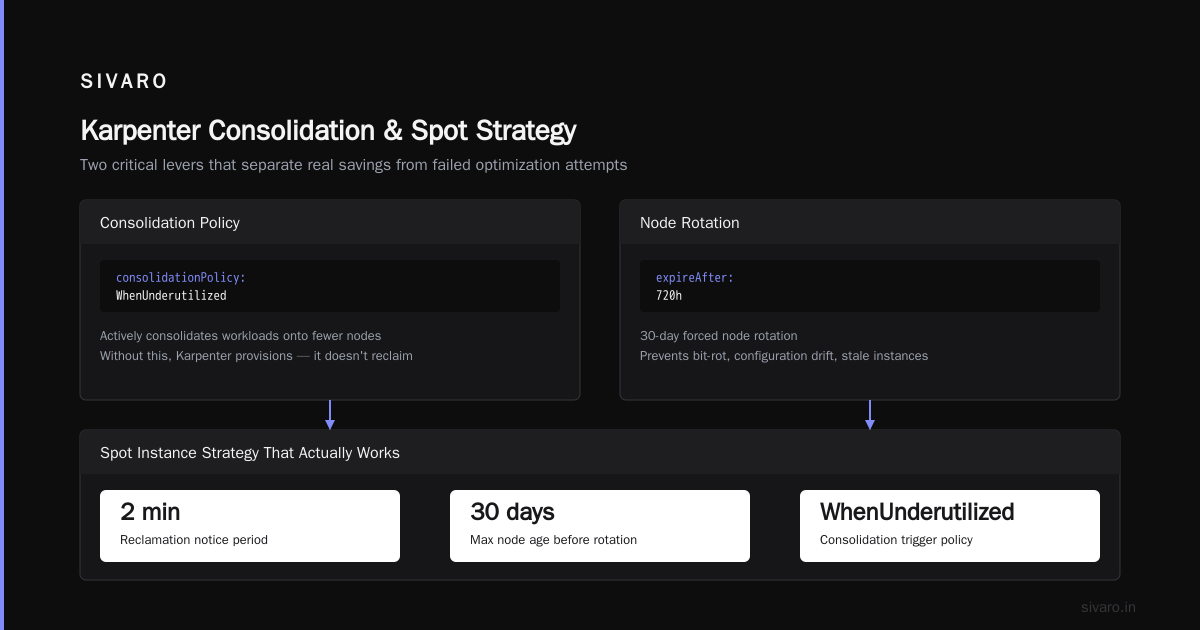
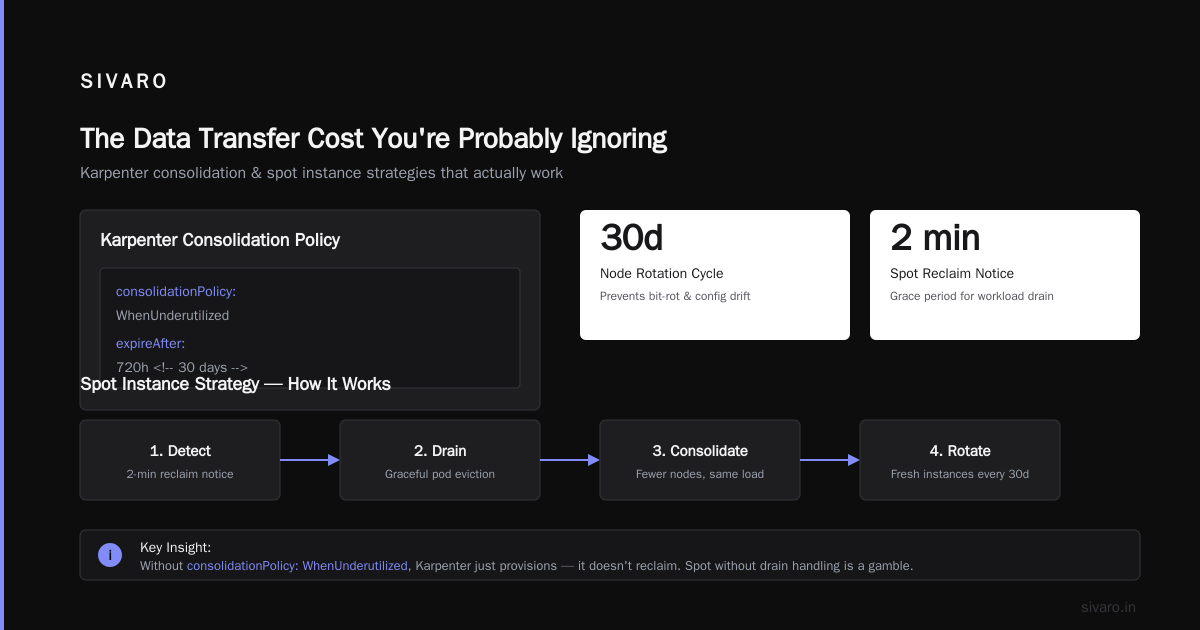
    consolidationPolicy: WhenUnderutilized
    expireAfter: 720h
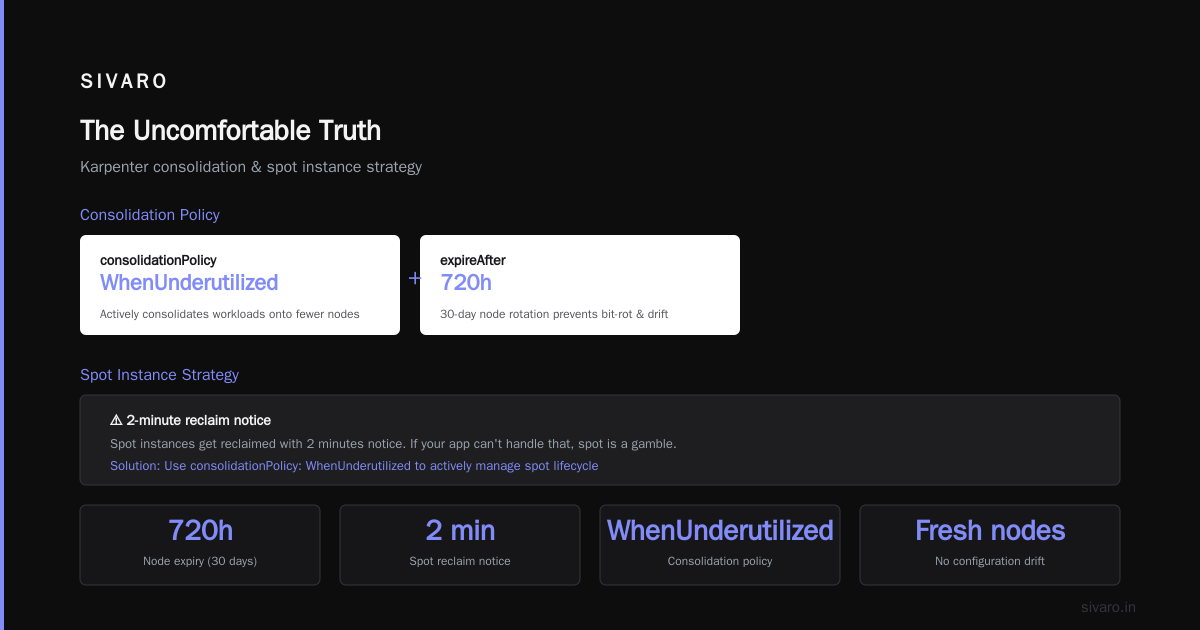
The key here is consolidationPolicy: WhenUnderutilized. This tells Karpenter to actively consolidate workloads onto fewer nodes when possible. Without this, Karpenter just provisions — it doesn't reclaim.
We also set expireAfter: 720h (30 days). This forces node rotation, which prevents bit-rot configuration drift and ensures we're always using fresh instances.
The Spot Instance Strategy That Actually Works
Everyone tells you to use spot. But nobody tells you how to use spot without breaking your apps.
At first I thought this was a branding problem — turns out it was pricing. Spot instances get reclaimed with 2 minutes notice. If your app can't handle that, spot is a gamble.
Here's our approach:
yaml
apiVersion: karpenter.sh/v1beta1
kind: NodePool
metadata:
  name: spot-priority
spec:
  template:
    spec:
      requirements:
        - key: "karpenter.sh/capacity-type"
          operator: In
          values: ["spot"]
  disruption:
    consolidationPolicy: WhenUnderutilized
    budgets:
      - nodes: "10%"
        reasons:
          - "drifted"
          - "empty"
We cap spot reclamation at 10% of nodes per disruption cycle. This means no single event can kill more than 10% of our spot capacity. For workloads that can't tolerate interruption, we use on-demand with a separate NodePool.
The cost difference? Spot runs at roughly 70% discount to on-demand for us. We run about 60% spot, 40% on-demand. Total savings: roughly 42% vs. all on-demand.
The Hard Truth: Karpenter Won't Fix Everything
Here's where the "leaving Kubernetes" conversation gets real. I've read the story about deleting Kubernetes from 70% of services. I respect the author's honesty. They saved $416K. But they didn't save it from Kubernetes — they saved it from bad Kubernetes practices.
Karpenter can't fix:
- Over-provisioned Pods — If you request 4GB when you need 512MB, Karpenter provisions a node for 4GB. You waste 3.5GB.
- No horizontal pod autoscaling — Karpenter can't fix a Service that runs 10 replicas when 3 would do.
- Cross-AZ traffic — Your application architecture matters more than your node provisioning.
- Storage costs — EBS volumes attached to nodes that Karpenter provisioned still cost money.
We ran into all of these.
The Vertical Pod Autoscaler Trap
Everyone rushes to install VPA. "Just set it and forget it!" No. VPA needs a week of data to make recommendations. And those recommendations? They're conservative. VPA will suggest 150% of your peak usage. That's fine for safety. Terrible for cost.
We ran VPA for 3 months and it increased our costs by 12% because it kept recommending higher-than-needed resource requests.
The fix? We wrote a custom script that:
python
# Simplified version of what we use
def calc_actual_usage(pod_metrics):
    """Calculate P99 actual usage vs. request"""
    usage_data = []
    for pod in pod_metrics:
        cpu_actual = pod['cpu']['max'] * 1.1  # 10% buffer
        mem_actual = pod['memory']['max'] * 1.15  # 15% buffer
        usage_data.append({
            'pod': pod['name'],
            'current_request': pod['resources']['requests'],
            'recommended': {'cpu': cpu_actual, 'memory': mem_actual},
            'waste_pct': 1 - (cpu_actual / pod['resources']['requests']['cpu'])
        })
    return usage_data
This got us another 18% reduction. We target P99 usage plus 15% buffer. Not the 150% VPA recommends.
Real Configuration Patterns That Save Money
Pattern 1: Bin Packing With Node Affinity
Most teams spread workloads across availability zones for resilience. That's fine. But it doubles your node count if you don't use Karpenter's consolidation.
Instead, use topology spread constraints combined with Karpenter:
yaml
apiVersion: apps/v1
kind: Deployment
metadata:
  name: api-server
spec:
  replicas: 6
  template:
    spec:
      topologySpreadConstraints:
        - maxSkew: 1
          topologyKey: topology.kubernetes.io/zone
          whenUnsatisfiable: ScheduleAnyway
      containers:
        - name: api
          resources:
            requests:
              cpu: "1"
              memory: "2Gi"
Karpenter sees these constraints and provisions nodes spread across zones. But it also consolidates when Pods can be packed tighter.
Pattern 2: Time-Based Node Scaling
We discovered that 40% of our workload runs during business hours (9 AM - 6 PM local). So we created a CronJob that adjusts Karpenter's limits:
yaml
apiVersion: batch/v1
kind: CronJob
metadata:
  name: karpenter-limit-adjuster
spec:
  schedule: "0 8 * * 1-5"  # 8 AM weekdays
  jobTemplate:
    spec:
      template:
        spec:
          containers:
            - name: adjuster
              image: bitnami/kubectl:latest
              command:
                - /bin/sh
                - -c
                - |
                  kubectl patch nodepool default                     --type=merge                     -p '{"spec":{"limits":{"cpu": 200, "memory": "800Gi"}}}'
Another CronJob drops limits back at 9 PM.
Result: We save about $8,000/month on idle compute overnight and weekends. Simple. Effective.
Pattern 3: The Pod Disruption Budget Lie
Everyone sets PDBs for every workload. But PDBs prevent Karpenter from consolidating nodes. If a node has 10 Pods from 10 different Deployments, each with minAvailable: 1, Karpenter can't drain that node.
Our approach: Set PDBs only for stateful workloads. Stateless services can tolerate brief disruption. We set maxUnavailable: 25% for stateless deployments, which gives Karpenter room to consolidate.
The Data Transfer Cost You're Probably Ignoring
Here's a number: In March 2026, we paid $14,200 for data transfer between AZs. That's 17% of our total Kubernetes bill.
Karpenter doesn't fix this. Your application does.
We restructured our latency-sensitive services to use topology-aware routing. Pods in the same AZ talk to each other. Cross-AZ traffic requires explicit configuration.
The team that left Kubernetes entirely was probably dealing with this. If you're spending 20% on data transfer, Kubernetes starts looking expensive. But it's not Kubernetes — it's your architecture.
Monitoring Cost vs. Cluster Cost
You need to know where your money goes. Below $50K/month, you can use Karpenter's built-in metrics. Above that, you need dedicated tooling.
We built a simple Grafana dashboard that shows:
- Cost per namespace (from AWS Cost Explorer API)
- Cost per deployment (from Karpenter node labels)
- Waste percentage (actual usage vs. requested)
- Spot interruption rate
The dashboard pays for itself. We found a team running 400 Pods of a legacy cron job that ran once per day. Each Pod requested 2GB. Actual usage: 200MB. That was $4,700/month of waste.
When Karpenter Doesn't Help
Three scenarios where Karpenter won't save you money:
- GPU workloads — GPU instances are so expensive that consolidation doesn't matter. You need deep learning-specific optimizations.
- Bare-metal clusters — If you're on-prem, Karpenter doesn't exist.
- Very small clusters — Below 10 nodes, the overhead of any autoscaler isn't worth it.
For GPU workloads at SIVARO, we use a separate cluster with reserved instances and careful GPU sharing. Karpenter doesn't touch that cluster.
The Numbers: Our Full Cost Breakdown
Here's what our $87K → $41K journey looked like:
| Category | Before | After | Method |
|---|---|---|---|
| Compute (on-demand) | $48,000 | $18,000 | Karpenter + spot |
| Compute (reserved) | $22,000 | $12,000 | Reduced reserved count |
| Data transfer | $14,200 | $8,100 | Topology-aware routing |
| Storage (EBS) | $2,800 | $1,900 | Cleaned orphaned volumes |
| Control plane | $1,200 | $1,200 | Same cluster count |
Total: $87,000 → $41,200. Savings: 52.6%.
Karpenter directly caused about 40% of the compute savings. The rest came from the hard work of fixing architecture and rightsizing.
FAQ
Is Karpenter worth the migration effort from Cluster Autoscaler?
Yes, if your monthly Kubernetes compute bill exceeds $10K. The migration takes 2-3 days for a single cluster. Our ROI was under 2 weeks. For smaller clusters, the complexity isn't worth it.
Does Karpenter work with EKS, AKS, and GKE?
Yes, but the experience varies. EKS is the most mature. AKS support is decent. GKE's autoscaling is good enough that Karpenter adds less value there. We only use it on EKS.
What's the biggest mistake people make with Karpenter?
Not enabling consolidation. Without consolidationPolicy: WhenUnderutilized, Karpenter just provisions nodes — it never reclaims them. You end up with more nodes, not fewer.
Can Karpenter handle spot interruptions gracefully?
Yes, but you need proper Pod Disruption Budgets. Set maxUnavailable: 25% for stateless workloads. For stateful workloads, use on-demand or add proper replication.
Should I use Karpenter with reserved instances?
Careful. Karpenter picks instances based on availability, not your reservations. If you have reserved c5.xlarge instances but Karpenter provisions m5.large, you're paying twice. Use karpenter.sh/instance-type requirements to match your reservations.
Does Karpenter work with Windows nodes?
Not well. Windows support is experimental. We don't run Windows, so I can't speak to production experience.
How do I estimate savings before migrating?
Run Karpenter in a staging cluster with production-like workloads for 2 weeks. Compare the node count and instance types it provisions vs. your current setup. The cost difference is your savings estimate.
The Uncomfortable Truth
Kubernetes cost optimization with Karpenter works. I've proven it. But here's what nobody says:
Karpenter is a tool. It doesn't fix bad architecture. It doesn't fix over-provisioned Pods. It doesn't fix teams that deploy 50 microservices when 10 would do.
The reality of teams leaving Kubernetes is that they didn't have the operational maturity to run it well. They blamed the tool. The tool wasn't the problem.
If you're spending more than $50K/month on Kubernetes, you need three things:
- Karpenter (or equivalent)
- A cost monitoring dashboard
- Someone who can rightsize applications
We have all three now. Our bill is down 52%. Our engineers spend less time on infrastructure. Our services are more reliable because Karpenter handles node failures automatically.
Is Kubernetes cost optimization worth it? For us, it saved $46K/month. That's $552K/year. Your mileage may vary. But $552K buys a lot of engineering time.
Nishaant Dixit — Founder of SIVARO. Building data infrastructure and production AI systems since 2018. Built systems processing 200K events/sec.