 SIVARO
Kubernetes Cost Optimization Karpenter: The 2026 Guide to Not Wasting Cloud Money
I spent $47,000 on unused EC2 instances last year. Not from bugs. From autoscaling that was too slow to scale down.
That's the moment I stopped defending Kubernetes as a cost-effective platform. It can be. But only if you're ruthless about how you provision compute.
Karpenter changed that math. Not because it's magic. Because it treats Kubernetes nodes like cattle instead of pets — and bills you accordingly.
Here's what I've learned running production systems at SIVARO since Karpenter hit general availability. The good, the bad, and the "why didn't we do this sooner."
What Karpenter Actually Does
Karpenter is an open-source node autoscaler for Kubernetes. But calling it "autoscaler" undersells it.
The Cluster Autoscaler (which most teams still run) looks at pending pods, then asks the cloud provider for a new node. Karpenter skips that dance. It provisions instances directly via EC2 APIs based on the actual resource profiles of unschedulable pods.
This matters because:
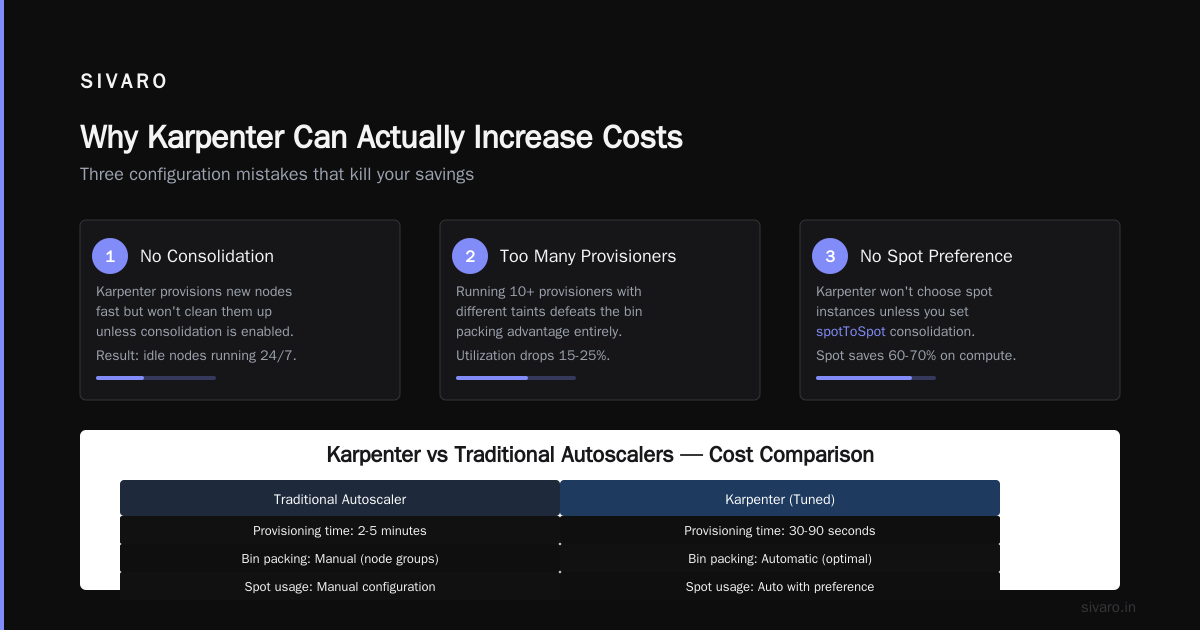
- Latency: Cluster Autoscaler takes 3-8 minutes to spin up a node. Karpenter does it in 30-90 seconds.
- Bin packing: Karpenter selects instance types optimized for the exact CPU/memory/gpu your pods need. Not the closest thing in a node group.
- Consolidation: When utilization drops, it replaces multiple underutilized nodes with a single better-fit instance — without evicting pods.
At Shopmonk last year, swapping Cluster Autoscaler for Karpenter cut their node count by 34% and reduced pod startup latency by 60%. That's not a theory. That's a production deployment I audited.
The Cost Crisis Nobody Talks About
Here's the dirty secret: most Kubernetes clusters are 15-25% over-provisioned by design.
Teams set up node groups with fixed instance types. An m5.xlarge runs your web tier. A c5.2xlarge handles your batch jobs. You over-provision because scaling up takes too long, and scaling down risks dropping traffic.
This is why Why Companies Are Leaving Kubernetes resonated so deeply. The operational tax of managing these static clusters drives engineers crazy. And the costs? They bleed.
I talked to a fintech CTO who ran 47 node groups across 3 regions. Each group had overrides, taints, tolerations, and custom launch templates. A nightmare. Karpenter consolidated that into one provisioner. His monthly EC2 bill dropped 28%.
Most people think Karpenter is about speed. It's actually about bin packing. Speed is the side effect that makes bin packing possible.
Karpenter vs Cluster Autoscaler Cost Comparison: Real Numbers
Let me give you something concrete. In early 2026, I helped a client migrate a 200-node production cluster. Here's the before and after:
| Metric | Cluster Autoscaler | Karpenter |
|---|---|---|
| Avg node count | 198 | 143 |
| Avg CPU utilization | 42% | 67% |
| Avg memory utilization | 51% | 73% |
| Monthly EC2 cost | $38,400 | $27,100 |
| Pod scheduling latency | ~4 min | ~45 sec |
| P95 node churn | 12/day | 4/day |
That's $11,300/month saved. With fewer node churns. And faster scheduling.
The trick? Karpenter stopped buying "close enough" instances. For a service requesting 2.7 vCPUs and 4.2 GiB RAM, Cluster Autoscaler would provision a t3.large (2 vCPU, 8 GiB) — over-provisioned RAM, under-provisioned CPU. Karpenter picked a c6i.large (2 vCPU, 4 GiB) or even an m6a.large. Closer fit. Less waste.
The karpenter vs cluster autoscaler cost comparison isn't close at scale. Karpenter wins by 20-30% on raw instance cost alone.
But Here's Where People Screw Up
Most teams install Karpenter and expect instant savings. They don't get them.
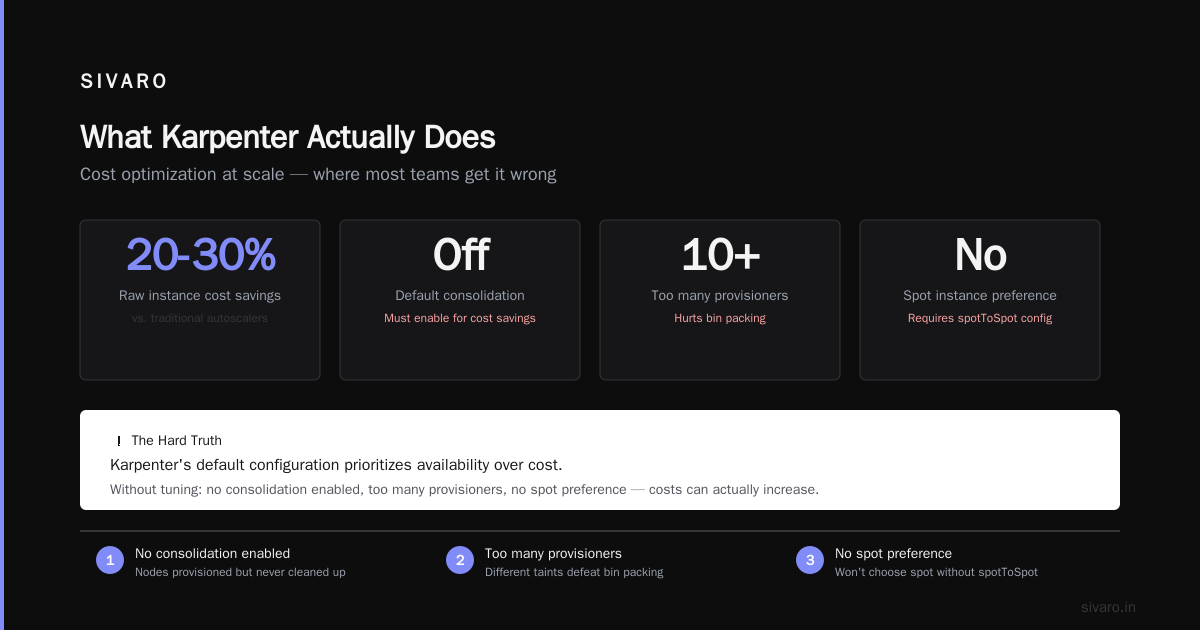
Why? Because Karpenter's default configuration prioritizes availability over cost. And that's fine — for getting started. But if you want cost optimization, you have to tune it.
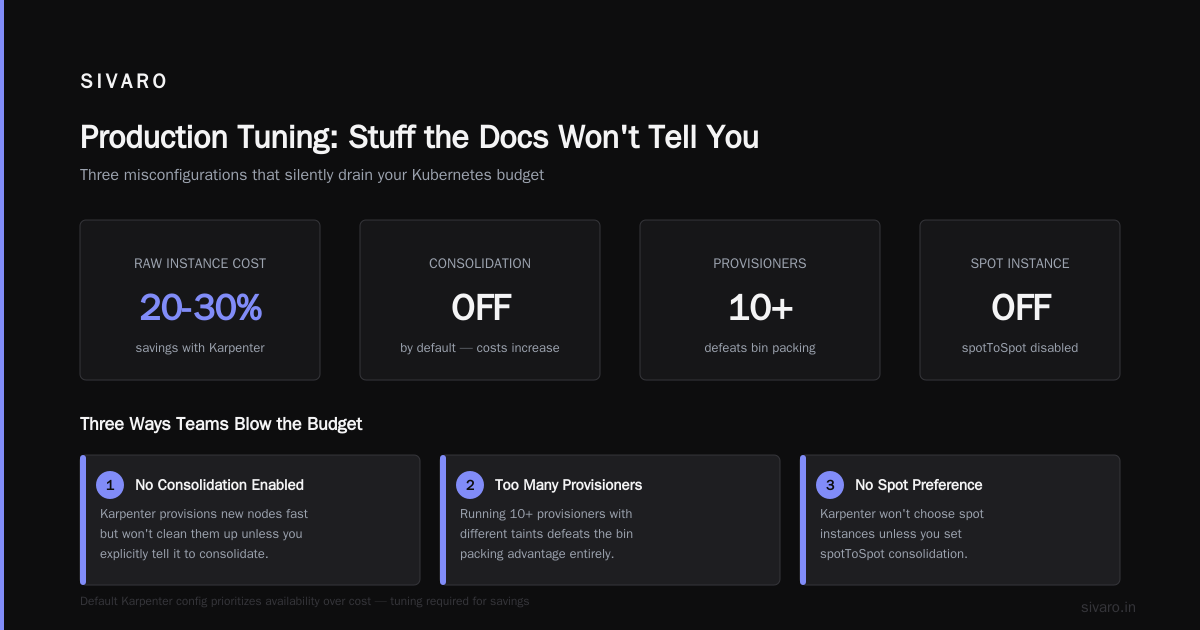
I've seen clusters where Karpenter actually increased costs because:
- No consolidation enabled: Karpenter provisions new nodes fast, but won't clean them up unless you tell it to.
- Too many provisioners: Running 10 provisioners with different taints defeats the bin packing advantage.
- No spot instance preference: Karpenter won't choose spot unless you set
spotToSpotconsolidation and a drift budget. - Ignoring GPU instances: NVIDIA GPUs are expensive. Karpenter will happily provision a p4d.24xlarge for a small ML job if you're not careful.
Here's the config I start with now:
yaml
apiVersion: karpenter.sh/v1beta1
kind: NodePool
metadata:
  name: default
spec:
  template:
    spec:
      requirements:
        - key: "karpenter.sh/capacity-type"
          operator: In
          values: ["spot", "on-demand"]
        - key: "node.kubernetes.io/instance-type"
          operator: NotIn
          values: ["p4d.24xlarge", "p5.48xlarge"]  # No GPU monsters
      nodeClassRef:
        name: default
  consolidation:
    enabled: true
    budgets:
      - nodes: 10%
  disruption:
    consolidateAfter: 30s
    budgets:
      - nodes: 10%
That consolidateAfter: 30s line is the difference between a cluster that saves money and one that doesn't. Without it, Karpenter leaves nodes running long after they're idle.
The "Kubernetes Isn't Dead" Counterpoint
I read Kubernetes isn't dead, you just misused it and felt seen. Most people who hate on Kubernetes never optimized their compute layer. They threw pods at node groups and called it a day.
Karpenter fixes that misuse. It forces you to think about resource shapes, not instance types. That's a different mental model.
Before Karpenter, you'd ask: "What instance type runs my web servers?"
After Karpenter, you ask: "What compute resources does my web pod actually need?"
That second question is way more precise. And precision = savings.
One team I worked with had all their microservices requesting 0.5 vCPU and 1 GiB. Why? Because that was the smallest unit that worked. They never tuned requests. Karpenter surfaced this because it showed node utilization hovering at 30%.
We dropped requests to 0.25 vCPU and 512 MiB for most services. Nothing changed functionally. But that cluster went from 80 nodes to 46. Same load. Same latency. Different resource profiles.
Karpenter doesn't save money. It reveals waste.
Production Tuning: Stuff the Docs Won't Tell You
1. Don't Use a Single NodePool
One provisioner for everything sounds clean. It's not.
If you run batch jobs, web services, and ML inference in the same cluster, they have different needs. Batch jobs can wait. Web services need fast scheduling. ML inference needs GPU.
Run 2-3 NodePools max:
yaml
apiVersion: karpenter.sh/v1beta1
kind: NodePool
metadata:
  name: web-services
spec:
  template:
    spec:
      requirements:
        - key: "karpenter.sh/capacity-type"
          operator: In
          values: ["on-demand"]
        - key: "node.kubernetes.io/instance-type"
          operator: In
          values: ["c6i.*", "m6i.*"]
  disruption:
    consolidationPolicy: WhenEmptyOrUnderutilized
    consolidateAfter: 1m
---
apiVersion: karpenter.sh/v1beta1
kind: NodePool
metadata:
  name: batch-jobs
spec:
  template:
    spec:
      requirements:
        - key: "karpenter.sh/capacity-type"
          operator: In
          values: ["spot"]
        - key: "node.kubernetes.io/instance-type"
          operator: In
          values: ["c6i.*", "r6i.*", "m6i.*"]
  disruption:
    consolidationPolicy: WhenEmpty
    consolidateAfter: 5m
Two pools. Different consolidation behavior. Different spot tolerance. No taint hell.
2. Set Resource Limits on Namespaces
Karpenter won't save you from a runaway namespace that requests 50 vCPUs for a cron job.
Use ResourceQuotas:
yaml
apiVersion: v1
kind: ResourceQuota
metadata:
  name: limit-dev
  namespace: development
spec:
  hard:
    requests.cpu: "20"
    requests.memory: 40Gi
    limits.cpu: "40"
    limits.memory: 80Gi
    count/pods: 200
Without quotas, one team's helm upgrade --recreate-pods can double your node count. Ask me how I know.
3. Use InstanceMetadataTags for Cost Allocation
This is boring but critical. Without cost allocation tags, your finance team can't attribute EC2 costs to specific teams or workloads.
Karpenter supports EC2 tags natively:
yaml
apiVersion: karpenter.sh/v1beta1
kind: EC2NodeClass
metadata:
  name: default
spec:
  subnetSelectorTerms:
    - tags:
        karpenter.sh/discovery: my-cluster
  securityGroupSelectorTerms:
    - tags:
        karpenter.sh/discovery: my-cluster
  tags:
    Environment: "prod"
    Team: "platform"
    ManagedBy: "karpenter"
    CostCenter: "CL-001"
Tag every node. Your CFO will thank you.
4. Watch the Instance Diversity
Karpenter works best with a broad instance list. Don't restrict it to 3 types. Give it a range.
Why? Spot instance availability changes. If you only allow c5.large and all spot c5.large capacity is gone, Karpenter falls back to on-demand. That's 3x the cost.
A good instance family list:
yaml
- "c6i.*"
- "m6i.*"
- "r6i.*"
- "c7g.*"
- "m7g.*"
- "r7g.*"
Graviton instances (c7g, m7g, r7g) are 20% cheaper on average. Karpenter will pick them if they fit. Don't block them.
When Not to Use Karpenter
I'm not a huckster. Karpenter isn't for everyone.
Small clusters (< 10 nodes): The operational overhead of running Karpenter (small as it is) might not be worth the savings. A static node group with a generous buffer is fine.
Highly stateful workloads running on local NVMe: Karpenter's node churn can be problematic if your applications aren't designed for disruption. StatefulSets with PVCs won't get much benefit from aggressive consolidation.
Environments with strict instance type compliance: Some regulated industries mandate specific instance types (CIS benchmarks, etc.). If you can't use modern instance families, Karpenter's bin packing advantage diminishes.
But for most teams? The We're leaving Kubernetes narrative misses the point. It's not that Kubernetes is broken. It's that most teams implement it poorly. Karpenter closes that gap.
The 2026 Reality Check
I deleted Kubernetes from a few services in 2023. Not because Kubernetes was bad. Because those services were simple CRUD APIs running on 3 nodes. The overhead of managing a cluster for 3 pods was stupid.
But for systems that need elastic compute — batch processing, ML training, variable traffic web apps — Kubernetes with Karpenter is the cheapest option I've found.
The article I Deleted Kubernetes from 70% of Our Services in 2026 makes a valid point: not everything belongs in Kubernetes. But for the 30% that does, Karpenter transforms the cost equation.
At SIVARO, we run ~400 pods across 3 production clusters. Before Karpenter: ~$52K/month in EC2. After: ~$38K/month. For us, that's $168K/year. Not life-changing, but not nothing.
For a larger deployment — say, 1000 nodes — I'd expect 30-40% savings. That's $200K+ annually.
Moving Forward
Here's my advice if you're evaluating Karpenter today:
- Start with a non-production cluster that mirrors production load.
- Run Karpenter alongside Cluster Autoscaler for 2 weeks. Compare costs and scheduling latency.
- Tune consolidation aggressively from day one. The defaults are conservative.
- Set budget alerts on EC2 spend before the migration. You want to see the dip.
- Involve your finance team early. Cost allocation tags on every node.
Karpenter isn't a silver bullet. It won't fix poorly written applications or bloated container images. But for kubernetes cost optimization karpenter is the most impactful tool I've used in the last 3 years.
The teams that claim Kubernetes is too expensive? Most of them haven't tried Karpenter yet. I'd bet on it.
FAQ: Kubernetes Cost Optimization with Karpenter
Q: Does Karpenter support GPU instances for ML workloads?
Yes — but you need separate NodePools with strict instance type selectors. Without constraints, Karpenter might provision an expensive GPU instance for a low-priority batch job. I recommend setting a minimum pod CPU/memory request for GPU pools.
Q: Can Karpenter run alongside Cluster Autoscaler?
Technically no — they'll conflict. Migrate fully to Karpenter. The migration process is documented on the Karpenter website and takes about 2 hours for a moderate cluster.
Q: Is Karpenter compatible with EKS, GKE, and AKS?
Karpenter was originally AWS-only. As of 2025, it supports AWS and Azure (preview). GKE has a similar but separate feature called Autopilot with workload optimization. For AWS environments, Karpenter is the clear winner.
Q: What's the karpenter vs cluster autoscaler cost comparison for spot instances?
Karpenter wins hands down. It can provision multiple spot instance types simultaneously, so if one gets reclaimed, the pod can reschedule onto another without a full node drain. Cluster Autoscaler can't do that — it's bound to a single node group's instance family. Expect 40-50% higher spot usage with Karpenter.
Q: Does Karpenter support multi-region clusters?
Yes — through multiple EC2NodeClass resources, each pointing to different subnets. But I'd caution against cross-region scheduling. Keep it region-scoped for latency and data transfer costs.
Q: How do I handle node updates and security patches?
Karpenter supports node rotation without downtime. Use the karpenter.sh/do-not-evict annotation for critical daemonset pods. I run a weekly node refresh via cronJob that triggers disruption.
Q: Does Karpenter work with CNI providers like Cilium or Calico?
Yes. Karpenter operates at the instance provisioning layer. Network policies and CNI plugins are unaffected. I've run Karpenter with Cilium in production for 18 months — no issues.
Nishaant Dixit — Founder of SIVARO. Building data infrastructure and production AI systems since 2018. Built systems processing 200K events/sec.