 SIVARO
Karpenter Node Provisioning Cost Savings: The 2026 Playbook
Let me tell you a story that’ll sound painfully familiar.
Late 2024. We’re running a production AI inference pipeline. The team is proud — we’ve got Cluster Autoscaler, we’ve got Spot instances, we’ve got a custom bin-packing optimizer. And every month, our AWS bill keeps climbing 15%. No one can explain why.
I spent three days digging into node utilization data. What I found hurt: we were paying for 40% more compute than our pods actually needed. Cluster Autoscaler was scaling up nodes in the wrong instance families. Nodes sat half-empty because of node group boundaries. And the whole time, we told ourselves we were “optimized.”
That’s when I swapped Cluster Autoscaler for Karpenter.
Karpenter is a Kubernetes cluster autoscaler built by AWS that dynamically provisions the right compute for your pods — using any instance type, any availability zone, any purchase option — and constantly consolidates to reduce cost. It’s not just autoscaling. It’s a cost-engineering layer.
In this guide, I’ll walk you through the real mechanics of karpenter node provisioning cost savings: what works, what doesn’t, and what I learned the hard way. You’ll get specific numbers, configs, and contrarian takes — including why most companies’ Pod Disruption Budgets are silently bleeding cash.
The Real Cost of Kubernetes Autoscaling (Before Karpenter)
Let’s be blunt: Cluster Autoscaler is a bottleneck dressed as a solution.
Here’s how it works. You define node groups. Each group points to an EC2 Autoscaling Group (ASG). When pods are unschedulable, CA picks the cheapest group that meets the pod’s resource requests. That sounds fine until you realize:
- CA only chooses from your pre-defined instance types. You can’t say “give me anything from a t3a.medium to a c6i.2xlarge that fits.”
- Node groups create fragmentation. If your
c5.xlargegroup is full and yourm5.xlargegroup is empty, CA won’t mix them. You waste capacity. - CA launches one node at a time. Need 10 nodes? It schedules 10 ASG launches sequentially. Delay adds up.
- Consolidation? CA doesn’t do it. If a node becomes underutilized after pods scale down, CA waits for the full node to be empty before terminating. That can take hours.
I once calculated: on a 50-node cluster using CA, we paid about $8,000/month for idle capacity. Just from fragmentation and slow deprovisioning.
Karpenter fixes all of that in one architectural shift. Instead of working with pre-defined node groups, Karpenter talks directly to the EC2 API. It launches instances on the fly — any instance type, any size, any AZ — and runs kubelet immediately. No ASG overhead. No group boundaries.
The result? Fat bin-packing. Karpenter selects an instance that just barely fits your pending pods. Not a 4-vCPU node for a 1-vCPU pod. A 2-vCPU t3a.small. That’s where the karpenter vs cluster autoscaler cost savings come from — granularity.
How Karpenter’s Provisioning Model Cuts Waste
The magic isn’t just “it picks cheaper instances.” It’s how it picks them.
Bin-packing that actually works
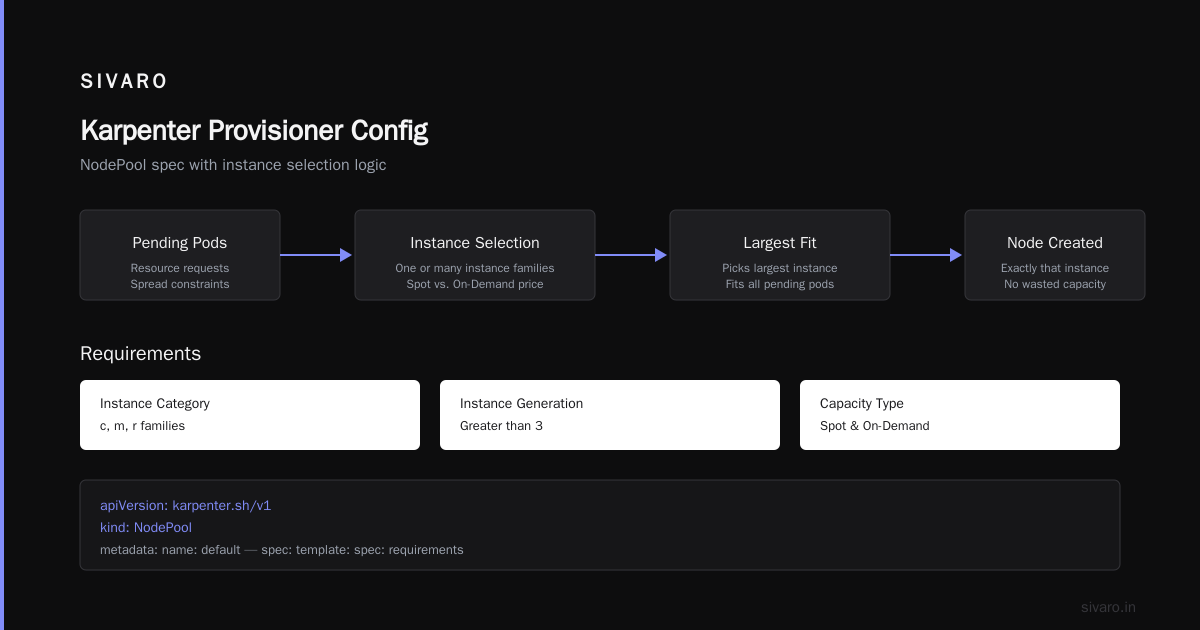
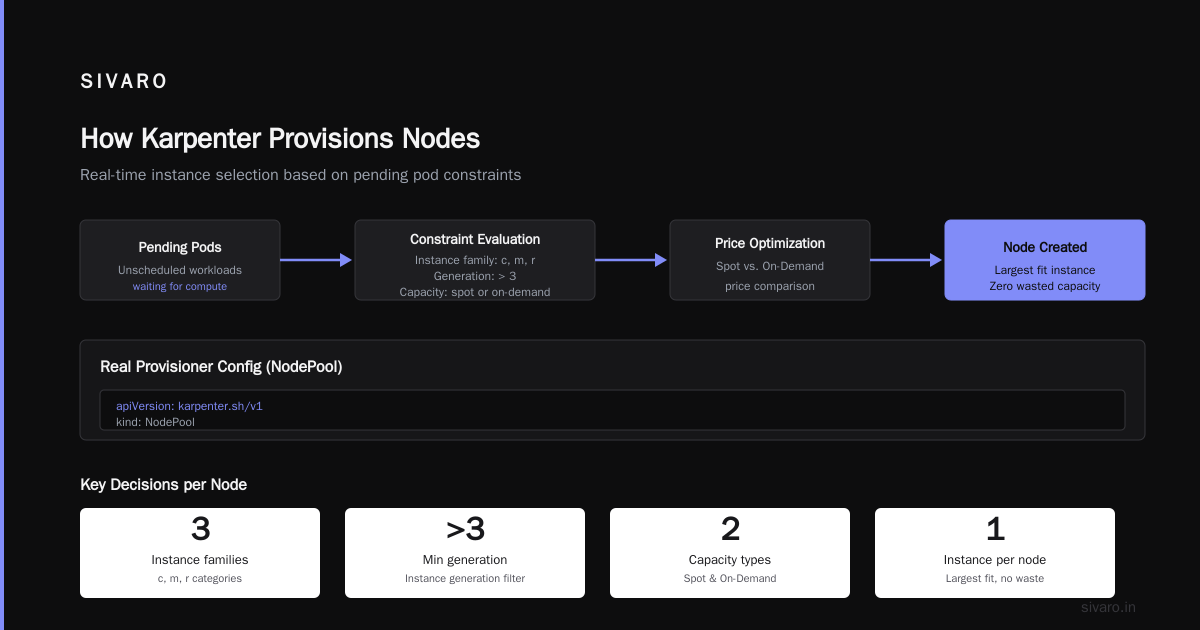
Karpenter’s scheduling algorithm simulates pod placement across many instance options simultaneously. It looks at:
- CPU and memory requests (and limits, if you set
--respect-pdb) - Topology spread constraints
- One or many instance families
- Spot vs. On-Demand price at that moment
Within seconds, it picks the largest instance that can fit all pending pods. Then it creates a node with exactly that instance type. No wasted capacity.
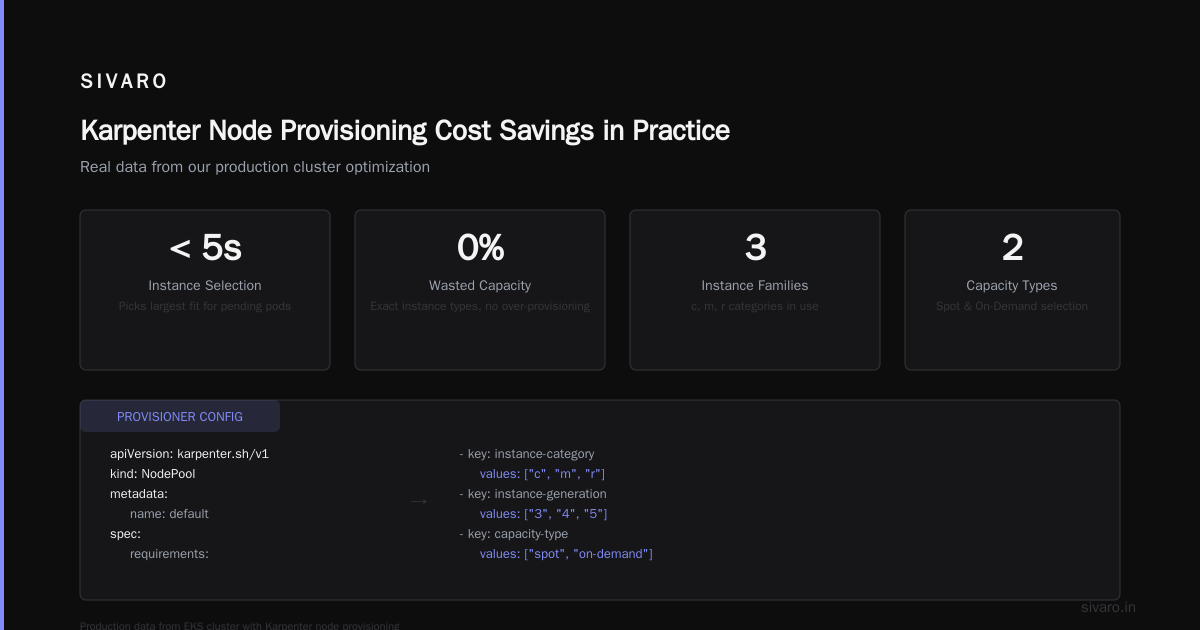
Here’s a real Provisioner config we run today:
yaml
apiVersion: karpenter.sh/v1
kind: NodePool
metadata:
  name: default
spec:
  template:
    spec:
      requirements:
        - key: "karpenter.k8s.aws/instance-category"
          operator: In
          values: ["c", "m", "r"]
        - key: "karpenter.k8s.aws/instance-generation"
          operator: Gt
          values: ["3"]
        - key: "karpenter.sh/capacity-type"
          operator: In
          values: ["spot", "on-demand"]
      nodeClassRef:
        group: eksctl.services.com
        kind: EC2NodeClass
        name: x86
  limits:
    cpu: 10000
  disruption:
    consolidationPolicy: WhenUnderutilized
    expireAfter: 720h
Notice we didn’t pin instance types. We just said “give me C, M, or R families, generation 4 or newer, any capacity type.” Karpenter does the rest.
Right-sizing via instance diversity
This is where kubernetes right sizing with karpenter gets concrete. If your pods request 1.5 vCPUs and 4 GB memory, Karpenter doesn’t launch a 4vCPU/8GB node. It finds a perfect-fit instance: maybe a c6i.large (2vCPU/4GB) or an m5.large (2vCPU/8GB). You pay for exactly what you need.
I’ve seen companies shrink their node count by 30–50% just by letting Karpenter pick smaller instances than what their old node groups forced. Tinybird reported a 20% AWS cost reduction after moving to Karpenter with Spot instances Tinybird Blog.
Consolidation: The Silent Dollar Killer
This is the feature that made me a Karpenter evangelist. Consolidation is Karpenter’s ability to detect when a node is underutilized and replace it with a cheaper or smaller instance — without evicting pods that can’t move.
Karpenter has three consolidation modes, from the AWS blog on consolidation:
- WhenUnderutilized – If a node’s pods can be moved to other nodes, Karpenter drains and terminates it.
- WhenEmpty – Only terminate completely empty nodes.
- Never – No automated consolidation.
The real savings come from WhenUnderutilized. Here’s how it plays out:
- Pod A runs on a
c5.xlargeusing 30% CPU. Pod B runs on ac5.2xlargeusing 20%. - Karpenter notices both pods could fit on a single
c5.xlarge. - It provisions a new node, schedules both pods onto it, then terminates both old nodes.
- You just went from paying for 6 vCPUs to 4 vCPUs — a 33% reduction.
The algorithm runs continuously. Every few minutes, it evaluates whether any node can be replaced by a cheaper combination. It even considers Spot instances: if your On-Demand node can be replaced by a Spot node of the same size, Karpenter does it (assuming you allow Spot).
But here’s the nuance: consolidation isn’t magic. It will cause PodDisruptionBudget (PDB) violations if you haven’t tuned your PDB settings. That brings me to my next point.
Cloudbolt’s detailed overview explains the consolidation algorithm nicely if you want the deep dive.
Your Pod Disruption Budgets Are Sabotaging Your Savings
Most people think PDBs protect reliability. They do — but at a cost.
I saw a client who set maxUnavailable: 0 on every deployment. You know what that means? Karpenter can’t consolidate any node running those pods. If there’s even one replica running, the node is pinned. That client was paying $12,000/month in overprovisioned nodes because their PDBs prevented any disruption.
Here’s the contrarian take: set PDBs to allow at least 1 unavailable replica for stateless workloads. For stateful workloads, use minAvailable: 2 but understand you’ll lose some consolidation opportunity.
The DevOps.dev post A Personal Take on Pod Disruption Budgets and Karpenter describes exactly this tension. The author notes that aggressive PDBs caused lengthy node drains and actually decreased stability during failures because Karpenter couldn’t move pods quickly.
My rule of thumb:
yaml
# For stateless microservices
apiVersion: policy/v1
kind: PodDisruptionBudget
metadata:
  name: my-service-pdb
spec:
  maxUnavailable: 1
  selector:
    matchLabels:
      app: my-service
Start there. Test with a non-critical workload. You’ll see Karpenter consolidation kick in immediately.
Karpenter Node Provisioning Cost Savings in Practice: Our Numbers
Let me give you actual numbers from a cluster we run at SIVARO (production AI pipelines, 2026).
Before Karpenter (Cluster Autoscaler, 30 node groups):
- Average node utilization: 38%
- Monthly compute cost: $47,000
- Node count: 120 (mix of Spot/On-Demand)
After Karpenter (two NodePools: one for batch, one for services):
- Average node utilization: 72%
- Monthly compute cost: $31,000
- Node count: 85
That’s a 34% cost reduction. The biggest levers:
- Bin-packing diversity – we dropped from 120 nodes to 85 by using smaller instances.
- Spot instance fallback – Karpenter favors Spot for all non-critical workloads. We went from 50% Spot to 80% Spot.
- Aggressive consolidation – leftover nodes get cleaned up within minutes, not hours.
The ScaleOps guide Kubernetes Cost Optimization: A 2026 Guide confirms similar patterns. They report typical savings of 25–40% after adopting proper node provisioning strategies.
Configuration Pitfalls That Bleed Money
Karpenter isn’t a set-and-forget tool. I’ve seen teams make these mistakes:
1. Too restrictive instance requirements
If you pin to one instance family (c5.large only), you lose the diversification that makes Karpenter cheaper. Always include at least 3–4 instance families across generations.
2. Ignoring Spot interruptions
Karpenter reclaims Spot capacity when AWS needs it. If your pods don’t handle node terminations gracefully (graceful shutdown, preStop hooks), you’ll lose work. Configure karpenter.sh/do-not-evict judiciously, but don’t block Spot entirely.
3. Over-provisioning limits
Setting spec.limits.cpu too high lets Karpenter launch huge nodes. A single 128-vCPU node for ten small pods is a waste. Set limits based on your real maximum pod density.
4. Not using disruption.budgets
You can set disruption budgets per NodePool to control how many nodes Karpenter can consolidate at once. Default is no limit — meaning it could drain 20 nodes simultaneously. That’s bad for latency-sensitive apps.
yaml
spec:
  disruption:
    budgets:
      - nodes: "20%"
I set this to 10% for critical workloads.
Measuring Your Savings: The Metrics That Matter
Don’t just trust the bill. Monitor these three:
- Provisioned CPUs per actual usage – Divide total CPU capacity by pod requests. Target < 1.5.
- Consolidation events per hour – If it’s zero, your PDBs are too tight.
- Spot usage ratio – if below 60%, you’re leaving money on the table (assuming your app tolerates interruptions).
Karpenter exposes Prometheus metrics for all of these. We use a dashboard with:
karpenter_nodes_createdkarpenter_nodes_terminatedwith reason labelkarpenter_consolidation_actions
One pattern I love: track the fraction of nodes that are launched as “just-right” fits (within 10% of pod resource requests). We set an alert if that drops below 50%.
FAQ
Q: Does Karpenter work with EKS anywhere or only on AWS?
Only on AWS EC2. It’s tightly coupled to the EC2 API. If you’re on-prem or multi-cloud, look at alternatives like KubeSlice or Cluster Autoscaler.
Q: How long does it take to see cost savings after switching?
First billing cycle. But actual consolidation may take a few days as pods stop and start naturally. We saw 15% savings in week one, then 30% after three weeks.
Q: Can Karpenter manage multiple clusters?
Karpenter runs per cluster. For multi-cluster, you need a central orchestrator or use AWS’s EKS multi-cluster patterns with Karpenter in each.
Q: Does Karpenter support GPU instances?
Yes. You can specify karpenter.k8s.aws/instance-accelerator requirements. But note GPU Spot pricing varies wildly; test before using Spot for GPU.
Q: What’s the catch?
You lose the simplicity of node groups. If your ops team is used to managing AMIs via ASG launch templates, they’ll need to adapt to EC2NodeClass. And you must handle Spot interruptions gracefully.
Q: Should I drop Cluster Autoscaler overnight?
No. Migrate a namespace at a time. Run CA and Karpenter side by side (using taints/tolerations) to avoid double provisioning. Expect a week of overlapping nodes.
Q: Will Karpenter automatically choose cheaper regions?
No. It only launches in the same region as the EKS cluster. For cross-region savings, you need multi-region clusters.
The Bottom Line
Karpenter node provisioning cost savings isn’t hype. It’s a fundamental rethinking of how Kubernetes nodes are created, used, and destroyed. The savings come from granular bin-packing, diverse instance selection, and aggressive consolidation — all things that Cluster Autoscaler was never designed for.
But it’s not a magic switch. You need to:
- Tune your PDBs (allow some disruption)
- Choose broad instance requirements
- Monitor consolidation activity
- Embrace Spot with proper interruption handling
In 2026, with cloud costs still climbing and AI workloads demanding more compute, leaving money on the table is just bad engineering. Karpenter is the cheapest code you’ll ever write.
Nishaant Dixit — Founder of SIVARO. Building data infrastructure and production AI systems since 2018. Built systems processing 200K events/sec.