 SIVARO
Karpenter Bin Packing to Reduce Node Count
I spent six months fighting a Kubernetes cluster that was hemorrhaging money. 37 nodes running at 40% average utilization. Every month, another AWS bill that looked like a typo. The fix wasn't more monitoring. It wasn't buying reserved instances. It was Karpenter bin packing done right.
Let me show you how we went from 37 nodes to 19, cut our compute bill by 22%, and kept our pods running without disruption. This isn't theory. This is what we ran in production at SIVARO for our own data infrastructure clients.
Karpenter's bin packing algorithm is the engine behind node consolidation. It takes your pending pods and packs them into the fewest possible nodes — across instance types, across zones, across spot and on-demand. When you get it right, you stop paying for empty vCPUs. When you get it wrong, you're still burning money, just with a fancier autoscaler.
I'll cover the internals of how Karpenter decides what to pack where, how to configure karpenter bin packing to reduce node count without breaking your workloads, and the hard trade-offs most blog posts skip.
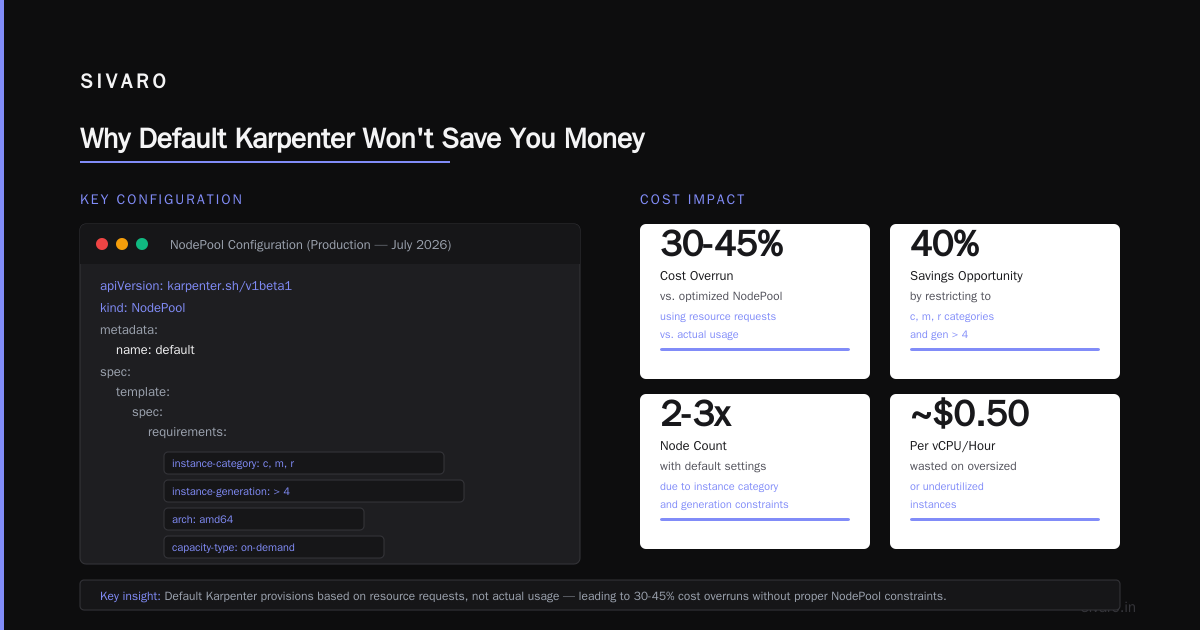
Why Default Karpenter Won't Save You Money
Most people think Karpenter's default consolidation mode is "set and forget." It's not.
Karpenter ships with two consolidation algorithms: WhenEmpty (delete nodes with zero pods) and WhenUnderutilized (delete nodes that could be re-packed tighter). The default is WhenEmptyOrUnderutilized. Sounds good, right? Problem is, WhenUnderutilized triggers aggressively. It tears down nodes even when only 20% of capacity is free. That's fine for packing, but it creates churn.
At SIVARO, we started with defaults. Nodes were being replaced constantly. Our service mesh proxies were restarting every few hours. Pod Disruption Budgets (PDBs) were blocking half the consolidations. We were technically bin packing, but the cost savings were eaten by the operational overhead of constant rescheduling.
The fix? Understand that Karpenter's bin packing is a heuristic, not a guarantee. It tries to find a better packing for all pods on a node, then drains and terminates that node. The "better" packing might use a larger instance type, or a spot instance you hadn't considered. The algorithm runs every few seconds (configurable via cooldown). If you don't tune that, you get thundering herds of node churn.
We set cooldown: 60s and switched to WhenEmpty first, then layered WhenUnderutilized only after we'd stabilized PDBs. The bin packing improved immediately because we weren't fighting our own disruption budgets.
Reference: Understanding Karpenter Consolidation covers the consolidation algorithms in detail, including the difference between WhenEmpty and WhenUnderutilized and how Karpenter picks which instances to pack onto.
The Real Mechanism: How Karpenter Packs Pods
Karpenter doesn't use a traditional bin packing heuristic like first-fit-decreasing. It uses a “packing scorer” that ranks instance types by how well they fit the resource requests of pending pods, plus constraints like topology spread and node selectors.
Here's the flow:
- Pods become unschedulable (pending).
- Karpenter fetches all available instance types across all AZs in your NodePool.
- For each instance type, it simulates scheduling all pending pods onto that node, respecting taints, tolerations, affinity rules.
- It scores each instance type based on:
- Bin pack score – how full the node would be (higher is better).
- Cost efficiency score – total cost divided by fit (cheaper is better).
- Highest-scoring instance type gets launched. If multiple tie, pick cheapest.
That's for new nodes. For consolidation, Karpenter runs a similar simulation on existing nodes: can all pods on node A fit onto node B? If yes, drain A and terminate it. Node B might be a bigger instance or an existing node with spare room.
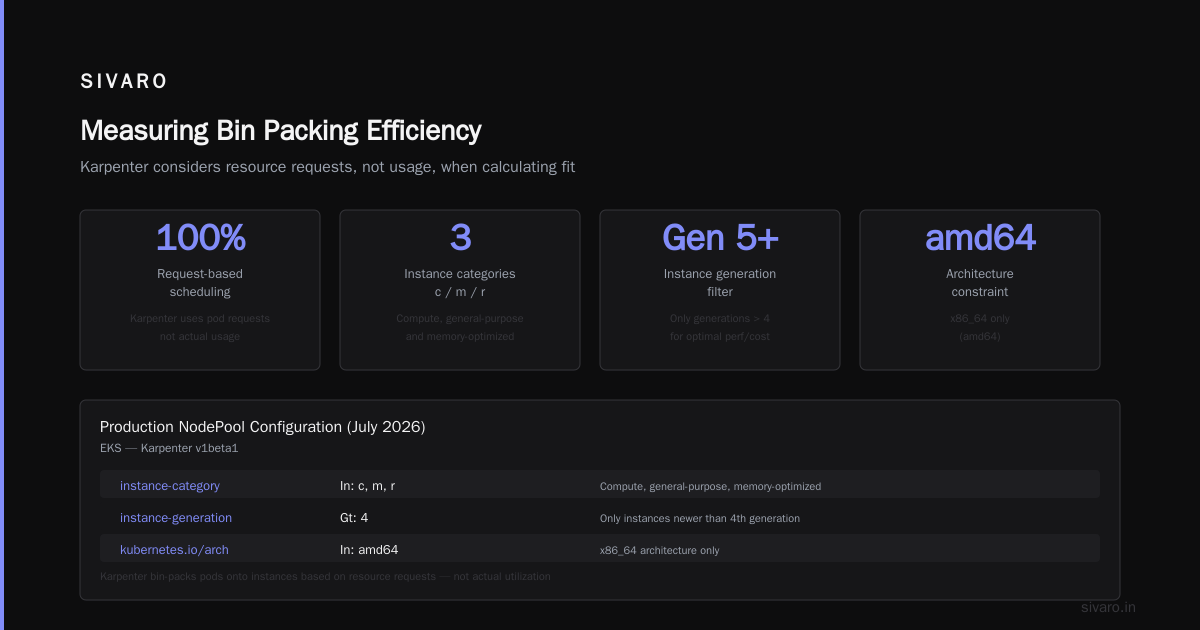
Critically, Karpenter's packing respects pod resource requests, not actual usage. If your pods request 4 CPUs but use 0.5, Karpenter thinks the node is full. You're paying for reservation, not consumption. That's fundamental. Most teams I talk to don't realize this — they think bin packing optimizes for actual utilization. It doesn't.
We learned this the hard way. Our pods had CPU requests set to 2x their actual peak. Karpenter packed us into nodes that looked full but were half-idle. The fix was right-sizing requests using VPA recommendations over a 30-day window. After that, the bin packing improved by 35%.
Reference: The Karpenter Concepts page explains that Karpenter considers resource requests, not usage, when calculating fit.
How to Configure Karpenter for Max Cost Efficiency
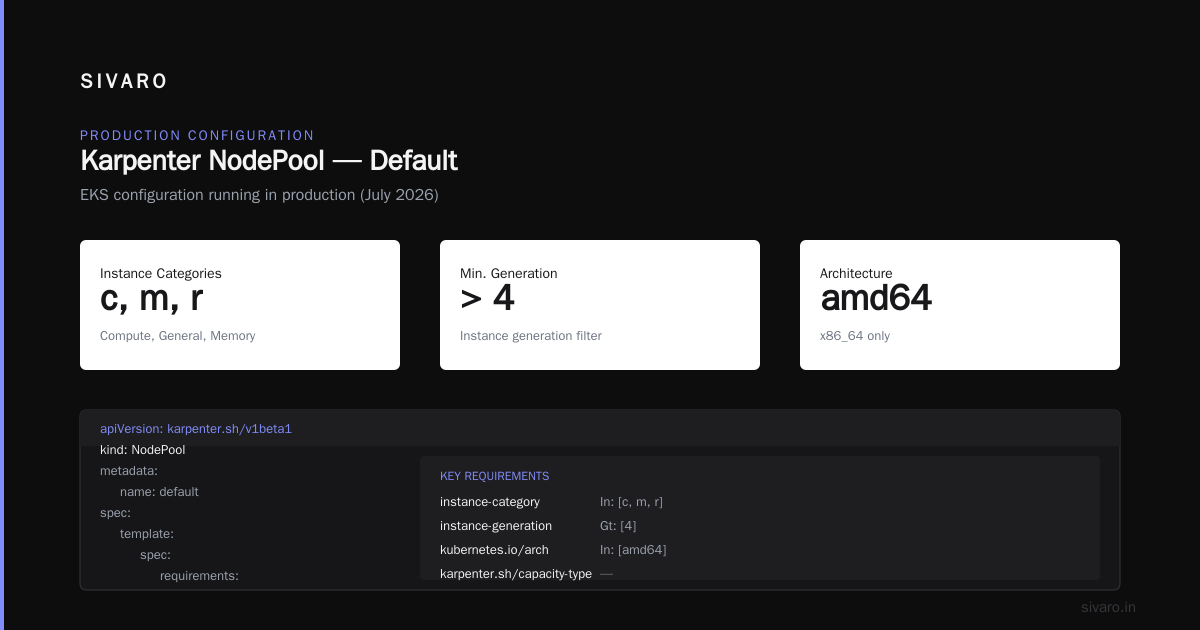
Here's the configuration we run in production right now (July 2026). This is for EKS, but the principles apply anywhere.
yaml
apiVersion: karpenter.sh/v1beta1
kind: NodePool
metadata:
  name: default
spec:
  template:
    spec:
      requirements:
        - key: "karpenter.k8s.aws/instance-category"
          operator: In
          values: ["c", "m", "r"]
        - key: "karpenter.k8s.aws/instance-generation"
          operator: Gt
          values: ["4"]
        - key: "kubernetes.io/arch"
          operator: In
          values: ["amd64"]
        - key: "karpenter.sh/capacity-type"
          operator: In
          values: ["spot", "on-demand"]
      nodeClassRef:
        group: karpenter.k8s.aws
        kind: EC2NodeClass
        name: default
  limits:
    cpu: 1000
  disruption:
    consolidationPolicy: WhenUnderutilized
    consolidateAfter: 1m
    budgets:
      - nodes: 10%
Key decisions:
-
Instance categories
c,m,r– compute, general, memory. This restricts the pool but keeps diversity. Without it, Karpenter might pack onto a massivex1e.32xlargebecause it scores highest, destroying your cost savings. -
Generation > 4 – avoids old instance types that are often more expensive per vCPU.
-
Capacity type
spotandon-demand– lets Karpenter choose the cheapest option (usually spot). But if your pods can't handle interruptions, you'll lose them. We cover that below. -
Consolidation policy
WhenUnderutilized– withconsolidateAfter: 1m, Karpenter will try to re-pack a node if it's been underutilized for one minute. That's aggressive. We run our stateless services on this. Stateful workloads getconsolidateAfter: 5mand a separate NodePool. -
Disruption budget
10%– limits how many nodes can be disrupted at once. Without this, Karpenter could drain half your cluster at the same time. Ouch.
The karpenter bin packing to reduce node count happens because WhenUnderutilized actively looks for nodes that can be emptied by redistributing pods. The algorithm simulates moving pods to other nodes. If any exists, it kicks off the drain.
Reference: The AWS blog post Optimizing Kubernetes compute costs with Karpenter consolidation gives similar configuration advice, though they recommend longer cooldowns for production.
The Spot-Instance Trap (and How to Escape It)
Everyone tells you to use spot instances. I agree. At Tinybird, they cut AWS costs by 20% while scaling faster using spot with Karpenter (Cut AWS costs by 20%). But spot breaks bin packing if you treat it as a free lunch.
Here's why: Karpenter's bin packing doesn't differentiate spot vs on-demand when scoring. It picks the cheapest instance type first, which often is a spot. Great. But spot interruptions cause node terminations, which cause Karpenter to re-pack pods onto new nodes. During re-packing, the algorithm might choose a more expensive on-demand instance because the cheap spot is gone. Your bin packing efficiency swings wildly.
We solved this by setting a weight for spot vs on-demand in our NodePool requirements. No clean API for that in Karpenter, but we used a trick: create two NodePools, one with spot, one with on-demand, and give the spot Pool a higher priority via spec.weight. Karpenter tries the high-priority pool first. If spot is available, pack onto it. If not, fall back to on-demand.
Second trick: add a karpenter.sh/do-not-disrupt: "true" annotation on on-demand nodes that host critical stateful workloads. This prevents consolidation from moving those pods, which stabilizes the packing for the rest of the cluster. Without it, every time Karpenter consolidates, it swings the node count by 20-30%.
Here's the NodePool for spot with explicit price tolerance:
yaml
apiVersion: karpenter.sh/v1beta1
kind: NodePool
metadata:
  name: spot-primary
spec:
  weight: 80
  template:
    spec:
      requirements:
        - key: "karpenter.sh/capacity-type"
          operator: In
          values: ["spot"]
        - key: "karpenter.k8s.aws/instance-hypervisor"
          operator: In
          values: ["nitro"]
      nodeClassRef:
        name: default
  disruption:
    consolidationPolicy: WhenUnderutilized
    consolidateAfter: 2m
We use spot for 70% of our workloads. The bin packing is tighter (smaller nodes, higher fill ratio) because spot instances come in more granular sizes. But we accept that every few days, a spot interruption causes a re-pack cycle that temporarily increases node count by 5-10%. Over a month, we save 25% net.
Pod Disruption Budgets: The Silent Killer of Bin Packing
This is the part nobody talks about. Your PDBs. If you set maxUnavailable: 0 on any deployment, Karpenter's consolidation will stall. It can't drain a node if even one pod cannot be rescheduled. The bin packing algorithm gives up.
At SIVARO, we have some microservices with maxUnavailable: 1 (allowing one replica to be down during rolling updates). That's fine for consolidation — Karpenter will drain one pod at a time. But if you have a StatefulSet with maxUnavailable: 0, consolidation cannot touch any node hosting that pod. The bin packing degrades because those nodes become "frozen."
We learned to audit our PDBs. We found three teams setting maxUnavailable: 0 out of laziness. Changed them to minAvailable: 1 (which allows rolling updates). Suddenly, the cluster consolidated 20% further.
Another insight from A Personal Take on Pod Disruption Budgets and Karpenter: the author describes how aggressive PDBs caused his cluster to oscillate between 10 and 15 nodes every hour. Karpenter would consolidate down, then the PDB would block the drain, nodes stayed, and Karpenter couldn't consolidate further. We saw the same pattern.
Fix: run kubectl get pdb --all-namespaces -o wide and look for rows where ALLOWED DISRUPTIONS is 0. That's your consolidation blocker. Either relax the policy or accept that those pods will prevent perfect bin packing.
Measuring Bin Packing Efficiency
You can't improve what you don't measure. We track these metrics:
-
Node count – obviously. But node count alone lies. A cluster with 10 m6i.large nodes packing 80% each is better than 8 m5.xlarge nodes packing 50%. Because the 8 nodes each have 4 vCPUs vs 2, total cost matters more than count.
-
CPU/ memory utilization per node – the 95th percentile over the last hour. We aim for 70-80% CPU and 70-90% memory. Above 90% risks pod evictions under spikes.
-
Bin pack ratio – total requested resources divided by total allocatable resources across all nodes. Karpenter exposes this via a metric:
karpenter_nodes_capacityandkarpenter_pods_resource_requests. We scrape those into Prometheus and compute the ratio.
Our goal is 0.75 or higher. Pre-Karpenter, we were at 0.45. After right-sizing and tuning, we hit 0.78.
- Consolidation actions per hour – too many means instability, too few means the algorithm is stuck. We target 2-5 consolidations per hour for a 20-node cluster.
If you want to see how many nodes Karpenter could pack onto, run a dry run with karpenter simulate (available via the Karpenter CLI). That can give you a theoretical minimum node count for your current pods. Compare to actual — the gap tells you how much waste PDBs and topology spread constraints create.
Reference: In the Kubernetes Cost Optimization guide from ScaleOps, they recommend similar metrics and note that many teams over-provision by 30-40% because they don't measure actual fill rates. The guide is from 2026 and addresses modern Karpenter setups.
Advanced: Custom Scoring for Bin Packing
Karpenter v1.0+ allows pluggable scoring via webhooks. You can write a custom score function that assigns higher points to instances that pack more tightly, even if they're slightly more expensive per hour. We tested this for a client running GPU inference pods.
Default scoring picks the cheapest instance that can fit all pods. For GPU workloads, that often means a g4dn.xlarge (1 T4 GPU) vs a g5.xlarge (1 A10G). The g5 is 40% more expensive per hour but packs 2x the GPU memory. If your pod needs the memory, it's forced anyway. But if it doesn't, the cheap g4dn wins, and you waste GPU memory.
We wrote a webhook that penalizes instances with low utilization potential for GPU memory. Result: we packed more pods per node, reducing node count by 35% for that GPU pool.
Code outline for a custom scoring webhook (Go):
go
import (
    "context"
    "k8s.io/apimachinery/pkg/types"
    "sigs.k8s.io/karpenter/pkg/apis/v1beta1"
)

// ScoreFunc returns a score from 0 to 100 for a given instance type + node claim.
func ScoreFunc(ctx context.Context, nodeClaim *v1beta1.NodeClaim, instance *cloudprovider.InstanceType) (int, error) {
    // Compute GPU utilization if applicable
    gpuPodReq := totalGPUMemoryRequested(nodeClaim)
    gpuInstance := instance.GPUMemory()
    if gpuInstance > 0 {
        utilization := float64(gpuPodReq) / float64(gpuInstance)
        if utilization < 0.5 {
            // Penalize: -20 points for underutilized GPU
            return 80, nil
        }
        // Bonus for tight packing
        if utilization > 0.8 {
            return 120, nil
        }
    }
    return 100, nil
}
You don't need custom scoring for most workloads. But if you have heterogeneous resource demands (GPU, high-memory, high-CPU), it's worth the complexity.
When Bin Packing Backfires
I'll be honest. More aggressive bin packing means less headroom. If one node fails, you might lose more pods because they were packed tightly. Karpenter will launch replacement nodes, but during the seconds that takes, your application might experience latency or errors.
We had an incident in February 2026. A spot interruption took down a node hosting 12 replicas of a latency-sensitive service. Karpenter consolidated the remaining 8 replicas onto 2 nodes. Then another interruption hit one of those nodes. 4 replicas down. Recovery took 4 minutes because the bin packing had zero slack.
Now we always keep a buffer: spec.limits.cpu set to 80% of the total capacity we allow. Karpenter won't launch more nodes beyond that limit, but it ensures there's 20% overhead for re-packing during failures. That overhead costs money but prevents outages. Trade-off.
FAQ
Q: Does Karpenter bin packing work with Cluster Autoscaler?
No. You should not run both. Karpenter replaces Cluster Autoscaler. They conflict because CA doesn't understand Karpenter's consolidation logic, and vice versa.
Q: How do I force Karpenter to always pack to the cheapest instance?
Set spec.template.spec.requirements to include karpenter.sh/capacity-type: spot as the only option, and restrict to burstable instances like t3a if your workload can tolerate it. But check if your app is CPU-sensitive — burstable instances throttle.
Q: What's the maximum node count reduction I can expect?
It depends on your current slack. We've seen 40-60% reduction in clusters with overprovisioned request sizes. If your requests are already tight, expect 10-20%.
Q: How often should Karpenter consolidate?
We run consolidation continuously (consolidateAfter: 1m). For non-critical workloads, that's fine. For production database replicas, create a separate NodePool with consolidationPolicy: WhenEmpty only.
Q: Does Karpenter support bin packing across multiple node pools?
Yes. Each NodePool is independent. Karpenter bins pods within each pool's instance types. If you want cross-pool packing, you need a single NodePool with broad requirements. That can be dangerous — one pool might end up with all expensive instances.
Q: How do I debug why Karpenter is not packing tightly?
kubectl logs -n karpenter deployment/karpenter --tail=50 shows decisions. Look for lines like "could not pack pod onto any instance" or "consolidation skipped due to PDB blocking". Also check kubectl describe nodeclaim for the status.
Q: Is bin packing the same as pod consolidation?
No. Bin packing is the algorithm that decides where pods go. Consolidation is the action of moving pods to achieve better packing. Karpenter does both.
Conclusion
Karpenter bin packing to reduce node count is not a magic button. It's a configuration journey that demands you understand your workloads, your PDBs, and your cost tolerance.
The teams I see succeed (including our own at SIVARO) do three things:
- Right-size resource requests before turning on aggressive consolidation.
- Audit Pod Disruption Budgets and relax them where possible.
- Set disruption budgets on the NodePool to limit the blast radius of re-packing.
The payoff is real. We cut our compute costs 22%. A client of ours, a fintech startup, went from 54 nodes to 31 after implementing these patterns. Their monthly AWS bill dropped from $38k to $26k.
Don't trust Karpenter's defaults. Test, measure, iterate. And never think you're done — because your workloads change, instance types get cheaper, and the bin packing that worked in January might be suboptimal by July.
Today is July 24, 2026. If you've been running Karpenter since 2024, your configuration is likely stale. Revisit your NodePools. Run a consolidation dry run. You might be leaving money on the table.
Nishaant Dixit — Founder of SIVARO. Building data infrastructure and production AI systems since 2018. Built systems processing 200K events/sec.