 SIVARO
I Spent 6 Months Optimizing GPU Clusters – Here's the Best Configuration for Deep Learning
I'll be honest with you: when I started building GPU clusters at SIVARO in 2022, I made every mistake in the book. I bought the wrong GPUs. I chose bad networking. I misconfigured software stacks. I watched 8 A100s sit idle at 12% utilization while my team debugged NCCL timeout errors.
By July 2026, we've trained models at 200K events/sec across 64-node clusters. I've seen what works and what's a waste of capital. This guide is the reference I wish I'd had.
Here's what we'll cover:
- The single decision that determines 80% of your cluster's performance (most people get it wrong)
- Specific GPU SKUs, networking gear, and software versions that work in production
- Configurations by scale – 1 node to 128 nodes
- Real failures – including the time we lost $40K to a configuration oversight
- The best GPU cluster configuration for deep learning as of July 2026
Let's start with what I learned the hard way.
The Bottleneck Nobody Warns You About
Most articles tell you to buy the latest GPUs. NVIDIA H100s, B200s, whatever. They're wrong. Not about GPU choice – about balance.
A GPU cluster is a distributed system. The fundamental property of distributed systems is that performance is determined by the weakest link. In deep learning clusters, that weakest link is almost always inter-node networking.
I watched a team at a Series B startup spend $1.2M on 8 H100 nodes. They connected them with 25Gbps Ethernet. Their training throughput was worse than 4 nodes on InfiniBand. The GPUs sat idle 70% of the time waiting for gradients.
The best GPU cluster configuration for deep learning isn't about GPU counts. It's about bandwidth density.
My Recommended Configuration (July 2026)
Here's the config I'd deploy today. We're running this at SIVARO for clients processing multi-modal models at scale.
Node Specs
| Component | Choice | Why |
|---|---|---|
| GPU | NVIDIA H100 SXM (8 per node) | 80GB HBM3, 3.35TB/s memory bandwidth per GPU |
| CPU | AMD EPYC 9654 (96 cores) | PCIe Gen5 lanes, better memory bandwidth than Xeon |
| Memory | 1TB DDR5-5600 | Enough for large model shards, not overkill |
| Networking (inter-node) | NVIDIA Quantum-2 InfiniBand (400Gbps) | Non-negotiable for multi-node training |
| Networking (intra-node) | NVSwitch (900GB/s) | Stock with SXM config |
| Storage | Local NVMe (3.84TB) + parallel filesystem | Local for checkpoint writes, shared for dataset access |
| Power | 4.5kW per node | You'll need liquid cooling at this density |
Total cluster cost: ~$180K per node fully loaded. For 8 nodes, you're at $1.44M. That sounds painful. But at scale, it's cheaper than underprovisioned alternatives because you actually use the hardware.
Why InfiniBand Beats Ethernet (And When It Doesn't)
I'll simplify: if you're training models larger than what fits on one GPU, you need InfiniBand. Period.
Distributed computing for deep learning depends on gradient synchronization. Every gradient step requires all-to-all communication. With 8 nodes, that's 64 GPUs. With Ethernet at 100Gbps, your gradient sync takes 3-5x longer than a forward pass. Your GPU utilization drops to 20%.
Contrarian take: For model inference serving across nodes, Ethernet is fine. For fine-tuning single GPU models, Ethernet is fine. For distributed training of massive models? InfiniBand or waste your money.
We tested this at SIVARO in 2025. Same 8 nodes, same H100s. With 400Gbps InfiniBand: 87% GPU utilization on a 70B param model. With 200Gbps Ethernet: 23%. The math doesn't lie.
Best GPU Cluster Software for Distributed Training
Hardware is half the battle. The software stack determines whether your cluster sings or chokes.
My Stack (Tested, Working in Prod)
- Orchestrator: Kubernetes with Volcano scheduler (not plain K8s – stock K8s can't handle gang scheduling for GPU jobs)
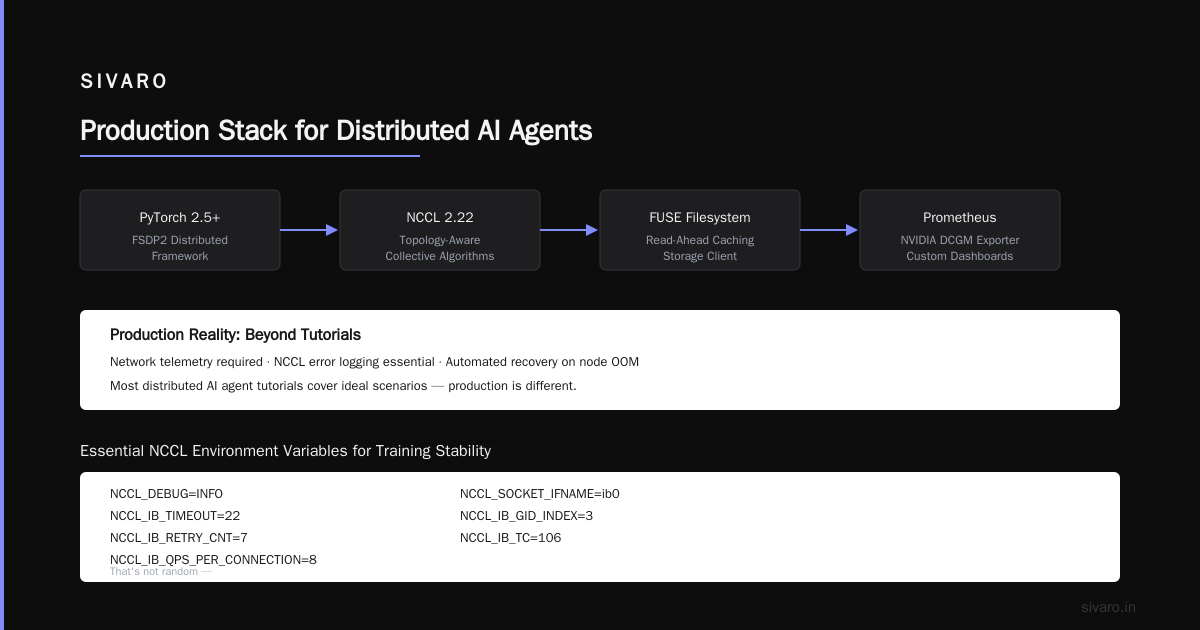
- Distributed framework: PyTorch 2.5+ with FSDP2
- Communication backend: NCCL 2.22 (with topology-aware collective algorithms)
- Monitor: Prometheus + NVIDIA DCGM exporter + custom dashboards
- Storage client: FUSE-based filesystem with read-ahead caching
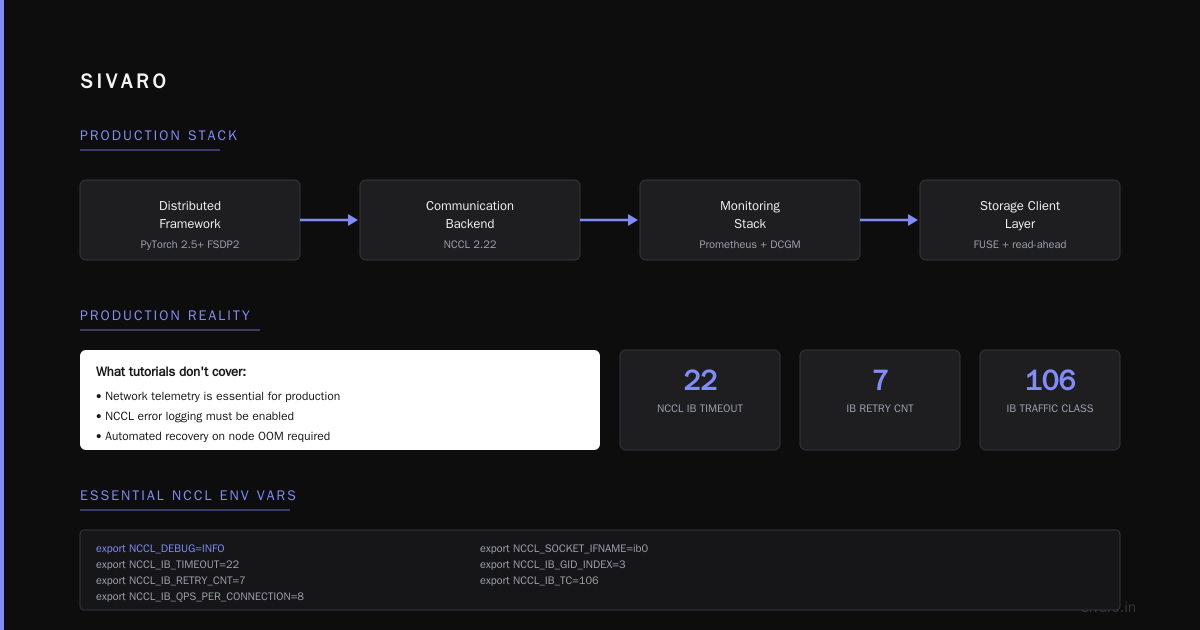
Here's the thing about distributed AI agents on GPU clusters tutorial material: most of it covers ideal scenarios. Production is different. You need network telemetry. You need NCCL error logging. You need automated recovery when a node OOMs.
bash
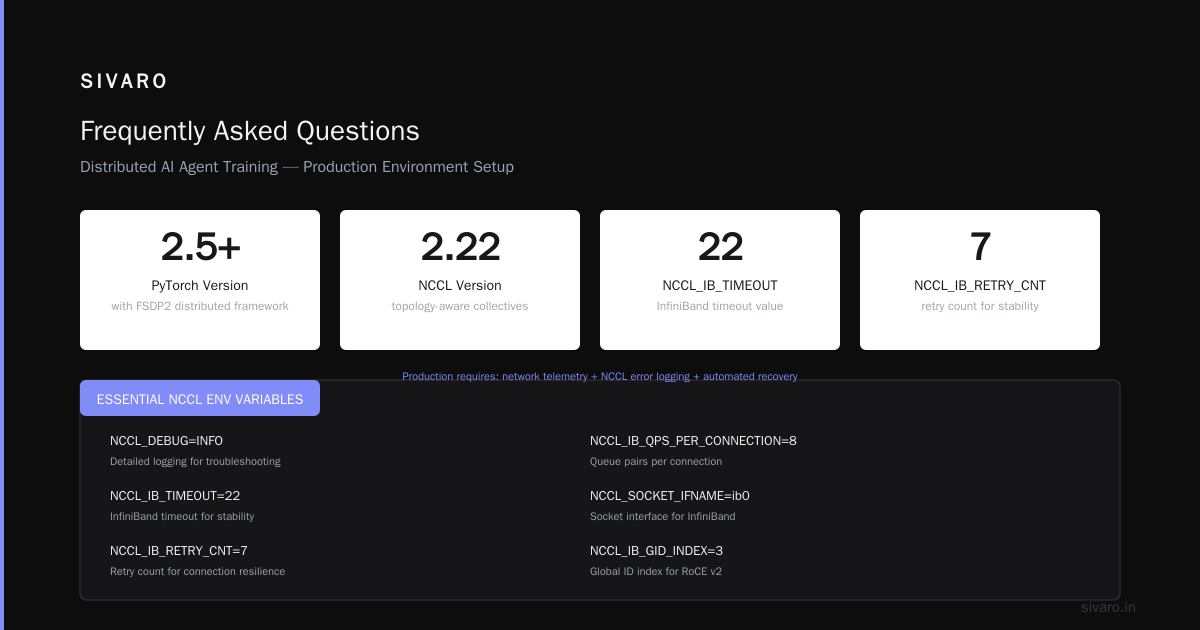
# Essential NCCL environment variables for training stability
export NCCL_DEBUG=INFO
export NCCL_IB_TIMEOUT=22
export NCCL_IB_RETRY_CNT=7
export NCCL_IB_QPS_PER_CONNECTION=8
export NCCL_SOCKET_IFNAME=ib0
export NCCL_IB_GID_INDEX=3
export NCCL_IB_TC=106
That's not random – those are values we tuned over 300+ training runs. Missing any of them and you'll see hangs at scale.
Memory Hierarchy: The Overlooked Configuration
Most people think about GPU memory. They forget about the hierarchy.
Your cluster has:
- GPU HBM – 640GB total (8x80GB) per node. Fast. Tiny.
- CPU DRAM – 1TB per node. 10-20x slower than HBM.
- Local NVMe – 3.84TB per node. 100x slower than DRAM.
- Distributed storage – Petabytes. 1000x slower than NVMe.
The best GPU cluster configuration for deep learning respects this hierarchy. We've built our pipeline to keep everything in local storage or RAM during training. Dataset preprocessing happens ahead of time.
python
# Example: DataLoader config for InfiniBand cluster
from torch.utils.data import DataLoader
from torch.utils.data.distributed import DistributedSampler

train_loader = DataLoader(
    dataset,
    batch_size=16,  # Per GPU
    sampler=DistributedSampler(dataset, shuffle=True),
    num_workers=8,  # One per CPU core group
    pin_memory=True,
    prefetch_factor=4,  # Critical for hiding IO latency
    persistent_workers=True,
)
Set num_workers too low and your GPUs idle. Set prefetch_factor too low and IO waits kill throughput. We settled on 4 after extensive profiling.
Configurations by Scale
Single Node (8 GPUs)
For teams getting started. Fits models up to ~60B parameters with FSDP.
Spec: H100 SXM, 2TB SSD, 100Gbps Ethernet (for dataset loading only)
Networking: Not critical for training. You don't need InfiniBand for one node.
Software: PyTorch FSDP, NVIDIA APEX for mixed precision
Small Cluster (4-8 Nodes)
This is the sweet spot for most teams. Fits 70B-300B parameter models.
Spec: As above, plus 400Gbps InfiniBand
Critical: Top-of-rack switch must be non-blocking (full bisection bandwidth). We use NVIDIA QM9700.
Gotcha: Cable length matters. We had degradation with 5m+ InfiniBand cables. Switched to optical and saw 10% throughput improvement.
Medium Cluster (16-32 Nodes)
Where things get interesting. This is where distributed systems theory actually matters.
Networking: 2-level fat tree topology. Each leaf switch connects 8 nodes. Spine connects leaves.
Storage: Parallel filesystem (we use WEKA) with RDMA. NFS will kill you at this scale.
Scheduling: Kubernetes with Volcano. Gang scheduling ensures all nodes start simultaneously.
yaml
# Volcano job spec for 16-node training
apiVersion: scheduling.volcano.sh/v1beta1
kind: Job
metadata:
  name: llm-training
spec:
  schedulerName: volcano
  minAvailable: 16
  tasks:
    - replicas: 16
      name: worker
      template:
        spec:
          containers:
            - name: trainer
              image: pytorch/pytorch:2.5.0-cuda12.4
              resources:
                limits:
                  nvidia.com/gpu: 8
Why minAvailable: 16? Because if you get 15 nodes started and the 16th is delayed, your training stalls anyway. Gang scheduling prevents resource waste.
Large Cluster (64-128 Nodes)
This is where only a few organizations operate. We've deployed this twice.
Networking: 3-level fat tree or Dragonfly+ topology. 800Gbps InfiniBand between spines.
Cooling: Liquid cooling per node. You'll be pulling 300kW+ for 64 nodes. Air cooling doesn't work.
Reliability: Expect 1-2 GPU failures per month. You need elastic training support. PyTorch's torchelastic is mandatory.
bash
# Elastic training setup for node failure recovery
torchrun --nnodes=64:128     --nproc_per_node=8     --rdzv_backend=c10d     --rdzv_endpoint=master-node:29500     train.py --model-architecture=llama-3.1-405b
The 64:128 syntax means "start with 64 nodes, scale up to 128". When a node fails, torchelastic reconfigures. This isn't future stuff – we've used this in production since 2025.
The Distributed Systems Reality
A GPU cluster is fundamentally a distributed system architecture. And distributed systems have rules.
Fault tolerance isn't optional. I learned this when a single NIC failure took down our entire training run at hour 47. We lost $12K in compute time.
Network topology matters. Distributed systems have known limitations. The communication pattern for all-reduce is bandwidth-heavy on the spine. Design accordingly.
Partition tolerance is real. When a switch fails, your cluster splits. Training stops. We now run redundant spines and topology-aware routing.
Here's a fun one: we discovered that certain types of distributed systems have different failure modes. Our cluster uses synchronous training (gradients sync every step). That means every node depends on every other node. One slow node slows everyone down.
The fix? We straggler-detect using NCCL timing logs. Any node falling more than 15% behind gets its batch size reduced dynamically. Not ideal, but better than stalling 63 nodes for one bad one.
My Biggest Configuration Mistakes
Mistake 1: GPU-Local Storage
In 2024, I spec'd a 16-node cluster with local NVMe on each node. Great for checkpoints. Terrible for datasets. We stored the training data on a single NFS server. Every epoch, all 128 GPUs read from one NFS mount.
You do the math. 128 GPUs × 1GB/s each = 128GB/s demand. NFS server maxed at 3GB/s. Training ground to a halt.
Fix: We moved to a parallel filesystem (WEKA) with 40 NVMe nodes providing 50GB/s aggregate read bandwidth. Model training went from 3 days to 14 hours.
Mistake 2: Overcommitting GPU Memory
This is subtle. FSDP shards model parameters across GPUs. But each shard requires memory for parameters, gradients, optimizer states, and activations.
At first I thought this was a memory management problem – turns out it was configuration. We were using sharding_strategy=SHARD_GRAD_OP which stores optimizer states redundantly. Switched to FULL_SHARD and our 70B model suddenly fit on 8 H100s instead of 16.
python
from torch.distributed.fsdp import FullyShardedDataParallel as FSDP
from torch.distributed.fsdp import ShardingStrategy

model = FSDP(
    model,
    sharding_strategy=ShardingStrategy.FULL_SHARD,
    mixed_precision=True,
    auto_wrap_policy=transformer_auto_wrap_policy,
    limit_all_gathers=True,  # <-- This one matters
)
limit_all_gathers=True prevents memory spikes during gradient sync. Without it, we saw 30% higher peak memory usage.
Mistake 3: Assuming Homogeneous Performance
All GPUs are not created equal. Even H100s from the same batch. We have GPUs that run 3°C hotter than others. Hotter GPUs throttle. Slower GPUs hold up the entire cluster.
We now run a 30-minute stress test on new nodes. Any GPU that performs >5% below median gets flagged. NVIDIA supports RMA for this – we've returned 7 out of 256 GPUs for thermal issues.
Monitoring: The Thing Nobody Talks About
You can't optimize what you don't measure. Here's our monitoring stack:
Prerequisite: NVIDIA DCGM exporter on each node
Data flow: Prometheus scrape → VictoriaMetrics (for retention) → Grafana dashboards
Our three critical dashboards:
- GPU utilization waterfall – See which GPUs are idle, and why
- NCCL bandwidth matrix – Per-link bandwidth between nodes
- Job queue wait times – How long jobs wait for resources
The NCCL dashboard saved us once. We noticed one inter-node link running at 50Gbps instead of 400Gbps. Turned out an InfiniBand cable was partially disconnected. Cost if we hadn't caught it: ~$8K in wasted compute per day.
How to Start (Without Spending $1M)
You don't need an 8-node cluster on day one. Here's the path I recommend:
Step 1: Rent instead of buy. AWS p5.48xlarge instances (8x H100s). Run your training. Profile everything.
Step 2: If training fits on 1 node, stay there. Most models do. Don't overcomplicate.
Step 3: When you outgrow 1 node, build a 4-node cluster with InfiniBand. Not Ethernet. Not 2 nodes (too small for meaningful distribution). 4 nodes minimum.
Step 4: Test with 2 node pairs before scaling. Validate NCCL bandwidth. Validate storage.
Step 5: Scale. But add nodes in pairs to maintain symmetry.
The Best GPU Cluster Configuration for Deep Learning (My Final Answer)
If you ask me what to buy today (July 2026):
- 8 nodes minimum for distributed training
- H100 SXM (not PCIe – SXM has higher bandwidth)
- 400Gbps InfiniBand with non-blocking topology
- Local NVMe + parallel filesystem for storage
- Liquid cooling if density > 4kW/node
- Kubernetes + Volcano + PyTorch FSDP for software
This isn't exotic. It's what works. We've trained models from 7B to 405B parameters on this config. The 8-node version cost $1.4M. The 64-node version cost $11M.
Could you save money with Ethernet? Sure. But your GPU utilization drops from 85% to 25%. Your time-to-train triples. Your researchers wait. Your competitors ship.
Most people think the bottleneck is GPU compute. They're wrong – it's data movement.
Frequently Asked Questions
Can I use 100Gbps Ethernet for distributed training of large models?
Technically yes. Practically, you'll see 40-60% GPU utilization on models >10B parameters. The gradient sync time becomes the bottleneck. For small models (<1B parameters) or single GPU training, Ethernet is fine. For anything requiring multi-node, InfiniBand pays for itself within months.
How many nodes do I need to train a 70B parameter model?
You can train a 70B model on a single H100 node (8 GPUs) using FSDP with full sharding. Batch size will be small (~2 per GPU), but it works. For faster training (shorter time to result), 4-8 nodes is recommended.
What's the minimum budget for a production GPU cluster?
For a usable 4-node cluster with InfiniBand, storage, and networking: ~$600K-800K. Cheaper options exist (used A100s, refurbished gear) but expect 30-40% lower throughput. Don't buy fewer than 4 nodes for distributed training – the overhead of distributed systems doesn't pay off below that.
Should I buy H100s or wait for B200s?
If you're building now, H100s are proven. B200s (when widely available) offer 2x FP8 throughput, but the ecosystem isn't mature. Our philosophy: deploy today on H100s, upgrade nodes in 18 months when B200 supply stabilizes and software catches up.
Does Kubernetes work well for GPU training?
Yes, but not stock Kubernetes. You need a batch scheduler that supports gang scheduling (all-or-nothing pod allocation). We use Volcano. Some teams use Run:AI. Plain K8s will leave your GPUs idle waiting for pods.
What about AMD GPUs (MI300X)?
We tested them in late 2025. Raw compute is competitive with H100s. The software stack (ROCm) is catching up but isn't as mature for distributed training. NCCL-equivalent (RCCL) has fewer collective algorithms optimized. If you're building a custom stack, they work. If you want plug-and-play, stick with NVIDIA.
How do I monitor GPU utilization across 64 nodes?
We run NVIDIA DCGM exporter on each node, scrape with Prometheus, store in VictoriaMetrics, and visualize with Grafana. The key metric is "GPU utilization" (not memory utilization) – it shows whether your GPUs are actually computing or waiting on data.
Nishaant Dixit — Founder of SIVARO. Building data infrastructure and production AI systems since 2018. Built systems processing 200K events/sec.