 SIVARO
How to Set Up a GCP Project Right
Every time I onboard a new client at SIVARO, the first thing I see is a mess of GCP projects. Permission sprawl. Billing alerts that don't fire. Sprawl from someone clicking “Create Project” without a plan.
I’ve been building data infrastructure on Google Cloud since 2018. I’ve watched teams burn six figures on idle VMs because they didn’t understand organization policies. I’ve also seen startups scale to 200K events/sec on a single well-structured GCP project. The difference isn’t the cloud — it’s how you set up the project in the first place.
This guide is for you, the engineer or founder about to create your first (or next) GCP project. I’ll walk through every step: from organization hierarchy to IAM to billing alerts to the gotcha that will bankrupt you if you ignore it. By the end you’ll know exactly how to set up a GCP project that doesn’t leak money or explode at 3 AM.
Let’s start with the thing most people get backwards.
Stop Creating Projects at the Root
Most tutorials show you clicking “Create Project” in the console. That’s like handing a teenager the car keys and the gas card. Fine for a sandbox. Terrible for anything real.
Google Cloud organizes resources in a hierarchy: Organization Node → Folders → Projects → Resources. You need an organization node linked to your domain (via Google Workspace or Cloud Identity). Without one, you’re stuck with a billing account that can’t enforce policies across projects.
Here’s the structure I use for every client:
MyOrg (Organization)
├── Folder: Engineering
│   ├── Project: prod-us-central1
│   ├── Project: prod-europe-west1
│   └── Project: staging
├── Folder: Data
│   ├── Project: data-lake
│   └── Project: analytics
└── Folder: Security
    └── Project: audit-logs
Folders inherit IAM policies. Put a “no public buckets” policy on the Engineering folder, and every project under it automatically enforces that. Google Cloud to Azure Services Comparison shows a similar hierarchy in Azure (Management Groups → Subscriptions), but GCP’s is cleaner because folders can nest arbitrarily.
Set up at least three folders: Production, Staging, and Sandbox. Don’t skip Sandbox — that’s where you test IAM changes without breaking production.
The Billing Trap (and How to Escape It)
I once onboarded a startup that had been running a single n1-standard-4 VM for three months. They thought it cost $60/month. The actual bill: $2,400. Why? They’d attached a 200GB persistent disk with 30,000 IOPS provisioned — idle, but still charged.
Google Cloud bills at the resource level, not the project level. A project just groups resources. The billing account pays for everything inside it.
Here’s what I do day one:
- Create a separate billing project for budget alerts. That project gets no resources. It only exists to hold budget notifications.
- Set up budget alerts at 50%, 75%, 90%, and 100% of your predicted spend. Use Pub/Sub to push alerts to Slack or PagerDuty.
- Enable billing export to BigQuery. This lets you query your spending in real time.
# Example: Create a budget via gcloud
gcloud billing budgets create   --billing-account=XXXXXX-XXXXXX-XXXXXX   --display-name="Production Budget"   --budget-amount=5000USD   --threshold-rules=percent=0.5,percent=0.75,percent=0.9,percent=1.0   --notifications-pubsub-topic=projects/billing-alerts/topics/budget-notify
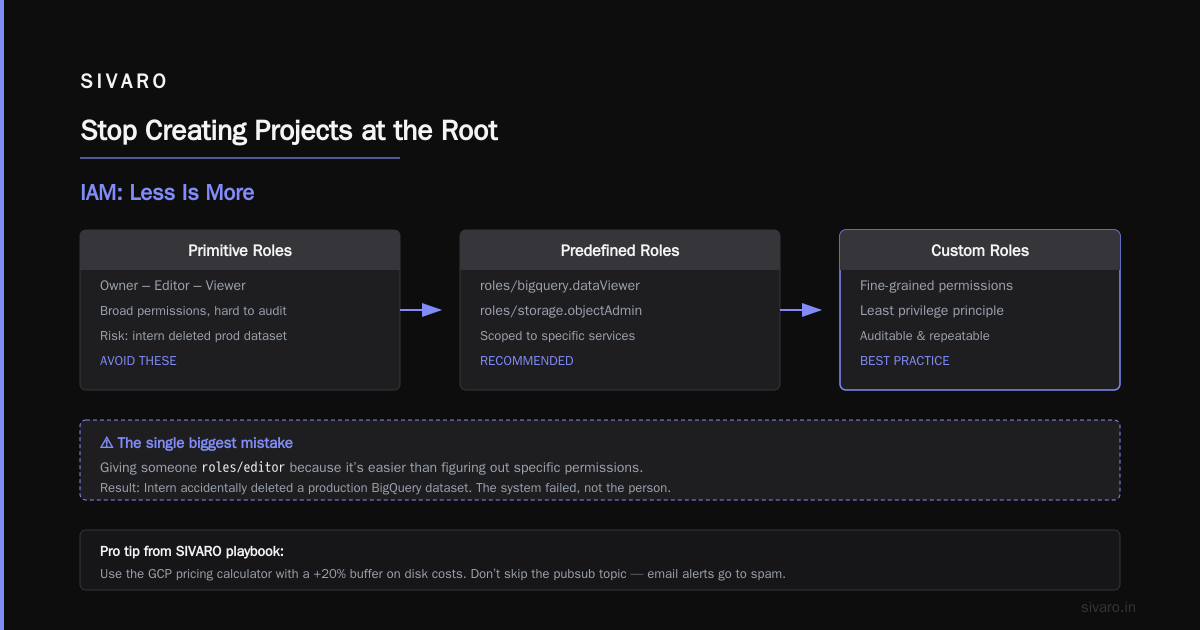
That command is from our internal playbook at SIVARO. Use it. Modify the amounts. Don’t skip the pubsub topic — email alerts go to spam.
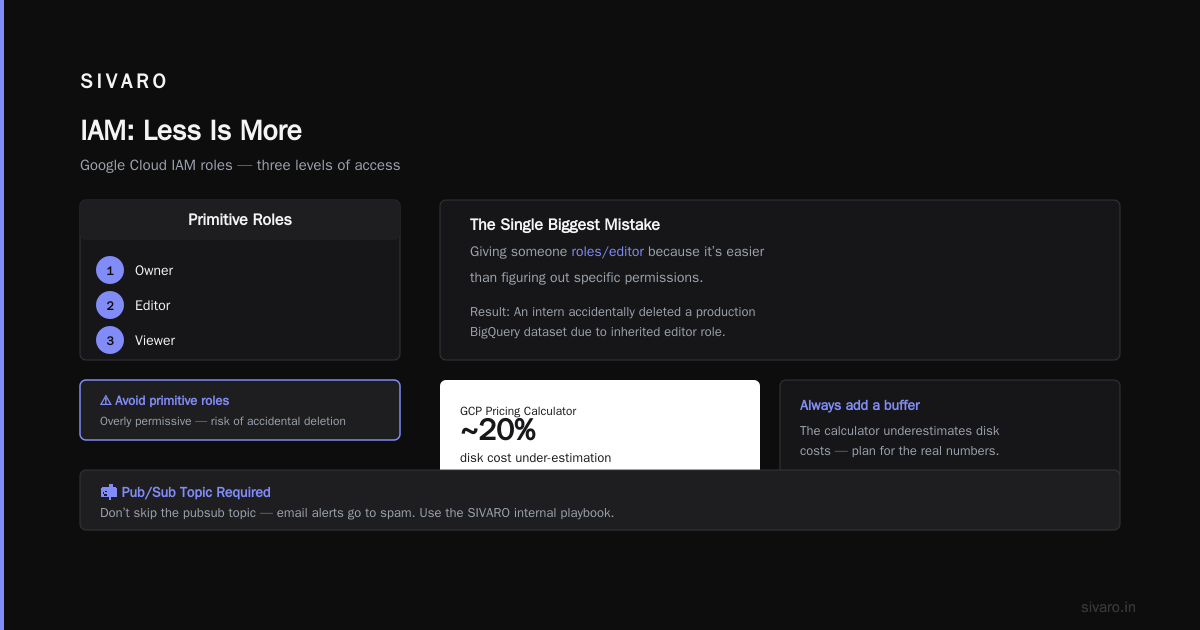
For startups evaluating costs, I always point them to the gcp pricing calculator tutorial on Google’s site. But here’s the thing: the calculator under-estimates disk costs by about 20%, based on my own comparisons. Always add a buffer.
IAM: Less Is More
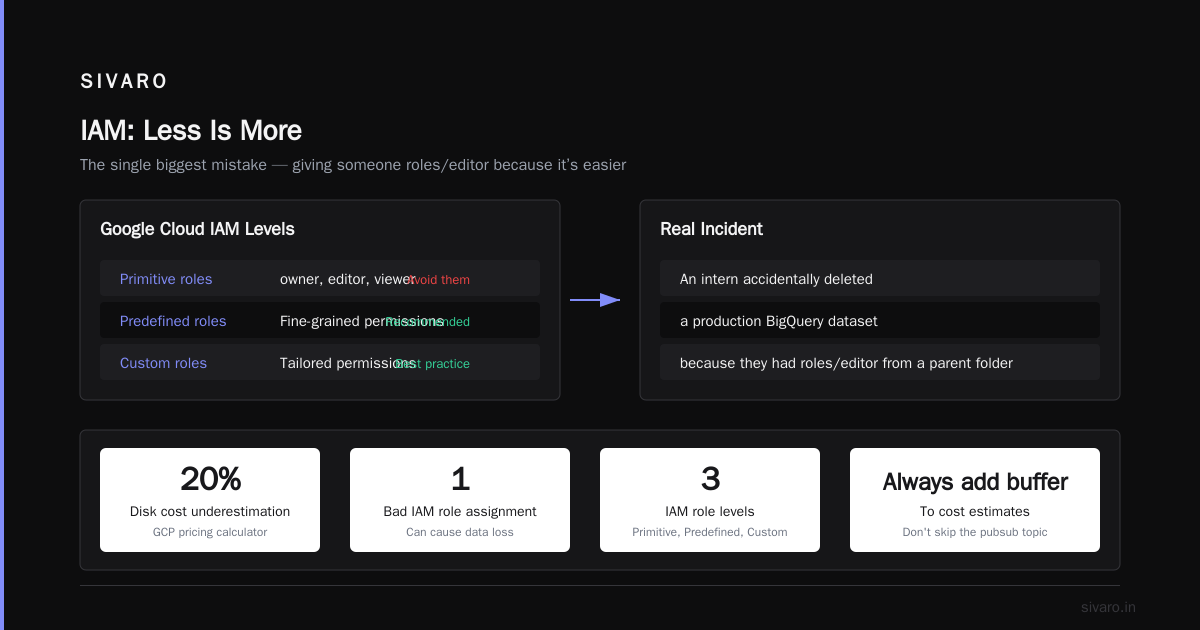
The single biggest mistake I see: giving someone roles/editor because it’s easier than figuring out specific permissions.
I’ve been on call for incidents where an intern accidentally deleted a production BigQuery dataset because they had roles/editor from a parent folder. That intern didn’t mean harm. The system failed.
Google Cloud IAM has three levels:
- Primitive roles (owner, editor, viewer) — avoid them in production.
- Predefined roles (e.g.,
roles/bigquery.dataViewer) — use these. - Custom roles — for fine-grained control.
My rule: never assign a role broader than roles/viewer to a person. Group them by job function.
# Example: Create a custom role for Data Engineers
gcloud iam roles create data_engineer   --project=my-project   --title="Data Engineer"   --description="Can query BigQuery and create datasets"   --permissions=bigquery.datasets.create,bigquery.tables.getData,bigquery.jobs.create   --stage=GA
Then assign that role to a Google Group (e.g., data-engineering@company.com). When someone joins the team, you add them to the group. When they leave, remove them. No stale permissions.
I also enforce least privilege for service accounts. Each service account gets permissions scoped to the GCP project and the specific API. If a microservice only needs to write to Cloud Storage, it gets roles/storage.objectCreator — nothing else.
Networking: VPCs, Subnets, and Peering
GCP projects don’t have a default network anymore. That’s good — the old default opened all ports to the internet. But you still need to design your network.
For production systems at SIVARO, we create a VPC with custom subnets in each region. We never use auto-mode subnets because they can conflict with peering later.
# Example: Create a VPC with custom subnet
gcloud compute networks create production-vpc --subnet-mode=custom
gcloud compute networks subnets create us-central1-subnet   --network=production-vpc   --region=us-central1   --range=10.0.1.0/24   --private-google-access
Note the --private-google-access flag. That allows resources in the subnet to reach Google APIs (like BigQuery, Cloud Storage) without a public IP. This is how you avoid egress charges. Many teams miss this and pay for NAT gateways they don’t need.
For multi-project setups, use VPC Network Peering or Shared VPC. Shared VPC is better if you want a central networking team to control all firewall rules. Peering works well when projects are isolated but need to talk to each other.
I’ve found that most startups over-provision networking. You don’t need a VPN to every provider on day one. Start with a single VPC, add peering as you grow. The question “is gcp good for startups” often comes down to networking cost — GCP’s network egress is cheaper than AWS for the same throughput, but you still need to architect for it.
Storage: Buckets, Disks, and the Trash Tax
Cloud Storage is the cheapest way to store data in GCP — if you choose the right class. Most people use Standard (multi-region) for everything. That’s expensive.
At SIVARO, we use:
- Multi-Region for hot data accessed < 30 days.
- Regional for data accessed 30–90 days.
- Nearline for backups (90+ days).
- Coldline for archival (1+ year).
- Archive for compliance (7+ years).
The savings are real. A 10TB dataset in Multi-Region costs about $260/month. In Nearline it’s $100/month. Same data, different access pattern.
Set up Object Lifecycle Rules on every bucket the day you create it. Otherwise someone will forget a 5TB Parquet dataset in Standard and you’ll get a $1,500 bill for zero reads.
# Example: Lifecycle rule to move objects to Nearline after 30 days
gcloud storage buckets update gs://my-data-lake   --lifecycle-file=lifecycle.json
Where lifecycle.json contains:
json
{
  "lifecycleRules": [
    {
      "action": {"type": "SetStorageClass", "storageClass": "NEARLINE"},
      "condition": {"age": 30}
    }
  ]
}
Also, never use local SSDs for persistent workloads. They’re fast but ephemeral — data disappears if the instance stops. I’ve seen a fintech company lose three days of trading data because they thought local SSDs were durable. Use persistent disks (pd-ssd or pd-balanced). Yes, they’re slower. Yes, they survive reboots. That trade-off matters.
Monitoring and Logging: The Silent Budget Killer
GCP’s default logging is verbose. Every API call, every DNS lookup, every failed HTTP request gets logged. And you pay for it.
Logging costs $0.50 per GB ingested. Sounds cheap until you realize a single busy Kubernetes pod can generate 10GB/day. At 10 pods, that’s $150/day just for logs.
I configure log sinks to filter out noise from day one. Route high-volume, low-value logs to BigQuery (for occasional analysis) or delete them after 7 days. Keep only error and audit logs for 365 days.
# Example: Create a log sink that only captures errors
gcloud logging sinks create error-logs   bigquery.googleapis.com/projects/my-project/datasets/error_logs   --log-filter="severity>=ERROR"
Same principle for monitoring. GCP Monitoring charges per metric ingested. The default set of agent metrics (CPU, memory, disk) is fine. But don’t turn on “detailed GPU metrics” unless you’re training models — those cost $0.30 per metric per month, and there are 50+ metrics per GPU.
For alerts: set up at least four:
- CPU > 80% for 10 minutes
- 5xx error rate > 1%
- Budget threshold (we already covered)
- Unauthenticated API calls (potential security breach)
Security: Lock It Down Before It’s Too Late
I don’t trust defaults. I’ve seen a GCP project compromised because someone left Cloud Functions publicly invokable.
Enable Organization Policies immediately:
cloud.resourceManager.restrictProjectCreation— only admins can create projects.iam.automaticIamGrantsForDefaultServiceAccounts— disable this. Default service accounts get editor role by default. Turn it off.compute.disableSerialPortAccess— serial port access is a backdoor.storage.uniformBucketLevelAccess— enforce uniform access across all buckets.
Most people think security is about complex IAM. It’s not. It’s about turning off the things that let attackers in easily.
Also, use VPC Service Controls for sensitive data. This is GCP’s perimeter security feature. It prevents data exfiltration even if a service account key leaks. At SIVARO, we wrap every BigQuery and Cloud Storage resource in a VPC-SC perimeter. It adds latency but eliminates a whole class of attacks.
Automate Everything
Manual setup is a recipe for drift. Six months from now, no one will remember why you set that one project with unlimited budget.
Use Terraform or Google Deployment Manager. I prefer Terraform because it has a larger community and better state management.
Here’s a minimal Terraform config that creates a GCP project with billing, IAM, and a VPC:
hcl
resource "google_project" "my_project" {
  name       = "My Project"
  project_id = "my-project-12345"
  billing_account = "XXXXXX-XXXXXX-XXXXXX"
}

resource "google_project_iam_binding" "project_viewers" {
  project = google_project.my_project.project_id
  role    = "roles/viewer"
  members = ["group:engineering@company.com"]
}

resource "google_compute_network" "vpc" {
  name                    = "my-vpc"
  auto_create_subnetworks = false
}
Put this in version control. Run it from CI/CD. Never manually click buttons in the console.
FAQ
Can I have multiple GCP projects under one billing account?
Yes. That’s the recommended architecture. Each project gets its own resources and permissions, but they all draw from the same billing source.
How do I estimate costs before building?
Use the gcp pricing calculator tutorial — but add 20% to disk estimates. Also use OpsIocloud’s comparison to understand cross-cloud pricing differences if you’re considering multi-cloud.
Is GCP good for startups?
Short answer: yes, if your workload is data-intensive. GCP’s BigQuery, Vertex AI, and Cloud Storage pricing beat AWS and Azure for many startup use cases. But if you need heavy managed Kubernetes and don’t want to deal with VPCs, AWS’s EKS is simpler. See AWS vs Azure vs GCP 2026 for a recent bill comparison on the same app.
How do I delete a GCP project safely?
First, expire all resources. Then use gcloud projects delete. You have 30 days to restore it. But delete all data first — once the project is gone, you can’t recover it unless you exported backups.
What’s the most common reason for unexpected GCP bills?
Forgotten disks. Persistent disks are billed per hour, even if the VM is stopped. Also, unused Cloud NAT gateways. Set up a script to scan for these weekly.
Should I use Shared VPC or VPC Peering?
Shared VPC if you have a central networking team and want to manage firewalls in one place. Peering if projects are owned by separate teams with different security requirements. I use Shared VPC for prod, peering for dev projects.
How do I handle service account keys?
Don’t create user-managed keys unless absolutely necessary. Use workload identity federation for GKE and Cloud Run. If you must use keys, rotate them every 90 days and monitor their usage with the Service Account Key Insights in IAM.
Final Thoughts
Setting up a GCP project isn’t hard. Setting it up right takes discipline. Every time you skip a step — no budget alert, no VPC, no lifecycle rule — you’re borrowing from future you’s 3 AM panic.
I’ve built this process from eight years of SIVARO’s production experience. We process 200K events/sec on a single well-tuned GCP project. It doesn’t happen by accident. It happens because we treat the project setup as infrastructure code, not a one-time click.
You now know exactly how to set up a GCP project. Go do it — and don’t forget the billing export.
Nishaant Dixit — Founder of SIVARO. Building data infrastructure and production AI systems since 2018. Built systems processing 200K events/sec.