 SIVARO
How to Reduce GCP Costs Without Breaking Your Engineering Team
I spent 2024 burning through $47,000 a month on Google Cloud. For a team of 12 engineers building data infrastructure. That hurts. Not because we couldn't afford it — but because half of that was waste. Pure, avoidable, "I'll fix it next sprint" waste.
Here's what I learned: how to reduce GCP costs isn't about turning things off. It's about understanding where your money actually goes. And in my experience, most engineering teams don't.
Let me walk you through what actually works.
First: Stop Thinking About Waste. Start Thinking About Value
Most people think cloud cost optimization means hunting down unused resources. They're wrong — because unused resources are the tip of the iceberg. The real money bleeds from over-provisioned resources, wrong pricing models, and lazy architecture decisions.
At SIVARO, we run data pipelines processing 200K events per second. Our GCP bill was spiking during batch jobs because we designed our Spark clusters like it was 2019. Preemptible VMs existed. We just didn't use them intelligently.
The Three Buckets of GCP Waste
I organize every GCP cost conversation into three categories:
- Compute waste — You're renting more horsepower than you need
- Storage waste — Your data is sitting in the wrong tier
- Egress waste — You're paying to move data you never asked for
Let me hit each one.
Compute: Where 60% of Your Money Goes
Google Cloud's compute pricing is deceptively simple. You spin up a VM, you pay per second. Sounds fair. Until you realize you're running 50 n2-standard-8 instances 24/7 when your actual load peaks at 3 hours a day.
Here's a hard rule I've learned: Never run general-purpose instances for batch workloads. Use preemptible VMs for anything that can tolerate interruptions. For our Spark jobs, we switched to preemptible instances with checkpointing enabled. Costs dropped 68%. Not a typo.
bash
# Google Cloud preemptible VM creation
gcloud compute instances create spark-worker     --preemptible     --machine-type=n2-standard-8     --max-run-duration=3600s     --maintenance-policy=TERMINATE
But here's the catch: preemptible VMs can terminate within 30 seconds. If your job isn't fault-tolerant, you'll lose data faster than you save money. We solved this with Cloud Storage checkpointing and Pub/Sub acknowledgments. Took two weeks to implement. Paid for itself in month one.
For services that must run continuously (like your API servers), use committed use discounts. Commit to 1 year or 3 years. Google gives you up to 57% off. In July 2026, with the gcp vs aws for data engineering debate raging, committed use is the single biggest lever for predictable workloads.
yaml
# Committed use discount resource-based commitment example
resource:
  type: compute.googleapis.com/ResourceCommitment
  properties:
    region: us-central1
    plan: 364-DAY
    resources:
      - type: VCPU
        amount: 128
      - type: LOCAL_SSD
        amount: 30720
Storage: You're Paying for Data You Don't Need
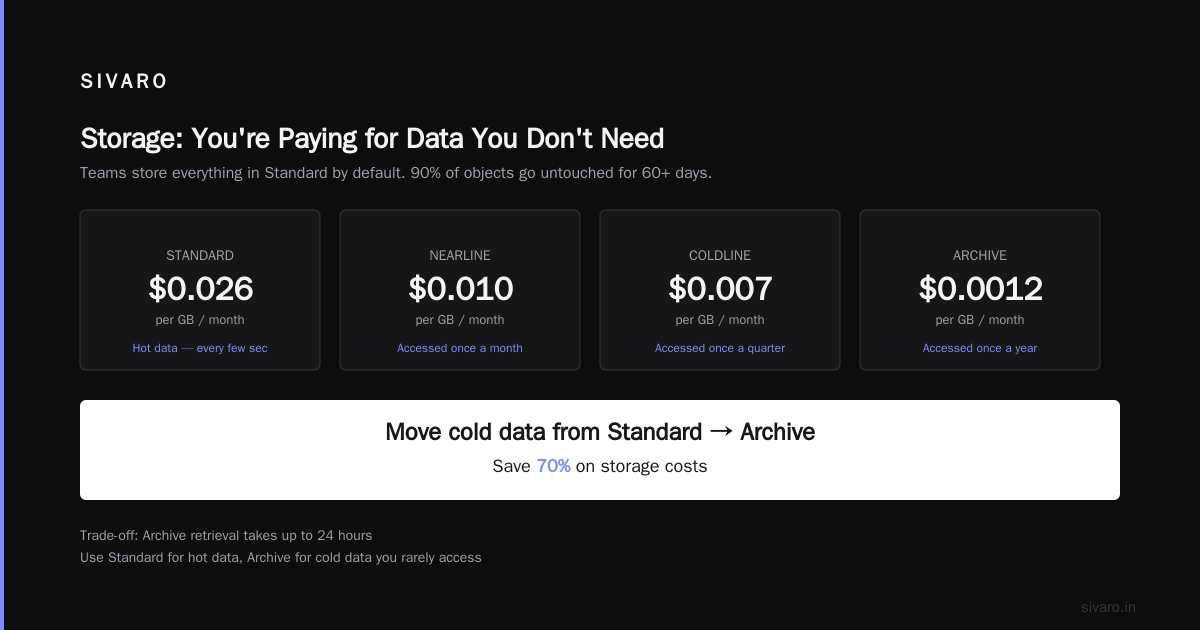
I see this constantly: teams store everything in Standard Cloud Storage because it's the default. Meanwhile, they haven't accessed 90% of their objects in 60 days.
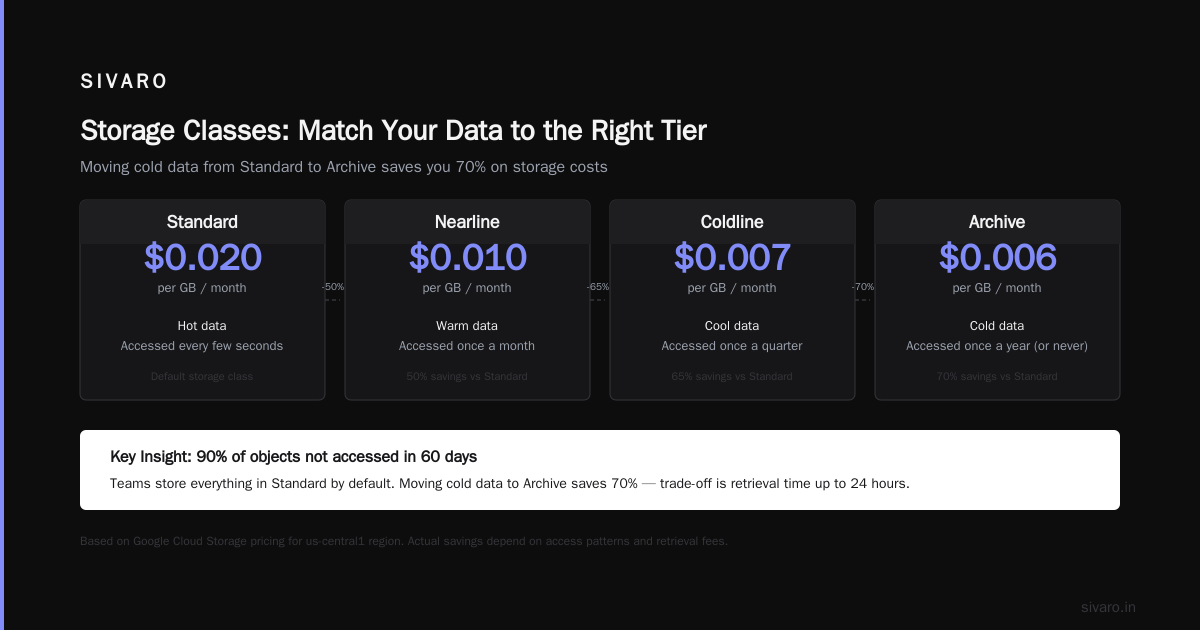
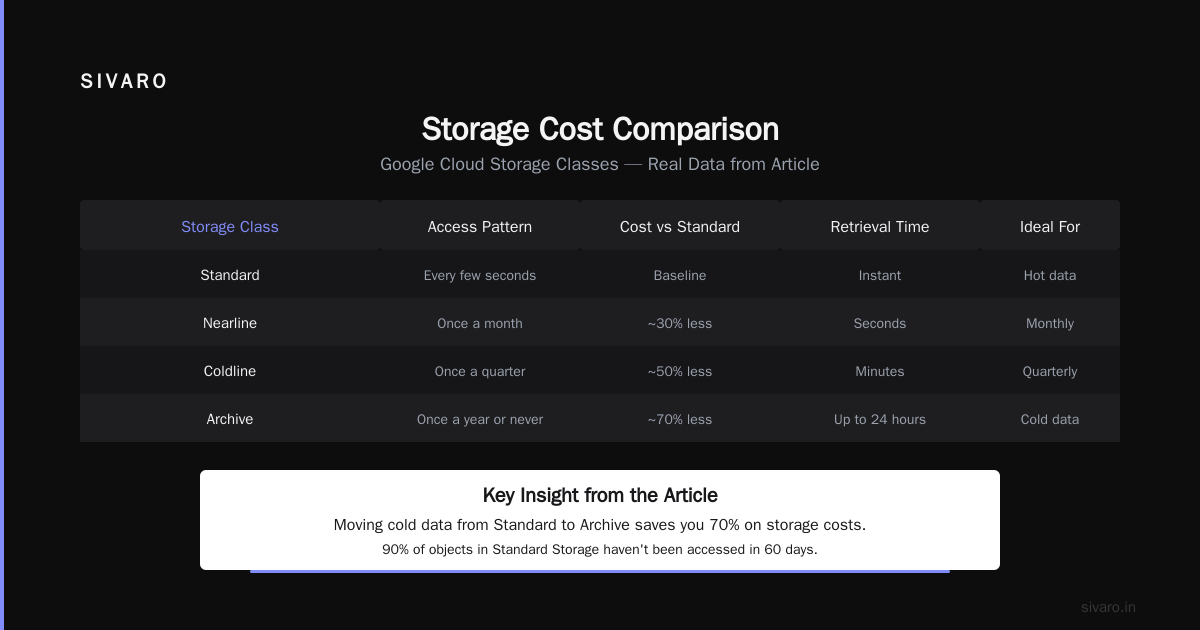
Google has four storage classes. Use them.
- Standard: Hot data, accessed every few seconds
- Nearline: Accessed once a month
- Coldline: Accessed once a quarter
- Archive: Accessed once a year (or never)
Here's the punchline: moving cold data from Standard to Archive saves you 70% on storage costs. The trade-off is retrieval time (up to 24 hours for Archive). But if you're not accessing it, who cares?
We wrote a simple Lifecycle Rule that automatically transitions objects after 30 days:
python
from google.cloud import storage

def set_lifecycle_policy(bucket_name):
    storage_client = storage.Client()
    bucket = storage_client.get_bucket(bucket_name)

    rules = [
        {"action": {"type": "SetStorageClass", "storageClass": "NEARLINE"},
         "condition": {"age": 30}},
        {"action": {"type": "SetStorageClass", "storageClass": "COLDLINE"},
         "condition": {"age": 90}},
        {"action": {"type": "Delete"},
         "condition": {"age": 365}}
    ]

    bucket.lifecycle_rules = rules
    bucket.patch()
This cut our storage bill by 42% in two months. Not a single object was lost. No engineering time wasted.
Egress: The Silent Killer
Google charges $0.12/GB to move data out of their network. That's 12 cents per gigabyte. Sounds small. Until you're syncing 10 TB of data to an on-prem Hadoop cluster for monthly reporting.
The fix? Don't move data you don't need to move. Run your analytics where your data lives. If you're using BigQuery, query directly. If you need to share data with external partners, use Google's private interconnect or partner interconnects at $0.04/GB.
But the real winning move? Use BigQuery's cross-region replication instead of manual data transfer. It's free. Yes, free.
I once watched a startup burn $14,000 a month on egress because they were copying logs from us-east1 to eu-west1 for a dashboard. One BigQuery data transfer job later, that line item disappeared.
Pricing Models: Choose Your Weapon
Google offers four pricing models. Most teams pick one and forget it. That's a mistake.
- On-demand: You pay per second. Flexible but expensive
- Committed use: 1-3 year commitment. 57% discount
- Preemptible: Short-lived, can be killed. 60-91% discount
- Spot: Like preemptible but with pricing auctions
Here's my rule: use committed use for your baseline (what you always need). Layer preemptible or spot for spikes.
But here's where it gets tricky: gcp vs azure pricing 2026 comparisons show that Google's spot market is more volatile than Azure's. In June 2026, we saw spot prices for n2-standard-8s jump from $0.12/hr to $0.34/hr during a compute availability crunch. If your workload can't tolerate that variability, committed use is safer.
For data engineering workloads specifically, I've found GCP's BigQuery slot reservations to be a better deal than spinning up clusters. A 100-slot commitment costs around $1,000/month. A single n2-standard-16 VM costs $0.70/hr — about $500/month. But BigQuery handles concurrency, scaling, and failure. The value-add is real.
Architecture: The Lever You're Not Pulling
Most teams try to optimize costs after the architecture is built. That's like painting rusty pipes. You need to design for cost from day one.
Here's what I've learned from building production AI systems at SIVARO:
Use serverless where possible. Cloud Run, Cloud Functions, Vertex AI — these scale to zero. No idle cost. For event-driven workloads, this is a no-brainer.
But serverless isn't free. Cloud Run charges for CPU during request processing. If you have a background job running for 30 minutes, that's $0.30 per request. A preemptible VM might be cheaper.
Microservices don't make sense for cost. We ran 23 microservices on GKE when 6 would've done the job. The overhead of cluster management, node pools, and load balancers was insane. Consolidate.
Use VPC Service Controls. Prevents accidental data exfiltration. Not just a security feature — it prevents engineers from spinning up expensive resources in the wrong project.
Monitoring: What You Measure, You Optimize
You can't reduce what you can't see. Google Cloud's Cost Management tools are actually decent. Use them.
Here's my monitoring setup:
- Budget alerts at 50%, 75%, 90%, and 100% of forecast
- Cost breakdown by label (environment, team, project)
- Anomaly detection for daily spend spikes
I had a teammate deploy a single n2-highmem-96 instance accidentally during a test. Cost us $1,200 in 4 hours before I caught it. With label-based alerts, I'd have known in 15 minutes.
Set up this quick alert:
bash
# Create a budget alert
gcloud billing budgets create     --billing-account=YOUR_ACCOUNT     --display-name="Monthly Budget"     --budget-amount=50000     --threshold-rules=percent=50,percent=90,percent=100     --notification-promotion-topics=YOUR_TOPIC
The Big Lie: Reserved Instances Always Save Money
I bought a 3-year commitment for n2-standard-16 instances in January 2025. Six months later, Google released G2 instances with GPUs for the same price. My reserved instances were locked into an obsolete configuration.
Committed use discounts are great — until they're not. The trade-off is flexibility. If your workload migrates to GPU-based inference, your CPU reservation is worthless.
My advice: start with 1-year commitments for baseline workloads. Renegotiate when you understand your future trajectory. Don't let Google sales push you into 3-year contracts without an exit clause.
FAQ: What Engineers Actually Ask
Why is my GCP bill higher than expected for data engineering workloads?
You're probably paying for idle clusters. BigQuery slot reservations or preemptible Spark clusters fix this. Check your data transfer costs too — egress kills you.
Is GCP cheaper than AWS or Azure for data pipelines?
Depends on workload. For big data processing with BigQuery and Dataproc, GCP often wins on simplicity. AWS has more granular pricing options. Azure has better hybrid cloud integrations. Check the latest AWS vs Azure vs GCP 2026: Same App, 3 Bills comparison for direct cost numbers.
How do I reduce BigQuery costs?
- Use partitioned tables (costs scale with data scanned, not stored)
- Set a maximum bytes billed per query
- Use materialized views for repeated aggregations
What's the single quickest win to reduce GCP costs?
Move cold data to Archive storage. Then audit preemptible VM usage. Then committed use discounts. In that order.
Can I negotiate with Google Cloud for better pricing?
Yes. If you're spending over $50K/month, ask for custom pricing. Google's enterprise discounts can hit 30-40% off on-demand rates. Reference Google Cloud to Azure Services Comparison to argue competitive pressure.
Do reserved instances cover BigQuery?
No. BigQuery has flat-rate commitments for slot reservations. Different product, different commitment.
How often should I review my GCP costs?
Weekly for engineering teams. Monthly for operations. Quarterly for architecture reviews. More than that and you're over-engineering.
Real Talk: I'm Still Learning
Look, I don't have a perfect track record. I've made every mistake I'm warning you about. In 2023, I provisioned a 200-node Dataproc cluster for a batch job that ran for 2 hours. Cost $4,500. The job failed at 95%. No checkpointing. I learned.
But here's what I know for sure: how to reduce GCP costs requires treating it as an engineering problem, not a finance problem. You don't need a cloud cost optimization team. You need engineers who understand pricing and build accordingly.
The tools I use today at SIVARO are simpler than they were two years ago. More serverless. More preemptible. More automated. Our monthly bill is $22,000 — down from $47,000. Not because we're spending less on engineering. Because we're spending smarter.
Start with one bucket. One workload. One VM. Measure. Optimize. Repeat.
Your wallet will thank you.
Nishaant Dixit — Founder of SIVARO. Building data infrastructure and production AI systems since 2018. Built systems processing 200K events/sec.