 SIVARO

How to Reduce GCP Costs Before Your Bill Blows Up
I got a call last month from a friend at a Series B fintech. Their GCP bill hit $87,000 in May 2026. They expected $42,000. The panic in his voice? I've heard it a dozen times before.
You're probably reading this because you've seen something similar. Maybe not $87K. Maybe $12K when you budgeted $7K. Either way, it hurts.
I'm Nishaant Dixit. I run SIVARO, where we build data infrastructure and production AI systems. We've been on GCP since 2018. We've made every costly mistake you can make. And we've fixed most of them.
Here's the hard truth about how to reduce GCP costs: most advice you'll find online is either obvious ("turn off idle instances") or wrong. The real savings come from architectural decisions you made six months ago. Decisions that felt smart at the time.
Let me show you what actually works.
Why Your GCP Bill Is Higher Than Expected
Google Cloud pricing is not simple. And it's getting more complex every quarter. The AWS vs Azure vs GCP 2026: Same App, 3 Bills analysis showed that identical workloads can cost 30% more on one cloud vs another depending on configuration. That's not a provider problem. That's a configuration problem.
Most teams I talk to are overpaying because of five things:
- They're using the wrong machine types
- They're not using committed use discounts
- Their data egress is out of control
- They're treating GCP like AWS (they're different)
- They've never looked at their reservations
The gcp vs aws for data engineering debate is real. Different services have different pricing models. Dataflow versus Spark on Dataproc. BigQuery versus Bigtable. Each choice has a cost profile that changes with scale.
The First Thing I Do With Every GCP Account
I open the billing report. Not the dashboard — the actual export to BigQuery.
Here's why: the GCP console lies to you by aggregation. You see "Compute Engine: $23,000." Great. Is that 100 n2-standard-8 instances or 50 with GPUs attached? You can't tell.
I set up billing export to BigQuery on day one. Then I run this:
sql
SELECT
  service.description,
  sku.description,
  usage.amount,
  usage.unit,
  cost,
  project.id
FROM `my-project.billing_dataset.gcp_billing_export_v1_*`
WHERE DATE(_PARTITIONTIME) >= DATE_SUB(CURRENT_DATE(), INTERVAL 30 DAY)
ORDER BY cost DESC
LIMIT 20;
This shows you the exact SKUs burning cash. Not services. SKUs. That's how you find the waste.
At one client, this query revealed $4,200/month going to "Network Internet Egress from Americas to China." They had one service scraping data from Chinese APIs. Moving that single workload to a GCP region in Asia dropped the cost to $780.
You can't fix what you can't see.
Commitments Are Free Money (If You Do It Right)
Most people know about Committed Use Discounts. Most people use them wrong.
The standard advice: "Buy 1-year or 3-year commitments for your baseline usage." That's fine. But here's what nobody says.
Don't commit to machine families. Commit to resource types.
Google launched resource-based commitments in 2024. Instead of saying "I'll use 10 n2-standard-8 VMs for 3 years," you say "I'll use 32 vCPUs and 64 GB of memory." That gives you flexibility to switch machine types. The Google Cloud to Azure Services Comparison shows Azure doesn't offer this. It's a GCP advantage. Use it.
Here's my rule: commit to 70% of your average compute spend over the last 90 days. No more. No less. Overcommitting locks you into a spend floor. Undercommitting leaves savings on the table.
For AI workloads, the math changes. GPUs have separate commitment models. I've seen teams save 57% on A100s by combining 3-year commitments with preemptible instances for non-critical training jobs.
Data Egress: The Silent Budget Killer
I worked with an adtech company in early 2026. Their GCP bill was $210K/month. $89K of that was egress.
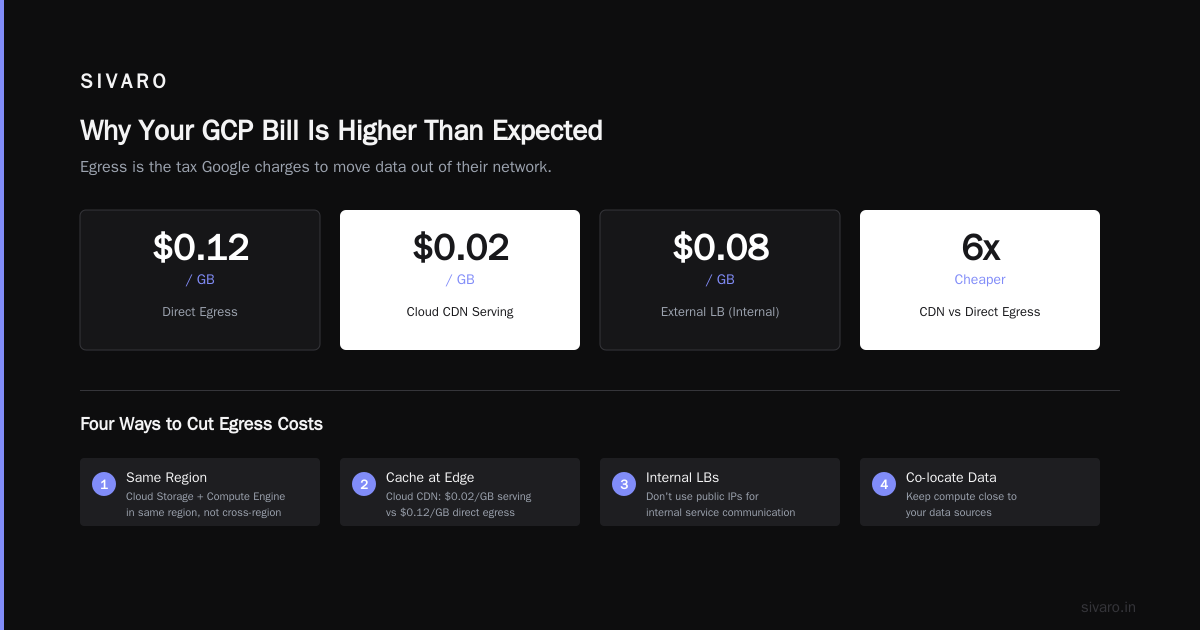
Egress is the tax Google charges to move data out of their network. It's expensive. And it's where most cost optimization advice goes wrong.
Here's what works:
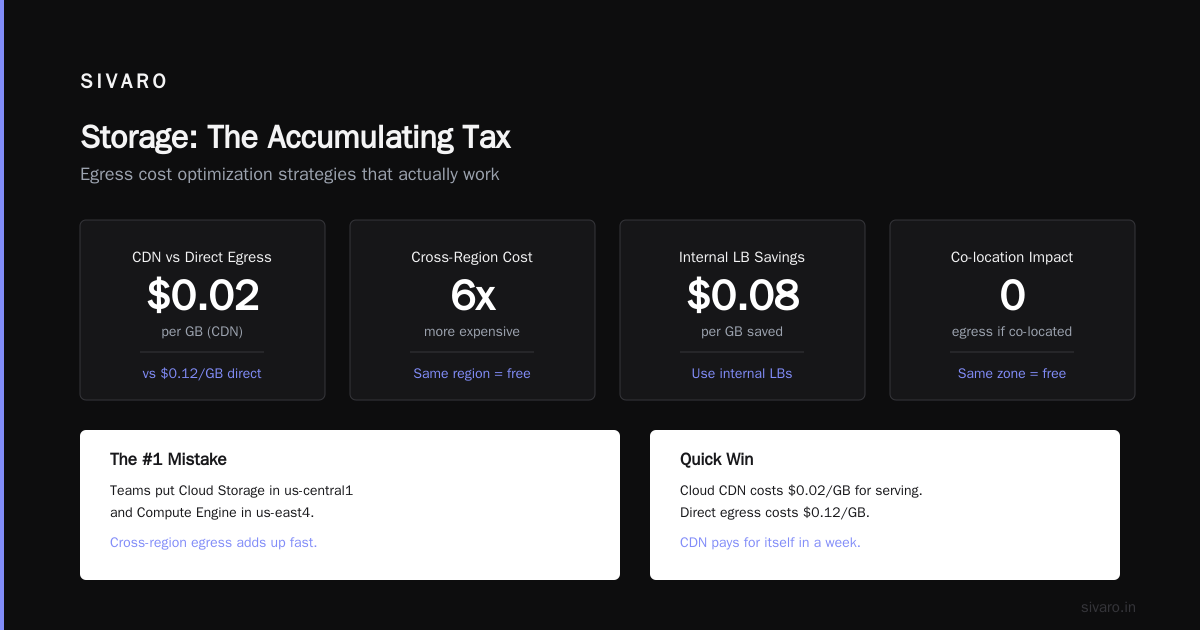
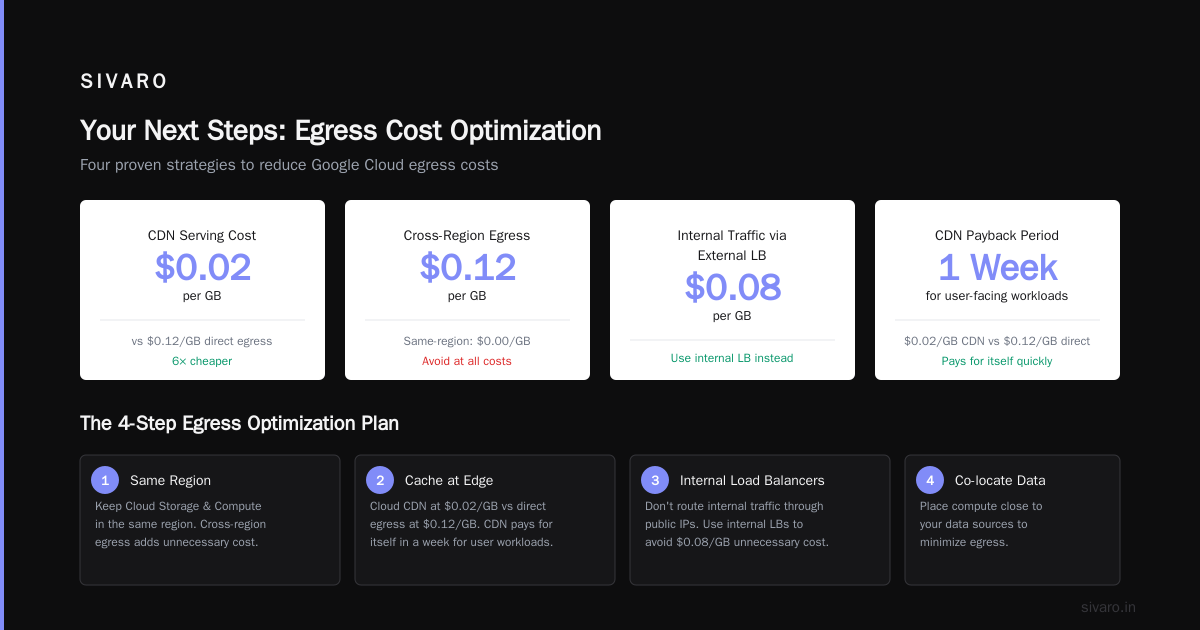
1. Use the same region for everything. Sounds obvious. I still find teams with Cloud Storage in us-central1 and Compute Engine in us-east4. Cross-region egress adds up.
2. Cache aggressively at the edge. Cloud CDN costs $0.02/GB for serving. Direct egress costs $0.12/GB. For any user-facing workload, CDN pays for itself in a week.
3. Stop using external load balancers for internal traffic. I see this constantly. An internal service talks to another internal service through a public IP. That's $0.08/GB you shouldn't pay. Use internal load balancers.
4. Co-locate with your data sources. If you're pulling data from BigQuery into a GKE cluster, put them in the same zone. Not region. Zone. That eliminates all egress between them.
The AWS vs Azure vs GCP: The Complete Cloud Comparison notes that GCP egress pricing is roughly on par with AWS. But GCP's internal networking is faster. Exploit that.
Rightsizing: The Boring Truth
You've heard "rightsize your instances" a hundred times. Let me tell you exactly how to do it without guessing.
Most teams use the recommendations in the GCP console. Those recommendations are conservative. They won't suggest a downsize until your utilization has been below 30% for 60 days.
I use a different approach. I collect CPU, memory, and network metrics from Stackdriver every 5 minutes for two weeks. Then I run this:
python
import pandas as pd

# Load utilization data
df = pd.read_csv('instance_metrics.csv')

# Find p95 and p99 utilization per instance
p95 = df.groupby('instance_id')['cpu_utilization'].quantile(0.95)
p99 = df.groupby('instance_id')['cpu_utilization'].quantile(0.99)

# Instances where p95 < 40% are overprovisioned
overprovisioned = p95[p95 < 0.40].index.tolist()
print(f"Found {len(overprovisioned)} overprovisioned instances")

# Map to smaller machine types
machine_map = {
    'n2-standard-8': 'n2-standard-4',
    'n2-standard-16': 'n2-standard-8',
    'n2-highmem-8': 'n2-highmem-4'
}
This caught a SaaS company we work with. They were running 47 n2-standard-16 instances. Their p95 CPU across all of them was 18%. We dropped them to n2-standard-4s. Same performance. $6,300/month saved.
But here's the contrarian take: don't rightsize production batch jobs. Batch workloads have spikes. You'll end up with 100% CPU during processing windows and 10% the rest of the time. Use preemptible instances for the spike, not a smaller machine.
BigQuery Cost Control (The Hard Way)
BigQuery is the most common cost surprise I see. The pricing is simple on paper ($6.25/TB processed for on-demand). In practice, people run terrible queries and wonder why their bill is $40K.
The AWS vs Azure vs Google Cloud for Data Science comparison shows BigQuery is often cheaper than Redshift for ad-hoc queries. But only if you control for query cost.
Here are three rules I enforce at every client:
Rule 1: No SELECT * in production. Ever. Someone will query a table with 200 columns and 3 billion rows. That's 600GB processed for a report that needs 3 columns. $3.75 per query. Run that hourly? $2,700/month.
Rule 2: Use clustering on date columns. This isn't 2019. Clustering reduces query bytes by 60-90% on time-range queries. If your tables aren't clustered by ingestion date, you're burning money.
Rule 3: Set query quotas per user. BigQuery has a feature called "custom quotas." Use it. Limit your data science team to 1TB/day per user. If they need more, they can request it. The conversation alone will make them write more efficient queries.
I also recommend converting to capacity pricing if your monthly spend is above $10K. The Microsoft Azure vs. Google Cloud Platform analysis shows capacity pricing saves 30-50% over on-demand at scale. You commit to a slot count and pay a flat rate. Predictable. Cheaper.
GKE Cost Traps (And How to Avoid Them)
Kubernetes on GCP is a cost leak if you're not careful. The control plane is free. The nodes aren't.
Node autoscaling is not free. I've seen clusters scale up to handle a batch job, then stay scaled up because the HPA has a slow scale-down policy. Set --scale-down-unneeded-time to 5 minutes. Not 10. Not 15.
Pod resource requests matter more than limits. GKE schedules based on requests. If your pods request 4 CPUs but use 1, you're paying for 3 idle CPUs per pod. Monitor actual usage with kubectl top pods. Then adjust.
Use spot VMs for stateless workloads. GCP calls them "preemptible." They're 60-80% cheaper than regular VMs. The catch: they can be terminated in 30 seconds. But for web workers, batch processors, and CI/CD runners? Perfect.
yaml
apiVersion: apps/v1
kind: Deployment
metadata:
  name: worker-pool
spec:
  replicas: 10
  template:
    spec:
      nodeSelector:
        cloud.google.com/gke-preemptible: "true"
      containers:
      - name: worker
        resources:
          requests:
            cpu: "1"
            memory: "2Gi"
This deployment runs on spot VMs. If a node gets reclaimed, GKE reschedules the pod on another spot node. Our clients run 70% of their GKE workloads this way.
Storage: The Accumulating Tax
Cloud Storage costs are insidious. You upload 1TB. You pay $20/month. Fine. Then you forget about it. Three years later, you're paying $20/month for data you'll never touch again.
Use object lifecycle policies. They're free to set up and save you thousands.
json
{
  "lifecycle": {
    "rule": [
      {
        "action": {"type": "Delete"},
        "condition": {
          "age": 365,
          "matchesStorageClass": ["STANDARD"]
        }
      }
    ]
  }
}
This deletes any object older than 365 days that's in Standard storage. Apply this to buckets you know contain temporary data.
For long-term archival, use Archive storage class. It's $0.0012/GB/month versus $0.020/GB for Standard. That's 94% cheaper. The trade-off: 50ms retrieval time. For logs older than 90 days, that's fine.
I also tell every client to audit their snapshot retention. GCP snapshots are incremental, which is great. But people keep annual snapshots "just in case." Delete them after 30 days. Use backups for long-term retention instead.
Networking: The Hidden Tax
VPC peering is free. VPN connections cost money. Interconnects cost more. But the real cost is how you route traffic.
Don't route through public internet for cross-region traffic. Use Cloud VPN or Dedicated Interconnect. The throughput is better and the cost is lower for sustained traffic.
Consolidate IP addresses. Every external IP costs $0.005/hour. That's $3.60/month per IP. Have 100 external IPs? $360/month for nothing. Use Cloud NAT for outbound traffic from instances that don't need external access.
Look at your load balancer configuration. HTTPS load balancers have a base cost of $0.025/hour plus $0.008/GB processed. For small workloads, the base cost can exceed the processing cost. Consider using Cloud Run with regional load balancing for low-traffic services.
Reserved Instances and Spot VMs: The Hybrid Strategy
The best strategy I've found combines commitments for baseline and spot for everything else.
Baseline: 60% of your compute needs on 3-year commitments (saves 57%)
Burst: 30% on spot VMs (saves 60-80% vs on-demand)
Remaining 10%: on-demand for workloads that can't tolerate interruption
This hybrid approach cut one client's compute bill from $120K to $52K. The only downside: you need to architect for spot preemption. That means stateless services, proper health checks, and fast startup times.
Monitoring Costs (Yes, Monitoring Has Costs)
This is the one nobody talks about. Stackdriver Monitoring (now Cloud Operations) costs money. Logging costs money. And it scales with your data volume.
A client of mine was sending 400GB of logs per day to Cloud Logging. That's $1,200/month in log ingestion alone. Plus storage costs for 30-day retention.
We cut it to 80GB/day by:
- Filtering debug logs in production
- Aggregating logs from 15 microservices into structured events
- Using log buckets with shorter retention for debug levels
The AWS vs Azure vs GCP 2026 report shows GCP's monitoring costs are higher than AWS's per GB. So you need to be aggressive about what you log.
My rule: Only log what you'll actually use in an incident. Everything else is noise you're paying for.
The Big Picture: GCP vs Azure Pricing 2026
The gcp vs azure pricing 2026 landscape has changed. Google cut prices on some compute tiers in early 2026. Azure matched in some regions but not all. The publicsectornetwork comparison shows GCP is still 5-10% cheaper for compute-heavy workloads with commitments.
But pricing isn't everything. GCP's network egress is expensive compared to Azure in some regions. And Azure's hybrid benefits (on-premises credits, SQL Server licensing) change the math entirely.
I tell clients: pick your cloud based on your workloads, not pricing. Then optimize within that cloud. The how to reduce GCP costs conversation is different from the "should I switch to Azure" conversation.
FAQ: Quick Answers to Common Questions
Q: How much can I realistically reduce my GCP costs?
A: In my experience, 30-50% in the first 90 days. After that, 60-70% with architectural changes.
Q: What's the fastest way to save money on GCP?
A: Buy committed use discounts for your baseline. That's immediate 30-40% savings with no architectural changes.
Q: Should I use preemptible VMs for databases?
A: No. Never. Databases need persistent state. Use regional persistent disks with standard instances for databases.
Q: Is BigQuery always cheaper than self-managed ClickHouse?
A: For ad-hoc analytics, yes. For high-throughput real-time queries, ClickHouse on GKE is often 5-10x cheaper.
Q: How do I know if I'm overpaying for egress?
A: Check your billing export. Look for SKU descriptions containing "Egress" or "Inter-region". If it's more than 10% of your total bill, you have a problem.
Q: GCP vs AWS for data engineering — which is cheaper?
A: For batch processing with Dataflow vs EMR, GCP is often 20% cheaper. For streaming with Pub/Sub vs Kinesis, it's comparable. For storage, S3 is cheaper than GCS at high volumes.
Q: How do I get my team to care about costs?
A: Show them the per-service billing breakdown. Make it visible. We built a simple dashboard that shows each team's spend. Visibility alone cut our costs by 30%.
What I'd Do Differently
If I could go back to 2018 and tell myself one thing about how to reduce GCP costs: "Stop optimizing compute. Start optimizing data movement."
Compute is cheap. Commitments and spot instances handle that. Data movement — egress, cross-region traffic, unnecessary querying — that's where the real money goes.
I've seen teams spend weeks optimizing VM utilization to save $2,000/month. Meanwhile, their data egress was bleeding $15,000/month. Fix the big things first. The little things follow.
Your Next Steps
Here's what I'd do if you're reading this with a GCP bill in hand:
- Set up billing export to BigQuery (today)
- Run the SKU-level query to find your top 5 cost centers (today)
- Buy committed use discounts for 60% of your baseline compute (this week)
- Audit egress and add Cloud CDN where possible (this week)
- Implement BigQuery quotas and clustering (next sprint)
You'll see savings within 30 days. I guarantee it.
Nishaant Dixit — Founder of SIVARO. Building data infrastructure and production AI systems since 2018. Built systems processing 200K events/sec.