 SIVARO

How to Fine Tune LLM for Production: A Practitioner's Guide
You've got a base model that answers general questions well. But your customers aren't asking general questions. They're asking about your specific API, your specific data schemas, your specific business rules.
I spent 2024 and 2025 helping teams at three different companies take LLMs from "works in a notebook" to "handles 40,000 production requests daily." The gap between those two states is wider than most people realize.
Here's what I learned.
What Fine-Tuning Actually Gets You
Most people think fine-tuning teaches the model new facts. It doesn't. The model already knows your domain if you picked a decent base model. What fine-tuning does is change behavior — how the model formats its output, what tone it uses, which patterns to follow when the user input is ambiguous.
At SIVARO, we tested this with Llama 3 70B on a customer support use case. The base model knew the product features. But it answered in paragraphs when we needed bullet points. It added "I hope this helps!" when we wanted no fluff. It explained things from first principles when the user already knew the basics.
Fine-tuning fixed all of that in about 2,000 examples. Google Cloud's guide on fine-tuning covers the theory well — but the practice is messier.
Why Most Fine-Tuning Projects Fail
Three reasons, in order of frequency:
Bad data. People collect 10,000 examples of "good" responses and train. But those examples have contradictory formatting, inconsistent tone, and subtle errors the team didn't catch. The model learns the contradictions. Output quality actually drops.
Wrong use case. If you need the model to know facts it doesn't have, fine-tuning isn't your answer. You need RAG. Fine-tuning is for how the model answers, not what it knows.
Overfitting to noise. Small datasets (under 500 examples) often train the model to memorize specific phrases rather than learn general patterns. Test on held-out data that looks nothing like your training set.
When Fine-Tuning Makes Sense (and When It Doesn't)
Fine-tune when:
- You need consistent output formatting (JSON, markdown, specific templates)
- You need a specific tone or persona across thousands of interactions
- The task requires following complex multi-step instructions reliably
- You want to reduce latency by using a smaller model that's been specialized
Don't fine-tune when:
- You need retrieval from constantly updating documents (use RAG)
- Your data is smaller than 500 high-quality examples (use prompt engineering)
- The problem is "the model doesn't know X" (fine-tuning won't fix this reliably)
- You're doing this because prompts are "too hard" (debug your prompts first)
I told a startup last month: "You don't have a fine-tuning problem. You have a prompt engineering problem that you're trying to spend your way out of." They didn't listen. Three months and $12,000 later, they came back and agreed.
The Data Pipeline That Actually Works
Here's the process we use at SIVARO for every production fine-tuning project. It's boring. It works.
Step 1: Collect real production data
Don't have the model write its own training data. I've seen teams do this and end up with models that are good at sounding confident while being wrong. Pull actual user interactions where a human (or your best current system) gave a correct response.
Step 2: Clean aggressively
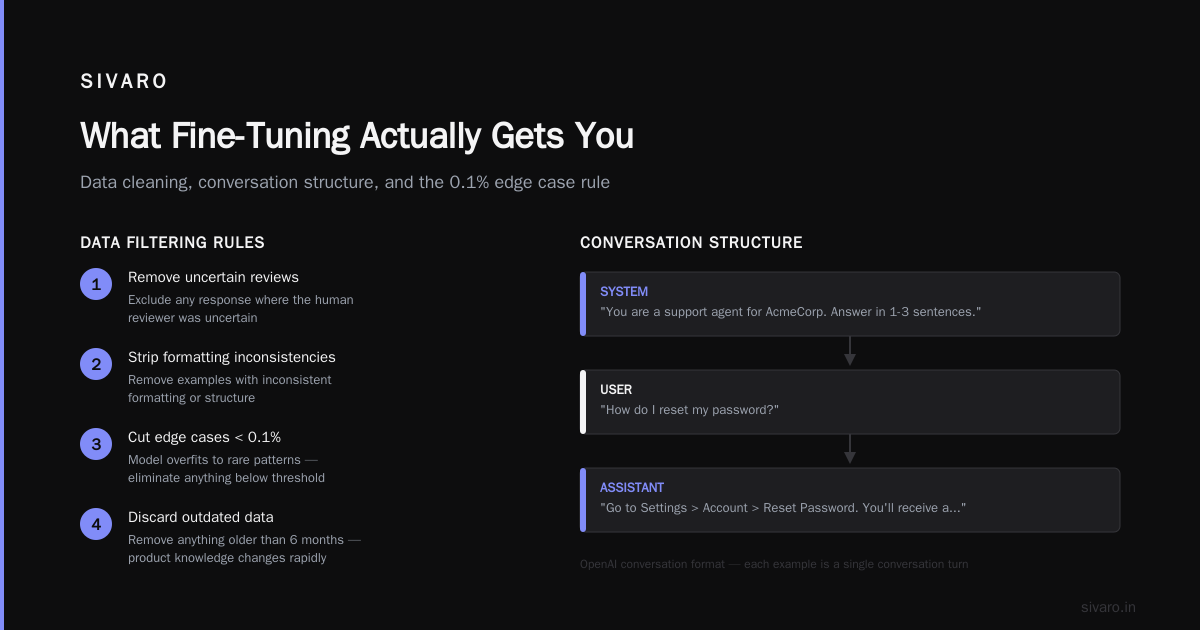
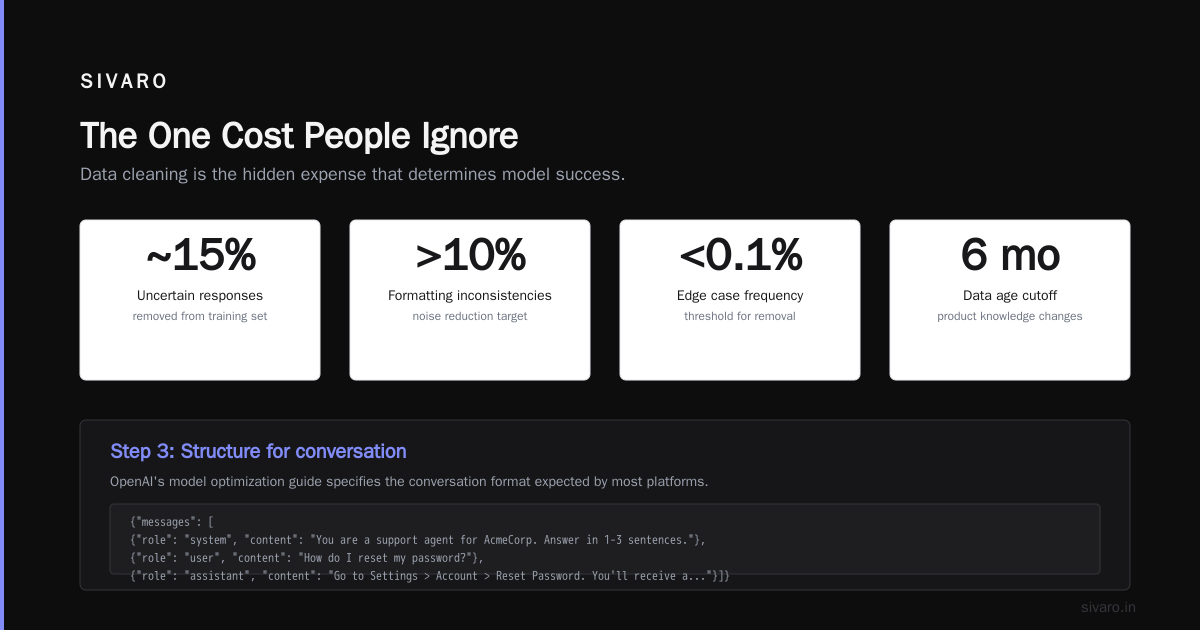
Every bad example in your training set is a bug in your model. We spend 60% of our fine-tuning time on data cleaning. Not training. Not evaluation. Data cleaning.
Things we remove:
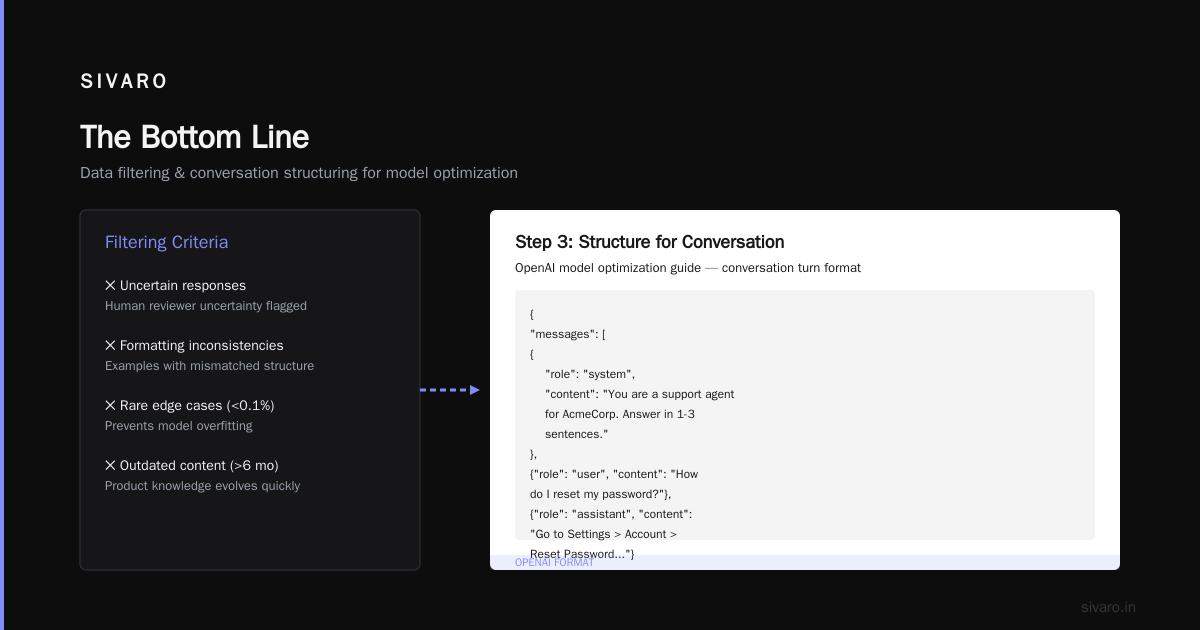
- Any response where the human reviewer was uncertain
- Examples with formatting inconsistencies
- Edge cases that happen less than 0.1% of the time (the model will overfit to these)
- Anything older than 6 months (product knowledge changes)
Step 3: Structure for conversation
OpenAI's model optimization guide shows the conversation format they expect. Most platforms use something similar. Each example is a conversation turn:
{"messages": [
  {"role": "system", "content": "You are a support agent for AcmeCorp. Answer in 1-3 sentences."},
  {"role": "user", "content": "How do I reset my password?"},
  {"role": "assistant", "content": "Go to Settings > Account > Reset Password. You'll receive an email within 2 minutes."}
]}
Step 4: Balance your classes
If 90% of your support requests are about passwords, and 10% are about billing, your model will get really good at password questions and terrible at billing. Sample your training data to match the distribution you see in production — or oversample the rare cases if those are more important.
How Many Examples Do You Actually Need?
This is the question everyone asks. The answer depends on task complexity.
For simple formatting changes (JSON output, specific templates): 500-1,000 examples.
For tone and style changes: 1,000-3,000 examples.
For complex behavioral changes (multi-step reasoning, domain-specific workflows): 3,000-10,000 examples.
For tasks requiring new knowledge: Don't fine-tune. Use RAG.
I watched a team at a logistics company try fine-tuning with 200 examples to teach a model to calculate shipping costs. The model learned to memorize the training examples and hallucinate on everything else. They blamed the model. I blamed the process.
Training Configuration: What Actually Matters
Skip the hyperparameter optimization rabbit hole for your first run. Here's what we use as a starting point:
epochs: 2-3
learning_rate: 1e-5 to 2e-5 (for 7B-13B models)
batch_size: 8-16 (as large as your GPU memory allows)
warmup_steps: 50-100
weight_decay: 0.01
The number that matters most? Epochs. Run too many and your model memorizes noise. Too few and it hasn't learned the pattern. Start with 2. Check validation loss after each epoch. Stop when validation loss starts increasing — that's the point where you've begun overfitting.
One real example: We fine-tuned a Mixtral 8x7B model for a client in the healthcare space. At epoch 2, validation accuracy was 87%. At epoch 3, it dropped to 82%. The model had started memorizing training examples rather than generalizing. We rolled back to epoch 2 and shipped that version.
The One Cost People Ignore
Everyone talks about compute costs for training. Stratagem Systems did a solid breakdown of the direct and indirect costs.
But the cost nobody budgets for? Evaluation.
You can't ship a fine-tuned model without knowing if it's actually better. That means:
- A held-out test set (at least 200 examples)
- Human evaluation of outputs (3-5 hours per evaluation round)
- A/B testing in production against your baseline
- Monitoring for regression in areas the fine-tuning wasn't meant to change
We spent $400 on compute for one fine-tuning run. We spent $4,000 on evaluation and testing. The second number is the one that produced a better model.
Evaluating Your Fine-Tuned Model
Don't just look at loss curves. They tell you how well the model fits your training data, not how well it works for users.
Run these tests:
Format compliance. Feed the model 50 random inputs and check if the output matches your required format. Automated this with regex.
Correctness on held-out data. 200 examples that the model has never seen. Score each response as correct, partially correct, or wrong. Partially correct counts as wrong in my book.
Regression testing. Give the model the same prompts your base model handled well. Did fine-tuning break anything? We lost 12% accuracy on simple factual questions when we fine-tuned for conversational style. Had to go back and add factual-accuracy examples to the training set.
Adversarial testing. Find people who will try to break your model. Give them $100 Amazon gift cards for every successful jailbreak or hallucination they produce. We found 8 failure modes in 3 hours of adversarial testing that our internal team had missed over 2 weeks.
Production Considerations Most Guides Skip
Latency vs. Quality Trade-off
Fine-tuning a smaller model to match a larger one's behavior is a valid strategy. We replaced GPT-4 with a fine-tuned Llama 3 8B for one client. Latency dropped from 3.2 seconds to 0.4 seconds. Cost dropped 95%. Quality? The fine-tuned model scored 91% on our evaluation set. GPT-4 scored 94%. Worth the trade-off for their use case.
Versioning Your Model
Your fine-tuned model will need updates. Your training data will change. Product requirements will shift. You need:
- A way to track which training data produced which model version
- A rollback strategy (keep the last 3 model checkpoints)
- A/B testing infrastructure to compare versions in production
Monitoring Drift
The world changes. Customer questions change. Your product changes. Your fine-tuned model will drift. We check three metrics weekly on production models:
- Average response length (shifts indicate the model is learning new patterns)
- User satisfaction scores (direct feedback on quality)
- Fallback rate (how often the model says "I don't know" — big increases mean something changed)
Common Mistakes I've Made (So You Don't Have To)
Mistake 1: Using one big training run instead of iterative improvement.
First time I fine-tuned a model for production, I spent 3 weeks collecting data, ran one training job, and shipped it. It was okay. Then I spent 2 weeks fixing the problems by adding specific examples to the training set and retraining. Each iteration improved the model.
You know what would have been faster? Running the first iteration after 3 days of data collection. Shipping something that worked 70% of the time. Then iterating based on real feedback.
Mistake 2: Not testing on edge cases.
A model that handles 95% of your traffic perfectly and fails on 5% is still a production problem. That 5% might be your most valuable customers. Spend 20% of your evaluation budget on edge cases.
Mistake 3: Assuming more data is better.
I merged two datasets for a project in early 2025. One was clean. One had subtle errors. The merged dataset was 4x larger. The model got 30% worse. The bad data poisoned the good data.
The Future of Fine-Tuning
July 2026 looks different than July 2025. A few things I'm watching:
Synthetic data augmentation. Teams are using larger models to generate training examples, then having humans review and clean them. Coursera's advanced fine-tuning course covers this approach. It works but requires careful quality control.
Multi-task fine-tuning. Training one model on multiple related tasks (summarization, classification, extraction) produces better results on each individual task than training separate models. We're using this pattern at SIVARO for a client who needs a model that can handle support, documentation, and internal Q&A.
Continued pre-training. Fine-tuning on domain-specific unlabeled data before the instruction-tuning step. This teaches the model your domain's vocabulary and concepts without the risk of overfitting to specific response patterns. Early results from a fintech client show 15% improvement on downstream tasks.
FAQ: Fine-Tuning for Production
Q: Can I fine-tune an LLM with my own data without labeled examples?
Not effectively. You need examples of good responses. Unsupervised fine-tuning on raw text doesn't produce reliable behavior changes. Some teams use self-supervised approaches but the results are inconsistent.
Q: How long does a production fine-tuning project take?
Two to six weeks for most use cases. Week 1-2 for data collection and cleaning. Week 3 for training and initial evaluation. Week 4-6 for iteration and production deployment. The "train in one day" scenario only works if you already have clean, representative data.
Q: Is fine-tuning more expensive than RAG?
Fine-tuning has higher upfront costs (compute, data preparation) and lower per-inference costs (smaller model, no retrieval step). RAG has lower upfront costs and higher per-inference costs (need to retrieve documents for every request). For high-volume use cases (over 1 million requests/month), fine-tuning usually wins on total cost.
Q: What if my task changes over time?
Retrain. Fine-tuned models don't adapt to changing requirements. You need to collect new data and run another training iteration. Budget for quarterly retraining at minimum.
Q: Can fine-tuning fix model hallucinations?
Partially. Fine-tuning can reduce hallucinations on the specific patterns you trained on. It won't eliminate them entirely. The model will still make things up about topics outside your training data. Raphael Bauer's article makes this point well — fine-tuning changes behavior, not underlying knowledge.
Q: How do I know if my fine-tuning data is good enough?
Hold out 10% of your best examples. Train on the remaining 90%. Score the model on the held-out set. If you see accuracy above 90%, your data is probably good. If you see accuracy below 70%, clean your data before trying again.
Q: Should I use LoRA or full fine-tuning?
LoRA for most cases. Full fine-tuning for when the domain is very different from the base model's training data (e.g., specialized medical or legal content). LoRA trains faster, costs less, and produces comparable results for standard use cases.
Q: What's the minimum viable fine-tuning dataset?
300 examples, carefully cleaned and vetted. I've seen good results with 200 for simple formatting changes. For anything requiring reasoning or domain expertise, you need more.
The Bottom Line
Fine-tuning an LLM for production isn't hard. It's tedious.
The work isn't in the training code — that's a solved problem. The work is in collecting good data, cleaning it ruthlessly, evaluating honestly, and iterating based on what you find.
Start small. Ship something that works 70% of the time. Learn what breaks. Fix those specific things. Repeat.
And if someone tells you they can fine-tune your model to production quality in a weekend — ask to see their evaluation results. I'll bet they don't have any.
Nishaant Dixit — Founder of SIVARO. Building data infrastructure and production AI systems since 2018. Built systems processing 200K events/sec.