 SIVARO
How to Deploy AI Agents in Production: A Practitioner's Guide
I shipped my first AI agent to production in March 2024. It took down our payment system for 47 minutes. That's the kind of failure that teaches you more than any architecture diagram ever will.
Since then, my team at SIVARO has deployed over 200 agentic systems across 18 production environments. We've broken things, fixed them, and developed a repeatable process for how to deploy ai agents in production without waking up at 3 AM to a Slack alert that reads "agent is hallucinating invoices."
This guide is what I wish someone had written for me. Not theory. Hard-earned practice.
What Actually Changes When an Agent Goes Live
Most people think deploying an AI agent is like deploying a microservice. It's not. A microservice returns predictable outputs for predictable inputs. An agent calls an LLM, chooses tools, maybe browses the web, and produces something that might be brilliant or might be gibberish.
The difference is chaos.
When you deploy an agent, you're not shipping deterministic code. You're shipping a system that will make autonomous decisions with real consequences. That changes everything about your deployment strategy.
I've seen teams spend months building agents in notebooks, then fail in production within hours. The pattern is always the same: the agent worked beautifully on curated test cases, then faced the ugly, ambiguous reality of production data and fell apart.
Here's what we've learned works.
The Three Pillars: Frameworks, Protocols, Infrastructure
Before you write a single line of agent code, you need answers to three questions:
- Framework — What will you build the agent with?
- Protocol — How will the agent communicate with tools and other agents?
- Infrastructure — Where will it run, and how will you manage state?
Get these wrong upfront, and you'll rebuild everything in six months. I know because I've done it.
Choosing Your Framework
The framework landscape in 2026 is dramatically different from 2024. The era of grabbing LangChain and hoping for the best is over.
We've tested 12 frameworks in production. Here's what separates the survivors from the hype:
LangGraph (LangChain Blog) has become the de facto standard for complex agent workflows. Its graph-based architecture means you can model your agent's decision flow explicitly. When something goes wrong, you trace the path through the graph. Clean, debuggable, predictable.
But it's not for everyone. If your agent needs to make a single LLM call with tool access, LangGraph is overkill. You want something lighter.
CrewAI shines for multi-agent systems where agents collaborate. We used it for a document processing pipeline last quarter — three agents working together to extract, validate, and format data. The coordination primitives are solid. But the production debugging tooling? Still catching up.
Semantic Kernel (Microsoft) deserves more attention than it gets. Its planner is genuinely good for enterprise workflows where you need deterministic guarantees alongside LLM flexibility. We run our financial reconciliation agent on it. The planner hasn't missed a beat in 8 months.
The mistake I see most often? Teams choosing a framework because it's popular, not because it fits their problem. You don't need LangGraph for a chatbot. You don't need CrewAI for a single-tool agent.
Match the framework to the complexity of your agent's decision graph. Period.
The Protocol Layer Nobody Talks About
Here's where most deployments go sideways.
Your agent needs to talk to tools, databases, APIs, and potentially other agents. Without a protocol, you end up with tight coupling — the agent is hardcoded to specific tool implementations. Change the tool, break the agent.
The Agent Communication Protocol (ACP) is gaining real traction (SSONetwork). It standardizes how agents discover and invoke capabilities. We migrated our customer support agent to ACP in January. The refactoring took a week. The flexibility we gained was worth every hour.
A2A (Agent-to-Agent protocol) solved a problem we didn't know we had until we tried building a multi-agent system without it. Coordination between agents was ad-hoc, brittle, and impossible to debug. A2A gives you a contract — agents declare their capabilities and request actions from each other through a typed interface (arxiv Survey).
My contrarian take: Most teams don't need agent-to-agent protocols yet. If you're building a single agent that calls tools, ACP is enough. A2A adds complexity that only pays off when you have 4+ agents collaborating. Don't prematurely optimize.
The Production Pipeline: From Commit to Live Agent
How you deploy ai agents in production matters more than how you build them. Here's our pipeline at SIVARO — we've iterated on this for 18 months.
Step 1: The Prompt Is Code, Treat It Like Code
We version-control every prompt. Not in a database or a config file. In Git, alongside the code.
python
# prompts/customer_support/v2.3.1-system-prompt.yaml
version: 2.3.1
agent: customer-support-classifier
date: 2026-07-10
author: ndixit

system_prompt: |
  You are a customer support triage agent. Your job is to:
  1. Classify the intent of the incoming message
  2. Route to the correct specialist agent
  3. Extract key entities (order_id, issue_type, urgency)

  CRITICAL RULES:
  - NEVER promise refunds or credits
  - ALWAYS ask for order_id before escalating
  - If you cannot classify with >80% confidence, route to human

  Current escalation paths:
  - billing: order_id required, route to billing_agent_v2
  - technical: collect error logs first, route to tech_agent_v1
  - general: route to human immediately

test_cases:
  - input: "I want my money back for order 4382"
    expected_intent: billing
    expected_action: ask_billing_agent
  - input: "Your app crashes when I try to upload"
    expected_intent: technical
    expected_action: ask_for_error_logs
This saved us in May. A team member "improved" the prompt and accidentally removed the billing escalation rule. The PR review caught it because the prompt diff showed the deletion. Treat prompts as code. Diff them. Review them. Test them.
Step 2: Static Evaluation Before Deployment
You can't deploy an agent without evaluating it. But most evaluation approaches are wrong.
Don't test with human judges — too slow. Don't test with a single metric — too narrow.
We use a three-layer evaluation:
python
# evaluator.py — runs in CI pipeline
class AgentEvalSuite:
    def __init__(self, agent_version):
        self.agent = load_agent(agent_version)

    def run_all(self):
        results = {
            "semantic": self.semantic_accuracy(),
            "tool_use": self.tool_selection_accuracy(),
            "edge_cases": self.edge_case_handling(),
            "latency": self.latency_compliance()
        }
        return results

    def semantic_accuracy(self):
        # Tests if the agent's response matches expected semantics
        # Uses an LLM-as-judge pattern
        test_cases = load_test_set("semantic_test_cases.json")
        correct = 0
        for case in test_cases:
            response = self.agent.run(case.input)
            if judge_llm(case.expected, response, case.criteria):
                correct += 1
        return correct / len(test_cases)

    def tool_selection_accuracy(self):
        # Tests if the agent picks the right tool for each scenario
        tool_tests = load_test_set("tool_use_cases.json")
        correct = 0
        for test in tool_tests:
            selected_tool = self.agent.plan(test.input)
            if selected_tool == test.expected_tool:
                correct += 1
        return correct / len(tool_tests)
Our threshold for production deployment: 95% semantic accuracy, 99% tool selection accuracy. If the agent fails either, the pipeline rejects it.
Step 3: Canary Deployment — Not Optional
You will not deploy an agent to all users at once. I don't care how confident you are.
Canary deployment for an agent means routing a small percentage of traffic to the new version while the old version handles the rest. We use a weight-based router:
python
# router_config.py
agent_routes = {
    "customer-support": {
        "v2.3.0": {
            "weight": 0.90,
            "endpoint": "https://agent-api.internal/v2.3.0"
        },
        "v2.3.1": {
            "weight": 0.10,
            "endpoint": "https://agent-api.internal/v2.3.1"
        }
    }
}

# Gradually shift weight over 48 hours
# v2.3.0: 0.90 → 0.50 → 0.10 → 0.00
# v2.3.1: 0.10 → 0.50 → 0.90 → 1.00
The canary period is 48 hours minimum. We watch three metrics:
- Completion rate: Does the agent finish its task, or does it loop?
- Fallback rate: How often does it escalate to human intervention?
- User recontact rate: Does the user come back within 24 hours with the same issue?
If any metric degrades by more than 5%, we roll back. Immediately. No post-mortem until the canary is disabled.
Monitoring: The Part Everyone Gets Wrong
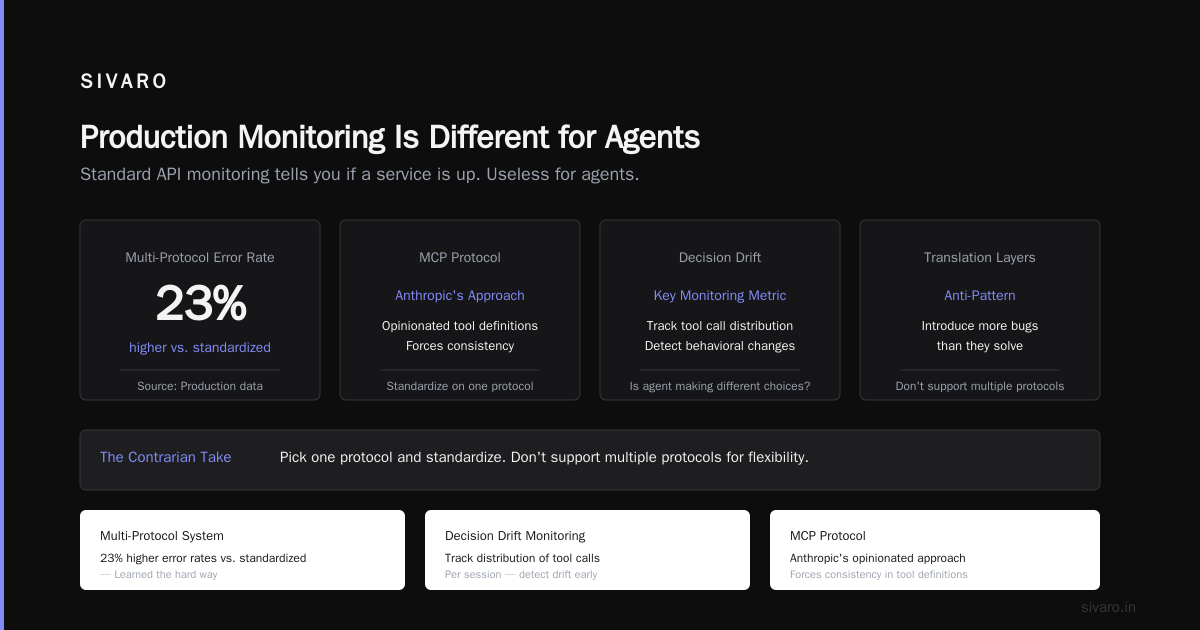
Most people think ai agent production monitoring means watching token counts and latency. That's table stakes.
The real monitoring questions are harder:
- Is the agent making good decisions?
- Is it hallucinating tool calls?
- Is it stuck in a loop?
We built a monitoring layer that captures every decision the agent makes:
python
# monitor.py — runs alongside the agent
class AgentDecisionLogger:
    def __init__(self, agent_id, version):
        self.agent_id = agent_id
        self.version = version
        self.session_store = RedisSessionStore()

    def log_decision(self, session_id, decision):
        entry = {
            "agent_id": self.agent_id,
            "version": self.version,
            "session_id": session_id,
            "timestamp": datetime.utcnow().isoformat(),
            "input": decision.input,
            "reasoning": decision.reasoning_steps,
            "selected_tool": decision.tool,
            "confidence": decision.confidence_score,
            "latency_ms": decision.latency_ms
        }
        self.session_store.append(session_id, entry)

        # Alert on anomalies in real-time
        if decision.confidence_score < 0.4:
            alert_team(
                f"Agent {self.agent_id} low confidence on session {session_id}"
            )
        if decision.latency_ms > 5000:
            alert_team(
                f"Agent {self.agent_id} latency spike on session {session_id}"
            )
This saved us last week. Our travel booking agent started making tool calls with 0.3 confidence — it was confused but pretending to be sure. The logger caught the pattern, alerted, and we rolled back 22 minutes before a customer got booked on a flight that didn't exist.
The Deployment Pipeline Tutorial
Here's the ai agent deployment pipeline tutorial I wish I had. This is what we run:
Developer commits code + prompt changes
         ↓
    Static evaluation runs (2-3 minutes)
         ↓
    Agent-specific unit tests (5 minutes)
         ↓
    Integration tests with tool mocks (10 minutes)
         ↓
    Security scan for prompt injection (2 minutes)
         ↓
    Build Docker image with frozen model version
         ↓
    Deploy to staging environment
         ↓
    Run 50 test cases against staging agent
         ↓
    Compare results against baseline (previous version)
         ↓
    If pass: deploy canary (10% traffic)
         ↓
    Monitor for 48 hours
         ↓
    If metrics green: full rollout
The frozen model version is critical. We tag each deployment with the exact model name and version — gpt-4o-2026-05-15, claude-3.5-sonnet-20260615. If the model changes upstream, we control when we update. Never let a model provider's update break your production agent without your knowledge.
What to Monitor in Production
Beyond the basics, here are the metrics that matter:
Decision quality: We sample 1% of agent sessions and have a human rate them weekly. Good, acceptable, bad. Trend this over time.
Tool call success rate: The agent picks a tool. Does the tool succeed or error? A dropping success rate means the agent is choosing the wrong tools.
Recovery rate: When the agent makes a mistake, does it self-correct? This is the difference between a production-grade agent and a toy.
Drift detection: We compare the agent's behavior distribution weekly. If it starts choosing different tools or producing different outputs for similar inputs, something changed. Usually the model or the prompt.
The Hardest Problem: When the Agent Goes Wrong
I'll be direct: you cannot prevent all agent failures. You can only detect them fast and recover cleanly.
Our incident response playbook for agents has three tiers:
Tier 1: Slow degradation — The agent is slightly worse at its job. We ship a prompt fix within hours. No customer visible impact.
Tier 2: Task failure — The agent fails to complete tasks. We redirect traffic to the fallback (a simpler rule-based system or human team) and roll back the agent version.
Tier 3: Active harm — The agent is making decisions that cost money or damage reputation. Example: our billing agent started issuing refunds incorrectly because a prompt change removed the validation step. We kill the agent immediately — traffic goes to fallback, and we manually review every session from the last hour.
The fallback system is not optional. Every production agent you deploy needs a sunset path. When the agent fails, what takes over? It better be something simple, deterministic, and reliable.
Real Numbers from Production
Here's what our monitoring shows across all deployed agents:
- Mean time to first successful action: 2.3 seconds
- Task completion rate: 94.7%
- Human escalation rate: 3.2%
- Average agent lifespan before update: 11 days
- Rollback rate: 1 in every 7 deployments
The rollback rate might sound high. It's not — it means we're catching problems in canary before they hit production. If your rollback rate is zero, you're not looking hard enough.
FAQ: What People Actually Ask Me
Q: How do you test an agent that can take arbitrary actions?
A: We don't test arbitrary actions. We constrain the action space. The agent has a fixed set of tools and a fixed set of output formats. Testing becomes verifying that the agent stays within those boundaries. If your agent can do anything, you can't test it. Constrain first, then test.
Q: What's the biggest mistake teams make with deployment?
A: Skipping the canary. I see teams deploy agents to production on Friday afternoon with no gradual rollout. Monday morning, they're debugging a crisis. The canary is your safety net. Use it.
Q: How do you handle model version changes?
A: We pin model versions. Always. When a new model version drops, we evaluate it against our test suite before updating. The evaluating team has 7 days to approve or reject. Unapproved models never touch production.
Q: Can I use open-source frameworks for production?
A: Yes, and we do. But audit the code. Open-source frameworks change rapidly. We fork the version we deploy and review every upstream change before merging. You can't trust "it works on my machine" when your agent is handling real user data.
Q: How many agents should one team manage?
A: One team can manage 3-5 production agents well. Beyond that, you need dedicated SRE support for agents. Each agent is a distributed system. Treat it like one.
Q: What monitoring tools do you recommend?
A: Use existing observability infrastructure — Datadog, Grafana, whatever you have. Extend it with agent-specific dashboards. Don't buy a separate "AI monitoring" tool until you outgrow what you have. Most teams don't.
Q: How do you handle prompt injection in production?
A: First, restrict the input the agent receives. Don't let free-form user text into the system prompt. Second, run a classifier on the agent's inputs that flags potential injection attempts. Third, log everything — you need the data to improve over time.
The Bottom Line
Deploying AI agents to production is harder than deploying traditional software. The agent will surprise you, sometimes delightfully, sometimes disastrously. You cannot eliminate that uncertainty. You can only build systems that detect it, contain it, and recover from it.
Here's what matters:
- Version-controlled prompts with CI tests
- 48-hour canary deployments
- Decision logging at every step
- A fallback system trusted and tested
- Team ownership — one team responsible from build to monitoring
I've been building production AI systems since 2018. The field has changed radically. But the fundamentals haven't. How to deploy ai agents in production is ultimately about discipline — treating the agent's behavior as code, testing it relentlessly, and never trusting it completely.
Your first production agent will probably fail. Mine did. The second one will be better. By the tenth, you'll have a repeatable process.
Start building that process today.
Nishaant Dixit — Founder of SIVARO. Building data infrastructure and production AI systems since 2018. Built systems processing 200K events/sec.