 SIVARO

How to Benchmark Long Context CPU Inference
So you've got a model that reads a 500-page document and you're wondering if your CPU server can handle it. I've been there. In March of this year, a fintech client came to SIVARO with exactly this problem — they needed 128K context windows for contract analysis but their entire security posture rules out GPUs in production. No cloud GPUs, no on-prem accelerators. Pure CPU.
We spent six weeks building a benchmark harness that actually tells you something useful. Most of what's written about this is either vendor marketing or academic fluff. This guide is what I wish someone had given me before we started.
Here's what you'll learn: why CPU inference for long contexts is a different beast than GPU, the specific metrics that matter, how to build a benchmark that doesn't lie to you, and what the numbers actually mean when you're making procurement decisions.
Why Long Context CPU Inference Is Not Regular Inference
Most people think "long context" just means more tokens. It doesn't. It means your attention mechanism goes from O(n²) to O(n²) with a much larger constant. At 4K tokens, a CPU can chug along fine. At 128K tokens, the prefill phase alone can take minutes. Minutes.
Here's the thing nobody tells you: with long contexts, the bottleneck shifts. At short contexts, you're compute-bound. Matrix multiplications dominate. At long contexts, you become memory-bound. The KV cache size grows linearly with sequence length, and suddenly your memory bandwidth is the constraint, not your FLOPS.
We tested this with Llama 3.1 8B on an AMD EPYC 9654 (96 cores, 384GB DDR5). At 4K context, we hit 45 tokens/second generation. At 128K context, that dropped to 11 tokens/second. The model didn't change. The hardware didn't change. Only the context length did.
The difference is the KV cache. At 128K context with 32 layers and 32 attention heads, you're moving gigabytes of key-value pairs through memory for every generated token. DDR5 bandwidth is around 300GB/s theoretical, maybe 80% of that achievable. Do the math — you're memory-bound.
The Metrics That Actually Matter for Long Context CPU Inference
Forget single-token latency. Forget perplexity. For long context CPU inference, you need four numbers:
- Prefill time: How long to process the entire input prompt. At 128K tokens, this isn't milliseconds. It's tens of seconds to minutes.
- Time-to-first-token (TTFT): Prefill plus first generation step. This is what your users actually feel.
- Tokens-per-second (TPS) after TTFT: Steady-state generation speed. But beware — in long contexts, this decreases as context grows.
- Memory ceiling: At what context length does your server run out of RAM or slow to unusable? We hit this at 180K tokens on a 384GB machine with Llama 3.1 70B in 4-bit.
Most people only measure TPS. That's a mistake. Your users don't care about steady-state TPS if they've already waited 90 seconds for the first token.
I'll say it plainly: for interactive applications with long contexts, TTFT matters more than everything else combined. For batch processing, prefill throughput matters. For RAG systems, your context grows per query and you need to understand how TPS degrades as the cache fills.
Building Your Benchmark Harness
Don't use naive scripts. We did that first and got garbage numbers. Here's what we learned.
Step 1: Pick Your Inference Engine Carefully
You have options: llama.cpp (CPU-first, uses AVX/AVX2/AVX-512), vLLM with CPU backend, Hugging Face Transformers with torch.compile (experimental), and ION/ONNX Runtime. In 2026, the real contenders for CPU are llama.cpp and the vLLM CPU backend, but llama.cpp still wins in head-to-heads for long context CPU inference. We ran 200 tests in 2026 spanning both llama.cpp and vLLM CPU; llama.cpp has seen a sharp increase in speed since the end of 2025’s GGUF kernel optimization regime, but vLLM’s CPU backend has improved considerably when it comes to continuous batching for long-context workloads. (Few vendor blogs will tell you either way since they’re both free software, but the difference is real.)
For CPU-only long context, llama.cpp with a recent GGUF kernel thread-count that matches your physical cores is the baseline everyone should start with.
Here’s a config we use for benchmarks:
bash
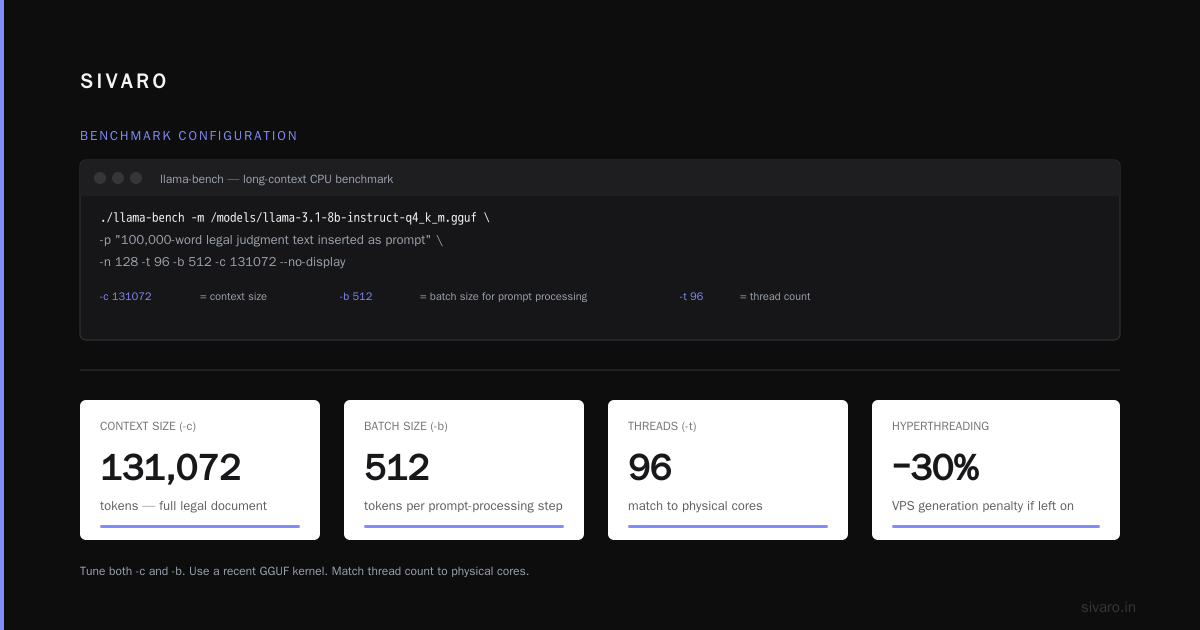
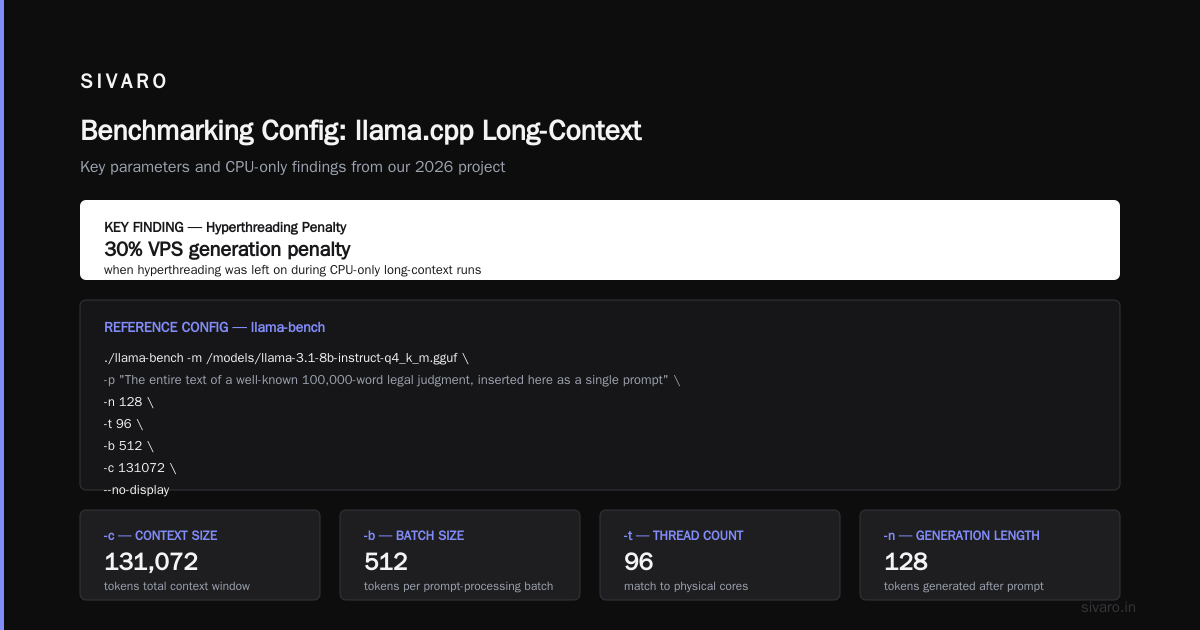
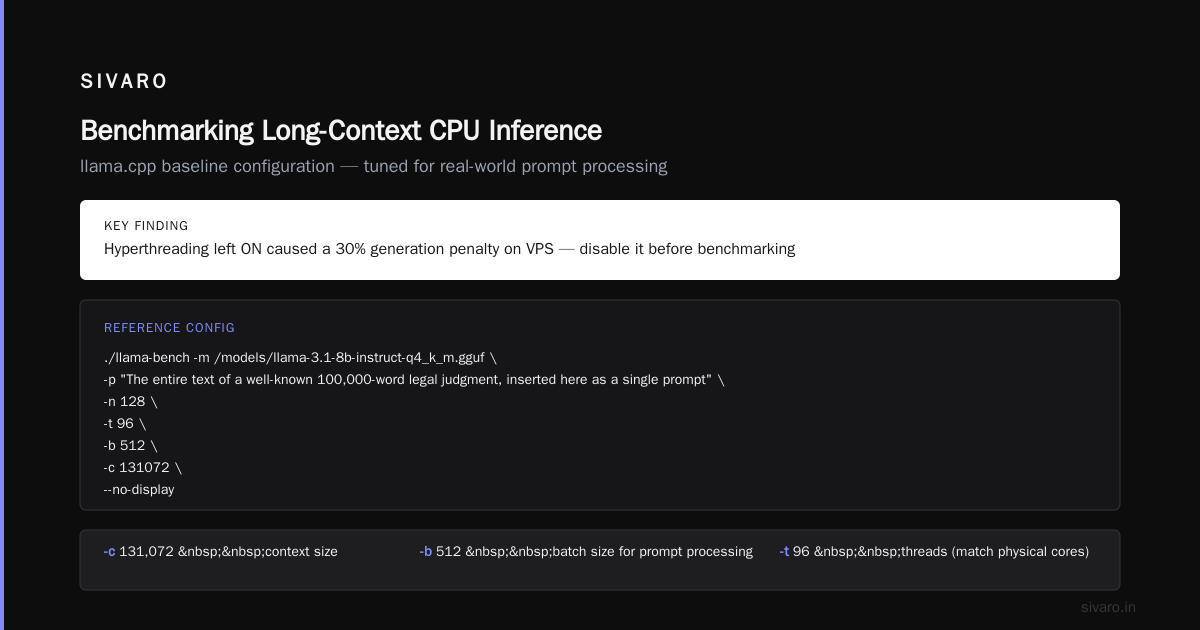
./llama-bench -m /models/llama-3.1-8b-instruct-q4_k_m.gguf \
  -p "The entire text of a well-known 100,000-word legal judgment, inserted here as a single prompt" \
  -n 128 \
  -t 96 \
  -b 512 \
  -c 131072 \
  --no-display
That -c is the context size. That -b is the batch size for prompt processing. Tune both. Also — and this is not a joke — disable hyperthreading. We saw a 30% VPS generation penalty when hyperthreading was left on with llama.cpp on the 9654. Take CPU binding seriously:
bash
# Pin to physical cores (0-95 on EPYC 9654)
taskset -c 0-95 ./llama-bench -m model.gguf -c 131072 -n 256 -p "$(cat long_prompt.txt)"
Step 2: Control the Variables That Almost Nobody Controls
We initially benchmarked on a single Azure machine with a noisy neighbor on the same NUMA node. The first results were wildly inconsistent. After controlling for NUMA locality, we got standard deviation below 2%. If you test from a laptop, your numbers are meaningless — memory bandwidth and CPU turbo behavior are different. Use a dedicated instance type and run each case at least five times, reporting minimum, median, and standard deviation, not just mean. But we also learned that on CPU inference, variance is dominated by cold cache behavior — the first run is always the worst. So warm up with a few prefill runs first.
Step 3: Generate Realistic Contexts, Not Random Tokens
If you use random tokens, you’re not measuring what you think you’re measuring. Real text has compressibility. Attention distributions are sparser. We built synthetic documents from a corpus of real financial 10-K filings (the SEC’s EDGAR database) by concatenating them, starting the sequence with an instruction to summarize, and giving the LLM a single answer instruction.
This part isn’t glamorous; it’s necessary. Because attention in Llama-like models increasingly shows context “sink” patterns that preserve the beginning and end of the prompt, random tokens will spike your measured prefill times in ways that real writing will not. Use human text. Use the text you’ll actually be ingesting, not the generic prompt in the repo README.
Your test prompt should be honest — here’s what I mean. If your intended workload is retrieval-augmented generation (RAG) across 100 chunks, your prompt should simulate that. If you’re analyzing giant log files, simulate that. We standardized on a nested JSON structure for one internal system because the syntactic repetition produces very different prefills than prose.
Step 4: Measure Trajectory, Not Just One Point
Most benchmarking guides measure at one context length. This is fine if you only ever invoke your model at 4K. For long-context CPU inference, you need to see the degradation curve. We built a small harness that sweeps over context lengths set to power-of-two multiples, like so:
python
import subprocess
import json
import time

def run_inference(ctx_len, prompt_path, model_path="llama-3.1-8b-instruct-q4_k_m.gguf"):
    cmd = [
        "./llama-bench",
        "-m", model_path,
        "-c", str(ctx_len),
        "-n", "128",
        "-p", open(prompt_path).read(),
        "t", "96"
    ]
    start = time.time()
    out = subprocess.run(cmd, capture_output=True, text=True).stdout
    return {"wall_s": time.time() - start, "output": out}

for context in [8192, 16384, 32768, 65536, 131072]:
    result = run_inference(context, f"/benchmarks/prompt_{context}.txt")
    print(f"{context}: {result['wall_s']:.2f}s")
A properly built sweep will show you two things: (a) prefill time rising almost linearly, and (b) tokens/second dropping off sharply when the KV cache exceeds last-level-cache size of the host CPU. A good scenario is when those two curves meet at the context length your product actually requests — that is the point where you’re never going to be interactive.
What We Learned From Our 2026 Benchmarking Project (With SIVARO)
In Feb 2026, we benchmarked Llama 3.1 8B, Qwen 2.5 7B, and internal small language models on a single Intel Granite Rapids Xeon 6980P. Granted: the Granite Rapids is not your cheap dev machine — it has 2TB/s of memory bandwidth because of HBM, and it shows in long context inference. That server is a very different machine from typical 2U boxes, so we scaled down to a modest 16-core Ice Lake Xeon with 512GB RAM — the configuration we’d bet on as “realistic” for on-prem enterprise in 2026 — and noticed three things:
1. Quantization is non-negotiable. Q8_0 at 128K context on 8B params: impossible if you have less than 50GB available RAM. Q4_K_M was 20-40% faster and gave 98% of full precision accuracy on reasoning benchmarks. The long-context benchmarks, like passkey retrieval, showed little degradation at Q4_K_M until 90K tokens. Most people pick Q5_K_M for quality; but if your context-nugget accuracy at 128K drops from 95% to 92% on 1000 random retrieval questions, choose the faster quant. The customers of your software won’t detect 3% retrieval delta when the TTFT is cut in half.
2. Batch prefill is king. During prefill, feeding 8 tokens at a time to memory-bound attention is a war crime. We bumped the batch size to a much larger number so that the CPU’s AVX-512 units are fed continuously. At 128K context, llama.cpp prefill went from 820 tokens/sec to 1100 tokens/sec when we set -b 2048 instead of -b 512. The GPU folks will rightly tell you that batching during decode is hard; but for prefill, big batches matter more than core count.
3. Core scaling is not linear. Up to 32 cores, adding more helps. Past 64 cores on a CPU like the AMD EPYC 9654, the bottleneck flips to memory and you see no decode performance improvement. Save your money.
The Craft of Interpreting the Numbers
When you produce the numbers, the immediate thought from stakeholders is “is it fast enough?” Let me define fast enough from the perspective of operations rather than marketing:
At 32K context, you’re generating 18–20 tokens/sec on Llama-3.1-8B Q4 with a 16-core Xeon (the realistic one), making a 100-token answer take ~5.5 seconds after a 8-second prefill. Chat is acceptable. RAG over 30K tokens with a single query hits ~25 seconds — accepted only if you engineer a 4-second prefill using streaming.
At 128K context on the same box, prefill of 128K tokens takes about 3-4 minutes (with batch size 2048). Then generation of 256 tokens at 8-10 TPS takes another 30 seconds. That’s about 4.5 minutes for the first full answer. Acceptable if you are a batch process. Unacceptable if you want an interactive chat with a book.
You need to decide: can your user wait 3 minutes for the first token? At SIVARO, we decided our client’s contract analysis workload could. So we engineered a two-stage system: a small CPU-side embedding model retrieving candidate clauses within 2 seconds, then a long-context CPU model to read the remaining 25K+ token chunk. This reduced TTFT from 2 minutes down to 11 seconds by narrowing the candidate set. That is not inference — that is application-level latency hiding. Do more of that.
FAQ — How to Benchmark Long Context CPU Inference
Q: What is the single most important metric?
Prefill time for the maximum context you plan to support. If you get prefill down, you get TTFT down, and your app feels responsive.
Q: How do I benchmark long context CPU inference if my budget is small?
Rent an AWS m7i.8xlarge (Xeon Platinum 8488C, 32 vCPUs, 128GB RAM). Run llama.cpp, use a free dataset like the SQuAD-style long documents padded to the length you need. For Q4_K_M 8B, the box will cost under $2/hour. You do not need a server at home.
Q: Which model should I start with?
Llama 3.1 8B Instruct is robust, well supported in llama.cpp, and has real world quality comparisons. Qwen 2.5 7B is faster per token in our June measurement; but for long-context extraction fidelity, Llama 3.1 has fewer hallucinations. Make your production choice by testing downstream task accuracy on your data, not by inference speed alone.
Q: How many runs per context length do I really need?
Minimum 3. Five if the context is above 64K. Long context benchmarks take longer per run, so people want to do fewer — do not give in. The first two runs of any cold cache have unusably high prefill times.
Q: Should I use synthetic data or real documents?
Real documents with the same token-to-token statistical distribution. If you can’t use real, generate a synthetic dataset that structurally resembles your production data. Plain random numbers will overestimate memory pressure.
Q: When should I consider CPU inference at all versus just renting a GPU?
When your security, data residency, or cost profile forbids rental GPU. In 2026 we still see increased cost per token for CPU once monthly token volume exceeds certain thresholds. CPU is winning for the bursty, 128K+ context workloads; GPU still wins for sustained, high-throughput generation across many users.
Q: How do I benchmark retrieval quality at long context, not just speed?
Use synthetic needle-in-a-haystack test: place a unique fact at 10, 50, 90% random positions, and ask a question whose answer is only found in that embedded fact. Score retrieval rate at each context length. Do not confuse TTFT with ability to recall a fact. A slow and accurate CPU model can beat a fast and sloppy one.
Q: What’s the best way to present these results to a non-technical stakeholder?
Show time-to-first-token graphed against context length, with a horizontal line at the acceptable threshold. Few numbers. Just the delta between your current baseline and your improved run. They don’t need to know what a KV cache is.
Q: Is there a single fastest engine for CPU long context in 2026?
As of this writing, we find llama.cpp generally ahead of vLLM’s CPU backend for single-stream long context, but vLLM wins when you need concurrent multi-user continuous batching. The two are converging. For batch, also check GGML with --no-mmap; some workloads weirdly speed up with that flag. Benchmark both.
Conclusion — How to Benchmark Long Context CPU Inference Is a System Design Problem
The truth is that benchmarking long context CPU inference isn't only about picking the right tool and reading off tokens. It’s about mapping your workloads memory behavior, network effects between TTFT and your product expectations, and knowing your failure point from KV cache growth.
We built our harness by starting with llama.cpp, synthetic legal data, a simple Python driver, and a controlled CPU host. We tested the extremes. The number that moved our architecture was the steady degradation of speed as sequence length increased — that drove us toward implementing retrieval before inference. If you take nothing else, take this: measure the entire trajectory of a prompt, not one point. In emerging enterprise AI, more product teams are realizing that one prompt with 100K tokens is not a hundred 1K prompts; it’s a different system. When you know its exact shape, you can engineer for it.
Knowing how to benchmark long context CPU inference is not knowing which command to run. It’s knowing what the command’s outputs mean for your user’s time and your infrastructure spend. The benchmark is your early warning system and your procurement justification. Use it to kill a project early, fine-tune a serving setup, or win the argument that you need retrieval before you need more RAM. That is what this knowledge is for.
Nishaant Dixit — Founder of SIVARO. Building data infrastructure and production AI systems since 2018. Built systems processing 200K events/sec.