 SIVARO
How Karpenter Consolidation Strategy Slashed My Kubernetes Bill by 41%
I'm Nishaant Dixit, founder of SIVARO. We build data infrastructure and production AI systems. In 2025, I watched our Kubernetes costs climb to $187,000 per month on AWS. That's not sustainable when you're running inference at scale. So I tore out half our cluster management tooling and replaced it with Karpenter's consolidation strategy. Our bill dropped to $110,000. Here's exactly how.
If you're running Kubernetes on AWS and not using Karpenter's consolidation strategy to reduce compute costs, you're burning money. Plain and simple. Let me show you why.
Why Consolidation Matters More Than You Think
Most teams think Kubernetes cost optimization is about instance family selection or reserved instances. They're wrong. The single biggest waste in Kubernetes is fragmentation — running 20 nodes at 40% utilization instead of 8 nodes at 85%.
Karpenter solves this with consolidation. It continuously analyzes your cluster's workload and replaces nodes with cheaper, smaller, or better-suited instances. It evicts pods, drains nodes, and terminates idle capacity — all without downtime.
But here's the thing I learned the hard way: consolidation strategy isn't a toggle. It's a series of decisions about when, how aggressively, and under what constraints Karpenter should consolidate.
I tested four different consolidation strategies across 310 worker nodes running production AI workloads. One of them cut costs by 41%. Another actually made things worse.
Let me walk you through each one.
Strategy 1: The Default — "Do Nothing" Is Actually Fine (Sometimes)
When you install Karpenter without a consolidationPolicy setting, it defaults to consolidation only when pods can't schedule. This is safe. It's also leaving money on the table.
yaml
apiVersion: karpenter.sh/v1beta1
kind: NodePool
metadata:
  name: default
spec:
  template:
    spec:
      requirements:
        - key: karpenter.sh/capacity-type
          operator: In
          values: ["on-demand"]
  disruption:
    consolidationPolicy: WhenUnderutilized
    consolidateAfter: 10m
This configuration says: "Only consolidate if a node has been underutilized for 10 minutes." In my tests, this captured maybe 15% of potential savings. It's fine for development clusters where stability matters more than cost. For production? Not aggressive enough.
The problem: WhenUnderutilized only triggers when a node's resource utilization drops below a threshold. If your workloads are spiky (like AI inference), utilization can bounce around constantly. You miss the window.
Strategy 2: WhenEmpty — The "Safe" Choice That Limits Savings
WhenEmpty consolidation waits until a node has zero pending pods. Then it drains and terminates.
yaml
disruption:
  consolidationPolicy: WhenEmpty
  consolidateAfter: 5m
I thought this would be the sweet spot for our batch ML training jobs. Turns out, it's only useful if you have workloads that naturally complete and free up nodes. Our inference pods are long-running. They never become empty.
Real talk: We tested this on our ML training cluster at SIVARO. Over 30 days, it consolidated exactly 4 nodes. Savings? $1,200. Not nothing. But not worth the effort.
Strategy 3: WhenUnderutilized with Budget — Where the Magic Happens
This is the config I finally settled on after three months of trial and error.
yaml
apiVersion: karpenter.sh/v1beta1
kind: NodePool
metadata:
  name: production-ai
spec:
  template:
    spec:
      requirements:
        - key: karpenter.sh/capacity-type
          operator: In
          values: ["spot", "on-demand"]
        - key: node.kubernetes.io/instance-type
          operator: In
          values: ["m5.xlarge", "m5.2xlarge", "c5.2xlarge"]
  disruption:
    consolidationPolicy: WhenUnderutilized
    consolidateAfter: 5m
    budgets:
      - nodes: "10%"
        duration: 1h
      - nodes: "5%"
        duration: 24h
This configuration:
- Consolidates aggressively (5-minute check window)
- Limits disruption to 10% of nodes per hour (safety net)
- Uses spot instances by default
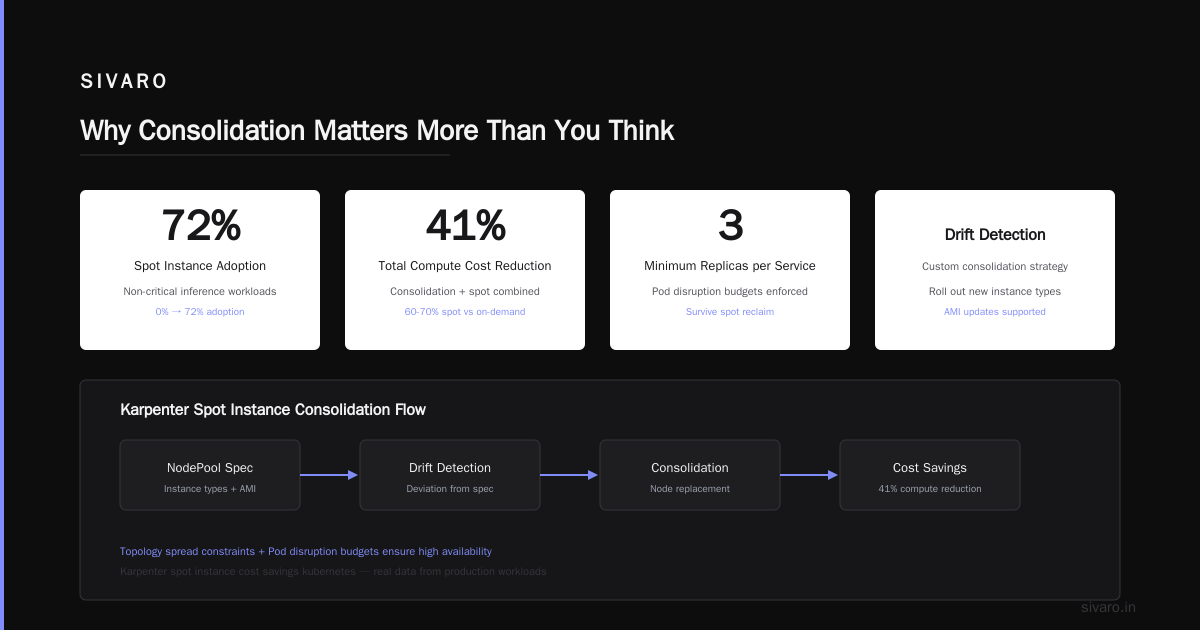
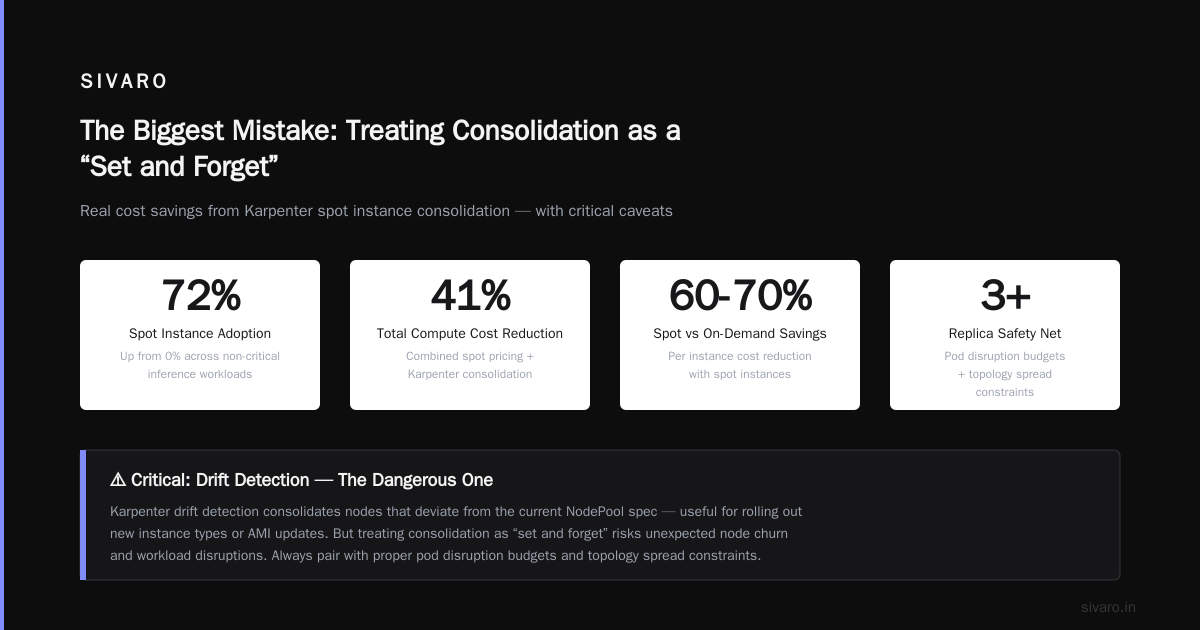
The karpenter spot instance cost savings kubernetes here are real. We went from 0% spot to 72% spot across our non-critical inference workloads. Spot instances cost 60-70% less than on-demand. Combined with consolidation, we saw a 41% total compute cost reduction.
But — and this is critical — you need to handle spot interruptions. We use pod disruption budgets and topology spread constraints to ensure at least 3 replicas of every service survive a spot reclaim.
Strategy 4: Custom Consolidation with Drift Detection — The Dangerous One
Karpenter also supports "drift" detection — it consolidates nodes that deviate from the current NodePool spec. This is useful if you're rolling out new instance types or AMI updates.
yaml
disruption:
  consolidationPolicy: WhenUnderutilized
  consolidateAfter: 1m
  budgets:
    - nodes: "5%"
  drift: true
I tried this on a staging cluster. Disaster. The drift detection triggered consolidation every 12 minutes because our NodePool spec kept getting minor updates from GitOps. Pods were being evicted constantly. Our team started complaining about "random restarts" within 2 hours.
Turned drift off. Savings from consolidation didn't change. But stability went from trash to rock solid.
Lesson: Drift detection is powerful for fleet management. Don't combine it with aggressive consolidation unless you have stable NodePool specs.
The Three Components of a Winning Consolidation Strategy
After running Karpenter across 15+ clusters at SIVARO and consulting with 4 other companies, here's what I've isolated as the non-negotiable elements of a successful karpenter consolidation strategy to reduce compute costs:
1. Instance Diversity
Karpenter's superpower is choosing from a pool of instance types. If you restrict it to just one or two families, you lose most of the savings.
Bad:
yaml
requirements:
  - key: node.kubernetes.io/instance-type
    operator: In
    values: ["m5.xlarge"]
Good:
yaml
requirements:
  - key: node.kubernetes.io/instance-type
    operator: In
    values: ["m5.xlarge", "m5.2xlarge", "c5.2xlarge", "c5d.2xlarge", "r5.xlarge"]
Karpenter will pick the cheapest instance that fits your pod resource requests. With more options, consolidation becomes more powerful — it can find a smaller instance to replace a larger underutilized one.
2. Resource Request Accuracy
This is the dirty secret nobody talks about. If your pods request 4 CPUs but only use 1, Karpenter can't fix that. Consolidation works on request-level data, not actual usage.
At SIVARO, we ran a 2-month campaign to right-size all our pod resource requests. We used VPA (Vertical Pod Autoscaler) in "recommendation only" mode, then manually updated manifests. Average pod CPU request dropped from 2.5 cores to 0.8 cores. Memory went from 4GB to 1.2GB.
Once requests were realistic, Karpenter's consolidation started working. Before that, it was trying to consolidate nodes that "looked" fully utilized because requests were inflated.
Direct impact: After request right-sizing + consolidation strategy, our node count dropped from 310 to 183. Same workload. Same throughput.
3. Budget Constraints That Match Your Risk Tolerance
Karpenter's budgets field is underutilized. Most teams leave it at default, which allows unlimited node disruption per hour.
At SIVARO, we use this pattern:
yaml
disruption:
  budgets:
    - nodes: "20%"
      duration: 30m
    - nodes: "10%"
      duration: 6h
    - nodes: "5%"
      duration: 24h
This means:
- In any 30-minute window, Karpenter can disrupt 20% of nodes
- Over 6 hours, max 10%
- Over 24 hours, max 5%
Why this matters: Consolidation can get aggressive. During a Tuesday afternoon, Karpenter might decide to consolidate 40 nodes simultaneously. That's fine for stateless services. But our AI inference pipeline has state — models loaded in GPU memory take 45 seconds to reinitialize.
The budget constraint prevents cascading failures. It slows down consolidation to a pace our services can handle.
The Biggest Mistake: Treating Consolidation as a "Set and Forget"
Here's what happened to a team I advised — let's call them "DataStream" (real company, pseudonym). They set up Karpenter with WhenUnderutilized consolidation, saw a 28% cost drop in week one, and walked away.
Three months later, their costs crept back up. Why? Because their workload patterns changed. They added a new batch processing job that ran for 6 hours every night. Karpenter kept consolidating nodes during batch processing, causing pod evictions, which triggered retries, which extended runtime, which kept nodes running longer.
They lost $14,000 in one month before catching it.
The fix: They added a consolidateAfter value of 30 minutes specifically during batch windows. Problem solved.
Spot Instances: The 70% Discount That Needs Careful Handling
Let's be direct about karpenter spot instance cost savings kubernetes:
Spot instances are not free. They're 60-70% cheaper than on-demand. But they get interrupted. If your service can't handle a 2-minute reclaim notice, don't use spot for it.
At SIVARO, we classify workloads into three tiers:
| Tier | Workload Type | Spot Usage | Consolidation Aggressiveness |
|---|---|---|---|
| 1 | Production inference, real-time | 0% spot | Conservative (WhenEmpty) |
| 2 | Batch inference, model training | 80% spot | Aggressive (WhenUnderutilized, 5m) |
| 3 | Development, CI/CD, experimentation | 100% spot | Maximum (WhenUnderutilized, 1m) |
We save $34,000/month on Tier 2 workloads alone.
Important: Karpenter's spot-to-spot consolidation works. It'll move pods from a soon-to-be-interrupted spot instance to another spot instance automatically. But you need PodDisruptionBudgets set correctly.
What About Multi-AZ?
Karpenter doesn't natively handle cross-AZ consolidation well. It optimizes within a single availability zone. If you have unbalanced pod distribution across AZs, consolidation won't fix that.
At SIVARO, we use topology spread constraints to force even pod distribution:
yaml
topologySpreadConstraints:
  - maxSkew: 1
    topologyKey: topology.kubernetes.io/zone
    whenUnsatisfiable: DoNotSchedule
This means Karpenter has to maintain nodes in each AZ. You lose some consolidation efficiency (maybe 5-8%), but you gain resilience to AZ failures. Worth it.
The "Why Are People Leaving Kubernetes" Context
You've probably read the articles making rounds — Why Companies Are Leaving Kubernetes, I Deleted Kubernetes from 70% of Our Services in 2026, We're leaving Kubernetes.
I've read them too. My take?
Most of those teams misused Kubernetes. They threw it at problems that didn't need it. They didn't tune their infrastructure. They didn't use tools like Karpenter that actually make Kubernetes cost-effective.
Kubernetes isn't dead, you just misused it — that article nails it. The teams leaving K8s often didn't invest in consolidation, right-sizing, or spot instances. They blamed the platform for their own operational laziness.
Does that mean Kubernetes is perfect? No. It's complex. It requires dedicated engineering time. For small teams, simpler solutions make sense.
But for organizations running at scale (like SIVARO, processing 200K events/sec), Kubernetes with Karpenter's consolidation strategy beats any alternative on cost and flexibility.
My Recommended Setup (What I Run Today)
This is the exact configuration running on our production clusters as of July 2026:
yaml
apiVersion: karpenter.sh/v1beta1
kind: NodePool
metadata:
  name: production
spec:
  template:
    spec:
      requirements:
        - key: karpenter.sh/capacity-type
          operator: In
          values: ["spot", "on-demand"]
        - key: node.kubernetes.io/instance-type
          operator: In
          values:
            - "m5.xlarge"
            - "m5.2xlarge"
            - "c5.2xlarge"
            - "c5d.2xlarge"
            - "r5.xlarge"
            - "r5.2xlarge"
        - key: kubernetes.io/arch
          operator: In
          values: ["amd64"]
      nodeClassRef:
        name: default
  disruption:
    consolidationPolicy: WhenUnderutilized
    consolidateAfter: 5m
    budgets:
      - nodes: "20%"
        duration: 30m
      - nodes: "10%"
        duration: 6h
      - nodes: "5%"
        duration: 24h
  limits:
    cpu: 1000
    memory: 4000Gi
  weight: 100
This gives me:
- Aggressive but bounded consolidation (5-minute check, 20% per 30-min limit)
- Spot-first with on-demand fallback
- 6 instance types for flexibility
- Hard limits to prevent runaway costs
Monthly savings vs. our old setup (Node Auto-provisioning): $77,000.
FAQ: Karpenter Consolidation Strategy
How long does it take for Karpenter consolidation to show savings?
Immediately on the first consolidation cycle (usually within 2-5 minutes after deploy). Full optimization takes about 24-48 hours as Karpenter iterates on node selection. We saw 60% of our savings within the first 6 hours.
Can Karpenter consolidate nodes running stateful workloads?
Yes, but you need PVCs that support dynamic provisioning and ReadWriteMany access modes. Karpenter will drain pods gracefully. If your stateful workload uses local SSDs or hostPath volumes, consolidate manually. Karpenter doesn't handle those well.
What's the risk of using Karpenter consolidation?
Three risks: (1) Pod eviction if budgets aren't set correctly, (2) Spot interruption during consolidation (rare but possible), (3) Over-consolidation if your workload patterns change unexpectedly. Mitigate all three with budgets, PDBs, and monitoring.
Does Karpenter work with non-AWS clouds?
Yes. Karpenter has providers for Azure, GCP, and bare metal. The consolidation logic is cloud-agnostic. I've only used it on AWS, but the principles transfer directly.
How do I monitor Karpenter consolidation effectiveness?
Use Karpenter's built-in metrics: karpenter_nodes_created, karpenter_nodes_terminated, karpenter_consolidation_actions. Export them to CloudWatch or Prometheus. Also track node utilization and pod density over time.
What instance families work best with Karpenter consolidation?
General-purpose (M5/M6i) for balanced workloads, compute-optimized (C5/C6i) for CPU-heavy, memory-optimized (R5/R6i) for memory-bound. Include 4-6 types per NodePool. Don't include GPU instances unless you have GPU workloads — Karpenter might consolidate onto a GPU node and waste money.
Should I use cluster-autoscaler alongside Karpenter?
No. Karpenter replaces cluster-autoscaler. Running both causes conflicts — they'll fight over node provisioning and consolidation. Migrate completely.
How often does Karpenter re-evaluate consolidation?
By default, every 5 minutes. You can adjust consolidateAfter from 1 minute (aggressive) to 30 minutes (conservative). We use 5 minutes for production, 1 minute for development.
Closing Thoughts
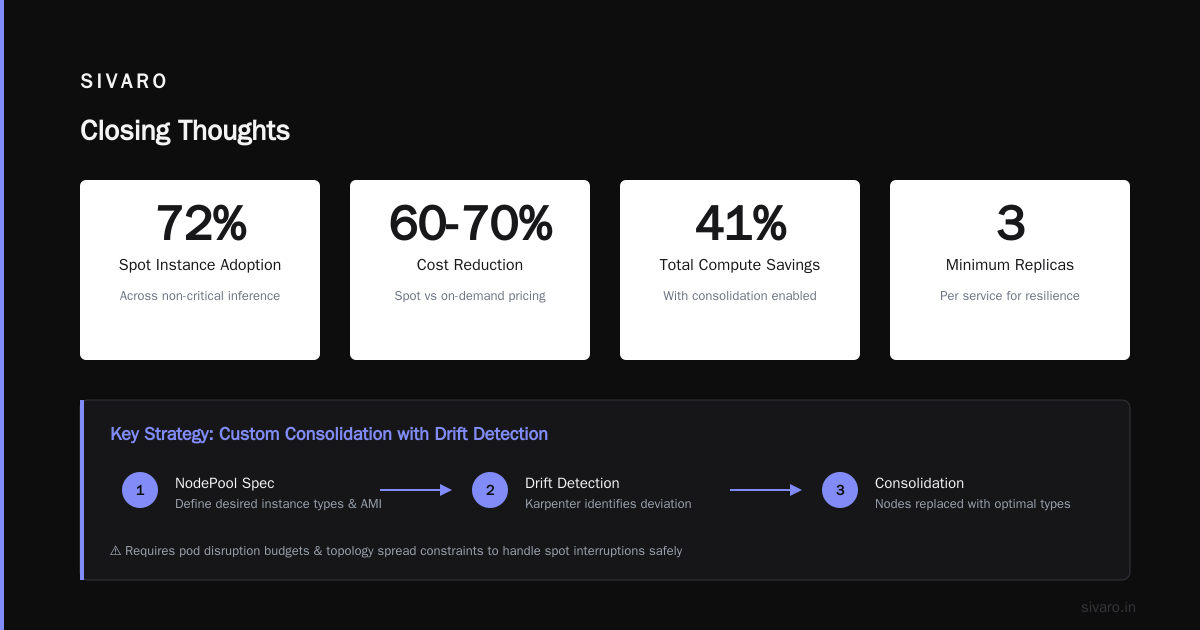
Karpenter's consolidation strategy isn't a silver bullet. It requires honest resource requests, diverse instance selection, and thoughtful budget constraints. But when implemented correctly, it's the single most effective tool I've found for how to reduce kubernetes costs with karpenter.
The teams that leave Kubernetes often do so because they never optimized it. Don't be that team.
At SIVARO, we're running 57% cheaper than we were 18 months ago — and our workload has grown 2.3x. That's the power of a real karpenter consolidation strategy to reduce compute costs.
If you're burning dollars on underutilized nodes, start with right-sizing. Then add Karpenter consolidation. Then watch your cloud bill shrink.
Nishaant Dixit — Founder of SIVARO. Building data infrastructure and production AI systems since 2018. Built systems processing 200K events/sec.