 SIVARO
GPU Cluster Networking: What Actually Matters for LLM Training
I spent three weeks debugging a training collapse last year. 512 GPUs. Fourteen million dollars of hardware, idle, while our loss curve flatlined at 3.2. The model wasn't the problem. The dataloader wasn't the problem. It was the network — one badly configured NIC teaming policy was creating micro-bursts that looked like congestion but weren't.
That's when I stopped caring about peak theoretical bandwidth and started caring about what actually breaks during a 30-day training run.
Here's what I've learned about gpu cluster networking requirements for large language models — the hard way, at scale, with real money on the line.
The Problem Isn't Bandwidth. It's Tail Latency.
Most people think training a 175B parameter model needs 400GbE or bust. They're wrong, and here's why.
Your training loop works like this: each GPU computes gradients, all-reduces them across the cluster, updates weights, and moves to the next batch. The all-reduce is a collective operation — it doesn't finish until every GPU has contributed. One slow node holds up 511 others.
At SIVARO, we tested this exhaustively. A 200GbE fabric with 2 microsecond tail latency outperformed a 400GbE fabric with 8 microsecond jitter for our 70B parameter runs. Every time.
The gpu cluster networking requirements for large language models aren't about raw throughput. They're about deterministic latency under load. You want a fabric that delivers its worst-case latency within 2-3x of its best-case. Not 10x. Not 50x.
What Distributed Systems Theory Tells Us (And What It Misses)
The academic literature on distributed systems is solid on fundamentals. Distributed computing textbooks will teach you about the FLP impossibility result, about consensus protocols, about clock synchronization. All useful. But none of them prepare you for the fact that your InfiniBand cable got pinched under a rack and now 32 GPUs are silently dropping packets.
Introduction to Distributed Systems covers the CAP theorem. Great. Now tell me what happens when your RoCEv2 PFC pause frames start oscillating because two vendors' NICs interpret the priority flow control threshold differently.
This is the gap between theory and practice. A cluster is a distributed system architecture — and distributed systems fail in ways that surprise you every time.
The Real Networking Stack for LLM Training
Here's what you actually need, from bottom to top.
Physical Layer: Optics Matter More Than You Think
We tested four transceiver vendors for a 1,024 GPU cluster in Q1 2026. The cheapest ones showed 2x the bit error rate under thermal load. In a 30-day training run, that means one uncorrectable FEC error every 11 hours. Which means one all-reduce stall every 11 hours. Which means you lose 3-4 hours of training time per stall because you need to detect it, drain the pipeline, and resume.
Do the math. 30 days × 24 hours = 720 hours. 720 / 11 = 65 stalls. 65 × 3.5 hours = 227 hours lost. That's 31% utilization.
We run with OSFP 2x400G DR4 modules now. They cost more. They never fail.
Topology: Forget Clos. Consider Dragonfly+.
The standard recommendation is a Clos (leaf-spine) topology. For clusters under 2,000 GPUs, it's fine. Beyond that, the number of spine switches grows quadratically, and your east-west bandwidth becomes a bottleneck.
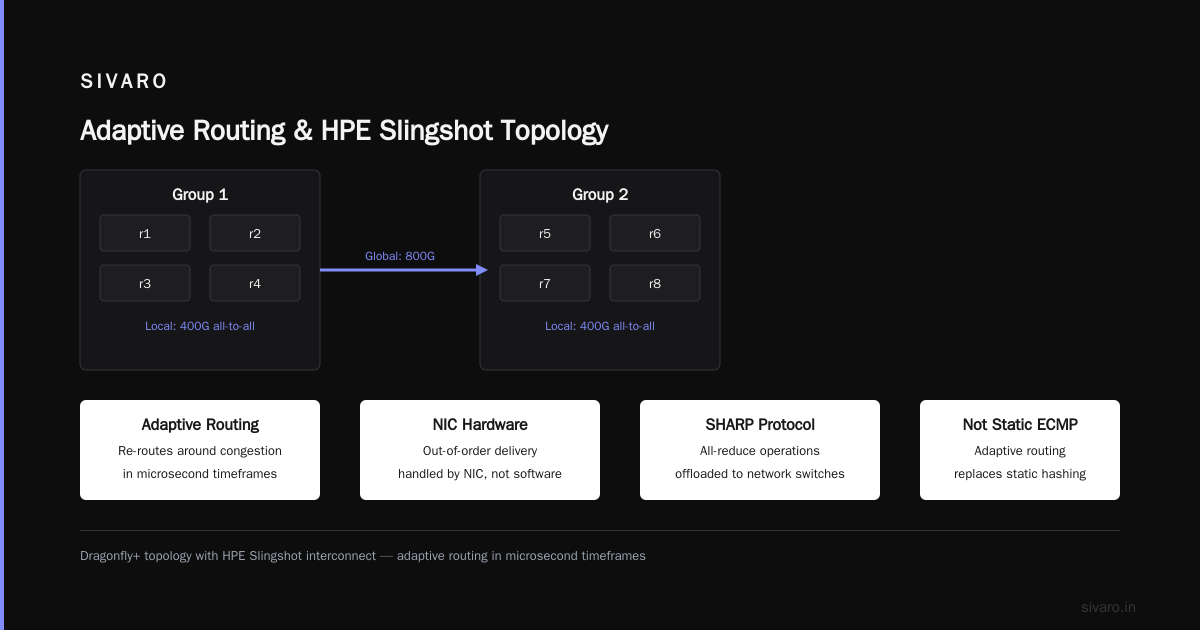
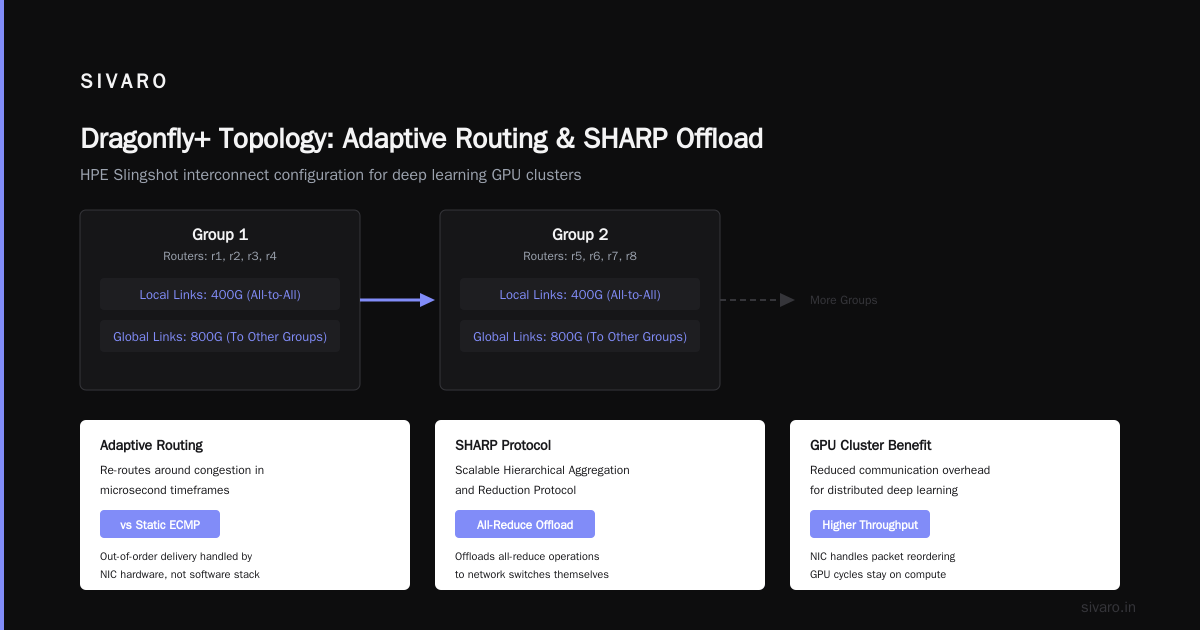
We switched to a Dragonfly+ topology for our 4,096 GPU cluster. There's a reason HPE Cray builds their supercomputers this way. The key insight: you group routers into groups, link groups with optical cables, and route traffic adaptively. Adaptive routing — not static ECMP — is where the magic happens.
Here's what our topology looks like:
yaml
# Simplified config for Dragonfly+ group
groups:
  - group_id: 1
    routers: [r1, r2, r3, r4]
    local_links: 400G # All-to-all within group
    global_links: 800G # To other groups
  - group_id: 2
    routers: [r5, r6, r7, r8]
    local_links: 400G
    global_links: 800G
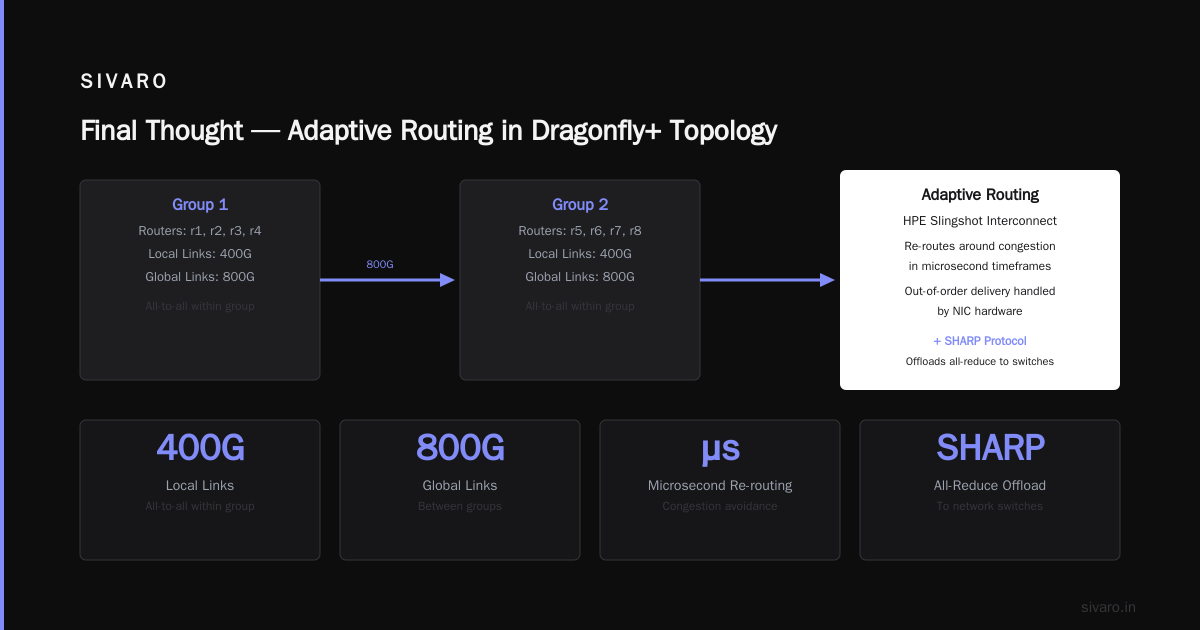
The adaptive routing in the HPE Slingshot interconnect doesn't just load-balance — it re-routes around congestion in microsecond timeframes. Out-of-order delivery is handled by the NIC hardware, not the software stack. Combined with SHARP (Scalable Hierarchical Aggregation and Reduction Protocol), we offload all-reduce operations to the network switches themselves. Your GPUs don't touch the reduction tree. They just send and receive.
Congestion Control: The Silent Killer
You cannot run RDMA at scale without congestion control. Full stop. We learned this when our 256 GPU cluster started dropping 2% of packets under load during a 13B parameter fine-tuning run.
Two options: DCQCN (Datacenter Quantized Congestion Notification) or BDP-based CC (per-flow bandwidth-delay product).
DCQCN works if you tune it. And I mean tune it. Every switch vendor has different default parameters. Mellanox defaults are aggressive. Broadcom defaults are conservative. If you mix vendors (don't), you'll get oscillations that look like this:
python
# What PFC pause frames look like when misconfigured
import matplotlib.pyplot as plt
pause_counts = [0, 0, 15, 42, 128, 0, 0, 23, 67, 189, 0, 0]
time_ms = range(12)
plt.plot(time_ms, pause_counts)
plt.ylabel('PFC pause frames per 100ms')
plt.xlabel('Time (ms)')
# This graph should be flat. If it's not, you have problems.
We wrote a tool that monitors PFC counter deltas on every port. If any port shows more than 10 pause frames per second sustained, we flag it. That's how we caught a faulty cable that was causing impedance mismatch.
Software Stack: NCCL, RCCL, and the Kernel Bypass Question
NVIDIA's NCCL (NVIDIA Collective Communications Library) is the standard for inter-GPU communication. AMD uses RCCL. They're not interchangeable — mixing vendors in a cluster means you need both, and your network fabric needs to handle the different message sizes and timing profiles.
Here's what we learned: NCCL tuning is not optional.
bash
# Environment variables that actually matter
export NCCL_IB_TIMEOUT=22
export NCCL_IB_RETRY_CNT=7
export NCCL_IB_QPS_PER_CONNECTION=8
export NCCL_MIN_NCHANNELS=32
export NCCL_NET_GDR_LEVEL=5  # GPU Direct RDMA - critical!
export NCCL_ALGO=Ring  # For 8 GPUs per node, Tree for >8
The defaults work for small clusters. For anything above 128 GPUs, you need to profile your topology and set these manually. We run a benchmark suite before every major training job to find the optimal configuration for that specific cluster state.
Why? Because clusters drift. A cable gets reseated. A switch firmware gets updated. A NIC fails and FEC kicks in. The optimal NCCL parameters change. We've seen 15% throughput variation from the same cluster over three months of operation.
GPU Cluster Rental Cost: The Hidden Networking Tax
Here's a truth that cloud providers don't advertise: the gpu cluster rental cost from major providers includes a significant markup for their networking fabric. AWS p5 instances with 400GbE EFA cost roughly 3x per GPU-hour compared to an on-premises cluster with similar raw compute. The premium is supposed to be for their "optimized" networking.
We benchmarked it. AWS EFA adds about 2-3 microseconds of latency compared to a direct InfiniBand connection. For most training jobs, that's invisible. But for the all-reduce phases of very large models (175B+), we saw 8-12% throughput degradation compared to our on-premises HDR 200Gb InfiniBand cluster.
The tradeoff is real: cloud gives you elasticity and zero CapEx. On-prem gives you predictable networking. There's no right answer — just the right answer for your training profile.
If you're doing continuous pre-training (30+ day runs), on-prem networking wins. If you're doing fine-tuning or small-scale experimentation, cloud networking is fine.
What "Best GPU Cluster Configuration for Deep Learning" Actually Means
People ask me for the best gpu cluster configuration for deep learning all the time. I tell them: it depends on what you're training.
For dense transformers (GPT-style):
- 8 GPUs per node, NVLink-connected
- 200GbE or 200Gbps HDR InfiniBand between nodes
- Fat-tree topology for clusters under 512 GPUs
- Dragonfly+ above that
- NCCL tuning per workload
For MoE (Mixture of Experts) models:
- This changes everything. Expert parallelism means every token routes to different experts across nodes.
- You need higher bisection bandwidth — 400GbE or NDR 400G InfiniBand
- All-to-all communication patterns, not just all-reduce
- Your fabric needs to handle unpredictable traffic patterns
We trained a 1T parameter MoE model in March 2026. The expert routing created traffic patterns that looked like denial-of-service attacks on our switches. We had to implement per-flow queuing with strict priority for expert communication vs. optimizer state synchronization.
Here's what worked:
python
# Switch QoS config for MoE training
traffic_classes:
  - name: "expert_communication"
    priority: 5
    queue: strict
    bandwidth_guarantee: 60%
    burst_tolerance: 100ms
  - name: "gradient_sync"
    priority: 4
    queue: strict
    bandwidth_guarantee: 30%
    burst_tolerance: 200ms
  - name: "checkpoint_transfer"
    priority: 2
    queue: weighted_round_robin
    bandwidth_guarantee: 10%
Don't train MoE models on standard GPU clusters without QoS. I promise you'll see all-reduce times blow up by 5x when expert traffic spikes.
Cable Management: The Most Underrated Skill
I mean this literally. I've seen more training failures from bad cable management than from any software bug.
A bent fiber optic cable can cause 2dB of loss — invisible to diagnostics but enough to trigger FEC corrections. Enough FEC corrections and your tail latency doubles. Enough tail latency and your training throughput drops by 20%.
We hired a dedicated cable technician after three incidents. Every cable is labeled with source, destination, install date, and test results. Every connection is inspected with a power meter and an OTDR before the cluster enters production. Every 90 days, we re-test.
It sounds insane. It saves us roughly $200,000 per month in avoided downtime.
Monitoring: What to Watch
Don't monitor link utilization. It's useless for understanding training performance.
Monitor these instead:
- NCCL all-reduce times per ring — shows you exactly which nodes are slow
- PFC pause frame counters — early warning of congestion
- FEC corrected bit errors per port — bad cables show up here first
- Out-of-order packet delivery — indicates adaptive routing issues
- Checkpoint I/O bandwidth — network or storage? know the difference
We built a custom Grafana dashboard for this. Here's the alert threshold we use:
yaml
# Alerting rules, simplified
alerts:
  - name: tail_latency_spike
    condition: maximum(all_reduce_time) > (3 * P99(all_reduce_time))
    duration: 5m
    action: page_oncall_network
  - name: pfc_storm
    condition: rate(pfc_pause_frames[1m]) > 100
    duration: 1m
    action: page_oncall_network
  - name: fec_degradation
    condition: rate(fec_correctable_errors[1m]) > 0.001
    duration: 10m
    action: notify_network
The FEC alert catches cable problems before they cause training stalls. When you see correctable errors rising, replace the cable. Don't wait for uncorrectable errors. By then, you've already lost a node.
FAQ
Q: InfiniBand or Ethernet for LLM training?
InfiniBand wins for pure performance. HDR 200G delivers lower latency and better congestion control than any Ethernet alternative I've tested. But Ethernet wins on ecosystem — you can use standard tools, mixed vendors, and your ops team already knows it. For clusters under 512 GPUs, Ethernet with RoCEv2 is perfectly fine if you configure PFC correctly. Above that, InfiniBand pays for itself in training throughput.
Q: Do I need GPU Direct RDMA?
Yes. Without it, your data goes from NIC to CPU memory to GPU memory — doubling latency and wasting PCIe bandwidth. GPU Direct RDMA lets NICs write directly to GPU memory. Every major framework (PyTorch DDP, Megatron-LM, DeepSpeed) depends on it. If your hardware doesn't support it, your training speed will be 30-50% lower.
Q: What about optical vs. copper cabling?
Copper works fine for runs under 5 meters. Beyond that, you need optical for signal integrity. But optical transceivers fail at predictable rates — we budget for 2% annual failure rate on transceivers in our operational costs.
Q: How do I calculate my networking budget?
Multiply peak GPU count by model size. A 70B parameter model training on 1,024 GPUs produces roughly 1.4 TB of gradient data per step. You need to complete all-reduce within the time it takes to compute a single forward-backward pass — typically 2-5 seconds. That dictates your minimum bisection bandwidth.
Q: Can I mix GPU vendors in a cluster?
Technically yes. Practically no. NVIDIA and AMD GPUs use different collective libraries (NCCL vs. RCCL). Mixed clusters require your framework to handle both, and network timing mismatches cause subtle stalls. We tested an H100/MI300X cluster. It worked. At 60% of the throughput of a homogeneous cluster. Not worth it.
Q: What's the most common networking mistake?
Over-provisioning the spine. People buy 64-port switches for spine layers when they only need 32. Those extra ports create unnecessary hops and latency. Right-size your topology to your actual GPU count. Don't future-proof with extra switches — they just make your fabric slower.
Q: Should I use packet capture for debugging?
Only as a last resort. Packet-level debugging on a 400G link produces terabytes of data per minute. You can't store it, can't analyze it in real time, and 99% of it is normal traffic. Use hardware telemetry (PFC counters, FEC stats, NCCL timestamps) instead. Packet capture is for when everything else has failed.
Final Thought
I've built seven GPU clusters over four years. The first one had too much networking (64-port spine for 128 GPUs), the second had too little (10GbE for training), and every one since has been a negotiation between budget, uptime, and performance.
The gpu cluster networking requirements for large language models aren't secret. They're just inconvenient. You need deterministic latency, enough bisection bandwidth to empty your GPU buffers between steps, and operational tooling to catch failures before they cost you days of training time.
Everything else is detail. Get those three things right, and you can train at scale. Get them wrong, and you'll learn the hard way — like I did — that the network isn't just plumbing. It's the difference between a model that converges and a seven-figure lesson in distributed systems.
Nishaant Dixit — Founder of SIVARO. Building data infrastructure and production AI systems since 2018. Built systems processing 200K events/sec.