 SIVARO
GCP vs AWS for Data Engineering: The Real Differences in 2026
I spent March 2026 rebuilding a client's data pipeline. They'd outgrown their setup. The question came up again — GCP vs AWS for data engineering? I've been on both sides of this fence. At SIVARO, we've deployed data infrastructure for startups and enterprises. Some on GCP. Some on AWS. A few on both.
Here's what I've learned: the right choice depends on where your team's pain points actually live. Not in the marketing material. Not in the certification paths. In the daily grind of queries, costs, and debugging at 2 AM.
Let me walk you through the real differences. No fluff. Just what I've seen work and fail.
Why "Both Are Good" Is Useless Advice
I get asked this constantly. Someone wants a neutral comparison. I don't do neutral.
Here's the truth: AWS dominates in breadth. But for pure data engineering workflows — batch processing, streaming, warehousing — GCP often wins on simplicity. The gap has narrowed since 2024, but the architectural philosophies haven't merged.
AWS gives you 300+ services and a maze of configurations. GCP gives you fewer services that work better together. One comparison describes this as "AWS is the Swiss Army knife. GCP is the precision tool."
I'd add: precision tools break differently than Swiss Army knives. Neither is wrong.
The Elephant in the Room: Pricing Models
Let's start with the thing everyone gets wrong.
Most people think GCP is cheaper than AWS for data workloads. They're partly right — but only if you understand how the costs actually accumulate.
AWS Pricing: Death by a Thousand Dimensions
AWS charges you for:
- Compute (per hour, per instance type)
- Storage (per GB, per tier)
- Data transfer (per GB, per region, per service)
- API calls (per million)
- Reserved instances (upfront commitment vs. variable)
Your AWS bill is 47 line items by default. I'm not exaggerating. A 2026 analysis shows AWS bills average 40-60 distinct charges for a mid-size data pipeline. Each one is small. Together, they eat your budget.
GCP Pricing: Fewer Cuts, Deeper Bleed
GCP simplifies. Compute per second. Storage per GB. Network egress is free between GCP services.
But here's the catch: GCP BigQuery pricing per query can surprise you. If you write inefficient SQL, you pay. Per byte scanned. Not per second of compute. I've seen teams run a single SELECT * on a 10TB table and rack up $50 in two seconds.
The GCP pricing model rewards optimization. AWS pricing rewards predictability (if you reserve instances).
Real example: A client moved their data warehouse from Redshift to BigQuery in 2025. Their monthly spend dropped 35% — but only after we rewrote their SQL to use clustered tables and partitioned queries. The raw migration would have cost them more on BigQuery.
Here's what that looks like in practice:
sql
-- Before: expensive scan on GCP BigQuery
SELECT *
FROM events
WHERE event_date BETWEEN '2026-01-01' AND '2026-01-31'

-- After: partition pruning saves money
SELECT *
FROM events
WHERE event_date BETWEEN '2026-01-01' AND '2026-01-31'
  AND event_id IN (SELECT event_id FROM active_events)
-- Also: SELECT only the columns you need
SELECT event_id, event_type, event_date
FROM events
WHERE event_date BETWEEN '2026-01-01' AND '2026-01-31'
Data Warehousing: Redshift vs. BigQuery
This is the heavyweight match.
Amazon Redshift
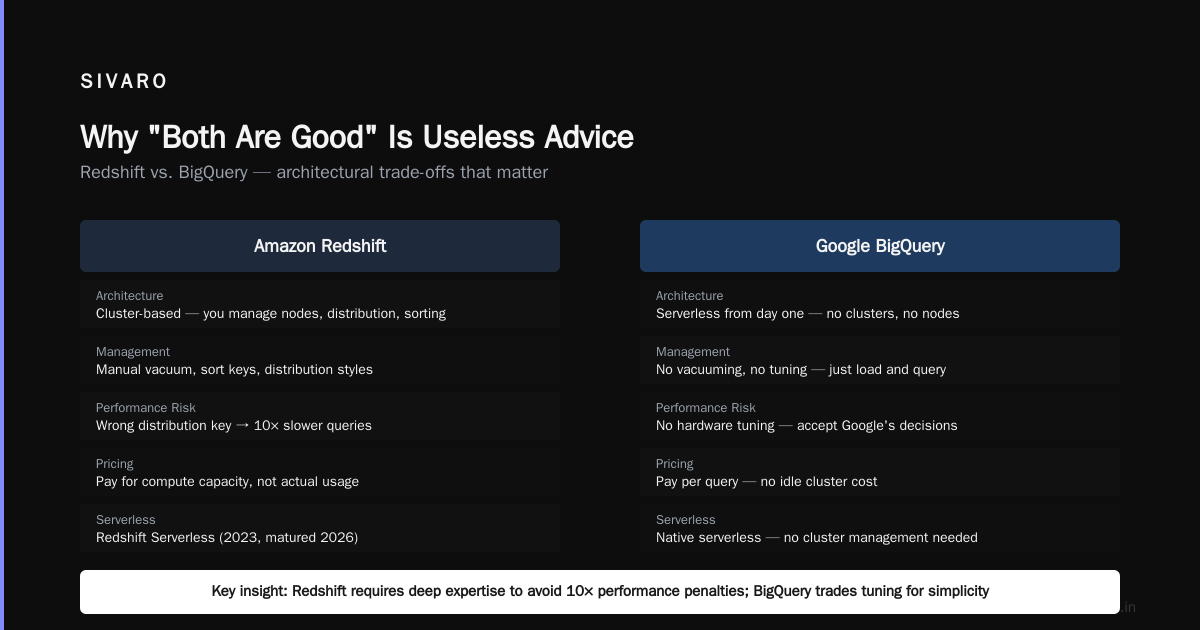
Redshift is a columnar data warehouse. It's fast. It's battle-tested. It's also deeply 2015 in architecture.
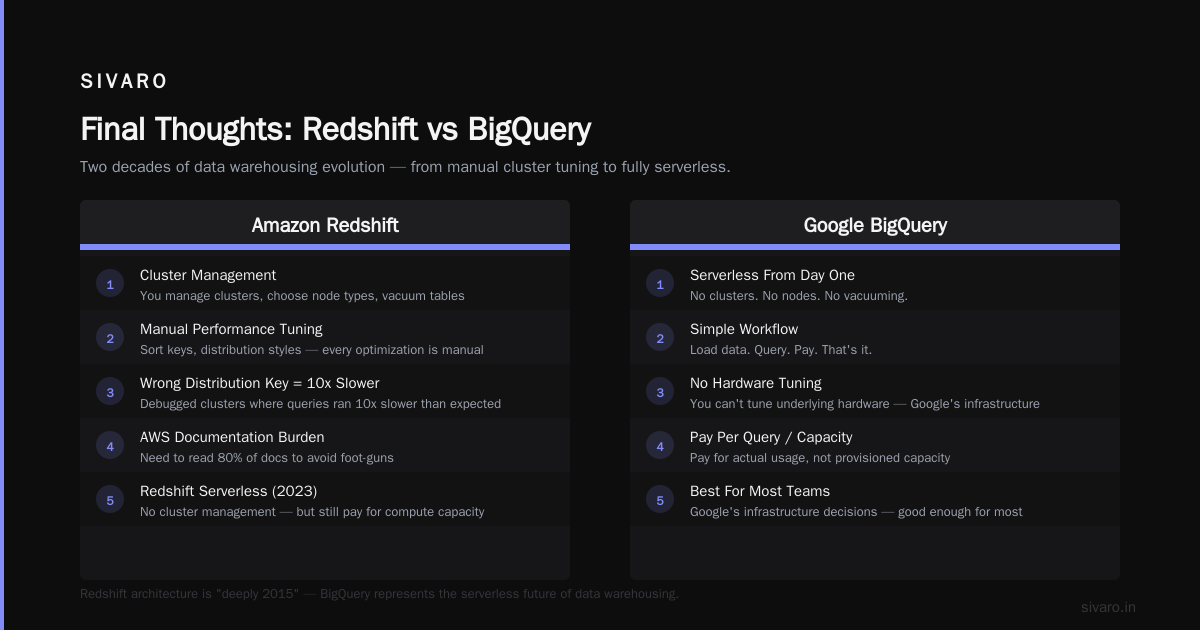
You manage clusters. You choose node types. You vacuum tables. You sort keys. You distribution styles. Every performance optimization is manual.
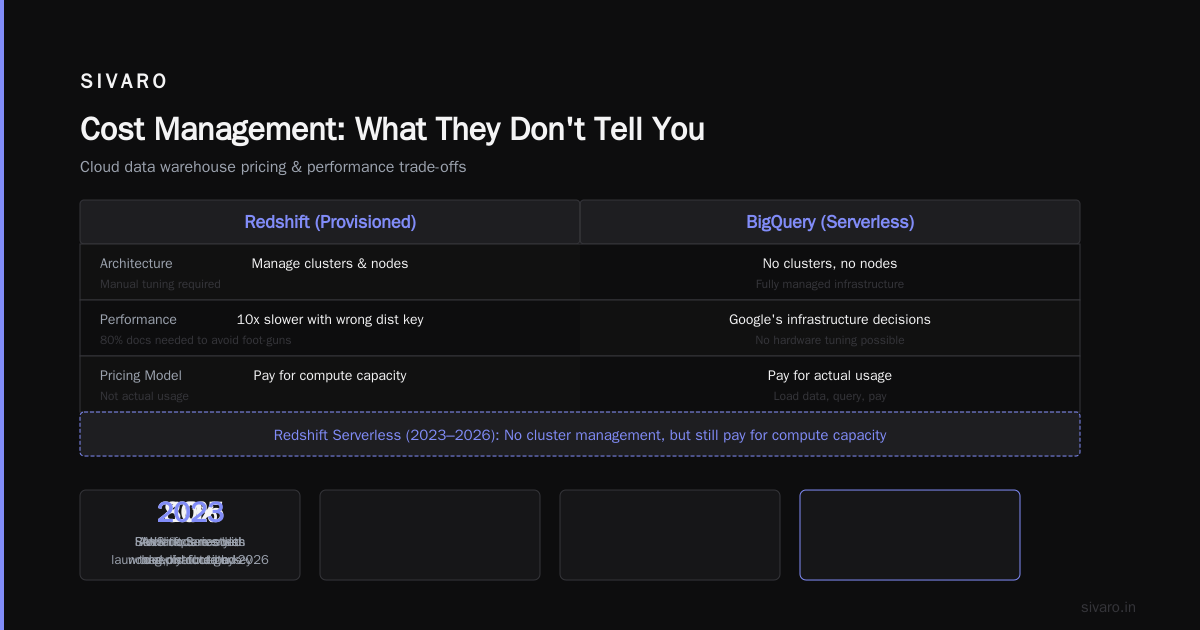
I've debugged Redshift clusters where someone chose the wrong distribution key and queries ran 10x slower than they should. The AWS documentation is thorough — but you need to read 80% of it to avoid foot-guns.
Redshift Serverless (launched 2023, matured by 2026) helps. You don't manage clusters. But you still pay for compute capacity, not actual usage.
Google BigQuery
BigQuery is serverless from day one. No clusters. No nodes. No vacuuming.
You load data. You query. You pay.
The trade-off: you can't tune the underlying hardware. You get Google's infrastructure decisions. For most teams, this is fine. For power users who need sub-second queries on petabyte-scale joins, BigQuery can feel like a black box.
Microsoft's comparison points out that BigQuery's separation of compute and storage means you can query data without loading it. True. But that same separation means queries that touch too much data cost too much money.
My take: Use BigQuery if your team doesn't want to hire a DBA. Use Redshift if you need fine-grained control over query performance and have someone who can manage it.
Streaming: Kinesis vs. Pub/Sub + Dataflow
Data engineering isn't just batch anymore. Real-time pipelines are standard.
AWS Kinesis
Kinesis Data Streams handles real-time data ingestion. It's reliable. It's also overcomplicated for what it does.
Here's a typical Kinesis setup:
python
import boto3
import json

kinesis = boto3.client('kinesis')

# Send data to stream
response = kinesis.put_record(
    StreamName='my-data-stream',
    Data=json.dumps({'user_id': 123, 'event': 'click'}),
    PartitionKey='user_123'
)
Simple enough. But managing shards, scaling, and retention is manual. Kinesis Firehose simplifies delivery to S3 or Redshift. But the ecosystem has too many moving parts.
Google Pub/Sub + Dataflow
Pub/Sub is Google's messaging service. Dataflow is their stream processing engine (based on Apache Beam).
The integration is tight. You create a topic. Subscribe. Write a Beam pipeline. Done.
python
import apache_beam as beam
from apache_beam.options.pipeline_options import PipelineOptions

options = PipelineOptions([
    '--runner=DataflowRunner',
    '--project=my-project',
    '--region=us-central1',
    '--staging_location=gs://my-bucket/staging',
    '--temp_location=gs://my-bucket/temp'
])

with beam.Pipeline(options=options) as pipeline:
    events = (
        pipeline
        | 'Read from Pub/Sub' >> beam.io.ReadFromPubSub(
            topic='projects/my-project/topics/events'
        )
        | 'Parse JSON' >> beam.Map(lambda x: json.loads(x))
        | 'Filter valid' >> beam.Filter(lambda x: x.get('event_type') != 'spam')
        | 'Write to BigQuery' >> beam.io.WriteToBigQuery(
            table='my-project:dataset.events',
            schema='user_id:INTEGER, event:STRING, timestamp:TIMESTAMP',
            write_disposition=beam.io.BigQueryDisposition.WRITE_APPEND
        )
    )
Dataflow handles autoscaling. You don't think about shards or partitions.
The catch: Dataflow costs can explode if your pipeline has backpressure. I've seen a Dataflow job that processed 2 million events per second cost $8,000 in a day because of a memory bottleneck.
AWS Kinesis is more predictable. GCP Dataflow is more powerful when tuned correctly.
Machine Learning Integration: SageMaker vs. Vertex AI
Data engineering and ML are converging. Your data warehouse is also your training data source now.
AWS SageMaker
SageMaker is comprehensive. Training. Deployment. Monitoring. Feature stores. Model registry.
It's also a beast to configure. You need to understand VPCs, instance types, and SageMaker's specific IAM role setup. I've spent three hours debugging "AccessDenied" errors on SageMaker because of a missing permission for S3 cross-region access.
Google Vertex AI
Vertex AI integrates directly with BigQuery. Your training data lives in BigQuery. Your predictions run on Vertex. The pipeline is:
sql
-- Create training data directly from BigQuery
CREATE OR REPLACE MODEL my_dataset.user_churn_model
OPTIONS(
  model_type='BOOSTED_TREE_CLASSIFIER',
  input_label_cols=['churned']
) AS
SELECT
  user_id,
  days_since_last_login,
  total_purchases,
  avg_session_duration,
  churned
FROM
  my_dataset.user_features
WHERE
  training_split = 'TRAIN'
No data export. No CSV files. No S3 copying.
This is GCP's killer feature for data engineering teams that also do ML. The friction is dramatically lower.
One analysis found that teams using BigQuery + Vertex AI spent 40% less time on data movement compared to Redshift + SageMaker.
Cost Management: What They Don't Tell You
Let me be blunt: both clouds will surprise you with hidden costs.
AWS Cost Traps
- NAT Gateway pricing: $0.045/hour plus $0.045/GB processed. A team I know ran up $7,000/month because their streaming pipeline routed through a NAT gateway.
- Data transfer between AZs: $0.01/GB each way. Sounds small. Add up 10TB/month and it's $100.
- Redshift concurrency scaling: Automatically activates. Costs extra. Many teams don't notice until the bill arrives.
GCP Cost Traps
- BigQuery streaming inserts: $0.01 per 200MB. Stream 1TB/day and that's $50/month. Fine. But if you forget to batch, you pay per request.
- Dataflow minimum workers: Even with zero traffic, Dataflow keeps workers running for autoscaling stability. I've seen $500/month bills for idle pipelines.
- Network egress: GCP charges for data leaving Google's network. Moving data to another cloud is expensive.
Practical advice: Set budget alerts on day one. Both clouds support this. Most teams don't. Then they get a $20,000 surprise.
Certifications: Which Path Is Worth Your Time?
I've hired engineers from both tracks. Here's my honest take.
gcp certification path for beginners
Google's certification path is:
- Cloud Digital Leader (foundational)
- Associate Cloud Engineer
- Professional Data Engineer
- Professional Machine Learning Engineer
The Professional Data Engineer exam is solid. It tests real architecture scenarios — not just memorizing service names.
My observation: Engineers with the GCP Data Engineer cert tend to understand why a service works, not just how to click buttons. The exam forces you to think about trade-offs.
AWS Certification Path
AWS has more certifications:
- Cloud Practitioner
- Solutions Architect Associate
- Developer Associate
- Data Analytics Specialty
- Machine Learning Specialty
The AWS Data Analytics Specialty exam is harder than Google's equivalent. It covers more services — Redshift, Kinesis, Glue, Athena, EMR, QuickSight. You need to know everything.
Trade-off: AWS certs are more recognized in enterprise. But they take longer to earn.
Ecosystem and Community
AWS has the biggest community. More tutorials. More Stack Overflow answers. More third-party tools.
But GCP's community is more focused. Fewer answers, but higher quality. The GCP Slack communities are better than AWS forums, in my experience.
For open-source tools — dbt, Airflow, Spark — both clouds work fine. But GCP tends to have tighter integrations. BigQuery has native dbt support that's better than Redshift's.
The Decision Framework
Here's how I think about it:
Use GCP if:
- Your team is 5-20 people
- You want to move fast without ops overhead
- Your primary workload is SQL-based analytics
- You're building ML pipelines alongside data pipelines
- You hate managing clusters
Use AWS if:
- Your organization already uses AWS for other services
- You need Redshift's granular performance controls
- You're building a multi-region, high-compliance system
- Your team has deep AWS expertise
- You need more third-party integrations
This comprehensive comparison breaks down the service-level differences in detail. Worth reading.
FAQ
Is GCP cheaper than AWS for data engineering?
Depends on workload. GCP BigQuery is cheaper than Redshift for ad-hoc queries. But Redshift with reserved instances can be cheaper for steady-state workloads. Always run a pilot with your actual data.
What is GCP BigQuery pricing per query?
$5 per TB of data scanned. You can reduce costs by using clustered tables, partitioned tables, and selecting only needed columns. Google's pricing calculator helps estimate.
Should I get the GCP Data Engineer or AWS Data Analytics certification?
If you're early in your career, AWS Data Analytics opens more doors because AWS has higher enterprise adoption. If you're already working with GCP, the Professional Data Engineer cert is better focused.
Can I use both GCP and AWS together?
Yes. Many teams use GCP for data warehouse (BigQuery) and AWS for compute (EC2, EKS). But manage the network egress costs. They add up.
Which cloud is better for real-time streaming?
GCP's Pub/Sub + Dataflow is easier to set up and scales automatically. AWS Kinesis gives you more control but requires more manual management.
What about Azure for data engineering?
Azure Synapse is strong. But GCP and AWS have more mature data ecosystems. One comparison shows Azure's data services are still catching up.
How do I choose between BigQuery and Redshift?
Run your actual queries on both. Use the free trials. Measure query time and cost. Don't trust benchmarks — they're optimized for marketing, not your data.
Final Thoughts
I've seen teams succeed on both clouds. I've also seen teams fail on both.
The cloud doesn't matter if your SQL is bad. The cloud doesn't matter if your data model doesn't match your queries. The cloud doesn't matter if you don't understand your costs.
Pick the one where your team can be productive. Not the one with the better logo. Not the one your VP heard about at a conference.
For most data engineering teams starting today, GCP gives you the fastest path to value. For teams with existing AWS investment and complex compliance needs, AWS is the safer bet.
Either way, you'll be fine. The hard part is still understanding your data.
Nishaant Dixit — Founder of SIVARO. Building data infrastructure and production AI systems since 2018. Built systems processing 200K events/sec.