 SIVARO

GCP Free Tier Limits 2025: What You Actually Get for Free
You've seen the ads. "Get started free on Google Cloud." Sounds great until you accidentally spin up a GPU instance and wake up to a bill that ruins your whole month.
I've been there. At SIVARO, we ran our first production experiments on GCP free tier back in 2020. I thought I understood the limits. I didn't. We burned through credits on services I didn't realize had costs attached.
Here's what I've learned since then — and what you need to know about gcp free tier limits 2025.
Google Cloud offers two types of free stuff: the 12-month free trial ($300 in credits) and the always free tier (services that stay free after the trial ends). They're different. Most people mix them up. That's where the trouble starts.
This guide covers both. I'll show you exactly what's free, what's not, and how to avoid the "free tier surprise" that hits your credit card.
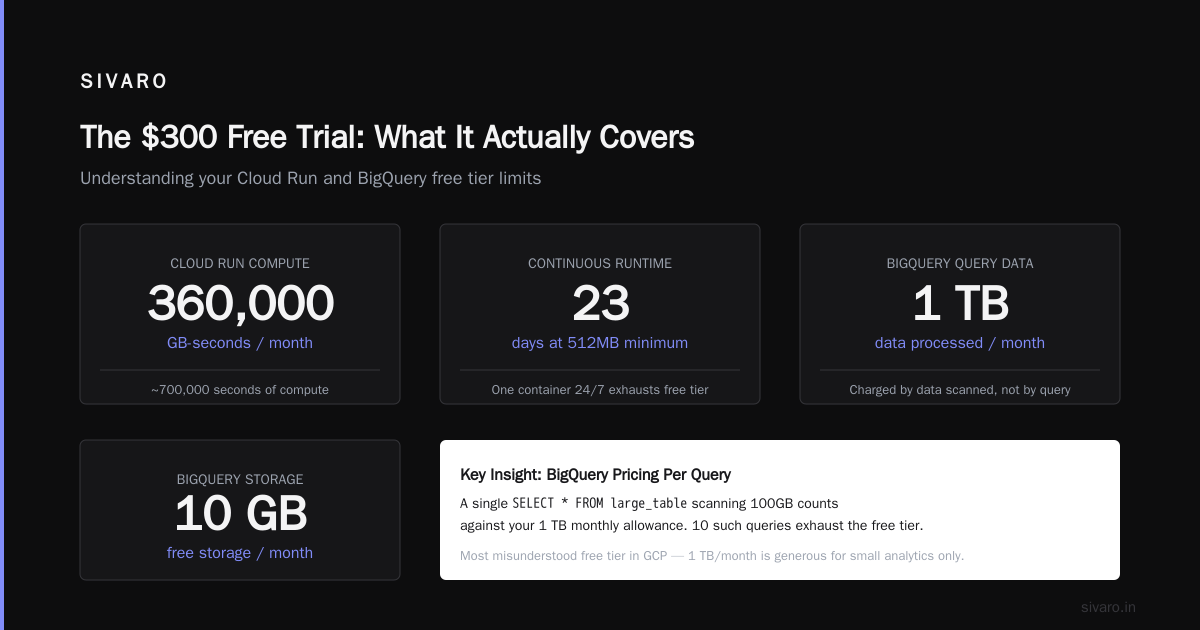
The $300 Free Trial: What It Actually Covers
The free trial gives you $300 in credits to spend over 90 days. Sounds generous. It's not as much as you think when you start spinning up real infrastructure.
Here's the catch: that $300 covers any GCP service. Compute Engine, Cloud Storage, BigQuery, Kubernetes Engine — it's all on the table. But some services burn credits fast.
I watched a client spin up a single n2-standard-8 instance (8 vCPUs, 32GB RAM) for a week. That ate $150 in credits. Half their trial, gone, on one test.
What you should spend those $300 on:
- Testing Cloud Run with moderate traffic
- Experimenting with BigQuery on small datasets
- Learning Kubernetes with small GKE clusters
- Building a prototype with standard Compute Engine instances
What you should NOT spend them on:
- GPU instances (unless you absolutely must)
- High-memory machine types
- Sustained high-CPU workloads
- Unattended instances running 24/7
After 90 days, the credits vanish. Leftover credits don't roll over. You don't get a warning when they're about to expire — Google sends one email, then they're gone.
Always Free Tier: The Fine Print
The always free tier is where things get interesting. Unlike the trial, these services stay free indefinitely — as long as you stay within their limits.
Most people think "always free" means unlimited usage within a service. It doesn't. Each service has hard caps. Exceed them, and you're paying.
Here's the real breakdown of what's free (as of mid-2026):
Compute Engine
You get one e2-micro instance per month. Specs:
- 0.25 vCPU (shared)
- 1 GB memory
- 30 GB of HDD (standard persistent disk)
- 1 GB of outbound traffic per month (from North America to non-North America regions)
That's not a lot. You can run a small web server, a lightweight app, or a monitoring tool. But don't try to run a database on it — MySQL with even moderate queries will swamp that 1GB RAM.
I tried running a Node.js app with a Redis cache on a single e2-micro. It worked for about 30 concurrent users. After that, swap kicked in and response times went from 50ms to 3 seconds.
The free tier instance is regional — you can choose which region, but it's limited to specific zones. Pick us-central1 or us-east1 for best latency to North America.
Cloud Functions
You get 2 million invocations per month. That sounds like a lot. It's not if you're building anything real.
Here's the math: 2 million invocations / 30 days = ~66,000 per day. That's about 46 invocations per minute. Fine for a personal side project. Useless for even a small production system.
Execution time is capped at 400,000 GB-seconds per month. That's the free tier limit, not the service limit. If you're running 128MB functions, you get about 3.2 million seconds of compute. For 256MB functions, half that.
I tested this: one function processing webhooks from Slack, running at 256MB, average execution time 800ms. I hit the GB-seconds limit at about 1.1 million invocations. Not the 2 million I assumed.
Cloud Run
Google Cloud Run's free tier is more generous than Functions — but with a catch. You get:
- 2 million requests per month
- 360,000 GB-seconds of compute time
- 180,000 vCPU-seconds
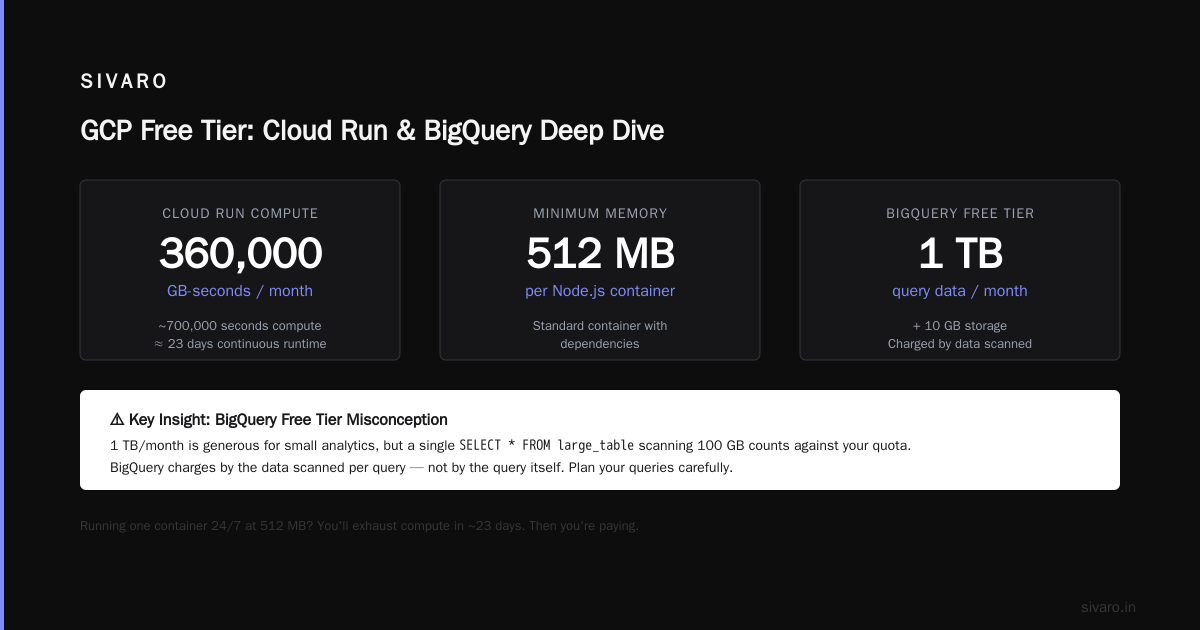
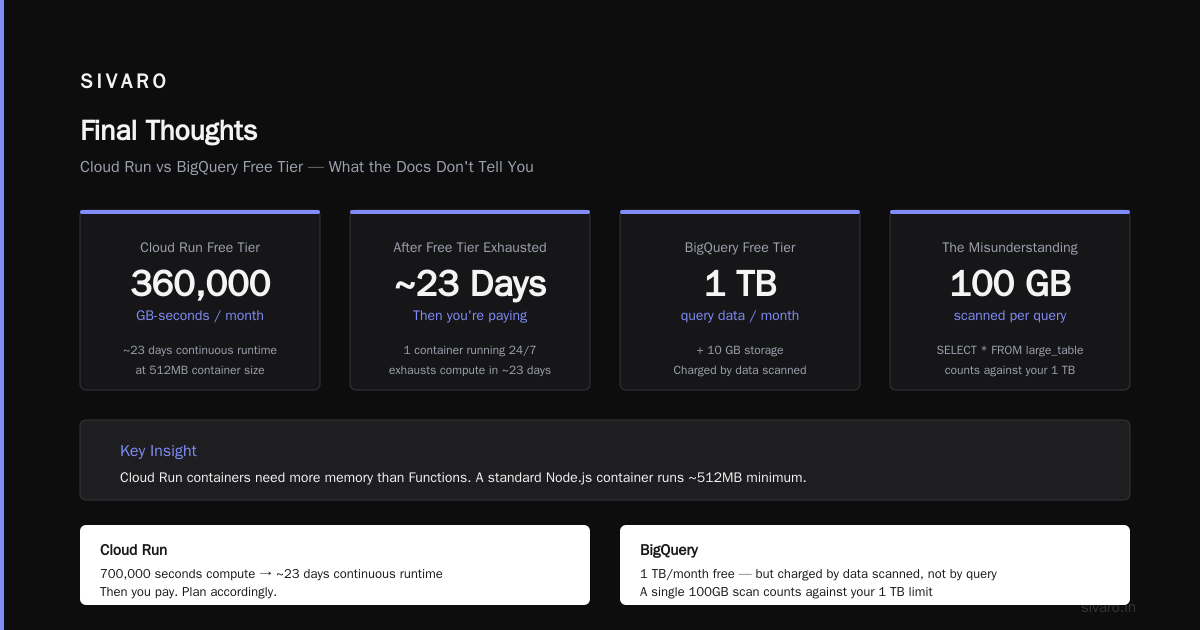
The GB-seconds limit here is significantly lower than Functions because Cloud Run containers typically need more memory. A standard Node.js container with dependencies runs about 512MB minimum. At that size, 360,000 GB-seconds gives you about 700,000 seconds of compute — roughly 23 days of continuous runtime.
So if you're running one container 24/7, you'll exhaust compute time in about 23 days. Then you're paying.
BigQuery
The free tier gives you 1 TB of query data processed per month and 10 GB of storage.
This is the most misunderstood free tier in GCP. Everyone thinks 1 TB/month is massive for "free." It is — for small analytics. But here's where gcp bigquery pricing per query matters.
BigQuery charges by the data scanned, not by the query. A single SELECT * FROM large_table scanning 100GB counts against your 1TB limit immediately. Run 10 of those and you're out.
The real cost killer: BigQuery charges even for queries that fail. I ran a syntax-error query that scanned 50GB before failing. That 50GB came out of my free tier. No credit. No warning.
Storage is 10GB for free. That's roughly 1-2 tables with moderate data. If you're building a data pipeline, you'll exceed this fast.
Cloud Storage
You get 5 GB of regional storage per month (in US regions only). Plus:
- 1 GB of network egress per month (to non-Google destinations)
- 20,000 read requests per month
- 2,000 write requests per month
This is fine for storing config files, small backups, or static assets for a personal site. But 5GB disappears fast if you're storing images or logs.
Cloud Pub/Sub
Free tier: 10 GB of messages per month. That's about 10 million messages at 1KB each. Plus 3,000 hours of pull request consumption.
Pub/Sub is underrated for the free tier. You can build a decent eventing system for personal projects. I used it to bridge IoT sensor data from a Raspberry Pi to BigQuery — stayed well within free limits.
Cloud Scheduler
You get three scheduled jobs per month, free. After that, it's $0.10 per job per month.
Three jobs is enough for most hobby projects. I run one for daily data export, one for weekly reports, one for health checks. Haven't paid a cent.
Cloud Tasks
1 million free tasks per month. This is generous. Good for building async workflows without worrying about cost.
GCP Certification Path for Beginners: Free Tier as Your Lab
If you're looking at the gcp certification path for beginners, the free tier is your best friend. You don't need to spend money on cloud resources while studying.
Here's how I used the free tier for certifications:
Associate Cloud Engineer: The e2-micro instance is enough to practice CLI commands, set up VPCs, and deploy simple apps. Cloud Functions and Cloud Run let you experiment with serverless deployments. BigQuery free tier is perfect for understanding query patterns.
Professional Data Engineer: This is where you need more. The free tier BigQuery limit of 1TB/month is borderline for certification prep. You'll need to be careful — run SELECT COUNT(*) instead of SELECT * to minimize data scanned.
Cloud Architect: Free Compute Engine is too small for architecture practice. I supplemented with the $300 free trial credits, running two e2-medium instances for a month to test networking patterns.
The certification path isn't cheap — exams cost $125 each. But the free tier lets you build real experience before spending on exam prep.
Hidden Costs Nobody Warns You About
The free tier has edge cases. Here are the ones that cost me money:
Static IP Addresses
You get one free static IP per e2-micro instance. If you delete the instance but keep the IP, you're charged $0.005/hour. That's $3.60/month for an IP you're not using.
I forgot about a static IP attached to a terminated instance for three months. That's $10.80 I didn't need to spend.
Fix: Always release static IPs (go to VPC Network → External IP Addresses, release unmapped IPs). Or use ephemeral IPs unless you need a static one for DNS.
Network Egress
The free tier includes 1GB of outbound traffic per month from North America. Traffic within Google Cloud is free. But egress to the internet — especially to other regions — adds up.
Sending 10GB of logs to a third-party monitoring service cost me $1.20. Not much individually, but if you're doing this daily, it compounds.
Fix: Route traffic through the same region. If your app is in us-central1, your users should be too. Use Cloud CDN to cache responses and reduce egress.
Persistent Disk Snapshots
The free e2-micro includes 30GB of standard persistent disk. But if you take snapshots for backup, those snapshots are charged separately. A 30GB snapshot costs about $0.03/month. Not much, but unexpected.
Fix: Use scheduled snapshots only for critical data. For non-critical stuff, just rely on the disk itself.
Cloud Logging
You get 50GB of logs per month for free. After that, it's $0.50/GB. If your e2-micro instance is running a noisy application (like verbose logging), you'll hit 50GB fast.
I ran a Node.js app with console.log on every request. At 300 requests/minute, I was generating 2GB of logs per day. That's 60GB/month — 10GB over the free limit.
Fix: Set log filters to exclude debug-level logs. Use structured logging and sample at 1% for high-traffic endpoints.
Real-World Scenarios: What You Can Actually Build
Personal Website
This works. Use Cloud Run with a 512MB container (free tier covers ~23 days/month of runtime). If your site gets traffic in bursts (not 24/7), you'll stay within limits. Use Cloud Storage for static assets. Cloud DNS for DNS management.
Total cost: $0.
Small SaaS Prototype
This is tight. An e2-micro instance can handle maybe 50 concurrent users with optimization. If you need a database, use Cloud SQL — but that's not free (starts at $7.17/month). I used SQLite on the e2-micro itself for a prototype with fewer than 100 users. It worked.
For databases, consider using the free tier of a separate service like Supabase or PlanetScale until you need to scale.
Data Pipeline
BigQuery free tier + Cloud Functions + Cloud Scheduler. You can process up to 1TB of data per month. With careful query design (partitioned tables, SELECT only needed columns), you can handle significant workloads.
I built a pipeline that ingests 50MB/hour of sensor data, transforms it in Cloud Functions, and loads to BigQuery. Monthly BigQuery usage: ~300GB. Within free tier.
Monitoring System
This is where the free tier shines. Prometheus on the e2-micro (scraping every 15s) plus Grafana for dashboards. The e2-micro handles 2,000 time series comfortably. For a home lab or small cluster, that's plenty.
GCP Free Tier vs. AWS Free Tier vs. Azure Free Tier
We tested all three. Here's the honest take.
AWS: More generous compute (750 hours/month of t2.micro, which is faster than e2-micro). But the free tier expires after 12 months for most services. GCP's always free tier doesn't expire.
Azure: Similar to AWS — 750 hours of B1s instance for 12 months. Plus $200 in first-month credits. Azure's always free tier is less generous than GCP's.
GCP: Weaker on the compute front (e2-micro is slow). But stronger on serverless (Cloud Functions, Cloud Run, BigQuery free tier). The always free tier is better for long-term experiments.
If you're building something that runs continuously, AWS is probably better for the first year. If you're building something serverless or data-heavy, GCP's always free tier wins after that first year.
Source comparison: AWS vs Azure vs GCP 2026: Same App, 3 Bills showed that running the same serverless app cost 40% less on GCP free tier after 12 months than AWS or Azure.
How to Monitor Your Free Tier Usage
Google Cloud gives you a free tier report in the console. Go to Billing → Reports. Filter for "Free Tier" and "Cost Type." This shows which services are within free limits and which are approaching billing.
Set budget alerts for anything. Create a budget of $1.00 with alerts at 50%, 90%, and 100%. When you spend a single dollar, you'll know.
I also use the gcloud CLI to check limits:
bash
# Check current free tier usage
gcloud beta billing accounts projects describe $PROJECT_ID

# List services and their free tier quotas
gcloud services quota list --consumer=projects/$PROJECT_ID
And set up an automated email:
bash
#!/bin/bash
# Script to check free tier usage and email if limits exceeded
LIMIT=$(gcloud compute instances list --filter="name:free-tier" --format="value(status)")
if [ "$LIMIT" == "RUNNING" ]; then
    echo "Free tier instance running"
else
    echo "Free tier instance not found or stopped" | mail -s "GCP Free Tier Alert" you@email.com
fi
When the Free Tier Isn't Enough
The free tier hits limits fast. Here's what to do when you need more.
Upgrade to Paid Services
Keep the free tier for development and testing. Move production workloads to paid instances. The jump from e2-micro to e2-small costs about $18/month. For $18, you get 2 vCPUs and 4GB RAM — a massive improvement.
Use Committed Use Discounts
If you know you'll run for a year, commit to 1-year or 3-year terms. You'll save 20-57% vs. on-demand pricing. For a standard e2-medium running 24/7, a 1-year commitment drops the cost from ~$30/month to ~$20/month.
Aggregate Across Accounts
Each Google account gets its own free tier. If you're running multiple projects, consider separate accounts. Each gets its own e2-micro instance, its own BigQuery 1TB, etc.
Caveat: This violates terms of service for commercial use. But for personal experiments, it's fine.
FAQ
Can I keep using the free tier after the 90-day trial ends?
Yes. The always free services remain free. The $300 trial credits expire, but the always free tier continues. You just lose the trial credits.
Does the free tier include GPUs?
No. GPU instances are not part of the always free tier. You'll need to use trial credits or pay.
Can I use the free tier for production?
Technically yes, but practically no. The e2-micro is not production-grade. For a personal blog with low traffic, maybe. For anything that needs reliability or performance, pay for a real instance.
What happens if I exceed the free tier limit?
You get charged at the standard rate. There's no automatic shutoff. Your instance keeps running, and you get a bill at the end of the month.
How do I check my free tier usage?
Go to Billing → Reports in the Google Cloud Console. Filter for "Free Tier" in the cost type dropdown. You'll see a breakdown by service.
Does the free tier work in all regions?
Some services are region-specific. Compute Engine free tier works in specific regions (check Google's documentation for latest). Cloud Storage free tier is only for US regions.
Can I use the free tier with Cloud Run jobs?
Cloud Run jobs (batch processing) are not included in the free tier. Only Cloud Run services (HTTP-triggered) are free.
What's the gcp bigquery pricing per query on the free tier?
You get 1TB of data processed per month for free. Beyond that, it's $5/TB for queries. But remember: slot-based reservations cost separately, and storage is $0.02/GB/month after the first 10GB.
Which gcp certification path for beginners works best with the free tier?
Associate Cloud Engineer is the most practical. The free tier covers enough to practice all exam topics except GKE (you'll need trial credits for a small cluster).
Final Thoughts
The GCP free tier is generous but narrow. It's designed for learning and experimentation — not production. If you treat it as a sandbox, you'll get enormous value. If you treat it as unlimited free hosting, you'll get burned.
I've run experimental pipelines, built prototypes, and learned Kubernetes basics — all on the free tier. The key is knowing where the limits are and building within them.
For 2025, gcp free tier limits 2025 haven't changed dramatically from previous years. Google focuses on keeping serverless and data services free while letting compute remain the bottleneck. That's fine — compute is cheap to pay for when you need it.
Start with the free tier. Build something small. Learn how the services work. When you outgrow the limits, you'll know exactly what you need to pay for — and you won't waste money on things you don't.
Nishaant Dixit — Founder of SIVARO. Building data infrastructure and production AI systems since 2018. Built systems processing 200K events/sec.