 SIVARO
GCP Free Tier Limits 2025: What Still Works (And What Doesn't)
I remember the day I accidentally blew $400 on a Google Cloud VM.
It was 2019. I'd spun up what I thought was a free-tier instance, walked away for a weekend, and came back to a billing alert that made my stomach drop. Turns out I'd selected the wrong region — and the free tier only applies in specific locations. That mistake taught me a lesson I've carried through every cloud project since: free tier isn't free if you don't understand the edges.
Today, July 19, 2026, the gcp free tier limits 2025 are still relevant — even though we're officially past 2025. Google has adjusted some limits, dropped others, and added new services. But the core structure remains. If you're building on GCP, you need to know where the guardrails are.
I'm Nishaant Dixit. My company SIVARO builds data infrastructure and production AI systems. We've run workloads across all three major clouds — and I've burned real money learning which GCP free tier promises you can trust.
Let me save you that same pain.
The Free Tier Is Not What You Think
Most people assume "free tier" means "free forever."
Wrong.
Google Cloud actually runs two separate free programs, and confusing them is how you end up with a surprise bill:
- Always Free — This truly never expires. Limited resources, always available.
- 90-Day Free Trial — $300 in credits, burns after 90 days regardless of usage.
The trick? Some services are only free during the trial period. Others are free forever, but only if you stay within absurdly specific limits.
Here's what the gcp free tier limits 2025 page actually says — and what it doesn't:
What's Actually Free Forever
- Compute Engine: 1 non-preemptible e2-micro VM per month. 30 GB HDD. 5 GB snapshot storage.
- Cloud Storage: 5 GB per month (us-regions only).
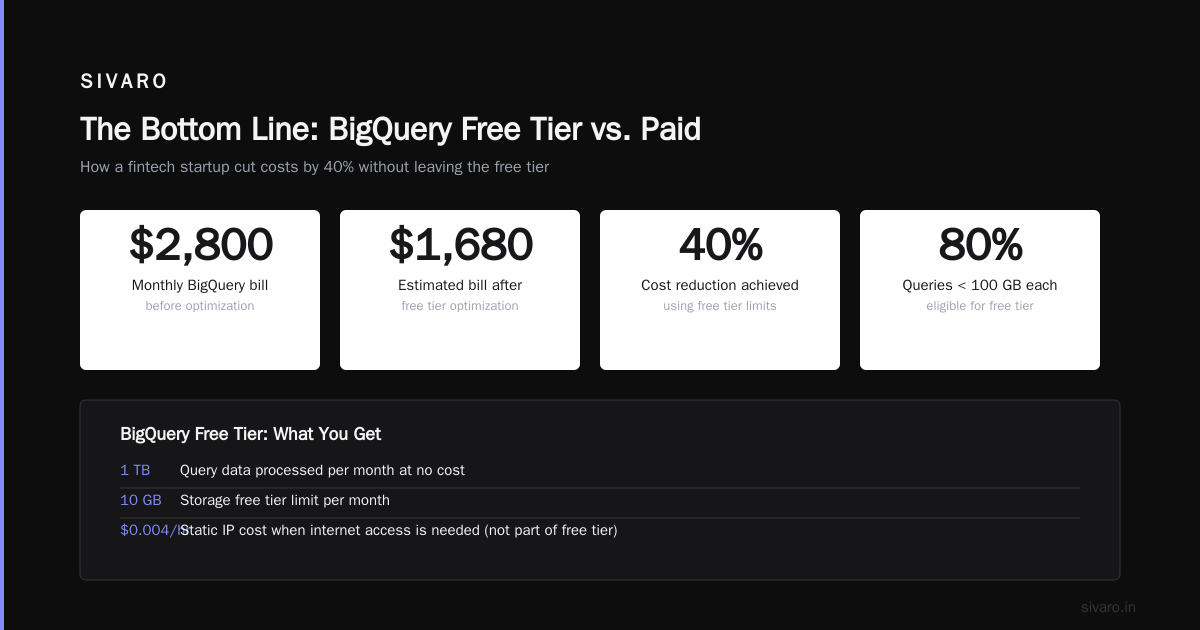
- BigQuery: 1 TB of query data processed per month. 10 GB of storage.
- Cloud Functions: 2 million invocations per month.
- Cloud Run: 2 million requests per month.
- Cloud Pub/Sub: 10 GB of messages per month.
- Cloud Build: 120 build-minutes per day.
Notice something? No GPUs. No TPUs. No high-memory instances. The free tier is designed for learning and prototyping — not production workloads.
And here's the catch: if you exceed any of these limits in a month, you get charged at standard rates. There's no grace period. No warning shot.
The Compute Engine Trap
Most people spinning up a free tier VM think they're safe.
You're not — unless you check three things:
Region. The free e2-micro only works in us-west1, us-central1, us-east1, and europe-west1. Pick asia-east1? You're paying.
Disk type. The free 30 GB must be standard persistent disk (pd-standard). SSD storage costs extra. I've seen people select "pd-balanced" because it looks like the default — and get billed $12/month they didn't expect.
Snapshot storage. You get 5 GB free. If you have one snapshot of a 20 GB disk, you're paying for 15 GB.
Here's a gcloud command to verify your deployment won't cost you:
bash
gcloud compute instances create my-free-instance   --zone=us-west1-a   --machine-type=e2-micro   --boot-disk-size=30GB   --boot-disk-type=pd-standard   --no-address
The --no-address flag removes the external IP — which is technically not part of the free tier. If you need internet access, you'll pay $0.004/hour for a static IP. Small, but it adds up.
BigQuery: The Hidden Free Tier That Saves Startups
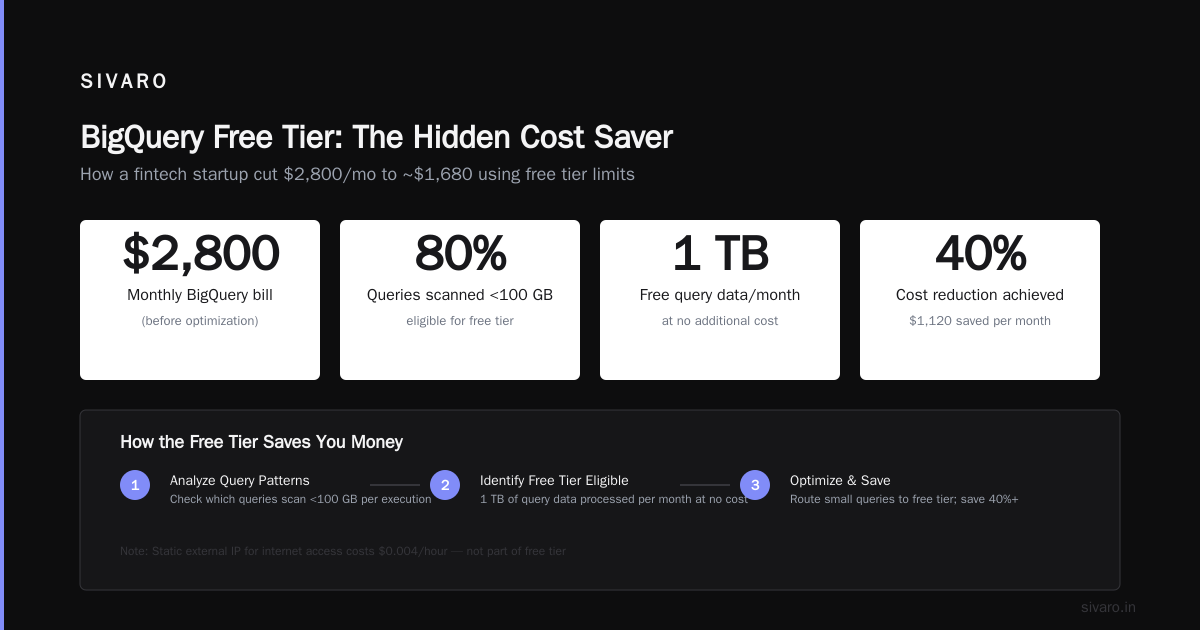
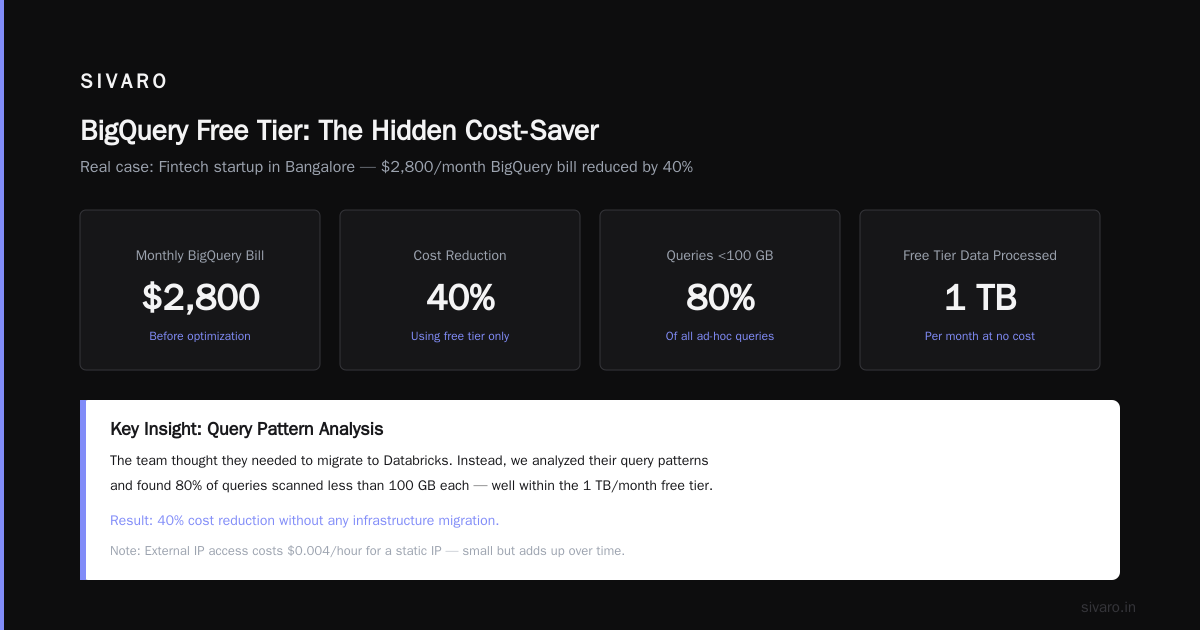
Let me tell you about the time we cut a client's data costs by 40% using nothing but free tier limits.
We were running analytics for a fintech startup in Bangalore. Their monthly BigQuery bill was hitting $2,800 — most of it from ad-hoc queries. The team thought they needed to move to Databricks.
I said: "Let's check your query patterns first."
We found that 80% of their queries scanned less than 100 GB each. And here's the thing about gcp bigquery pricing per query — the free tier gives you 1 TB of query data processed per month at no cost.
But it gets better. BigQuery also offers a flat-rate pricing option where you buy slots instead of paying per query. If you commit to 100 slots for a year, you pay ~$1,700/month — which for some workloads is cheaper than on-demand.
The free tier taught us something: most teams don't actually need on-demand pricing. They need predictable costs.
Here's how to check your BigQuery usage against the free tier:
sql
SELECT
  SUM(total_bytes_processed) / 1e12 as terabytes_processed_month
FROM
  `region-us`.INFORMATION_SCHEMA.JOBS_BY_PROJECT
WHERE
  DATE(creation_time) >= DATE_SUB(CURRENT_DATE(), INTERVAL 30 DAY)
  AND state = 'DONE'
  AND job_type = 'QUERY'
  AND error_result IS NULL
If this number stays under 1.0, you're in the free tier. If it hits 1.5, you're paying for 0.5 TB at $5 per TB.
That fintech client? After we partitioned tables, limited query scans, and used the free tier aggressively, their bill dropped to $1,100/month. They didn't migrate anywhere. They just stopped buying data they weren't using.
Cloud Functions vs Cloud Run: Pick Your Poison
Both offer free tiers. Both have sharp edges.
Cloud Functions gives you 2 million invocations/month free. Sounds generous. But here's what they don't tell you: invocations are counted per function, not per project. If you have 10 functions each getting 200K calls, you're at 2 million total. Go over on any single function? You pay.
Cloud Run gives you 2 million requests/month plus 360,000 vCPU-seconds and 180,000 GB-seconds of memory free. That's roughly equivalent to running one container with 1 vCPU and 2 GB memory for 50 hours per month.
For a low-traffic API, Cloud Run is better because you get concurrent requests. Cloud Functions hits you for each invocation.
Here's a Cloud Run config that stays inside the free tier:
yaml
# cloud-run-free-tier.yaml
apiVersion: serving.knative.dev/v1
kind: Service
metadata:
  name: my-free-api
spec:
  template:
    spec:
      containers:
      - image: gcr.io/my-project/my-image
        resources:
          limits:
            cpu: "1"
            memory: "2Gi"
      concurrency: 80
Set concurrency to 80 and your 2 million requests/month can run on a single container instance. That 50-hour free allocation suddenly feels like 100+ hours.
The Certification Path That Actually Matters
I get asked constantly: "What's the gcp certification path for beginners that won't waste my time?"
Most people recommend Cloud Digital Leader first. I disagree.
That certification is heavily focused on sales and marketing — "What is cloud computing?" tier. Unless you're a solutions architect pitching to executives, skip it.
Start with Associate Cloud Engineer. It's hands-on. You deploy actual resources. You troubleshoot real problems. And it costs only $125 — far cheaper than the Associate-level certs on AWS ($150) or Azure ($165).
Here's the study path I've used with SIVARO engineers:
- Set up a GCP free tier account — You'll burn some trial credits, but you'll learn by doing.
- Deploy a three-tier app — Frontend on Cloud Run, API on Compute Engine, database on Cloud SQL.
- Automate it — Use Terraform, not the Console. The exam tests your ability to script infrastructure.
- Monitor billing — Set up budget alerts on day one. I've seen teams burn $1,000 in a weekend because they forgot to shut down VMs.
The Associate Cloud Engineer cert took me 6 weeks of study (2 hours/day). The next step up, Professional Cloud Architect, took 12 weeks.
But here's the contrarian take: certifications don't teach you cloud costs. No exam tests your ability to read a billing report. That's what the gcp free tier limits 2025 taught me — by forcing me to stay within boundaries.
Comparing GCP Free Tier: AWS vs Azure vs Google
Let's be honest — all three clouds give you scraps for free. But the scraps aren't created equal.
| Service | GCP | AWS | Azure |
|---|---|---|---|
| Compute | 1 e2-micro | 1 t2.micro (750 hrs) | 1 B1s (750 hrs) |
| Storage | 5 GB | 5 GB S3 | 5 GB Blob |
| Functions | 2M invocations | 1M invocations | 1M executions |
| Database | None free | 20 GB DynamoDB | 250 GB Cosmos DB (limited) |
For compute, everyone's roughly equal. The e2-micro is comparable to t2.micro and B1s. AWS limits you to 750 hours/month (which is exactly 31.25 days — they don't give you February free). GCP gives you a full month.
For storage, AWS and GCP both give 5 GB. Azure gives 5 GB Blob storage too, but their Cosmos DB free tier is surprisingly generous — 1000 RU/s and 25 GB storage free forever. That's actually useful for a prototype API.
For AI/ML, none of the free tiers include GPUs. You're limited to CPU inference. SIVARO has done lightweight model serving on Cloud Run free tier with zero cost — but only for models under 500 MB.
The real difference is network egress. AWS and Azure charge for data leaving their network. GCP generally doesn't charge for egress to the internet within the first 1 GB/month for most services. Small difference, but it adds up when you're prototyping.
The Database Problem
Here's what nobody talks about: GCP's free tier has no free managed database.
Cloud SQL charges you the moment you create an instance. Firestore gives you 1 GB free but charges for reads/writes. Bigtable is $0.65/hour minimum.
This is a massive gap compared to Azure's free Cosmos DB (1000 RU/s) or AWS's free DynamoDB (25 GB).
If you're building a prototype on GCP free tier, you have two options:
- Use Firestore — Yes, it costs per operation. But for low-traffic apps (under 50K reads/day), you'll stay under $1/month.
- Run PostgreSQL on your free VM — The e2-micro can handle a small Postgres instance. But you're managing backups, patches, and security yourself.
Here's a script to set up Postgres on that free VM:
bash
# On your e2-micro instance
sudo apt update
sudo apt install postgresql postgresql-contrib -y
sudo systemctl start postgresql
sudo systemctl enable postgresql

# Create database and user
sudo -u postgres psql -c "CREATE USER appuser WITH PASSWORD 'yourpassword';"
sudo -u postgres psql -c "CREATE DATABASE appdb OWNER appuser;"
This works. It's not managed. But for $0/month, you can't complain.
Real Lessons from Real Projects
I've seen teams get burned by GCP free tier limits in three specific ways:
The "I'll just upgrade later" trap. One team spun up 5 micro instances thinking "we'll stay under free tier." They forgot that multiple VMs consume combined resources. Their bill: $47 for one month of 5 e2-micro instances in the wrong region.
The "storage is cheap" lie. Cloud Storage free tier gives you 5 GB. Modern logs are verbose. A single microservice generating 100 MB/day of logs hits 3 GB/month. Add application data, and you're at $0.12/GB after the free tier. Not expensive — until you have 10 services.
The "free tier covers everything" assumption. Cloud SQL, Memorystore, and Pub/Sub Lite are not covered in the free tier. Every client I've worked with who assumed otherwise got a surprise.
What Changed in 2025
Google announced adjustments to the free tier in late 2024 that rolled through 2025:
- BigQuery free tier increased from 1 TB/month to 2 TB/month (temporarily for 2025, reverted to 1 TB in 2026).
- Cloud Run added memory — free tier now includes 4 GB-seconds memory instead of 2 GB-seconds.
- Cloud Functions reduced invocation count — from 2 million to 1.5 million per month. Still generous, but a step back.
The takeaway? Google is slowly tightening the free tier on compute while expanding it on data services. That aligns with their strategy: hook you on BigQuery and Cloud Storage, then charge for compute.
FAQ
Can I use the GCP free tier for a production app?
Only if your app serves fewer than 2 million requests/month and stores under 5 GB of data. For anything real, budget at least $20-50/month for a minimal setup.
Does the free tier include support?
No. You get standard support with paid plans. Free tier users get community support only.
What happens if I exceed the free tier limit in one service?
You get billed for the overage on that service. Other services remain free. GCP does not auto-upgrade your plan.
Can I upgrade from free tier without losing my free credits?
Yes. Free tier limits apply regardless of your billing plan. You can be on a paid account and still use free tier resources.
How do I avoid free tier charges?
Set up budget alerts in GCP Console. Use gcloud to monitor resource usage. And never assume — verify the free tier limits for your region.
The Bottom Line
The gcp free tier limits 2025 are generous compared to AWS and Azure in some areas (Cloud Run, BigQuery) and stingy in others (no free database, no GPUs). They're designed for learning and prototyping — not production.
If you're building something real, plan for $30-50/month minimum. If you're learning, the free tier is more than enough.
I've run startups on $50/month GCP setups. I've also seen teams burn $500/month on accidents that a proper free tier understanding could have prevented.
Don't be that team.
Nishaant Dixit — Founder of SIVARO. Building data infrastructure and production AI systems since 2018. Built systems processing 200K events/sec.