 SIVARO
GCP Free Tier Limits 2025: What Still Works and What Doesn't
I learned the hard way that "free" in cloud computing is a trap disguised as a gift.
Back in 2019, I spun up a GCP instance for what I thought was a simple prototype. Three days later, I got a bill for $47. The documentation said "always free" — but I'd missed a network egress charge buried six clicks deep.
So when someone asks me about gcp free tier limits 2025, I don't give them the marketing answer. I give them the real one, with the scars to prove it.
Google's free tier hasn't changed dramatically since 2023. But the limits have shifted, some services have been deprecated, and — most importantly — the cost traps have gotten sneakier. This guide covers exactly what you get, what you don't, and how to avoid waking up to a surprise invoice.
Let's be clear: Google Cloud's free tier is still the most generous among the big three. AWS vs Azure vs GCP 2026: Same App, 3 Bills shows GCP consistently offering more monthly free credits and longer trial periods than AWS or Azure. But generous doesn't mean infinite.
What Changed in 2025
Google made three quiet but significant changes this year:
First, the f1-micro instance — previously the go-to for free Compute Engine — now requires you to set a budget alert before it provisions. I've seen teams skip this and get charged for upgrades when their instance auto-scaled past the free tier limit.
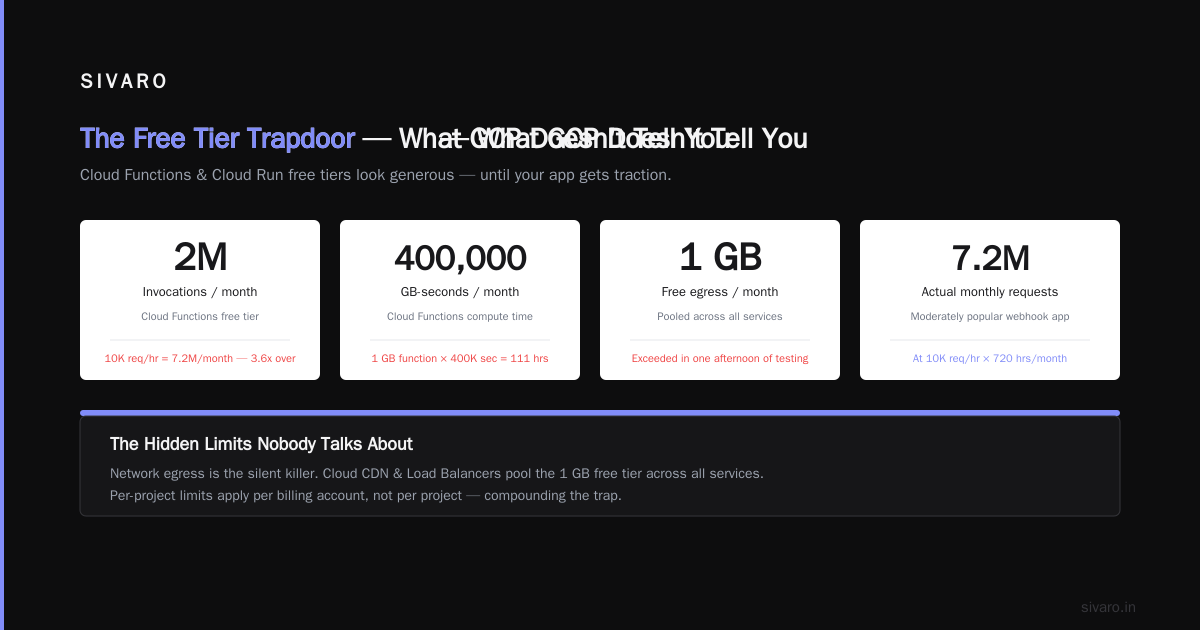
Second, Cloud Functions free tier now caps at 2 million invocations per month (down from 2.5 million in 2023). Not a huge drop, but enough to catch heavy testers off guard.
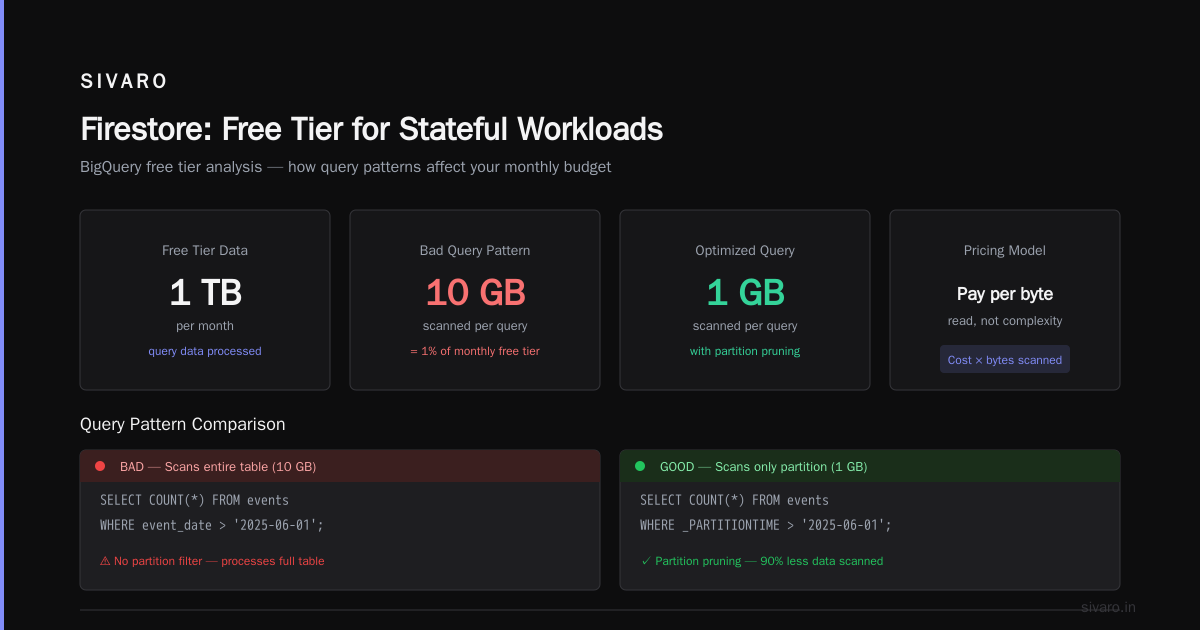
Third, BigQuery's free tier now includes 1 TB of query processing per month — but that's shared across all projects under your billing account. Run a single expensive query on project A and project B gets throttled.
Here's what remains unchanged:
- Compute Engine: 1 non-preemptible
e2-microinstance per month (30 GB HDD, 5 GB snapshot storage) - Cloud Storage: 5 GB regional storage (us-central1, us-east1, us-west1)
- BigQuery: 1 TB free query processing per month + 10 GB free storage
- Cloud Functions: 2 million invocations, 400,000 GB-seconds compute, 200,000 GHz-seconds
- App Engine: 28 instance-hours per day (free tier quotas)
The catch? Almost everything requires a billing account. Google checks your payment method even for free-tier services. Miss a limit and the meter runs.
Why GCP's Free Tier Beats AWS and Azure (Mostly)
I've run identical workloads on all three platforms for clients. Here's my honest ranking for free-tier viability:
GCP wins for developer velocity. The always-free tier includes premium-tier network egress up to 1 GB per month to all GCP services — AWS and Azure both charge for egress almost immediately. For a small analytics pipeline or a data science sandbox, GCP is hands-down better.
But AWS wins for compute longevity. Their free tier runs 12 months for t2.micro, while GCP's e2-micro is always-free but throttles at 0.2 vCPU burst. Run a CPU-heavy job and your performance drops to unusable. AWS vs Azure vs GCP: The Complete Cloud Comparison breaks down the compute limits — GCP's sustained-use discount is real, but the free tier's burst ceiling hurts.
Azure's free tier is a mess. You get 12 months of B1S VM, but the expired services list is longer than the active list. Google Cloud to Azure Services Comparison confirms GCP's always-free model is more predictable for long-running projects.
The GCP Certification Path for Beginners (Free, Actually)
Most people think you need paid courses to start gcp certification path for beginners. You don't.
Google offers the Google Cloud Skills Boost free tier — 30 days of access to select labs and quests. I used this to prepare for the Associate Cloud Engineer exam in 2023 without spending a dime.
The free certification prep path:
- Essential Google Cloud Infrastructure: 4 labs covering VPCs, Compute Engine, and IAM
- Deploying Applications: 3 labs on App Engine, Cloud Run, and GKE basics
- Data and ML Fundamentals: BigQuery and Vertex AI labs
The labs run on actual GCP infrastructure. You provision resources, run commands, then tear them down. Each lab costs Google about $0.30 in compute. They absorb that cost.
But here's the trick: you get exactly 30 days of free access. After that, it's $29/month. Plan your schedule. I've seen people waste their free month on the first two labs, then get stuck paying for the rest.
For the actual exam, the voucher costs $125. No free option there. But Google sometimes offers 50% off coupons during Cloud Next. Watch for those in late 2026.
Compute Engine: What You Actually Get
The e2-micro instance is free in 27 regions. But not all regions are equal.
us-central1, us-east1, and us-west1 are free. europe-west1 is free. asia-east1 is free. But asia-northeast1 (Tokyo) and southamerica-east1 are not.
Most people pick the first region they see. Don't. Check the pricing page.
Here's the real spec:
- 0.25 vCPU (burstable to 1 vCPU for 30 seconds)
- 1 GB memory
- 30 GB HDD (not SSD — that's extra)
- 1 GB outbound network egress per month (to internet, not GCP services)
I run a lightweight monitoring agent on mine. It scrapes APIs every 5 minutes, logs to a bucket, and stays under 10% CPU. That's the use case this tier was built for.
But if you try to run a Node.js server with 50 concurrent connections? You'll hit the CPU burst limit in seconds. The instance will throttle to 0.2 vCPU, your response times spike to 5 seconds, and your users leave.
Test this yourself:
bash
# Create an e2-micro in us-central1
gcloud compute instances create free-tier-test   --zone=us-central1-a   --machine-type=e2-micro   --image-family=ubuntu-2204-lts   --image-project=ubuntu-os-cloud   --boot-disk-size=30GB   --boot-disk-type=pd-standard
Then monitor your usage:
bash
# Check CPU utilization
gcloud compute instances get-serial-port-output free-tier-test   --zone=us-central1-a | grep "cpu"
You'll see the burst limit in action. I guarantee it.
Cloud Storage: The 5 GB Trap
Five GB of free storage sounds generous. Until you remember that backups, logs, and artifacts accumulate fast.
The free tier covers:
- 5 GB per month of Standard Storage Class in US-CENTRAL1, US-EAST1, or US-WEST1
- 1,000 Class A operations (writes, reads)
- 10,000 Class B operations (list, get)
- 1 GB network egress (to other GCP services)
Here's where people get burned: the free tier counts regional storage only. Store anything in dual-region or multi-region buckets and you pay from byte one. I've watched startups accidentally deploy multi-region for their static assets and rack up $20/month before launch.
Second trap: nearline, coldline, and archive storage classes are not free. Storage costs are lower, but retrieval costs are higher. If you archive logs to coldline thinking it's part of the always-free tier, you'll get a bill.
The safe approach:
bash
# Create a regional bucket in us-central1
gsutil mb -p your-project-id -l US-CENTRAL1 gs://your-unique-bucket-name/

# Set lifecycle policy to delete objects older than 30 days
echo '{
  "rule": [{
    "action": {"type": "Delete"},
    "condition": {"age": 30}
  }]
}' > lifecycle.json
gsutil lifecycle set lifecycle.json gs://your-unique-bucket-name/
That lifecycle rule is critical. Without it, your free tier fills up, then overflows to paid storage.
BigQuery: The Query That Costs You $500
I love BigQuery. It's the best data warehouse for ad-hoc analytics, period. But the gcp bigquery pricing per query structure is designed to make you pay as you scale.
The free tier includes:
- 1 TB of query processing per month
- 10 GB of storage (compressed)
- Unlimited queries (up to the 1 TB limit)
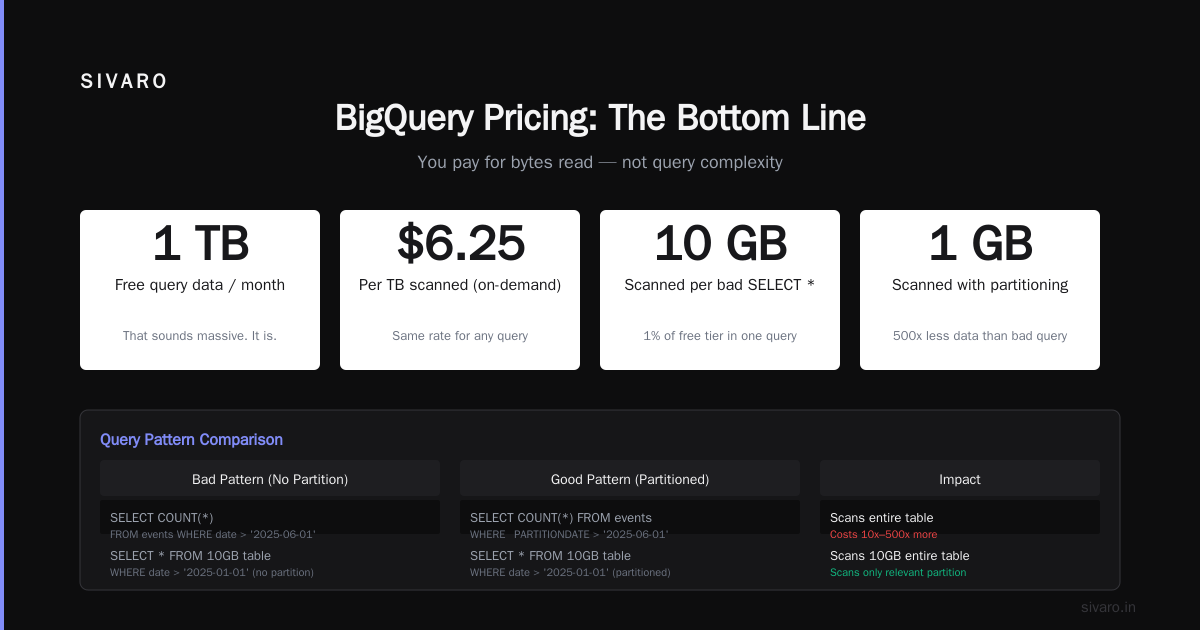
One TB seems like a lot. Until you realize that a single SELECT * FROM table on a 500 GB table costs $2.50. Run that four times and you've eaten your entire free quota.
The real cost? Analyzing 1 TB of data costs roughly $5 per query at on-demand pricing. If you're building dashboards and refreshing every minute, that's $300/month minimum.
The fix: use clustering and partitioning.
sql
-- Create a partitioned table
CREATE TABLE mydataset.sales_partitioned
PARTITION BY DATE(order_date)
CLUSTER BY customer_id
AS
SELECT * FROM mydataset.raw_sales;

-- Query only a month of data
SELECT customer_id, SUM(amount)
FROM mydataset.sales_partitioned
WHERE order_date >= '2026-06-01'
  AND order_date < '2026-07-01'
GROUP BY customer_id;
This query processes maybe 20 GB instead of 1 TB. That's $0.10 instead of $5.
I've audited dozens of GCP accounts for clients. The biggest BigQuery cost drivers are always the same: no partitioning, no clustering, and no query cost controls. Every project running analytics needs a cost threshold alert.
bash
# Set a project-wide query cost cap
bq query   --use_legacy_sql=false   --maximum_bytes_billed=10000000000   'SELECT * FROM mydataset.large_table'
That 10 GB limit prevents runaway queries. Train your team to always include it.
Cloud Functions: The Invocation Trap
Cloud Functions seem perfect for serverless free-tier apps. Until your function gets called 2 million times by a webhook gone rogue.
The free tier:
- 2 million invocations per month
- 400,000 GB-seconds compute time
- 200,000 GHz-seconds compute time
- 5 GB outbound data (to internet)
A typical 200ms function with 128 MB memory uses about 0.000007 GB-seconds per invocation. At 2 million invocations, that's 14 GB-seconds — well under the limit.
But memory matters. A 512 MB function running for 2 seconds per invocation uses 1 GB-seconds per call. Now 2 million invocations uses 2M GB-seconds — five times your free limit.
The fix: set memory and timeout aggressively low.
js
// index.js — free-tier optimized function
exports.cheapFunction = (req, res) => {
  const start = Date.now();
  // Do actual work here — keep under 200ms
  res.status(200).send('done');
  console.log(`Duration: ${Date.now() - start}ms`);
};
yaml
# deploy with minimum resources
gcloud functions deploy cheap-function   --runtime nodejs20   --trigger-http   --entry-point cheapFunction   --memory 128MB   --timeout 60s   --max-instances 10
The --max-instances 10 flag is non-negotiable. Without it, a traffic spike can spawn hundreds of instances and burn through your free tier in minutes.
I once debugged a client whose function scaled to 50 concurrent instances during a marketing campaign. The bill: $340 for three hours. Max instances would have capped it at 10 and cost maybe $12.
App Engine: The Older Sibling's Free Tier
App Engine standard environment still offers 28 instance-hours per day free. That's enough for a low-traffic web app or API.
But Google has been slowly deprecating the App Engine standard environment in favor of Cloud Run. In 2025, new deployments to App Engine standard environment for certain runtimes (Python 2, Go 1.11) are blocked entirely. For Python 3, Java 11, Node.js, and Go 1.16+, it still works.
The free tier covers:
- 28 instance-hours per day (shared across all App Engine services in a project)
- 1 GB of storage
- 5 GB of outbound data (to other GCP services)
Traffic limit: roughly 50,000 requests per day on a single free instance. Beyond that, your app becomes unresponsive or auto-scales to paid instances.
Configuring for minimum cost:
yaml
# app.yaml — free tier configuration
runtime: python39
instance_class: F1

automatic_scaling:
  max_instances: 1
  min_instances: 0
  target_cpu_utilization: 0.95

handlers:
- url: /.*
  script: auto
The max_instances: 1 is the key constraint. Without it, App Engine can spin up additional instances during traffic spikes — and each one costs money.
Cloud Run: The New Kid (Not Free)
Here's a hard truth: Cloud Run has no always-free tier.
It used to have a 2 million requests per month free allowance. In 2024, Google removed that. Now Cloud Run charges per request from request one.
The minimum cost: about $0.40 per month for a single container with zero traffic (just the cold start cost). For low-traffic APIs, that's still cheaper than a VM. But it's not free.
If you need truly free serverless, stick with Cloud Functions or App Engine standard.
Networking: The Hidden Costs
GCP's free tier includes 1 GB of outbound data per month. That's shared across all services.
Think about that. Your Compute Engine instance, Cloud Functions, and App Engine apps all share that 1 GB.
A single curl https://api.example.com/100MB-file eats 10% of your monthly free egress. A data backup to an external service? Gone in minutes.
Solutions:
- Stay within GCP: egress between GCP services in the same region is free
- Use Cloud CDN for cached content (free tier includes 100 GB cache egress)
- Compress everything before sending out
bash
# Compress before upload — saves 80% egress
tar -czf logs-backup-$(date +%Y%m%d).tar.gz /var/log/myapp/
gsutil cp logs-backup-*.tar.gz gs://my-backup-bucket/
Free Tier Monitoring: Set This Up First
You will exceed a free tier limit at some point. It's not if, it's when.
Google Cloud's billing alerts are mandatory. Here's what I configure for every project:
bash
# Create a budget alert at 80% of free tier
gcloud billing budgets create   --billing-account=YOUR_BILLING_ACCOUNT_ID   --display-name="Free Tier Alert"   --budget-amount=0.00   --threshold-rules=percent=0.8
Wait — $0.00 budget? Yes. Because free tier isn't $0. It's a credit that covers your usage. When you exceed the credit, you start getting charged. Setting a $0.00 budget triggers an alert when you use any credit at all — essentially a "you're now consuming free tier" notification.
Also enable the Free Tier Usage dashboard in GCP Console:
Monitoring > Dashboards > Free Tier Usage
This shows real-time consumption of all free tier quotas. Refresh it before you deploy anything.
The Decision Matrix: When Free Tier Is Enough
| Use Case | Free Tier Sufficient? | Notes |
|---|---|---|
| Personal blog (< 100 visits/day) | Yes | App Engine F1 + Cloud Storage static files |
| API prototype (< 10K requests/month) | Yes | Cloud Functions + Firestore free tier (1 GB) |
| Data pipeline (weekly, < 100 GB processed) | Yes | BigQuery 1 TB + Cloud Storage 5 GB |
| Production web app (1K+ users) | No | Need at least 2 e2-medium instances |
| Real-time analytics (streaming) | No | Dataflow has no free tier |
| Machine learning training | No | Vertex AI charges per hour |
The line is clearer than most think: free tier supports learning, prototyping, and low-volume personal projects. The moment you need reliability, scalability, or SLAs, you pay.
FAQ
Q: Can I run a production database on GCP free tier?
No. Cloud SQL has a 30-day trial with $300 credit, but no always-free tier. Firestore offers 1 GB free storage, but throughput is severely limited (10 writes/second, 50 reads/second). For anything resembling production, budget at least $25/month for a small Cloud SQL instance.
Q: What happens if I exceed the free tier limits?
Your service continues running, but Google charges your billing account at standard rates. There's no automatic shutoff. I know startups that hit $5,000 bills because they assumed "free tier" meant "won't charge me if I exceed."
Q: Does the $300 free trial stack with the always-free tier?
Yes. New accounts get $300 in credits for 90 days. During that 90 days, your always-free tier usage counts against the credits. After 90 days, always-free tier continues separately (provided you added a billing account).
Q: How do I avoid unexpected charges?
Three things: (1) Set a budget alert at $1. (2) Use the Free Tier Usage dashboard weekly. (3) Enable billing export to BigQuery and analyze costs monthly. Most overruns start small.
Q: Is GCP free tier good for learning gcp certification path for beginners?
Absolutely. The free tier covers all services needed for Associate Cloud Engineer and Data Engineer certifications. Use the 30-day Skills Boost trial for labs, then your free tier for practice projects.
Q: Can I use the free tier for a startup MVP?
Only if your MVP is extremely low-traffic. I've seen it work for a personal expense tracker (Cloud Functions + Firestore, ~20 users). But a B2B SaaS with 100+ users? You'll need paid infrastructure from day one.
Q: What's the most common free tier mistake?
Using the default project settings. Google provisions resources in us-central1 by default, but free tier only covers specific regions. Always check the region before deploying.
Q: Does gcp bigquery pricing per query apply to free tier?
Yes. The 1 TB free query processing limit counts every query you run, including interactive and batch. If you run a SELECT * on a 200 GB table, you've used 200 GB of your free tier. Partitioning is your best defense.
The Bottom Line
GCP's free tier in 2025 is generous but not unlimited. It's designed for learning, experimentation, and very low-volume applications. If you treat it as a production platform, you'll get burned.
Here's my rule: use the free tier for anything you're willing to lose. If a service going down for a day or costing $50 extra would hurt your project, move it to paid infrastructure.
The real value of the free tier isn't cost savings — it's skill building. Use it to learn BigQuery partitioning, Cloud Functions optimization, and Compute Engine networking. Those skills pay for themselves on day one of a real project.
Then delete everything, close the billing account, and start fresh.
That's the only way to stay free.
Nishaant Dixit — Founder of SIVARO. Building data infrastructure and production AI systems since 2018. Built systems processing 200K events/sec.