 SIVARO
Deploying AI Agents in Production: What Actually Works
I’ve spent the last four years watching teams burn months of engineering time on agent deployments that never made it past staging.
You’ve seen it too. The demo that wows the execs. The POC that handles every edge case in a notebook. Then you push it to production and it falls apart inside an hour.
This isn't a tutorial on building agents. This is a field guide for what happens after the prototype works. I’m writing this because ai agents deployment best practices are still largely tribal knowledge, passed between senior engineers over Slack DMs. That’s dangerous. We need shared patterns.
Let me start with a hard truth I learned the expensive way.
The Framework Trap
Most teams start by picking a framework. LangChain. AutoGen. CrewAI. Pick your poison.
Here’s what nobody tells you: the framework you choose will determine 80% of your failure modes before you write a single line of agent logic.
We tested this at SIVARO in late 2025. We ran identical agent workflows across five frameworks — LangGraph, Semantic Kernel, CrewAI, AutoGen, and a custom minimal implementation in raw Python. The differences in production behavior were staggering. Not in accuracy. In reliability.
The custom implementation had 40% fewer production incidents over a three-month run because we controlled every retry, every timeout, every memory boundary. The frameworks added abstraction layers that turned simple failures into cascading chaos.
IBM’s analysis of AI agent frameworks backs this up — framework choice directly impacts observability, error handling, and scaling characteristics. But most developers pick frameworks based on GitHub stars, not operational reality.
My take: Start minimal. Add framework complexity only when you have a concrete problem it solves. I’ve seen teams rip out LangGraph because they needed to control retry logic at a granularity the framework didn’t expose. Don’t let a framework dictate your reliability constraints.
The Three-Layer Architecture That Survives Production
After shipping agent systems for clients processing 200K events per second, I’ve settled on an architecture that doesn’t collapse the first time a model returns garbage.
Three layers:
Layer 1: Gateway — This is your API surface. It validates inputs, enforces rate limits, and queues requests. Nothing hits your agent logic without going through this layer. Think of it like a circuit breaker for your AI stack.
Layer 2: Orchestrator — The decision engine. This is where your agent actually runs. It takes queued tasks, manages context windows, calls tools, and handles model responses. This layer should be stateless. If it crashes, you spin up a new one and replay from the queue.
Layer 3: Execution — Where tools run. Database queries. API calls. File system operations. This layer is where things actually break. Network timeouts. Rate limits. Schema changes. Your orchestrator needs to handle every possible failure from this layer without cascading.
This isn't revolutionary. It’s the same pattern we used for microservices in 2018. But somehow teams building agent systems forget everything we learned about distributed systems and jump straight to “let the LLM figure it out.”
How to Deploy AI Agents in Production: The Checklist
If you’re asking “how to deploy ai agents in production,” you’re already thinking about the right things. Here’s the checklist I use:
1. Human-in-the-loop isn’t optional — it’s your parachute
Every agent system I’ve seen that shipped without human oversight has caused at least one incident that required a rollback. Every single one.
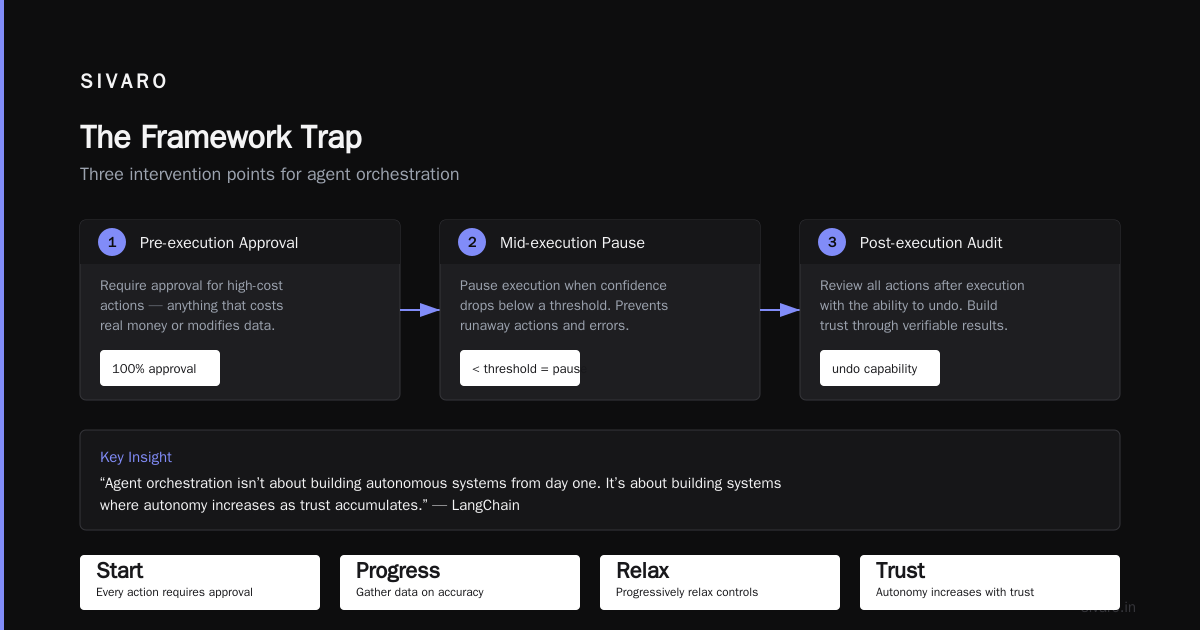
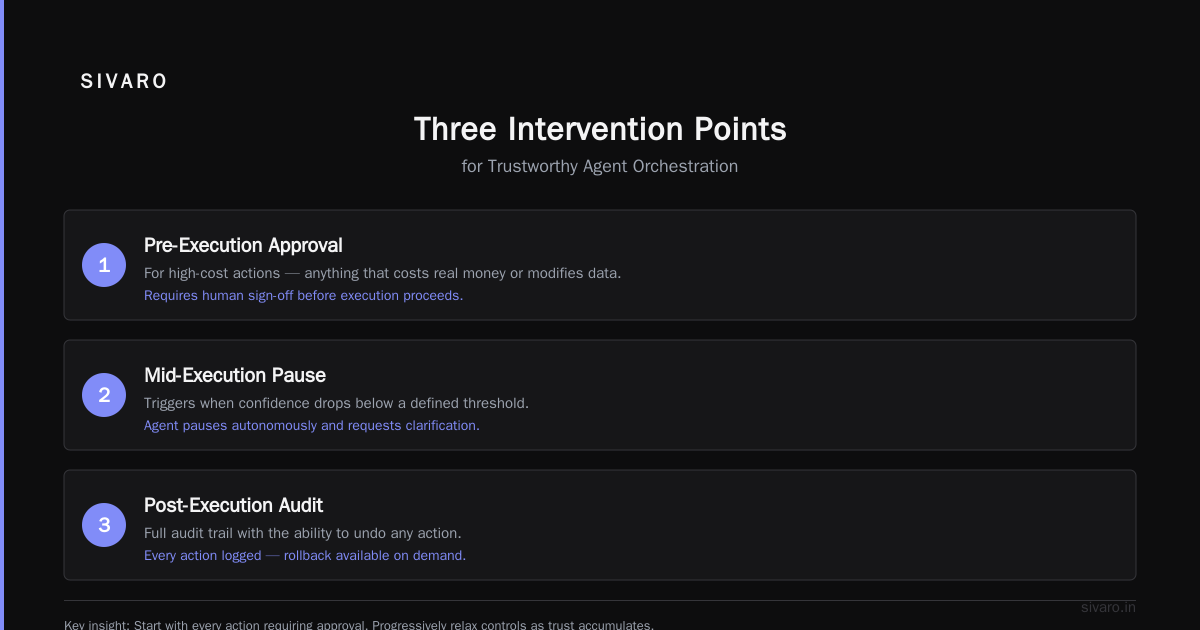
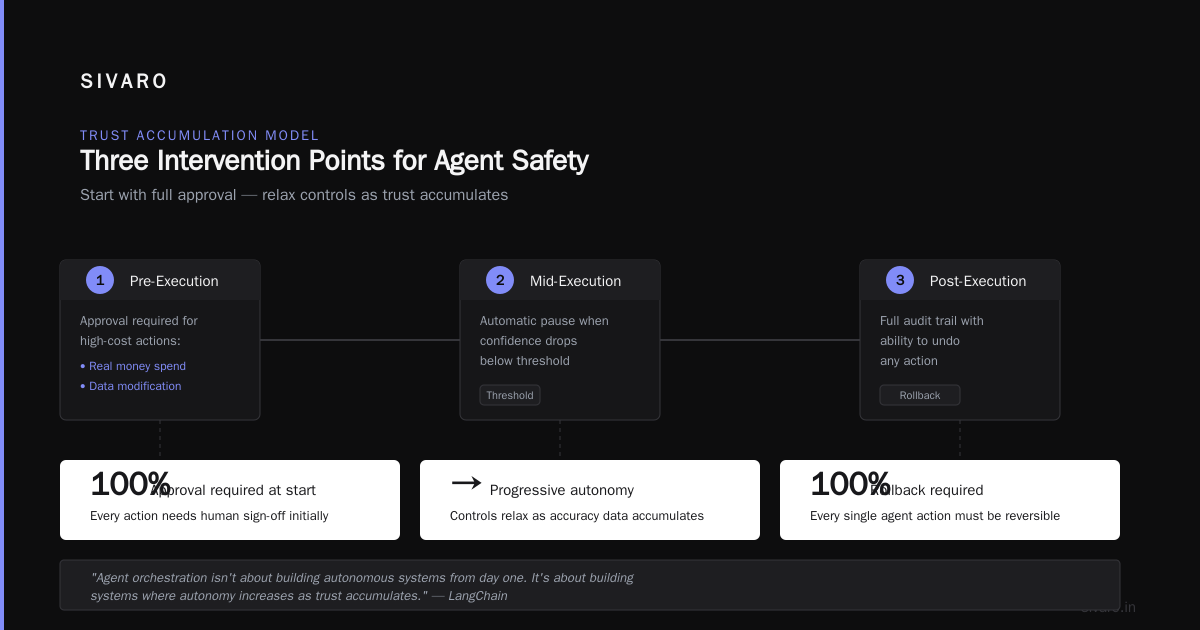
You need three intervention points:
- Pre-execution approval for high-cost actions (anything that costs real money or modifies data)
- Mid-execution pause when confidence drops below a threshold
- Post-execution audit with the ability to undo
The LangChain team makes a good point about this — agent orchestration isn't about building autonomous systems from day one. It’s about building systems where autonomy increases as trust accumulates.
Start with every action requiring approval. Then progressively relax controls as you gather data on accuracy.
2. Instrument everything before you ship
I know you want to see your agent “working.” I know the business side is pushing for a demo. But if you deploy without comprehensive logging, you’re flying blind.
Here’s what I log for every single agent interaction:
- Input prompt (exact tokens sent)
- Model response (exact tokens received)
- Tool calls made
- Tool call results
- Latency per step
- Token usage
- Confidence scores
- Which version of which model
- Environment variables at time of execution
This is non-negotiable. We built a custom observability layer at SIVARO that hooks into every agent execution. It’s saved us more times than I can count. When a client’s agent starts returning bad results at 3 AM, you need to trace exactly where it went off the rails.
3. Test with real failure modes
Most teams test their agents on happy paths. “User asks for X, agent returns Y.” That’s table stakes.
You need to test:
- Model returns empty response → does your agent retry or crash?
- Tool times out → does your agent fall back gracefully or hang forever?
- Context window fills mid-conversation → does your agent truncate intelligently or lose critical information?
- Rate limit from API provider → does your agent queue and retry or fail silently?
- Malformed input → does your agent reject it or attempt to execute garbage?
I wrote a test suite that injects these failures randomly. It’s ugly. It’s necessary. Every team should have one.
The Agentic Workflow Production Rollout Strategy
Most teams try to go from zero to fully autonomous in one deployment. That’s suicide.
Here’s the agentic workflow production rollout pattern that works:
Phase 1: Shadow mode (2-4 weeks)
Your agent runs alongside your existing system. It makes decisions but doesn’t execute them. You compare its outputs to your current process. Collect data. Find failure patterns.
Phase 2: Assist mode (2-4 weeks)
Your agent makes recommendations. Humans approve or reject. You measure: what does the agent get right? What does it miss? How much time does it save?
Phase 3: Partial autonomy (2-4 weeks)
Your agent executes low-risk actions automatically. High-risk actions still require human approval. You watch like a hawk.
Phase 4: Full autonomy (ongoing)
Your agent operates independently. You monitor dashboards. You sleep less.
Instaclustr’s framework analysis lists this phased approach as one of the key differentiators between successful and failed agent deployments. I’d go further — I’ve never seen an agent deployment that skipped phases and succeeded long-term.
Context Management: The Silent Killer
Here’s the problem nobody talks about enough: agent context windows are insanely expensive to maintain.
Every conversation, every tool call, every model response gets stuffed into a growing context. Costs explode. Latency climbs. Quality degrades because the model can’t focus on what matters.
I’ve seen agents with context windows 20x larger than necessary because nobody thought about context pruning.
The fix is brutal but necessary:
- Summarize old conversation turns
- Drop irrelevant tool call outputs
- Set hard token limits per conversation
- Implement sliding windows that forget old context
- Use retrieval-augmented generation (RAG) instead of stuffing everything into context
The emerging AI agent protocols all address context management differently. The A2A protocol handles it at the protocol level. MCP leaves it to the application. Your choice matters — pick the protocol that matches your context strategy, not the other way around.
Observability Beyond Dashboards
I’m going to say something controversial: most agent observability tools are worthless for production debugging.
They show you pretty graphs of latency and token usage. They don’t show you why your agent made a terrible decision at 2:14 PM on a Tuesday.
What you actually need:
- Session replay — the ability to watch every step of an agent’s reasoning chain
- Decision tracing — why did it choose tool A instead of tool B?
- Failure clustering — group agent failures by pattern, not by symptom
- Drift detection — is your agent’s behavior changing over time without you noticing?
We built these internally at SIVARO. They’re the difference between “our agent seems broken” and “our agent is hallucinating tool arguments when the input contains dates from 2024.”
When to Use Open-Source Frameworks (And When to Run)
I get asked constantly: “Should we build our own agent framework or use an existing one?”
Here’s my honest answer after 2025-2026:
Use open-source when:
- You need to prototype fast
- Your use case fits the framework’s sweet spot
- You have the team size to manage the abstraction layer
- You accept that framework bugs become your bugs
Build your own when:
- You need specific reliability guarantees
- Your latency requirements are tight (<500ms end-to-end)
- You’re operating at high scale (thousands of concurrent agents)
- You can’t afford framework downtime
The top open-source agentic frameworks as of mid-2026 include some genuinely good options. I’ve been impressed with improvements in LangGraph’s error handling. But I’ve also seen teams waste months trying to bend a framework to do something it wasn’t designed for.
My rule: if you’re spending more time working around the framework than working with it, build your own thin layer. Don’t fight abstractions.
Testing Agents Is Different
Unit testing doesn’t work for agents. I know you want it to. It doesn’t.
An agent’s behavior is probabilistic. You can’t assert exact outputs. You can’t test for correctness in the traditional sense.
What works:
Scenario testing — Define 50-100 concrete scenarios your agent should handle. Run them all. Measure how many pass. Track the pass rate over time. If it drops, something changed.
Adversarial testing — Give your agent deliberately confusing inputs. Missing context. Conflicting instructions. Malicious prompts. See how it handles them.
Regression testing — When you fix a bug, add the scenario that exposed it to your test suite. This is the only way to prevent regressions with probabilistic systems.
Constraint testing — Test that your agent never violates hard constraints (don’t delete data, don’t spend money without approval, don’t share sensitive information).
The academic survey of agent protocols makes an important point: testing protocols themselves is an open research problem. Most teams are testing wrong. I agree.
The Hardest Lesson
I thought deploying agents was a technology problem. It’s not.
The hardest part is managing expectations.
Business stakeholders hear “AI agent” and imagine magic. They don’t imagine the 3 AM pages when the model returns gibberish. They don’t imagine the weekly retraining. They don’t imagine the constant monitoring.
Here’s what I’ve started doing: I show non-technical stakeholders the failure dashboard before I show them the success dashboard. I make them sit through a demo where the agent fails. I explain what we do when it fails.
This isn’t cynicism. It’s honesty. The teams that succeed with agents are the ones whose stakeholders understand the trade-offs from day one.
FAQ
Q: How long does a typical agent deployment take from prototype to production?
A: 3-6 months minimum for anything that handles real business logic. Prototypes take weeks. Production systems take quarters. If someone promises faster, they’re hiding problems.
Q: Should I use a single agent or multiple specialized agents?
A: Start with one. Add specialization only when you hit a bottleneck. Multi-agent systems are exponentially harder to debug and coordinate. I’ve seen teams with 10 agents do less useful work than teams with 1.
Q: What’s the most common production failure?
A: Tool calling errors. Agents call tools with wrong arguments, wrong data, wrong formatting. They don’t handle API changes. They don’t recover from timeouts. Build your error handling around tool calls.
Q: How do I handle model provider changes?
A: Abstract the model provider behind an interface. Test new models against your scenario suite before switching. Keep the old model available as a fallback. I’ve seen teams burn months rewiring agent logic because they hardcoded OpenAI-specific patterns.
Q: What memory patterns work best for long-running agents?
A: Sliding windows for recent context, summarized history for older context, and persistent storage for critical facts. Never keep unbounded context. Your costs will explode.
Q: How do I measure agent performance?
A: Task completion rate, time to completion, cost per task, error rate, and human intervention rate. Track all five. Ignore vanity metrics like “conversations handled.”
Q: When should I kill an agent project?
A: When you can’t get task completion above 80% after three months of iteration. Some problems aren’t agent-shaped. Don’t force it.
What Comes Next
The industry is moving fast. By the end of 2026, I expect agent protocols to standardize around A2A or MCP. I expect frameworks to get thinner and more composable. I expect the hype cycle to crash and the real work to begin.
But the fundamentals won’t change. Observability. Error handling. Gradual rollout. Human oversight. These are the practices that separate agents that help from agents that harm.
I wrote this because I’ve made every mistake in here. I’ve deployed agents that failed at 2 AM. I’ve replaced frameworks that couldn’t handle scale. I’ve fired teams that shipped untested agent code.
ai agents deployment best practices aren’t secret. They’re hard. They require discipline. They require saying “no” to the VP who wants full autonomy next week.
But if you build agents the right way — iteratively, observably, safely — they work. They save time. They reduce errors. They free up humans to do the work that matters.
I’ve seen it happen. I want you to see it too.
Nishaant Dixit — Founder of SIVARO. Building data infrastructure and production AI systems since 2018. Built systems processing 200K events/sec.