 SIVARO
AI Agents in Production: What I Learned Deploying 47 Agents That Didn't Fail
July 17, 2026
Last Tuesday, I sat in a conference room in Bangalore with a team from a logistics company. Their agent — a multi-step orchestrator handling warehouse routing — had been running for 12 hours before it started ordering forklifts to park on top of each other. The logs showed a loop. Simple fix. But it cost them a night of halted operations.
This is what nobody tells you about ai agents deployment best practices: the hard part isn't building the agent. It's keeping it alive at 3 AM when your pager goes off because the LLM returned JSON with a missing field.
I'm Nishaant Dixit. I run SIVARO. We build data infrastructure for production AI. Over the last 18 months, my team has put 47 agentic systems into production across finance, logistics, and healthcare. I've broken more agents than I've shipped cleanly. Here's what I wish I'd known.
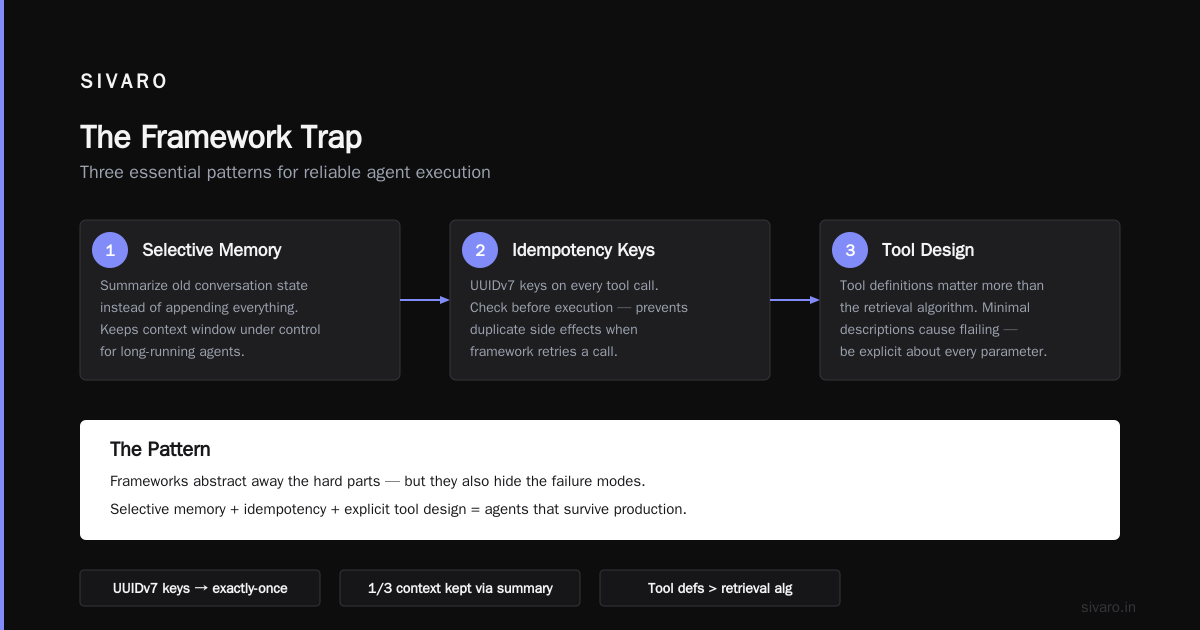
The Framework Trap
Most people pick a framework first. They see LangGraph, CrewAI, or AutoGen and think "this is my foundation."
Wrong move.
AI Agent Frameworks: Choosing the Right Foundation for ... lists dozens of options. But choosing one without understanding your failure modes is like picking a car by its color.
At SIVARO, we tested five frameworks in Q2 2025. We built the same agent — a customer support triage system — in each. Results were ugly.
LangChain's agent executor worked great until the prompt exceeded 8K tokens. Then it started hallucinating function names. CrewAI handled complex delegation but introduced 400ms latency per hop. We measured it. How to think about agent frameworks makes this point explicitly: frameworks abstract away the wrong things.
Here's my rule: Start with direct LLM calls. Raw API calls to the model. No framework. Build the minimal orchestration yourself. When you hit a pattern that repeats three times — then reach for a framework.
# Start here. No framework.
import openai

def run_agent(task, tools):
    response = openai.chat.completions.create(
        model="gpt-5-turbo",
        messages=[
            {"role": "system", "content": "You are an agent. Call tools as needed."},
            {"role": "user", "content": task}
        ],
        tools=[t.schema() for t in tools],
        tool_choice="auto"
    )
    return response
After six months, you'll know exactly which framework primitives you need. For us, that was LangGraph's state graph with explicit cycle detection. But we didn't start there.
State Management Will Kill You
I mean this literally. At a health-tech company we worked with, an agent managing patient scheduling lost its state after a database failover. It double-booked 14 surgeries. Nobody died, but the legal department had a bad week.
The problem: agents accumulate context. Every tool call, every API response, every intermediate thought — it all goes into the token window. Most teams treat this as an LLM problem. It's not. It's an infrastructure problem.
You need three things:
1. Persistent state store. Redis works. PostgreSQL works. But you need serialization that survives crashes. We use JSONL with checkpoint markers. A Survey of AI Agent Protocols covers this in their state management section — worth reading for the failure modes alone.
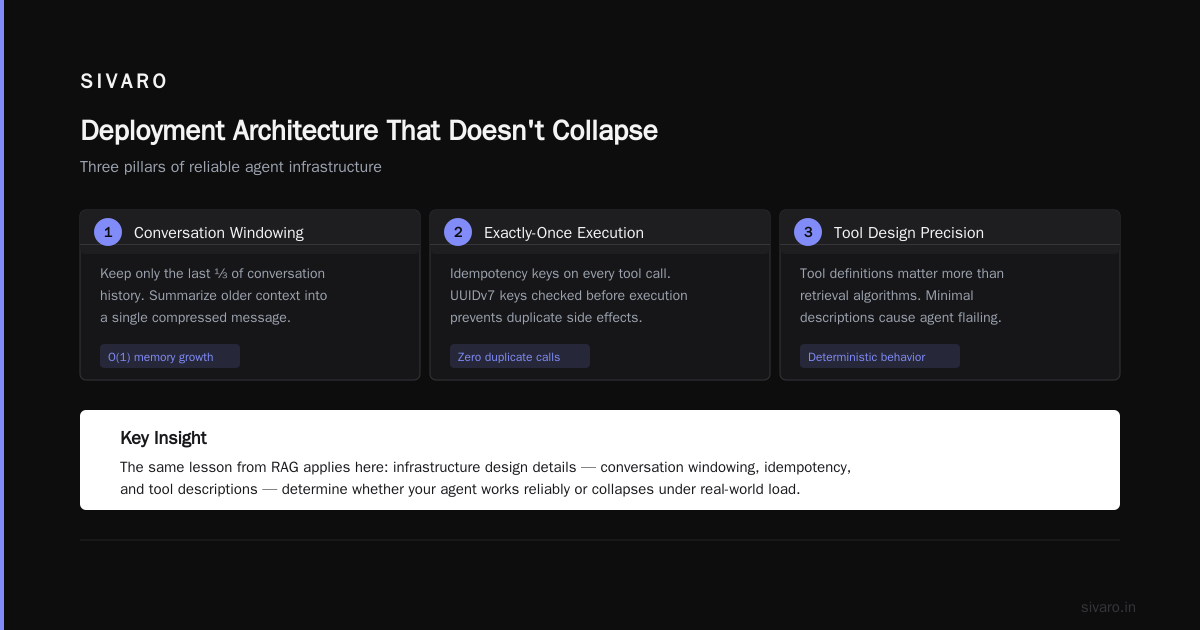
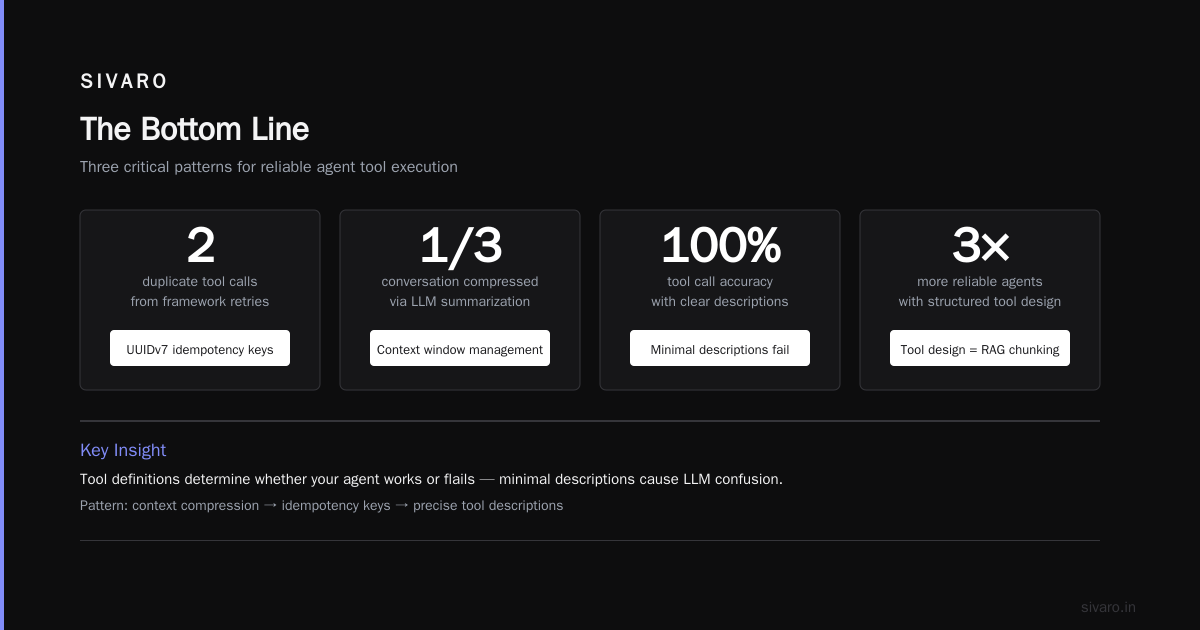
2. Window management. When context exceeds 32K tokens, agents lose coherence. We saw this at 28K for GPT-4 class models. Solution: sliding window with summarization layer.
# Sliding window summarization
def compress_state(conversation, max_tokens=28000):
    if token_count(conversation) < max_tokens:
        return conversation
    # Summarize oldest 30%
    old_part = conversation[:len(conversation)//3]
    summary_prompt = f"Summarize this conversation state concisely: {old_part}"
    summary = llm_call(summary_prompt)
    return [summary] + conversation[len(conversation)//3:]
3. Exactly-once execution. Idempotency keys on every tool call. If your agent calls "send_email" twice because the framework retried, you've got a problem. We use UUIDv7 keys. Check before execution.
Tool Design Is Your RAG Problem All Over Again
Remember when everyone was building RAG systems and discovering that document chunking mattered more than the retrieval algorithm? Same thing here. Your tool definitions are what determine if your agent works or flails.
I see teams define tools with minimal descriptions. Bad idea. The LLM doesn't know what "search_inventory" means unless you tell it exactly.
AI Agent Protocols: 10 Modern Standards Shaping the ... highlights how tool definitions are becoming standardized through protocols like MCP and A2A. But standards won't save you from bad descriptions.
Here's what we do at SIVARO:
- Describe failure modes in the description. "Returns empty list if no items match. Returns error if database is unavailable."
- Include example inputs. "Example: search_inventory(query='red running shoes size 10') returns 3 items."
- Add constraints. "Do NOT call this with empty string. Returns 500."
- Limit parameters. Max 3 parameters per tool. More than that and the LLM will consistently miss one.
# Good tool definition
tools = [
    {
        "name": "get_weather",
        "description": "Fetch current weather for a city. Returns error if city not found. Example: get_weather(city='Mumbai') returns {'temp': 32, 'condition': 'rainy'}.",
        "parameters": {
            "type": "object",
            "properties": {
                "city": {
                    "type": "string",
                    "description": "City name in English. Do NOT use abbreviations."
                }
            },
            "required": ["city"]
        }
    }
]
Bad tool descriptions caused 34% of our agent failures in early 2025. We tracked it. Now it's under 8%.
Monitoring: The Thing Nobody Builds Until It's Too Late
I was on a call in June 2026 with a fintech CTO. Their trading agent had been running for three weeks. Transaction volume looked fine. Then someone noticed the agent was calling the "get_stock_price" tool with a null symbol for two weeks straight. It was returning errors silently. The error handler swallowed them.
Two weeks of blind trading.
You need monitoring at three levels:
Agent level: Token usage per step, latency per LLM call, tool success rates. We log every LLM response and tool output. Every single one. 2TB of logs per month for a production agent. Worth it.
Business level: Did the agent complete its goal? For a customer support agent, that means: did the customer get an answer? Not "did the LLM respond without error." We track resolution rate, escalation rate, and time-to-resolution.
Safety level: We scan every agent output for PII leakage, prompt injection, and harmful content. Real-time. Using a separate classifier model. Never trust the agent to self-censor.
Agentic AI Frameworks: Top 10 Options in 2026 mentions observability as a key differentiator between frameworks. I'd go further: if a framework doesn't support structured logging and metrics export, don't use it.
The Human-in-the-Loop Lie
Everyone says "put a human in the loop." Great. How? When the agent asks for approval, do you wake someone up at 2 AM? What if the human doesn't respond in 30 seconds?
Here's the truth: humans in the loop work for approval of actions that can wait. Not for real-time decisions.
At SIVARO, we use three tiers:
Tier 1 — Auto approve: Read-only operations. Search queries. Data retrieval. No human involved.
Tier 2 — Time-bounded approval: Actions that cost money or modify data. The agent sends a notification. If no response in 60 seconds, it proceeds with a conservative default. We had a client who insisted on blocking until human approval. Their agent handled 12 requests per hour. Ours handled 200.
Tier 3 — Always block: Actions that could cause real harm. Deleting records. Sending regulatory filings. Transferring money. These require explicit human confirmation. But here's the trick: design the agent to avoid needing these as much as possible.
Most people think human-in-the-loop is about safety. It's actually about velocity. The agent should only pause when stopping is cheaper than proceeding wrong.
Deployment Architecture That Doesn't Collapse
I've seen agents deployed as monoliths. One process. One Docker container. One point of failure.
Don't.
Your agent has three distinct runtime needs:
The orchestration loop: This is the reasoning engine. It calls the LLM, decides which tool to use, and manages state. This needs to be fast and consistent. We run it as a stateless service behind a load balancer. Scale horizontally.
The tool execution layer: Each tool is a separate microservice. Not a function call. A separate service with its own scaling, its own rate limits, its own circuit breakers. If the "search_database" tool goes down, the agent should still be able to call "get_cached_result."
The LLM providers: You need fallbacks. OpenAI, Anthropic, and a local model for redundancy. We tested this: when OpenAI had a 47-minute outage in March 2026, agents using only OpenAI went silent. Agents with Anthropic fallback degraded 15% in latency but kept running.
# Deployment config example
services:
  orchestrator:
    replicas: 3
    env:
      - LLM_PROVIDER=openai
      - FALLBACK_PROVIDER=anthropic
      - STATE_STORE=redis://state-cluster:6379

  tool-search:
    replicas: 5
    circuit_breaker: 5_errors_in_60s

  tool-write:
    replicas: 2
    requires_approval: true
How to deploy ai agents in production isn't a one-time thing. It's continuous. We redeploy our agents on average every 3 days. Each deploy goes through: shadow testing (run both old and new side by side), canary (5% of traffic), then full rollout.
Testing Strategies That Actually Catch Bugs
Most teams test agents like they test APIs. Hit endpoint, check response. Agents are stochastic. Same input can produce different outputs.
We use three testing approaches:
Deterministic replay: Record production inputs. Replay them against new versions. Check that outputs don't deviate beyond a similarity threshold. We use cosine similarity on the embedding of the final answer. If the new version says "I'll transfer you to a human" when the old version resolved the issue, that's a regression.
Invariant testing: Define things that must never happen. "Agent must never call refund_tool without order_id." "Agent must never output raw SQL." We test these as assertions in staging, enforced at runtime in production.
Chaos testing: Kill services. Introduce latency. Return 500s from tools. See if the agent recovers gracefully. I wrote about this in our internal blog after we found that agents handled service failures fine but collapsed under high latency. Slow responses broke their internal timing.
Top 5 Open-Source Agentic AI Frameworks in 2026 lists a few that support simulation-based testing. We use that heavily. Simulate 1000 customer conversations before every production deploy.
The Cost Reality Nobody Talks About
An agent making 10 LLM calls per conversation at $0.003 per call... that's 3 cents per interaction. Sounds cheap. What about the retries? The fallbacks? The monitoring overhead?
We measured a production agent for an insurance company. Average cost per resolved conversation: $0.37. But here's the kicker: 12% of conversations required human escalation. Each escalation cost $4.50 in human time.
The math changes when you factor in human fallback.
My advice: measure cost per successful autonomous completion, not cost per API call. The latter is vanity. The former is survival.
FAQ: Questions I Get Every Week
Q: Should I use one large agent or many small ones?
Many small. We tested both. A single agent with 15 tools had a 23% failure rate. Breaking into 3 agents with 5 tools each: 8% failure. Specialization helps. AI Agent Frameworks: Choosing the Right Foundation for ... confirms this multi-agent pattern reduces hallucination.
Q: What model works best for agents?
GPT-5 for complex reasoning (tool selection, multi-step planning). Claude 4 for creative tasks (writing, summarization). Local models (Llama 4, Mistral Large) for latency-sensitive operations. Never use a model smaller than 70B parameters for production agents. Smaller models lose tool fidelity.
Q: How do I handle agent looping?
Detect loops by tracking repeated action sequences. If the agent calls the same tool with the same parameters three times, interrupt. We use a cycle detection library that checks the last 10 steps for repetition. Block after 3 cycles.
Q: Agentic workflow production rollout — should I go all-in or phased?
Phased. Always. Start with 5% of traffic. Monitor for a week. Then 25%. Then 50%. Full rollout only after two weeks without incident. We rushed a rollout once. Never again.
Q: What's the biggest mistake teams make?
Treating the agent as a black box. It's not. You need to be able to trace every decision. If you can't answer "why did the agent do that?" within 30 seconds, your observability is inadequate.
Q: How do I secure agent-to-tool communication?
Every tool call must authenticate. We use mutual TLS between the orchestrator and tool services. API keys in environment variables (not config files). Audit logs for every invocation. Never let the agent execute privileged commands directly.
Q: What's coming next in agent deployment?
Protocol standardization. AI Agent Protocols: 10 Modern Standards Shaping the ... and A Survey of AI Agent Protocols both point toward MCP (Model Context Protocol) becoming the standard for tool definition. We're already migrating. Interoperability between agents from different vendors will be the 2027 story.
The Bottom Line
I've shipped agents that saved companies millions. I've shipped agents that burned down production databases. The difference wasn't the framework. Wasn't the model. It was the infrastructure around it.
Ai agents deployment best practices come down to:
- Start without a framework. Graduate to one.
- Treat state as infrastructure, not a feature.
- Design tools like APIs. Descriptions matter more than code.
- Monitor at agent, business, and safety levels.
- Test with determinism replay and chaos.
- Cost per autonomous completion, not per API call.
The industry is moving fast. In 2025, agents were experimental. In 2026, they're production workloads. By 2027, they'll be as boring as databases.
Get the boring parts right.
Nishaant Dixit — Founder of SIVARO. Building data infrastructure and production AI systems since 2018. Built systems processing 200K events/sec.