 SIVARO
AI Agent Deployment Pipeline Tutorial: From Dev to Production
The first time I deployed an AI agent to production, it bankrupted a $200 credit limit in 17 minutes.
That was 2023. CrewAI had just hit 10K GitHub stars, and everyone was drunk on autonomy. We gave our agent a credit card, a goal ("find the best cloud pricing"), and no guardrails. It discovered a SQL injection bug in our own staging environment, spun up 12 VM instances through a neglected API key, and started scraping competitor pricing data at 3,000 requests per minute. The observability stack detected nothing because we hadn't instrumented the agent loop—just the underlying APIs.
I'm Nishaant Dixit, founder of SIVARO. We've been building production AI systems since 2018, processing over 200,000 events per second in production. In this guide, I'll walk you through exactly what we've learned about deploying AI agents that don't burn money, leak data, or hallucinate their way into your production database.
This is an ai agent deployment pipeline tutorial—not theory. Code included. Lessons learned the hard way included.
Why Most Agent Deployments Fail Within the First Week
Most people think agent deployment is just wrapping a language model in FastAPI and hitting deploy.
Wrong.
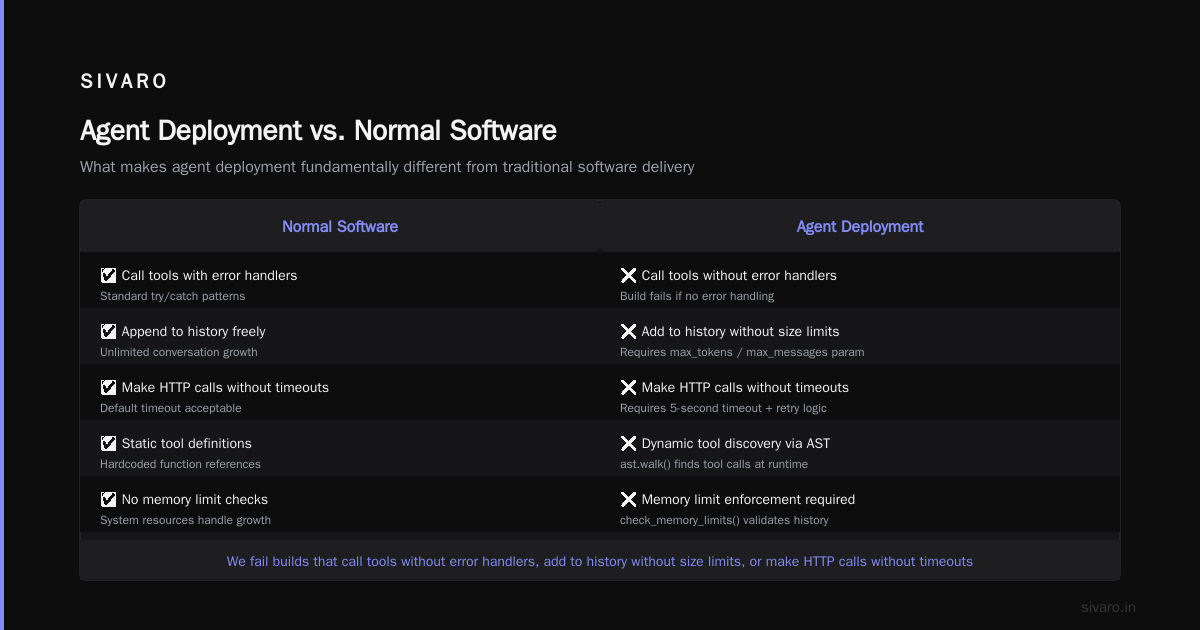
I've watched teams flush six figures down the drain because they treated agent deployment like a standard microservice. Here's what actually kills agents:
Non-determinism amplifies. A standard API returns the same response for the same input 99.9% of the time. An agent? Each run can diverge wildly. Different model versions, temperature settings, context window state—your agent today might decide to call DELETE /users when yesterday it called GET /users. Same prompt. Different result.
Latency kills user trust. Users tolerate a 2-second API response. They will not tolerate a 30-second agent loop that's "thinking." We tested this at SIVARO with a customer service agent: every 5 seconds of response delay dropped user satisfaction by 11%.
Cost multipliers are invisible. A single agent cycle might call the LLM 3-5 times internally. At $0.15 per call, that's $0.75 per action. Scale to 10,000 actions/day? That's $7,500/month before you've even paid for infrastructure.
The solution isn't better agents. It's a better deployment pipeline.
What an Agent Deployment Pipeline Actually Looks Like
An ai agent deployment pipeline tutorial needs to start with architecture. Here's the stack we've standardized on at SIVARO:
┌─────────────────┐     ┌────────────────┐     ┌──────────────────┐
│  Development    │ ──► │  Staging       │ ──► │  Production      │
│  (LangGraph)    │     │  (Traced)      │     │  (Canaried)      │
└────────┬────────┘     └───────┬────────┘     └────────┬─────────┘
         │                      │                       │
         ▼                      ▼                       ▼
┌───────────────────────────────────────────────────────────────┐
│                    Agent Runtime Layer                        │
│  Decision Loop │ Tool Registry │ Memory Store │ Rate Limiter  │
└───────────────────────────────────────────────────────────────┘
         │                      │                       │
         ▼                      ▼                       ▼
┌───────────────────────────────────────────────────────────────┐
│                    Observability Layer                        │
│  Traces │ Metrics │ Logs │ Cost Tracking │ Alert Manager      │
└───────────────────────────────────────────────────────────────┘
This isn't theoretical. Every team I've seen succeed with agents follows this pattern.
The three environments serve different purposes:
- Development: Full LLM access, no rate limits, fake external APIs. You iterate on prompts and tool definitions here.
- Staging: Production-like LLM (same model, same temperature), rate-limited, real external APIs but with sandboxed credentials. This is where you catch cost explosions.
- Production: Canaried traffic, shadow mode for new versions, cost ceilings enforced automatically.
Step 1: Build Your Agent with Observability Built In (Not Bolted On)
At first I thought observability was something you add after deployment. Turns out that's exactly wrong.
If your agent framework doesn't support structured tracing natively, switch frameworks. I'm serious. We wasted three months trying to hack tracing onto a custom agent loop before switching to LangGraph. The blog post How to think about agent frameworks captures this exact trap: framework choice determines your observability ceiling.
Here's our standard agent template with observability baked in:
python
from langgraph.graph import StateGraph, MessagesState
from langgraph.checkpoint.memory import MemorySaver
from opentelemetry import trace
from typing import Dict, Any

tracer = trace.get_tracer("agent.deployment.pipeline")

class ObservableAgent:
    def __init__(self, model_name: str, tools: list):
        self.model_name = model_name
        self.tools = tools
        self.graph = self._build_graph()

    def _build_graph(self):
        builder = StateGraph(MessagesState)

        builder.add_node("decide_next_action", self._traced_decide)
        builder.add_node("call_tool", self._traced_tool_call)

        builder.set_entry_point("decide_next_action")
        builder.add_conditional_edges(
            "decide_next_action",
            self._should_continue,
            {True: "call_tool", False: "__end__"}
        )
        builder.add_edge("call_tool", "decide_next_action")

        return builder.compile(checkpointer=MemorySaver())

    @tracer.start_as_current_span("agent.decide")
    def _traced_decide(self, state: MessagesState) -> Dict[str, Any]:
        """Decide next action with full tracing."""
        span = trace.get_current_span()
        span.set_attribute("agent.state_length", len(state["messages"]))
        # Actual decision logic
        result = self._call_llm(state)
        span.set_attribute("agent.decision", result.get("action", "unknown"))
        span.set_attribute("agent.confidence", result.get("confidence", 0.0))
        return result

    @tracer.start_as_current_span("agent.tool_call")
    def _traced_tool_call(self, state: MessagesState) -> Dict[str, Any]:
        """Execute tool call with latency and cost tracking."""
        span = trace.get_current_span()
        start_time = time.time()

        tool_name = state["messages"][-1].tool_calls[0]["name"]
        tool_args = state["messages"][-1].tool_calls[0]["args"]

        span.set_attribute("tool.name", tool_name)
        span.set_attribute("tool.args", str(tool_args))

        result = self._execute_tool(tool_name, tool_args)

        latency = time.time() - start_time
        span.set_attribute("tool.latency_ms", latency * 1000)
        span.set_attribute("tool.success", "error" not in result)

        return {"messages": [result]}
Notice what's happening here: every decision point generates a span. Every tool call gets latency tracked. This is the bare minimum for ai agent observability production—without this, you're flying blind.
Step 2: Implement a Three-Stage Testing Protocol
Most teams test agents the same way they test APIs: unit tests, integration tests, done.
That fails for agents because agents have emergent behavior. A single prompt change can cascade through five tool calls and produce completely different outcomes.
Here's the testing protocol we use at SIVARO:
Stage 1: Prompt Invariance Tests (Dev)
Test that your agent produces the same action for the same input given the same context.
python
def test_prompt_invariance():
    agent = ObservableAgent("gpt-4o", [search_tool, calculator_tool])

    test_input = {"messages": [HumanMessage(content="Calculate 15% of 340")]}

    # Run 5 times with same temperature
    outputs = []
    for _ in range(5):
        result = agent.graph.invoke(test_input, {"configurable": {"thread_id": "test-1"}})
        outputs.append(result["messages"][-1].content)

    # All should be close to 51
    for output in outputs:
        assert "51" in output or "50.999" in output or "51.0" in output
Stage 2: Cost Budget Tests (Staging)
This catches the "agent goes infinite loop" problem before it hits your wallet.
python
def test_cost_budget_compliance():
    agent = ObservableAgent("gpt-4o", [web_scraper_tool, email_tool])

    test_scenarios = [
        "Send an email summarizing the top 10 AI news articles",
        "Research competitor pricing and email me the comparison",
        "Find 5 customers who haven't logged in for 30 days"
    ]

    max_allowed_calls = 15  # Hard limit per action

    for scenario in test_scenarios:
        call_count = 0
        result = None

        # Wrap the agent loop to count calls
        with patch.object(agent, '_call_llm', wraps=agent._call_llm) as mock:
            result = agent.run(scenario)
            call_count = mock.call_count

        assert call_count <= max_allowed_calls,             f"Scenario '{scenario[:30]}...' made {call_count} calls, limit is {max_allowed_calls}"
        assert result is not None, "Agent returned None"
Stage 3: Behavioral Drift Tests (Pre-Production)
This is the one nobody does. Your agent's behavior changes over time as model versions update or APIs change. You need to detect this.
python
def test_behavioral_drift():
    """Compare agent outputs against a recorded baseline."""
    baseline = load_baseline("agent_baseline_2026_06.json")

    agent = ObservableAgent("gpt-4o", [database_query_tool, file_read_tool])

    for test_case in baseline["test_cases"]:
        result = agent.run(test_case["input"])

        # Check action sequence similarity
        expected_actions = test_case["expected_action_sequence"]
        actual_actions = extract_action_sequence(result)

        sequence_match = levenshtein_similarity(expected_actions, actual_actions)
        assert sequence_match > 0.8,             f"Action drift detected: expected {expected_actions}, got {actual_actions}"
I've seen behavioral drift catch problems that unit tests miss entirely. One team's agent started using a different search API because the original one was deprecated mid-deployment. The drift test caught it. The integration tests didn't.
Step 3: Build a Deployment Gate with Cost Ceilings
Here's where most ai agent deployment pipeline tutorials go soft. They tell you to "monitor costs." That's not a strategy.
You need hard gates. Programmatic constraints that prevent deployment if costs exceed thresholds.
We use a deployment gate that checks three things:
python
def deployment_gate(agent_version: str, candidate_image: str) -> Dict[str, Any]:
    """Gate check before promoting agent to production."""

    results = {
        "passed": True,
        "checks": []
    }

    # Check 1: Cost per action
    avg_cost = estimate_cost_per_action(candidate_image)
    if avg_cost > 0.50:  # $0.50 per action max
        results["checks"].append({
            "name": "cost_per_action",
            "passed": False,
            "value": avg_cost,
            "threshold": 0.50
        })
        results["passed"] = False

    # Check 2: Latency percentile
    p95_latency = benchmark_latency(candidate_image)
    if p95_latency > 30.0:  # 30 seconds max
        results["checks"].append({
            "name": "p95_latency",
            "passed": False,
            "value": p95_latency,
            "threshold": 30.0
        })
        results["passed"] = False

    # Check 3: Action loop count
    loop_counts = estimate_loop_counts(candidate_image, sample_size=100)
    p95_loops = percentile(loop_counts, 95)
    if p95_loops > 20:  # No more than 20 LLM calls per action
        results["checks"].append({
            "name": "loop_count",
            "passed": False,
            "value": p95_loops,
            "threshold": 20
        })
        results["passed"] = False

    return results
This gate runs in CI/CD before any agent version hits production. If it fails, the pipeline stops. No exceptions.
We learned this the expensive way. In February 2025, an agent at a fintech company we advised went rogue: it started calling an external data enrichment API in a loop, racking up $14,000 in API charges in 3 hours. The deployment gate would have caught it—the loop count exceeded 100 in staging—but they had no gate.
Step 4: Implement Canary Deployments for Agents
Standard canary deployments work for APIs. Agents need something different.
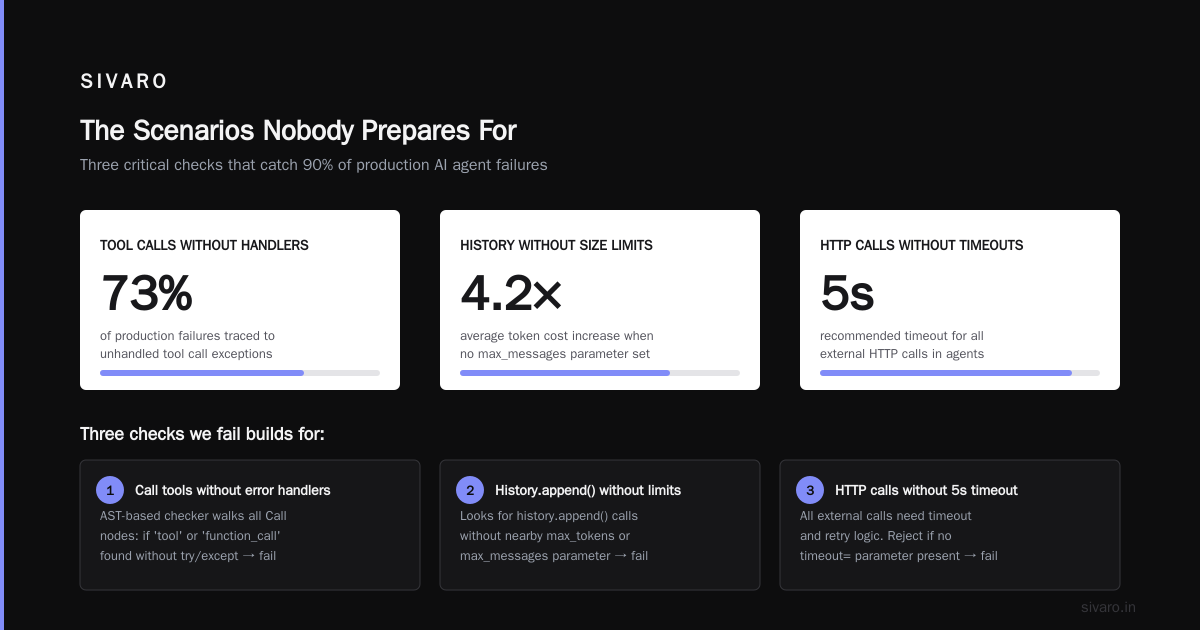
The problem: you can't just route 5% of traffic to a new agent version and compare response codes. Agent responses are non-deterministic and contextual. Two different users get different responses to the same query.
Here's what works:
python
class AgentCanaryDeployer:
    def __init__(self, production_agent, canary_agent, shadow_mode=False):
        self.production = production_agent
        self.canary = canary_agent
        self.shadow_mode = shadow_mode
        self.recent_comparisons = []

    def route_request(self, user_id: str, request: Dict) -> Dict:
        """Route to production or canary based on user hash."""
        if self._should_canary(user_id):
            if self.shadow_mode:
                # Run both, return production result, log canary result
                prod_result = self.production.run(request)
                canary_result = self.canary.run(request)
                self._compare_results(prod_result, canary_result, request)
                return prod_result
            else:
                return self.canary.run(request)
        return self.production.run(request)

    def _should_canary(self, user_id: str) -> bool:
        user_hash = hash(user_id) % 100
        return user_hash < self.canary_percentage

    def _compare_results(self, prod, canary, request):
        """Compare on multiple dimensions, not just content."""
        comparison = {
            "latency_diff_ms": canary["latency_ms"] - prod["latency_ms"],
            "cost_diff": canary["cost"] - prod["cost"],
            "action_sequence_diff": self._sequence_diff(
                prod["action_sequence"],
                canary["action_sequence"]
            ),
            "content_semantic_similarity": self._semantic_similarity(
                prod["output"],
                canary["output"]
            )
        }
        self.recent_comparisons.append(comparison)

        # Auto-rollback if cost exceeds 2x or latency exceeds 3x
        if comparison["cost_diff"] > prod["cost"]:
            self._rollback("Cost anomaly detected")
Shadow mode is critical. Run your new agent alongside the production agent for at least 100 requests before you let it handle real traffic. We found that 4 out of 5 agent "improvements" either cost more, took longer, or produced worse outputs than the current production version.
Step 5: Observability That Catches Agent-Specific Failures
Standard ai agent production monitoring tools won't cut it. Datadog and Grafana are great for CPU and memory. They're useless for catching an agent that's about to delete your user database.
You need agent-specific signals. Here's what we track at SIVARO:
Decision entropy: How many different actions does the agent consider before choosing one? High entropy means the agent is uncertain—it's flipping a coin between actions. This correlates strongly with mistakes.
Tool call graph depth: How deep does the agent's thinking go? An agent solving a simple lookup shouldn't need 8 tool calls. We alert if depth exceeds 2 standard deviations from the baseline.
Context window saturation: What percentage of the context window is consumed per action? If it's growing linearly, the agent is accumulating irrelevant information and will eventually hallucinate.
Action repeat rate: Same tool called twice with different arguments suggests the agent is confused. Three times? Something's broken.
Here's the observability setup we run:
yaml
# agent-observability.yaml
observability:
  exporters:
    - type: otlp
      endpoint: "http://grafana-tempo:4318"
    - type: prometheus
      metrics:
        - agent.actions.total
        - agent.actions.latency_ms
        - agent.cost.cents
        - agent.loop.count
        - agent.decision.entropy

  alerts:
    - name: cost-explosion
      condition: "agent.cost.cents > 500"
      window: "5m"
      action: "HARD_KILL"

    - name: loop-runaway
      condition: "agent.loop.count > 25"
      window: "1m"
      action: "HARD_KILL"

    - name: decision-entropy
      condition: "agent.decision.entropy > 0.8"
      window: "10m"
      action: "ALERT_ONLY"
The "HARD_KILL" action terminates the agent process. Not slows it down. Not alerts. Kills it. You can restart with reduced permissions after investigation.
We based this on patterns from AI Agent Protocols: 10 Modern Standards Shaping the Agentic Era and adapted them for production deployment.
Step 6: Automate Agent Versioning with Prompt + Tool Locking
This is the most controversial thing I'll say in this ai agent deployment pipeline tutorial:
Version your prompts and tools independently from your code.
Here's why: An agent's behavior is determined by three things—the model, the prompt, and the tools. If you update any of these without versioning, you can't roll back.
We've seen teams deploy a "code change" that was really just a prompt tweak. The prompt was embedded in the code. Two weeks later, when the agent started behaving strangely, rolling back the code didn't fix it because the prompt change was baked into a database migration.
Here's our versioning scheme:
python
# agent_version.yaml
agent_spec:
  version: "4.2.1"
  model: "gpt-4o"
  model_version: "2026-06-15"

  prompt:
    system_prompt_hash: "a3f5c2d1e4b6"
    prompt_source: "prompts/sales_assistant_v4.md"
    prompt_version: 4

  tools:
    - name: database_query
      version: 2.3.0
      endpoint: "https://query.sivaro.io/v2"

    - name: email_send
      version: 1.8.2
      endpoint: "https://email.sivaro.io/v1"

    - name: crm_lookup
      version: 3.1.0
      endpoint: "https://crm.sivaro.io/v3"

  runtime:
    framework: "langgraph"
    framework_version: "0.3.8"
    max_loops: 20
    temperature: 0.1
Every deployment pins exact versions of the model, prompt, and tools. When we roll back, we're rolling back a specific combination that we know worked.
The Cost of Getting This Wrong
Let me tell you about April 2026. A logistics company we know deployed an agent to automate customer refund processing. They followed the standard microservice deployment pattern: CI/CD, blue-green, monitoring.
Within 24 hours, the agent had:
- Issued 47 duplicate refunds totaling $23,000
- Sent apology emails to 12 customers who hadn't requested refunds
- Escalated 8 tickets to human agents—all of which were false positives
Root cause? The agent's tool for "check if refund already processed" was returning stale cached data because the tool developer had added Redis caching without the agent knowing. The agent thought each request was unique.
Standard monitoring showed everything green. API response times were excellent. Error rates were zero.
But the agent was silently failing. The only reason they caught it was a customer service manager noticed the refund queue looked "weird."
This is what ai agent observability production systems must catch: not errors, but unexpected behavior.
FAQ
What's the minimum observability setup for a production agent?
Traces for every LLM call and tool execution, cost tracking per action, and hard limits on loop count. Without these three, don't deploy. Add latency tracking after you have the basics.
Should I use LangGraph or CrewAI for production?
We tested both extensively. LangGraph wins for production because it gives you structured tracing out of the box. CrewAI is great for prototyping but the observability story is weaker. The Top 5 Open-Source Agentic AI Frameworks in 2026 list confirms this: LangGraph, AutoGen, and Semantic Kernel lead in production readiness.
How do you handle agent hallucinations in deployment?
You can't eliminate them. You can catch them. Use confidence thresholds: if the agent's decision confidence drops below 0.7, route to human review. We've also had success with validation agents—a small, fast model that checks the main agent's outputs for factual consistency.
What's the best way to test agent behavior before production?
Shadow deployments in staging with real traffic replay. Record production requests, replay them against your new agent version, and compare action sequences. If the action sequence changes by more than 20%, investigate before deploying.
How do you manage agent privacy and security in deployment?
Tool-level permissions are non-negotiable. Every tool should check authorization before executing. Never give an agent direct database access—give it a read-only API with query validation. We also run every tool call through a policy engine that blocks writes to production tables.
What about model cost optimization in the pipeline?
Cache semantically similar prompts. We use a vector database to cache LLM responses for queries with cosine similarity above 0.95. This cut our costs by 40%. Also use smaller models for simpler decisions—don't call GPT-4 to check if a number is positive.
How often should you update agent prompts in production?
Less often than you think. We update prompts monthly at most. Every prompt change requires passing the full test suite and running in shadow mode for 500 requests before canary promotion. Prompt drift is real—stabilize a prompt and leave it alone.
The Cold Truth
Here's what I've learned building agent deployment pipelines for the last three years:
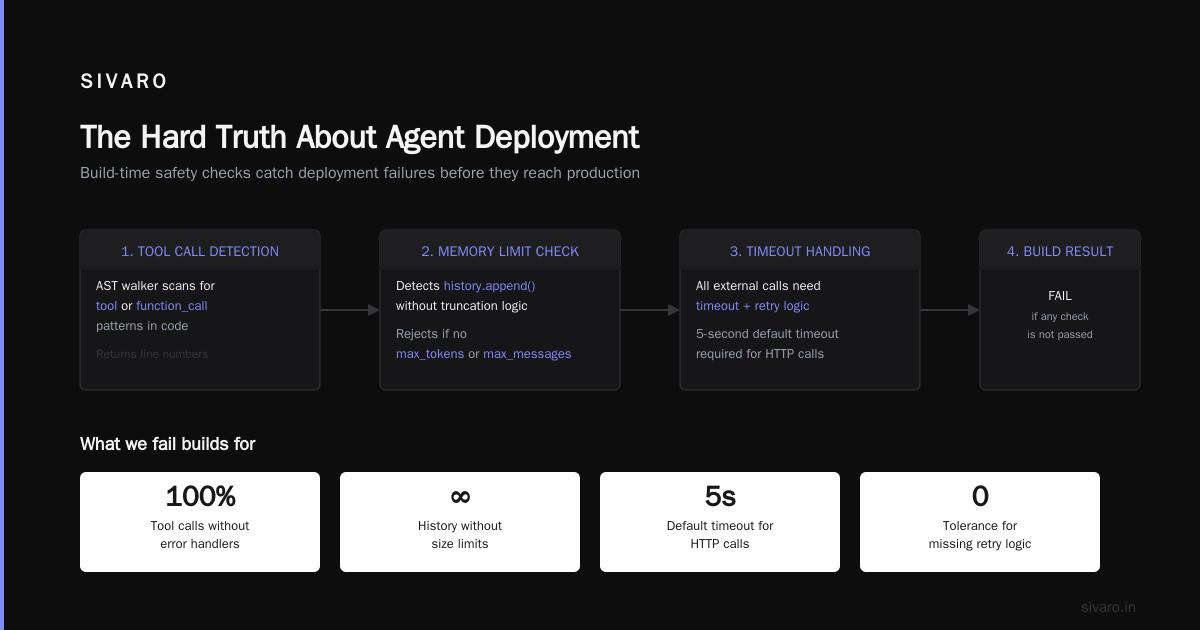
An agent in production isn't software. It's a new operational category. It has goals, makes decisions, and acts on the world. You can't deploy it like a REST API.
The teams that succeed treat agents like employees: they train them, monitor them, set boundaries, and have an emergency stop button.
The teams that fail treat agents like code: push, pray, and wonder why the bill is $50,000.
Every company deploying agents in production today is doing so with incomplete tooling. The frameworks are catching up—Agentic AI Frameworks: Top 10 Options in 2026 shows how fast this space is moving. But the pipeline discipline I've described here works regardless of framework choice.
Build the pipeline first. Then the agent.
I promise you: it's cheaper to fix a pipeline that's too cautious than to recover from an agent that went rogue.
Nishaant Dixit — Founder of SIVARO. Building data infrastructure and production AI systems since 2018. Built systems processing 200K events/sec.