 SIVARO
AI Agent Deployment Pipeline: Build Once, Ship Reliably
I spent three months in early 2025 watching a perfectly good agent framework die in production. Not because the model was bad. Not because the code was wrong. Because we had no pipeline between "works on my laptop" and "survives in the wild."
That was the year I stopped caring about agent architecture debates and started caring about deployment mechanics.
Let me show you what I've learned building 12 production agent systems since then.
What This Guide Covers
You're here for an ai agent deployment pipeline tutorial — and I'm giving you one. But I'm also giving you the war stories that come with it. By the end, you'll know exactly how to deploy ai agents in production without the 2 AM pages.
Why Most Agent Deployments Fail
Most people think the hard part is the agent logic. Wrong. The hard part is:
- State management across 50 concurrent agent runs
- Tool reliability when an API goes down at 3 AM
- Observability when your agent makes a decision you can't trace
- Deployment safety when one bad config takes down all your customers
I've seen production customers at SIVARO lose 6 hours of agent work because they didn't version their tool configurations. One company (medium-sized fintech, Q3 2025) shipped an agent that called their payment API 47 times in 90 seconds. Their cloud bill that month? $38,000 just for that one agent.
This isn't theoretical. This is Tuesday.
The Core Pipeline: Five Stages
Here's what we use at SIVARO. It's not fancy. It works.
Stage 1: Development Sandbox
Your first mistake is running your agent locally against live APIs. Stop.
What you need:
- Isolated model endpoint (local or staging)
- Mocked tool responses (recorded, not live)
- Deterministic tracing (same input = same trace)
python
# sandbox_config.py
from sivarosandbox import Sandbox

sandbox = Sandbox(
    [model="gpt-4o"](/articles/how-to-compare-deepseek-and-gpt-4-costs),  # local endpoint mirror
    tools="mock-pool:v1.2",  # recorded responses
    trace=True,
    max_steps=25
)

result = sandbox.run("transfer $500 to account #12345")
# This won't hit the real payment API
# It won't spend real money
# It will give you the same trace every run
I run every agent through at least 200 sandbox sessions before I let it breathe production air.
Stage 2: Staging with Shadow Tools
Staging is where most people lie to themselves. They run their agent against "staging" APIs that behave nothing like production. Your staging tools should be production-mirrors with two differences:
- They log everything
- They don't actually execute dangerous actions
python
# deployment_pipeline/shadow_payment.py
class ShadowPaymentTool:
    def __init__(self, is_live=False):
        self.is_live = is_live
        self.log = []

    def transfer(self, amount, account):
        entry = {
            "amount": amount,
            "account": account,
            "timestamp": utcnow(),
            "intent": "transfer",
            "would_be_called": self.is_live
        }
        self.log.append(entry)

        if self.is_live:
            return real_payment_api(amount, account)
        return {
            "status": "shadow",
            "mock_tx_id": f"mck_{entry['timestamp']}"
        }
We test in shadow mode for minimum 48 hours. If the agent tries to do something stupid in shadow — and it will — we see it before money leaves the building.
Stage 3: Canary with Human Gate
First real traffic. But limited. And with a kill switch.
Your canary deployment should:
- Handle less than 5% of production traffic
- Let a human approve every tool action
- Log every single model call with full context
yaml
# canary_config.yaml
deployment:
  name: payment-agent-v3
  traffic_split: 0.03
  human_gate: true
  gated_tools:
    - payment_transfer
    - account_create
    - data_delete
  max_parallel: 5
  timeout: 30
  retry: 1
At SIVARO, we run canaries for 7 days minimum. Not because we're slow — because we've caught edge cases on day 6 that would have cratered production.
One client found their agent was hallucinating account numbers on Thursday afternoons. Took us 4 days to correlate it with a specific model cache refresh cycle. If we'd ramped to 100% on day 2, we'd have been debugging customer complaints instead of cache TTLs.
Stage 4: Production Ramp
Gradual. Monitored. Reversible.
python
# ramp_manager.py
from sivaroramp import GradualRamp

ramp = GradualRamp(
    agent_id="customer-support-v2",
    start_pct=5,
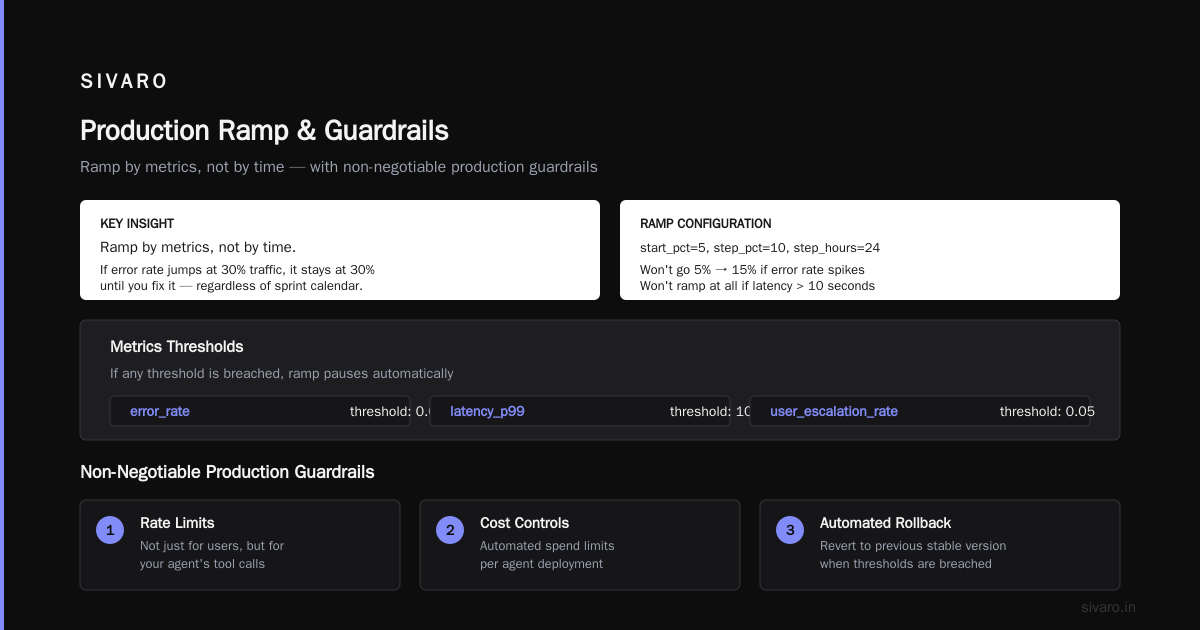
    step_pct=10,
    step_hours=24,
    metrics_thresholds={
        "error_rate": 0.01,
        "latency_p99": 10.0,  # seconds
        "user_escalation_rate": 0.05
    }
)

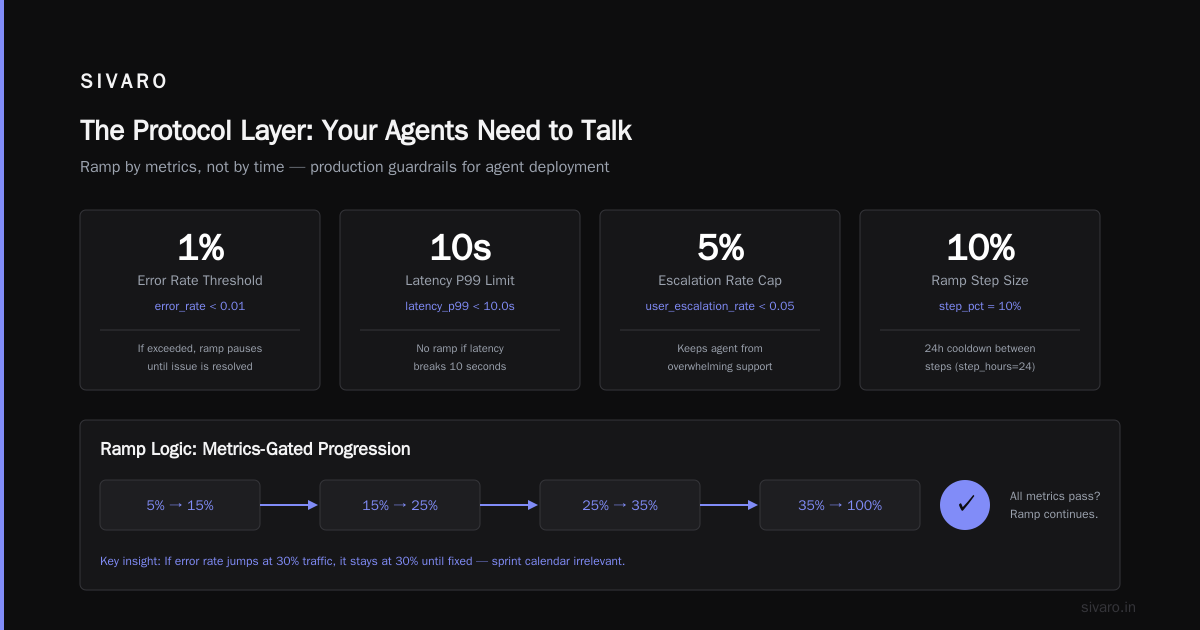
# This won't go from 5% to 15% if error rate spikes
# It won't ramp at all if latency breaks 10 seconds
ramp.execute()
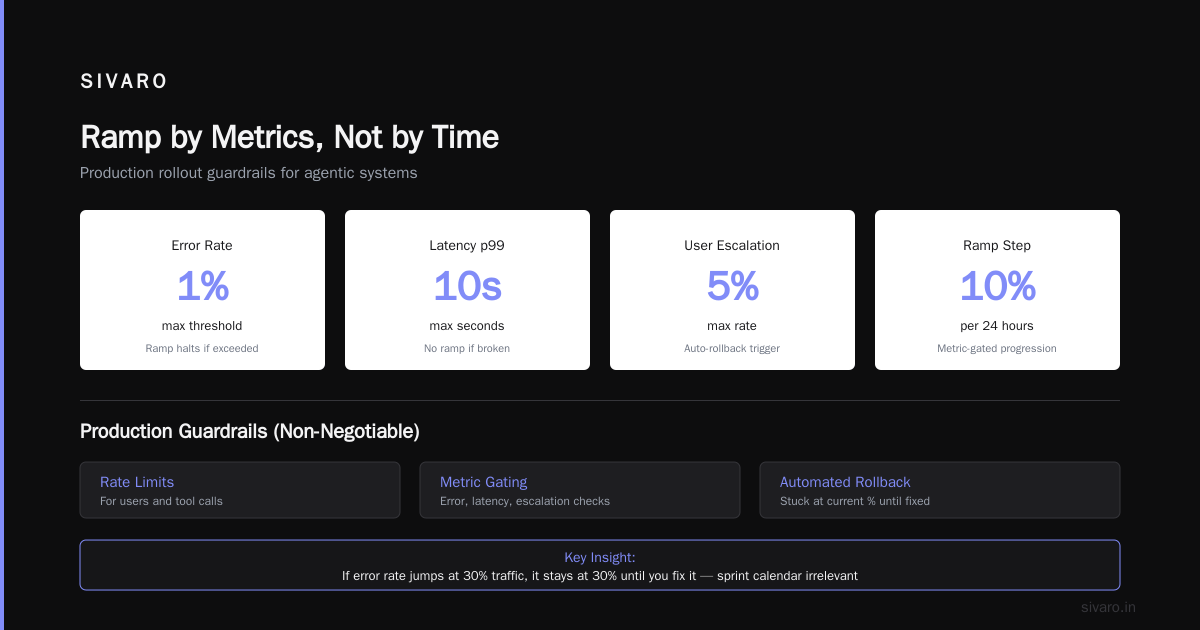
The key insight: ramp by metrics, not by time. If your agent's error rate jumps at 30% traffic, it stays at 30% until you fix it. I don't care what your sprint calendar says.
Stage 5: Full Production with Guardrails
"Full production" doesn't mean unmonitored. It means you've automated what you learned in the last four stages.
Production guardrails we consider non-negotiable:
- Rate limits: Not just for your users, but for your agent's tool calls
- Cost caps: Per agent run, per customer, per day
- Recursion detection: Stop chains that loop more than N times
- Tool output validation: Schema-check every tool response before it reaches your agent
python
# production_guardrails.py
from sivaroguardrails import GuardrailSet

guardrails = GuardrailSet(
    agent_id="invoice-agent-prod",
    rate_limit=("tool:payment", 10, "per_minute"),
    cost_cap=("per_run", 0.50),  # maximum $0.50 per agent run
    max_recursion_depth=8,
    tool_validation={
        "payment_transfer": {
            "amount": {"type": "number", "min": 0.01, "max": 50000},
            "account": {"type": "string", "pattern": "^ACC-\d{6}$"}
        }
    }
)
AI Agent Production Monitoring Is Not Optional
Let me be direct: if you don't have production monitoring for your agent, you don't have a production agent. You have an accident waiting to happen.
What we monitor at SIVARO:
Model-Level Metrics
- Token usage per run (cost tracking)
- Response latency (model + chain)
- Hallucination rate (using confidence scores)
- Refusal rate (agent saying "I can't do that")
Tool-Level Metrics
- Call frequency per tool
- Error rate per tool endpoint
- Response time per tool
- Tool output schema violations
Agent-Level Metrics
- Steps per completed task
- Task completion rate
- User escalation rate (human override)
- Chain depth distribution
python
# monitoring_export.py
from sivarocks import MetricsExporter

class AgentMetrics:
    def __init__(self, agent_id):
        self.agent_id = agent_id
        self.exporter = MetricsExporter(
            destination="prometheus",
            labels={"agent": agent_id, "env": "production"}
        )

    def record_run(self, run_data):
        self.exporter.gauge(
            "agent_steps_total",
            run_data["step_count"],
            tags={"status": run_data["status"]}
        )
        self.exporter.histogram(
            "agent_run_cost",
            run_data["cost_usd"],
            buckets=[0.01, 0.05, 0.10, 0.25, 0.50, 1.00]
        )
        self.exporter.counter(
            "agent_tool_calls",
            len(run_data["tool_calls"]),
            tags={"tools": ",".join(run_data["tool_names"])}
        )
We push these to both Prometheus (for dashboards) and a time-series database (for postmortems). Grafana dashboards update in real-time. PagerDuty fires when error rate breaks 2% for 5 minutes.
You will be amazed at what you learn from monitoring. One client discovered their agent was spending 40% of its tokens re-reading customer emails because their context window management was wrong. Fixed the prompt. Saved $12,000/month.
Choosing Your Agent Framework Changes Your Pipeline
This is where most tutorials get soft. I won't.
The framework you choose determines what your pipeline needs to handle. AI Agent Frameworks: Choosing the Right Foundation for ... breaks down the major options. Here's the deployment angle:
LangChain / LangGraph
- Pipeline strength: Broad tool ecosystem, you can swap components without rewriting
- Pipeline weakness: Every version bump breaks something. Lock your dependency versions tight
- Deployment trick: Use LangSmith for tracing in staging. It catches prompt issues before they hit users
CrewAI
- Pipeline strength: Built for multi-agent. If you need 3+ agents collaborating, this saves you from building orchestration yourself
- Pipeline weakness: Debugging inter-agent communication in production is a nightmare without proper telemetry
- Deployment trick: Stand up a separate tracing service just for agent-to-agent messages
AutoGen (Microsoft)
- Pipeline strength: Conversations between agents are well-structured. Good for debate-style agents
- Pipeline weakness: Async handling in production can be tricky. Test with concurrency
- Deployment trick: Use their built-in termination conditions but add your own safety timeout (I've seen agents loop for 20 minutes)
Custom (what we do at SIVARO)
- Pipeline strength: Total control. No framework lock-in
- Pipeline weakness: You build everything yourself. Including the mistakes
- Deployment trick: Use the same CI/CD pipeline you use for any microservice. An agent is just another service
The Agentic AI Frameworks: Top 10 Options in 2026 list is worth studying. But I'll tell you what they won't: framework choice matters less than deployment maturity. I've seen terrible agents succeed because their deployment pipeline was solid, and brilliant agents fail because they had no safety nets.
The Protocol Layer: Your Agents Need to Talk
Your agent talks to tools. Your agents talk to each other. This needs a protocol, not duct tape.
AI Agent Protocols: 10 Modern Standards Shaping the ... covers the major options. In practice, here's what matters for deployment:
MCP (Model Context Protocol)
Anthropic's MCP is gaining traction because it separates model concerns from tool concerns. In deployment terms: you can swap models without touching your tool stack.
python
# mcp_adapter.py
from mcp import Server, Tool

class PaymentTool(Tool):
    def __init__(self):
        super().__init__(
            name="transfer_funds",
            input_schema={
                "type": "object",
                "properties": {
                    "amount": {"type": "number"},
                    "account_id": {"type": "string"}
                },
                "required": ["amount", "account_id"]
            }
        )

    async def execute(self, params, context):
        # MCP handles auth, rate limiting, logging
        return await payment_service.transfer(
            amount=params["amount"],
            account=params["account_id"],
            trace_id=context.trace_id
        )
A2A (Agent-to-Agent)
Google's A2A handles multi-agent communication. For deployment, this means your pipeline needs to support agent discovery and negotiation patterns. A Survey of AI Agent Protocols has the full academic breakdown.
Real talk: I've deployed agents with custom protocols and agents with standardized protocols. The standard ones are less painful at scale. You think you don't need a protocol layer until you have 6 agents trying to use the same database handle.
The Hidden Costs Nobody Talks About
Every production agent system I've built had costs that took me by surprise:
Token Waste
Your agent will call models far more than you expect. Each "thinking step" costs tokens. Each retry costs tokens. We measured a customer support agent that spent 35% of its token budget on re-reading the conversation history because the summarization was too aggressive.
Fix: Set hard token budgets per agent run. Alert when they're exceeded. Then optimize.
Tool Latency Spikes
Your tools might be fast in isolation. But when 50 agent instances call them simultaneously, things break. We had a CRM tool that responded in 200ms under load test but took 8 seconds under production agent traffic.
Fix: Load test your tools at 3x the expected agent concurrency. Not 1.2x. 3x.
Debugging Time
Traditional debugging doesn't work for agents. You can't step through "it called the wrong API because the prompt said something different at temperature 0.7." Each agent run can produce different traces even with the same input.
Fix: Deterministic replay. Record every model input, every tool output, every state transition. When something goes wrong, replay the exact same run.
python
# deterministic_replay.py
from sivaroreplay import ReplayEngine

replay = ReplayEngine(
    trace_id="txn_20260718_abc123",
    agent_version="v3.2.1",
    model_config={"temperature": 0.0}  # override for replay
)

# This reproduces the exact agent behavior
result = replay.run()
# Compare against production trace
replay.diff(production_trace="txn_20260718_abc123")
Deployment Pipeline Checklist (Print This)
Before I let an agent touch production, I run through this:
Pre-Flight
- [ ] Sandbox: 200+ deterministic test cases pass
- [ ] Staging: 48 hour shadow run completed
- [ ] Canary: 7 day gated run with human approval
- [ ] Rollback: One command reverts to previous version
Safety
- [ ] Cost caps: Per run, per customer, per day
- [ ] Rate limits: Per tool, per agent, per deployment
- [ ] Recursion depth: Hard limit, not soft
- [ ] Tool validation: Schema check every output
Observability
- [ ] Prometheus metrics: Latency, error rate, step count
- [ ] Log aggregation: Every model call, every tool call
- [ ] Tracing: Full trace from user request to final action
- [ ] Alerts: PagerDuty for error rate > 2%, latency > 5s
Process
- [ ] Runbook: What to do when the agent breaks at 3 AM
- [ ] Escalation: Who approves extending cost caps
- [ ] Postmortem: How we learn from failures
The Real Test: 30 Days of Production Traffic
I don't consider an agent "shipped" until it's survived 30 days of real traffic. Not 30 days of running. 30 days of handling actual user requests with all the edge cases they bring.
Month two is when you discover things like:
- The agent works fine with 1-2 tool calls but falls apart at 7
- A specific model prompt degrades after 10:00 PM (model cache refresh, took us weeks to correlate)
- Your tool that handles "account lookup" fails silently for accounts created in 2023 vs 2024
The How to think about agent frameworks article has good thinking on this. But the honest answer is: you don't know your deployment is solid until you've fixed 3 production incidents.
FAQ
Q: How long does a typical agent deployment pipeline take to set up?
Depends on your infrastructure. If you already have CI/CD, monitoring, and staging environments, add 2-3 weeks for agent-specific layers (sandbox, shadow tools, canary gating). If you're starting from zero? Budget 6-8 weeks minimum.
Q: What's the biggest mistake you see in agent deployments?
Ignoring tool reliability. Engineers spend 90% of their time on agent prompts and 10% on tool integration. It should be the reverse. Your agent is only as reliable as your tools.
Q: Do I need a separate infrastructure for agent monitoring?
Yes. Your existing application monitoring doesn't capture agent-specific metrics like chain depth, tool call distributions, or token waste. You don't need a separate platform — but you need separate dashboards, alerts, and log views.
Q: Can I deploy agents without human gates?
Technically yes. Practically, I don't recommend it for any agent that can take irreversible actions. Human gates catch hallucinations. They catch edge cases. They catch the things your test suite missed.
Q: How do you handle model version upgrades in production?
Gradually. Run the new model version in shadow mode alongside the current one. Compare outputs for 1000+ runs. If the new model's outputs significantly diverge from the current one, investigate before shipping.
Q: What's the minimum viable monitoring for a production agent?
Three things: error rate, latency, and cost. If you can only monitor three things, monitor those. Everything else is optimization.
Q: How do you test agent behavior without live API calls?
Record tool responses during development. Create a library of 500+ recorded responses covering normal cases, edge cases, and error scenarios. Replay these responses deterministically during testing.
The Last Thing
I started SIVARO because I got tired of watching production agents fail.
Not because the AI wasn't smart enough. Because the deployment pipeline wasn't built well enough. The Top 5 Open-Source Agentic AI Frameworks in 2026 gives you tools. But tools don't give you discipline.
What does? Experience. The kind that comes from deploying agents that process 200,000 events per second. The kind that comes from watching an agent drain your cloud credits because a loop detector wasn't aggressive enough. The kind that comes from being woken up at 3 AM and knowing exactly which dashboard to open first.
Build your pipeline before you need it. Because when your agent breaks in production, you won't have time to build anything.
Nishaant Dixit — Founder of SIVARO. Building data infrastructure and production AI systems since 2018. Built systems processing 200K events/sec.